

Quozio Quote Maker - Create Stylish Quote Images for Social Media
Quozio is a free online tool that lets you create stylish quote images quickly by entering text and choosing background and font styles, ideal for social media sharing.
- Best for
- Social Media Content Creation
- Key capability
- Easy Text Input
Save Quozio, follow its updates and vote on it — everything stays in your account.
Sign in or create a free account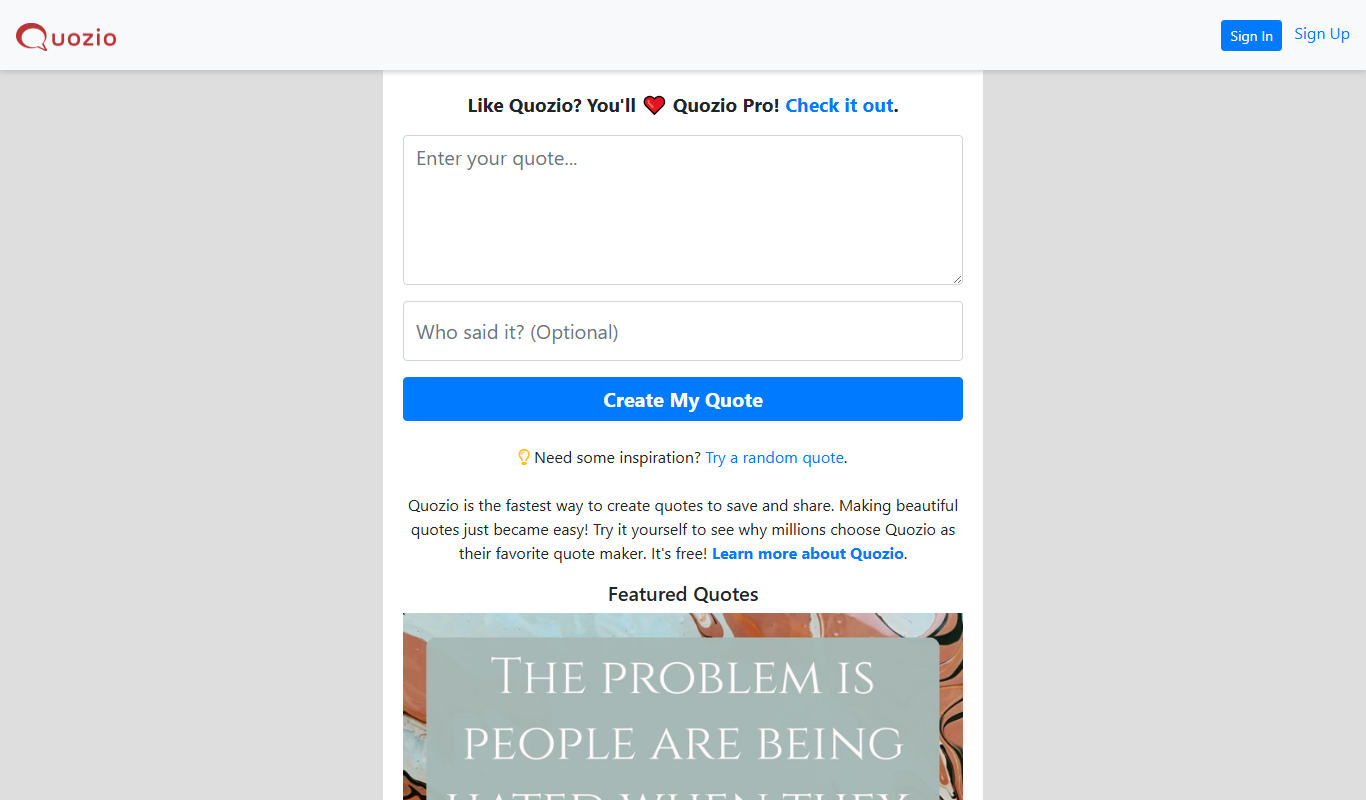
What is Quozio?
Quozio is a simple online tool that allows users to quickly create stylish images featuring quotes or short text. It transforms plain text into visually appealing graphics suitable for sharing on social media or embedding in digital content. The tool focuses on ease of use, enabling users to generate quote images without needing graphic design skills.
Key features of Quozio
Quozio offers a straightforward interface to input text, select background styles, and generate quote images instantly. It provides various font styles and background options to customize the look of the quote. The output images are optimized for social media sharing and can be downloaded or shared directly.
Easy Text Input
Simple interface to enter and edit quote text quickly.
Multiple Background Styles
Choose from various backgrounds including solid colors and subtle textures.
Font Customization
Select different font styles to match the tone of your quote.
Instant Image Generation
Create quote images in seconds without any design experience.
Social Sharing Options
Directly share your quote images on popular social media platforms.
Pros and cons of Quozio
Pros
- Very easy and quick to use
- No registration or login required
- Free with unlimited usage
- Clean and minimalistic interface
Cons
- Limited customization options compared to graphic design tools
- No advanced editing features like layering or image uploads
Key use cases for Quozio
Social Media Content Creation
Create visually appealing quote images to share on platforms like Instagram, Facebook, and Twitter.
Inspirational Quote Sharing
Generate stylish images featuring motivational or inspirational quotes for personal or professional use.
Marketing and Branding
Enhance brand engagement by sharing branded quote images that resonate with your audience.
Content Enhancement for Blogs and Websites
Add visually attractive quote images to blog posts or articles to improve reader engagement.
How Quozio works
- 1
Enter Your Quote
Type or paste the text you want to turn into a quote image.
- 2
Choose a Style
Select from available background and font styles to customize the appearance.
- 3
Generate Image
Click the button to create the quote image instantly.
- 4
Download or Share
Save the image to your device or share it directly on social media platforms.
Who is using Quozio
Quozio pricing
Free
$0
Free quote image creation; premium templates, HD downloads and a personal watermark require Quozio Pro.
Quozio Pro
$29/year
Premium templates, HD downloads and a personal watermark.
Plans and prices are as published by the vendor and can change. Check the official site before you buy. Open the pricing page (opens in a new tab)
Frequently asked questions about Quozio
Quozio is free to use, and Quozio Pro adds premium templates, HD downloads and a personal watermark for $29/year.
Yes, Quozio offers several font styles and background options to personalize your quote images.
No account or registration is required to use Quozio.
Quozio does not explicitly restrict commercial use, but it is recommended to review their terms of service.
It depends on your specific needs and how you plan to use the tool. The official website and documentation are the best sources for the latest details.
Yes, it can help with that use case depending on how you configure it and what features are available. You’ll get the best results with clear inputs and a defined goal.
Conclusion
Typing or pasting a quote is all it takes to begin, followed by a choice of background and font styles before the image is created instantly. Backgrounds range from solid colors to subtle textures. The finished image can be saved to a device or shared directly on social media platforms, and no account or registration is required.
Social media managers, bloggers and writers, and marketing professionals can use it for posts on platforms like Instagram, Facebook and Twitter. Basic use is free, while Quozio Pro costs $29 per year and adds premium templates, HD downloads and a personal watermark.
Sources
Sign in to review this tool.
Sign In to ReviewNo reviews yet
Be the first to share how this tool worked for you.
Ask about pricing, limits, or how it compares — or answer someone else.
Sign In to AskNo questions yet
Have a question about using or paying for this tool? Be the first to ask.
Featured on TiorAI



Alternative Tools
Explore similar AI tools that might fit your needs

QuotesCover
QuotesCover is a quote maker for creating quote images, with a paid pro version for features such as changing the font manually.
More AI Content Generator tools
Other tools in the same category, for when this one is not quite the fit.
AgapeVerse.app
AgapeVerse generates personal poems with AI: describe the person and the occasion, read the poem seconds later, then edit, print or share it by link.

Botowski
Botowski is a personal AI copywriter that generates slogans, business names, product descriptions, articles and blog content, with an AI chatbot for websites.
Viking Language Toolkit
Viking Language is a website and textbook series for learning Old Norse, with free resources, the Viking Language Old Norse Icelandic textbooks and audio pronunciation albums.

SlideHub
SlideHub is sales content management in PowerPoint for companies that sell using M365: one current slide library, tailored decks and usage tracking.

PepoSoft AI
PepoSoft AI is an AI writer for bloggers, marketers, entrepreneurs and students, with templates for blogs, websites and social media in many languages.

Regem AI Platform
Regem AI Platform is an AI writer and image tool with templates for blog posts, ads, SEO titles, emails and images, and a free plan.

ProPresence
ProPresence combines AI and human input to create LinkedIn thought leadership content for executives in their own tone of voice.

Growfol
Growfol is an AI tool for LinkedIn with trending post ideas, AI carousels, scheduling and analytics to grow your personal brand.