

ScrapeGraphAI Web Scraping Tool with AI Data Extraction Features
ScrapeGraphAI is an AI-driven web scraping platform that automates data extraction from websites, supporting dynamic content and offering no-code setup with API integration.
- Best for
- Market Research
- Key capability
- AI-Powered Data Extraction
Save ScrapeGraphAI, follow its updates and vote on it — everything stays in your account.
Sign in or create a free account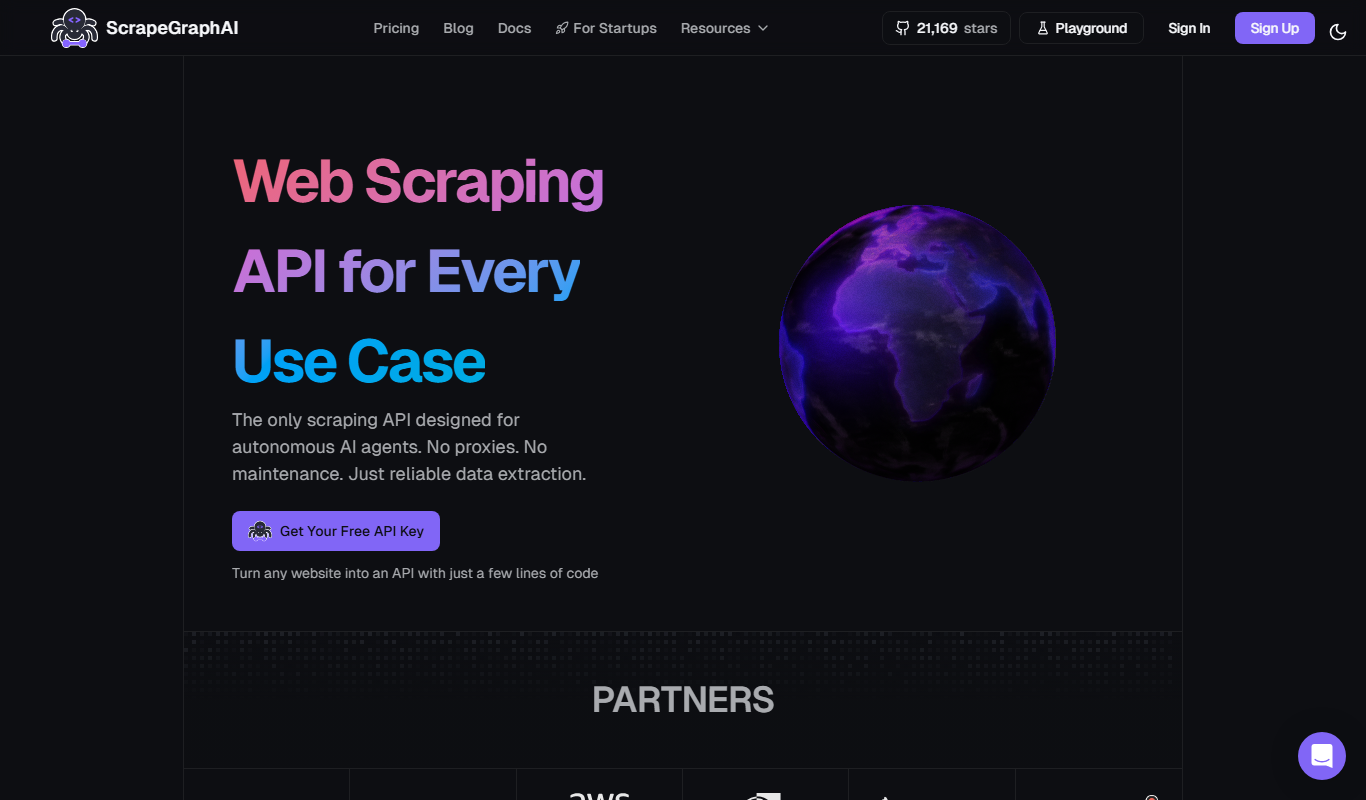
What is ScrapeGraphAI?
ScrapeGraphAI is an AI-powered web scraping platform designed to automate the extraction of structured data from websites. It leverages artificial intelligence to simplify the process of gathering data without requiring extensive coding knowledge. Users can scrape data at scale, transform it into usable formats, and integrate it via API or download options.
Key features of ScrapeGraphAI
The tool offers intelligent data extraction, customizable scraping workflows, API access for integration, and support for complex websites with dynamic content. Its AI capabilities help identify relevant data points and reduce manual configuration.
AI-Powered Data Extraction
Uses machine learning to intelligently identify and extract relevant data from complex web pages.
No-Code Interface
Enables users without programming skills to set up scraping tasks easily.
API Access
Provides API endpoints to integrate scraped data directly into applications or workflows.
Support for Dynamic Content
Handles websites with JavaScript-rendered content and infinite scrolling.
Customizable Workflows
Allows users to tailor scraping schedules, data fields, and output formats.
Pros and cons of ScrapeGraphAI
Pros
- User-friendly no-code setup
- AI enhances accuracy and reduces manual effort
- Supports dynamic and complex websites
- API access for seamless integration
- Flexible pricing plans including free tier
Cons
- Limited free plan data volume
- Advanced features require paid subscription
- May require learning curve for complex workflows
Key use cases for ScrapeGraphAI
Market Research
Extract competitive pricing, product details, and customer reviews from e-commerce sites to inform business strategy.
Lead Generation
Automatically gather contact information and company data from directories and social media platforms.
Content Aggregation
Collect and organize news articles, blog posts, and other content for media monitoring or research.
Data Analysis
Extract structured data from websites to feed into analytics tools and dashboards.
Academic Research
Gather large datasets from online sources for research projects requiring extensive data collection.
How ScrapeGraphAI works
- 1
Create an Account
Sign up on the ScrapeGraphAI platform to access scraping tools and dashboard.
- 2
Define Scraping Task
Specify the target website and data fields you want to extract using the AI-assisted interface.
- 3
Run Scraper
Execute the scraping job; the AI engine processes the site and extracts structured data.
- 4
Access Data
Download the extracted data in formats like CSV or JSON, or access it via API for integration.
Who is using ScrapeGraphAI
ScrapeGraphAI pricing
Free Plan
$0/mo
For getting started: 500 API credits (one-time), 10 requests/min, 1 monitor and 1 concurrent crawl.
Starter Plan
$20/mo billed monthly
For individuals: 10,000 API credits per month, 100 requests/min, 5 monitors and 3 concurrent crawls.
Growth Plan
$100/mo billed monthly
For growing businesses: 100,000 API credits per month, 500 requests/min, 25 monitors, 15 concurrent crawls and Basic Proxy Rotation.
Pro Plan
$500/mo billed monthly
For data-driven teams: 750,000 API credits per month, 5,000 requests/min, 100 monitors, 50 concurrent crawls, Advanced Proxy Rotation and priority support.
Enterprise
Custom billing
For large organizations: ad-hoc credits, custom rate limits, dedicated support and SLA guarantee.
Plans and prices are as published by the vendor and can change. Check the official site before you buy. Open the pricing page (opens in a new tab)
Frequently asked questions about ScrapeGraphAI
No, the platform offers a no-code interface powered by AI to simplify data extraction.
Yes, it supports JavaScript-rendered pages and can scrape data from complex web layouts.
Yes. ScrapeGraphAI is a web scraping API, and the Free Plan already includes 500 API credits (one-time).
You can export data in CSV, JSON, and other common structured formats.
It depends on your specific needs and how you plan to use the tool. The official website and documentation are the best sources for the latest details.
It depends on your specific needs and how you plan to use the tool. The official website and documentation are the best sources for the latest details.
Yes, it can help with that use case depending on how you configure it and what features are available. You’ll get the best results with clear inputs and a defined goal.
Conclusion
Requests pair a URL with a natural language prompt, and AI models extract exactly the fields asked for and return them as structured JSON. No CSS selectors or XPath are needed, and dynamic content, SPAs and messy HTML are handled automatically. The V2 API brings scrape, extract, search, crawl and monitor endpoints together, and monitoring sends a webhook notification when a page changes.
Access runs through Python and JavaScript SDKs, a CLI and an MCP server, which lets Claude, Cursor and other AI tools scrape data. Use cases on the site range from tracking competitor prices on e-commerce sites to RAG pipelines. Billing uses pay-as-you-go credits, with an optional stealth toggle for anti-bot bypass. API credits are one-time on the Free Plan but come per month on the Starter, Growth and Pro plans, along with more requests per minute and concurrent crawls.
Sources
Sign in to review this tool.
Sign In to ReviewNo reviews yet
Be the first to share how this tool worked for you.
Ask about pricing, limits, or how it compares — or answer someone else.
Sign In to AskNo questions yet
Have a question about using or paying for this tool? Be the first to ask.
Featured on TiorAI



Alternative Tools
Explore similar AI tools that might fit your needs

ParseHub
ParseHub is a no-code web scraping tool that allows users to extract data from websites including dynamic content, automate scraping tasks, and access data via API.

Diffbot
Diffbot is an AI-driven platform that automatically extracts structured data from web pages using machine learning and computer vision, providing APIs for developers to access clean, organized data for various applications.
More AI Artificial Intelligence Tools tools
Other tools in the same category, for when this one is not quite the fit.

Newmoney.AI
Newmoney.AI is an AI-powered crypto and cash wallet: buy, trade, swap and send crypto across SUI, Solana, Ethereum and Bitcoin with the AI agent Newton, including via WhatsApp and Telegram.

TwoShot
TwoShot is an AI creative suite for music, audio, video and images: generate music and sounds from text, split stems, make voiceovers and produce in an online studio.

Kuakua – Psychology & AI Tools for Well-Being
Kuakua is a free website of psychology games, tests, screenings and cognitive experiments that turns psychology research into small tools for well-being.

MixPeek
MixPeek is an AI-driven multimedia search engine that indexes videos, images, audio, and documents to enable fast, accurate search through a web interface and developer API.

Musicfy
Musicfy is an AI voice song generator for creating covers in any voice, with 100,000+ voices or a clone of your own.

MusicGen AI
MusicGen is a free AI music generation tool developed by Meta that uses a single Language Model (LM) to create music based on a prompt.

Musick AI
Musick AI is an AI-powered platform that generates original music tracks based on user-selected genres and moods, enabling easy composition for creators without musical expertise.

Ai Musician – AI Music Generator
AI Musician is an all-in-one AI music platform to generate music from text or images, remove vocals, split stems, create lyrics and sound effects, and design album covers.