

String Catalog - Centralized Software String Management and Localization Tool
String Catalog localizes iOS and Android app strings, release notes and store metadata through the Git workflow, supporting .xcstrings and Android strings.xml.
- Best for
- Centralized String Management
- Key capability
- Centralized String Repository
Save String Catalog, follow its updates and vote on it — everything stays in your account.
Sign in or create a free account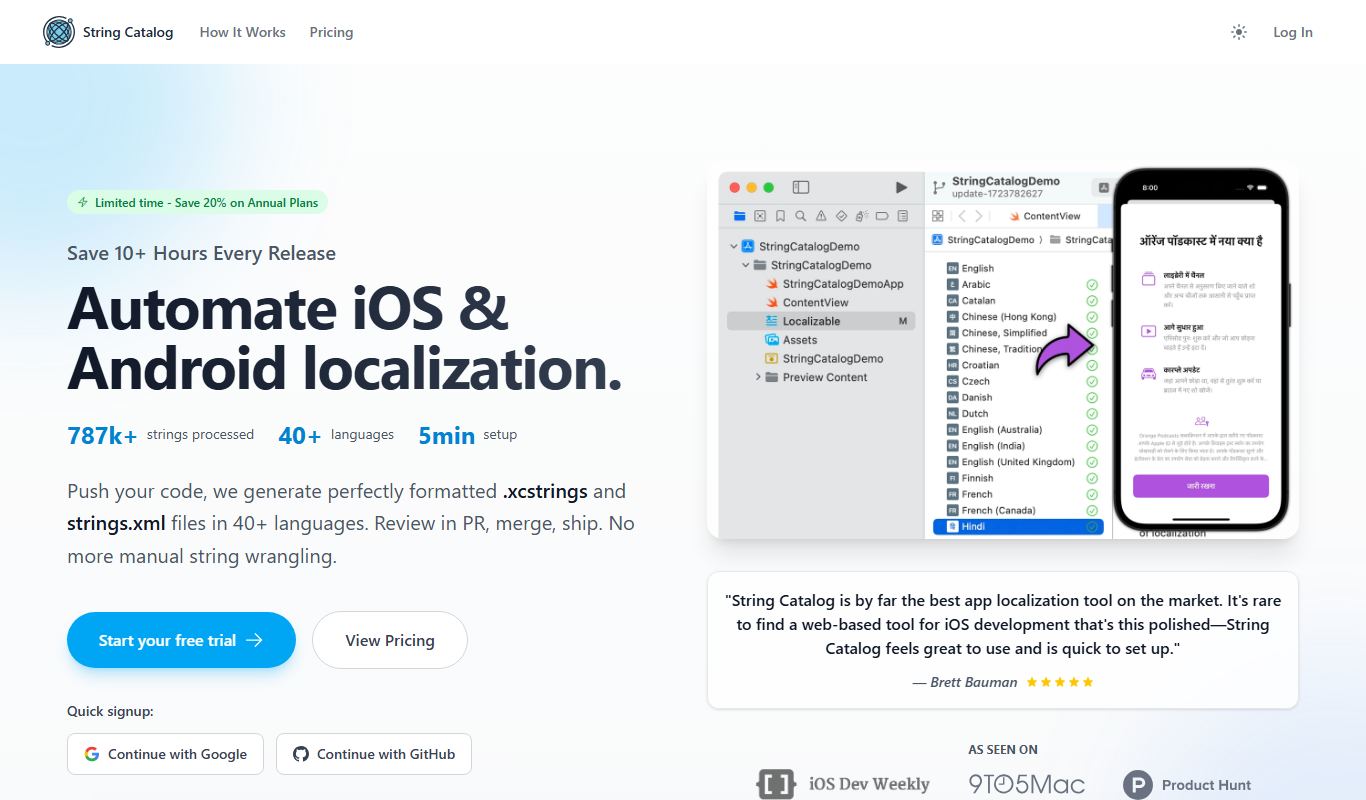
What is String Catalog?
String Catalog is an app localization tool for iOS and Android teams. It localizes app strings (.xcstrings and Android strings.xml), release notes and store metadata through the Git workflow, with updates reviewed in GitHub, GitLab or Bitbucket.
Key features of String Catalog
The tool offers centralized string storage, automated localization workflows, collaboration tools, quality assurance checks, and integrations with development pipelines to simplify internationalization and localization efforts.
Centralized String Repository
A single platform to store and manage all application strings for easier access and control.
Integration with Development Tools
Supports syncing with Git repositories and CI/CD pipelines to keep strings up-to-date.
Collaboration and Communication
Built-in tools for developers and translators to share context and feedback.
Automated Localization Workflows
Trigger translation jobs automatically and manage localization progress efficiently.
Quality Assurance Features
Validation checks and review processes to ensure translation accuracy and completeness.
Pros and cons of String Catalog
Pros
- Centralizes all software strings for better management
- Facilitates collaboration between developers and translators
- Automates localization workflows to save time
- Supports integration with development pipelines
- Includes quality assurance tools for translations
Cons
- Pricing details are not publicly listed and require contacting sales
- Currently supports only English interface
- Limited to web platform, no desktop or mobile apps
Key use cases for String Catalog
Centralized String Management
Manage all software strings in a single platform to improve consistency and reduce duplication.
Localization Workflow Automation
Streamline translation and localization processes with automated workflows and integrations.
Collaboration Between Developers and Translators
Facilitate communication and collaboration between engineering and localization teams.
Quality Assurance for Translations
Use built-in validation and review features to ensure translation accuracy and completeness.
Version Control and Change Tracking
Track changes to strings over time and maintain version history for audit and rollback.
How String Catalog works
- 1
Import Strings
Upload or sync your software strings from your codebase or repositories into String Catalog.
- 2
Organize and Manage
Categorize, tag, and manage strings centrally to maintain consistency and avoid duplication.
- 3
Collaborate with Translators
Assign translation tasks, communicate context, and review translations within the platform.
- 4
Automate Localization
Use built-in workflows and integrations to automate translation requests and updates.
- 5
Track Changes and QA
Monitor string changes, review translation quality, and maintain version history.
Who is using String Catalog
String Catalog pricing
One free language
Free
One free language to see how it works; no credit card required.
Hobby
$15/month, billed annually at $144
For indie developers shipping their first localized app: unlimited apps, up to 40 languages, 3,000 base string keys, 20 localized release notes per month.
Pro
$45/month, billed annually at $432
For teams shipping regularly who need review confidence: up to 40 languages, 7,500 base string keys, unlimited localized release notes, human translation QA with shareable review links.
Business
$75/month, billed annually at $720
For teams with large apps and frequent releases: up to 40 languages, 15,000 base string keys, unlimited localized release notes, human translation QA with shareable review links.
Plans and prices are as published by the vendor and can change. Check the official site before you buy. Open the pricing page (opens in a new tab)
Frequently asked questions about String Catalog
You can manage all user-facing software strings including UI text, error messages, notifications, and more.
Yes, it supports integration with Git repositories to sync strings automatically.
Yes, the platform provides tools for assigning tasks, sharing context, and reviewing translations.
You can start with one free language to see how it works, with no credit card required; paid plans are Hobby, Pro and Business.
It depends on your specific needs and how you plan to use the tool. The official website and documentation are the best sources for the latest details.
Integration support depends on the tool and its available connectors or API. Check the official documentation or integrations page to confirm what is supported.
It depends on your specific needs and how you plan to use the tool. The official website and documentation are the best sources for the latest details.
Conclusion
Mobile app teams are the target: one product localizes iOS .xcstrings and Android strings.xml files, App Store and Google Play release notes, and store listing metadata. Teams link GitHub, GitLab or Bitbucket, pick the branch they release from, then choose languages, add tone guidance and protect brand terms. Updates arrive as clean diffs to merge in Git, so the repo stays the source of truth.
When nuance matters, secure no-login review links bring in human reviewers, and low-confidence output can be retried before release. All plans cover up to 40 languages with no per-language pricing, while the Hobby, Pro and Business tiers raise the number of base string keys. Pro and Business add shared review and monitoring, and one free language can be tried with no credit card required.
Sources
Sign in to review this tool.
Sign In to ReviewNo reviews yet
Be the first to share how this tool worked for you.
Ask about pricing, limits, or how it compares — or answer someone else.
Sign In to AskNo questions yet
Have a question about using or paying for this tool? Be the first to ask.
Featured on TiorAI



Alternative Tools
Explore similar AI tools that might fit your needs

Phrase
Phrase is a cloud-based localization platform that helps teams manage and automate translations for software, websites, and marketing content with collaboration and API integration.

Crowdin
Crowdin is a cloud-based platform that helps teams manage and automate the translation and localization of software, websites, and apps with collaboration, integrations, and quality assurance features.

Lokalise
Lokalise is a cloud-based translation management platform designed to help software teams automate and streamline localization workflows through API integrations, mobile SDKs, and collaborative tools.
More AI Software Development Tools tools
Other tools in the same category, for when this one is not quite the fit.

TestLabs
TestLabs tests your app on 20 real devices for 14 days to meet the Google Play testing policy, with daily reports, device logs and screenshots.

modl.ai
modl.ai automates game testing and QA with AI agents that play your build and analysts that report bugs, glitches and performance issues, with no SDKs or code needed.

Momentic
Momentic is an AI testing platform where agents run and maintain plain-English end-to-end tests for web, iOS and Android apps, locally or in CI.

Composio
Composio connects AI agents to 1,500+ apps with tool calling, managed auth and sandboxed execution.

Ellipsis
Ellipsis runs Claude Code and Codex agents in the cloud, defined as YAML config files in a repo, to build features, fix bugs and review code.

Predict Expert AI
Predict Expert AI builds tailored AI models, apps, chatbots, automation workflows and forecast models for businesses, priced by custom quote.
width.ai
Width.ai is an AI and machine learning consulting company that helps companies build generative AI projects through development and strategy.

DevGPT
DevGPT is the AI assistant for developers inside DevKit, combining ChatGPT with 30+ mini-devtools to test public APIs, query databases and generate code.