

From my experience with width.ai, I found it excels at automating image resizing and compression with minimal manual effort, which is crucial for improving website speed and user experience. The platform’s API makes it a practical choice for developers looking to integrate image optimization into their workflows seamlessly. However, the pricing details are not fully transparent upfront, requiring direct contact for full plans, which might slow decision-making. Overall, if you need a reliable AI-powered solution to optimize images dynamically for web delivery, width.ai delivers solid and scalable results.
width.ai AI-Powered Image Resizing and Optimization Tool for Web
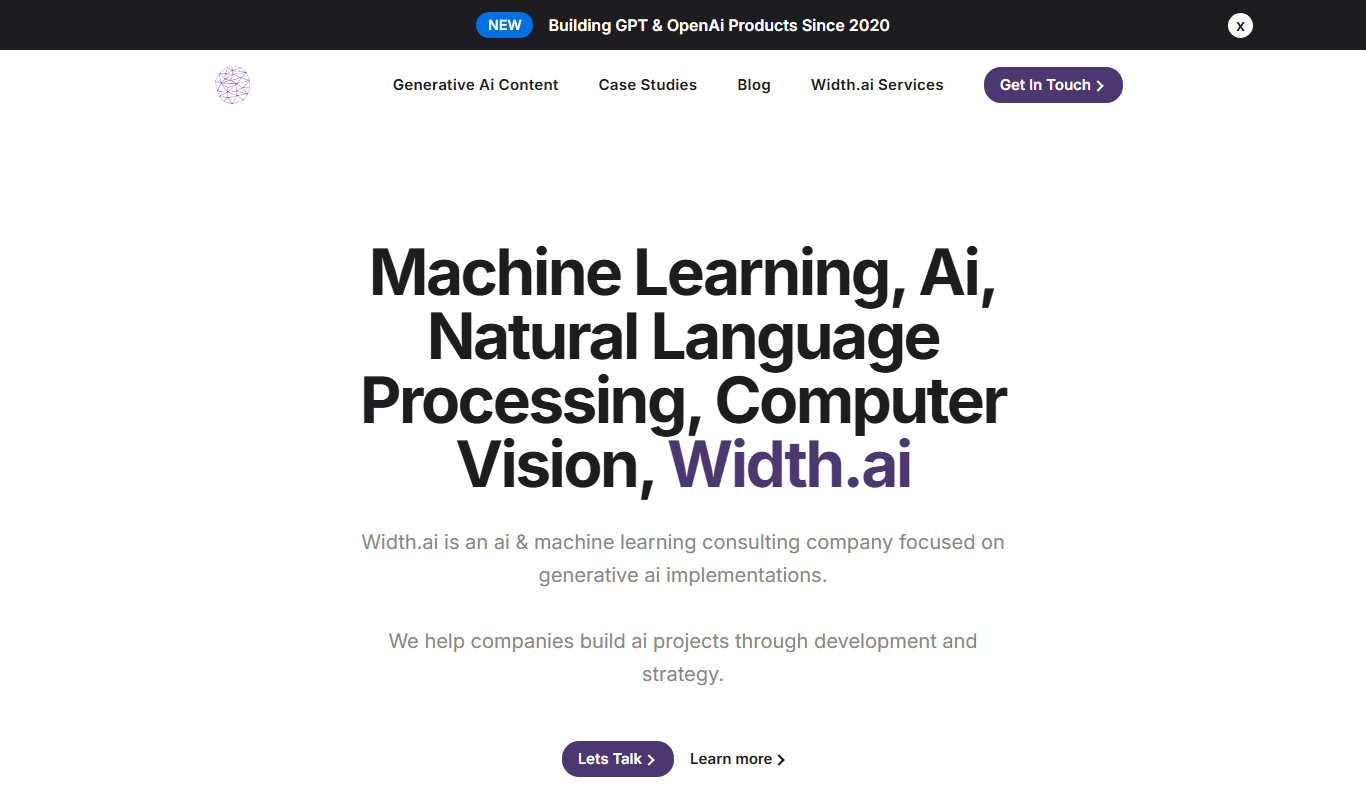
width.ai is an AI-driven platform that automatically resizes and compresses images to improve website load times and user experience, offering API integration for developers.
- Best for
- Website Image Optimization
- Key capability
- Automatic Image Resizing

Do you recommend this tool?
What is width.ai?
width.ai is an AI-driven image resizing and optimization platform designed to help websites and applications deliver faster, high-quality images. It automates the process of adjusting image dimensions and compressing files without compromising visual fidelity, improving load times and overall user experience.
Key features of width.ai
width.ai offers automated image resizing, intelligent compression, API access for developers, and seamless integration with web platforms to optimize images dynamically based on device and context.
Automatic Image Resizing
Adjusts image dimensions automatically based on device and layout requirements.
AI-Based Compression
Reduces file size while preserving image quality using intelligent algorithms.
Developer API
Provides API endpoints for seamless integration into custom workflows.
Real-Time Optimization
Delivers optimized images dynamically without manual intervention.
Pros and cons of width.ai
Pros
- Automates image resizing and compression effectively
- API enables easy developer integration
- Improves website load speed and user experience
Cons
- Pricing details require direct contact
- Limited information on supported tech stack publicly
Key use cases for width.ai
Website Image Optimization
Automatically resize and optimize images to improve website load times and user experience.
E-commerce Image Management
Enhance product images for faster loading and better visual appeal on online stores.
Content Delivery Optimization
Optimize images for faster delivery across different devices and screen sizes.
Developer Integration
Use the API to integrate image resizing and optimization into custom workflows and applications.
How width.ai works
- 1
Upload or Connect
Upload images directly or connect your website/application via API.
- 2
AI-Powered Processing
The AI analyzes images and resizes or compresses them optimally.
- 3
Deliver Optimized Images
Optimized images are delivered dynamically to end-users for faster loading.
Who is using width.ai
Web developers
E-commerce businesses
Digital marketers
Content creators
Web performance specialists
width.ai pricing
Free Trial
$0 for limited usage
Try the platform with limited image processing to evaluate features.
Pro
Contact for pricing
Full access to all features with scalable usage and API support.
Plans and prices are as published by the vendor and can change. Check the official site before you buy. Open the pricing page (opens in a new tab)
Frequently asked questions about width.ai
Yes, width.ai offers an API for developers to integrate image optimization into their applications.
Yes, there is a free trial available with limited usage to test the platform.
width.ai supports common web image formats including JPEG, PNG, and WebP.
It depends on your specific needs and how you plan to use the tool. The official website and documentation are the best sources for the latest details.
Integration support depends on the tool and its available connectors or API. Check the official documentation or integrations page to confirm what is supported.
Pricing depends on the plan and included features. For the most accurate and up-to-date details, check the official pricing page.
Sign in to review this tool.
Sign In to ReviewNo reviews yet
Be the first to share how this tool worked for you.
Ask about pricing, limits, or how it compares — or answer someone else.
Sign In to AskNo questions yet
Have a question about using or paying for this tool? Be the first to ask.
Featured on TiorAI



Alternative Tools
Explore similar AI tools that might fit your needs

Free
Cloudinary
Cloudinary is a cloud media management platform that enables developers and marketers to upload, optimize, transform, and deliver images and videos efficiently using APIs and CDN.

Free
Kraken.io
Kraken.io is an online image optimization platform that compresses images to improve website loading speed and SEO, offering both a web interface and API for developers.
More AI Ai Tools tools
Other tools in the same category, for when this one is not quite the fit.

Free
Pogo Travel
Pogo Travel is an AI-driven platform that generates personalized travel itineraries based on your preferences, travel dates, and interests, offering collaborative planning and offline access.

Freemium
PlaninGo
PlaninGo is an AI travel planning tool that generates personalized trip itineraries and guides based on your preferences, helping you plan efficient and enjoyable trips.

Free
Travelwiz
Travelwiz is an AI-powered travel planning tool that creates personalized trip itineraries and offers tailored travel recommendations based on user preferences.

Free
Momo
Momo is an AI-powered assistant that automates workflows, manages tasks, and enhances team collaboration by integrating with popular productivity tools.

Free
Nextrip
Nextrip AI is an online travel planning tool that uses artificial intelligence to generate personalized trip itineraries based on your preferences, travel dates, and destinations.

Freemium
TravelBot AI Travel Assistant
TravelBot AI Travel Assistant is a web-based platform that uses artificial intelligence to help users create personalized travel itineraries, book flights and hotels, and receive tailored travel recommendations based on preferences and budget.

Freemium
AIreelity
AIreelity is an AI-driven video creation platform that transforms text scripts into engaging marketing videos with customizable templates and AI voiceovers.

Free
AIJOURNEY
AIJOURNEY is an AI-driven career development tool that provides personalized career path recommendations, identifies skill gaps, and offers curated learning resources to help users advance professionally.