

Insomnia API Client and REST Debugger for Developers and Teams
Insomnia is a desktop API client that helps developers design, debug, and test REST, GraphQL, and gRPC APIs with features like environment management and team collaboration.
- Best for
- API Development and Testing
- Key capability
- Multi-Protocol Support
Save Insomnia, follow its updates and vote on it — everything stays in your account.
Sign in or create a free account
What is Insomnia?
Insomnia is a powerful API client designed for developers to build, debug, and test REST, GraphQL, and gRPC APIs. It provides an intuitive interface to compose requests, inspect responses, and manage environments. Insomnia supports collaboration features for teams and integrates with API specifications like OpenAPI, making API development more efficient and organized.
Key features of Insomnia
Insomnia offers advanced API request building, environment management, team collaboration, support for multiple API protocols, and automation capabilities. It simplifies API testing and debugging with detailed response views and scripting support.
Multi-Protocol Support
Supports REST, GraphQL, and gRPC protocols for versatile API testing.
Environment Variables
Manage multiple environments with variable substitution for flexible API calls.
Team Collaboration
Real-time sharing of requests, environments, and workspaces among team members.
Scripting and Automation
Use JavaScript to script request workflows and automate testing scenarios.
Import and Export
Import API definitions from OpenAPI, Swagger, Postman, and export collections easily.
Pros and cons of Insomnia
Pros
- Intuitive and clean user interface
- Supports multiple API protocols including GraphQL and gRPC
- Strong environment and variable management
- Collaboration features for teams
- Extensive import/export options
Cons
- Desktop app only; limited web functionality
- Some advanced features require paid subscription
- Learning curve for scripting and automation
Key use cases for Insomnia
API Development and Testing
Design, debug, and test REST, GraphQL, and gRPC APIs with a user-friendly interface.
Team Collaboration
Share API requests, environments, and workspaces with team members to streamline development.
API Documentation
Generate and manage API documentation using OpenAPI and other specifications.
Automation and Scripting
Automate API workflows and testing with scripting capabilities and environment variables.
Debugging and Monitoring
Inspect API responses, headers, and logs to troubleshoot issues efficiently.
How Insomnia works
- 1
Download and Install
Get the Insomnia desktop app for your operating system or use the web version.
- 2
Create or Import API Requests
Start building API requests manually or import from OpenAPI, Swagger, or Postman collections.
- 3
Configure Environments
Set up environment variables to manage different API endpoints and credentials.
- 4
Send Requests and Inspect Responses
Execute API calls and analyze detailed response data including headers, body, and status.
- 5
Collaborate with Team
Share workspaces and API configurations with team members for synchronized development.
Who is using Insomnia
Insomnia pricing
Essentials
$0 per user / month
Unlimited Git Sync projects for up to 3 users, unlimited cloud/local projects for all users, Inso CLI for CI/CD automation, unlimited collection runs and environments, 1,000 mock server requests per month, end-to-end encryption.
Pro
$12 per user / month
Everything in Essentials, plus unlimited users, Git Sync projects for all users, unlimited organizations, role-based access control (RBAC) and 10,000 mock server requests per month.
Enterprise
$45 per user / month, self-serve up to 50 users; larger teams contact sales
Everything in Pro, plus native Kong Konnect integration, SSO (SAML/OIDC) and SCIM, control over where projects are stored, enterprise support, native vault integrations and unlimited mock server requests.
Plans and prices are as published by the vendor and can change. Check the official site before you buy. Open the pricing page (opens in a new tab)
Frequently asked questions about Insomnia
Yes, Insomnia offers a free plan with core API client features suitable for individual developers.
Insomnia supports REST, GraphQL, and gRPC protocols for comprehensive API testing.
Yes, teamwork features are available on every plan, and projects, collections and resources can be shared with team members.
Yes, you can import OpenAPI, Swagger, and Postman collections to quickly set up requests.
This tool is designed to help users accomplish its core tasks more efficiently. It is typically used by individuals or teams looking to improve productivity and workflow.
It depends on your specific needs and how you plan to use the tool. The official website and documentation are the best sources for the latest details.
Yes, it can help with that use case depending on how you configure it and what features are available. You’ll get the best results with clear inputs and a defined goal.
Yes, it can help with that use case depending on how you configure it and what features are available. You’ll get the best results with clear inputs and a defined goal.
Conclusion
Requests are organized into collections, and the desktop client natively supports REST, GraphQL, gRPC and SOAP among other protocols. Environment variables hold credentials, tokens and endpoints, while pre-request and after-response scripts build test workflows and generate dynamic data. Existing OpenAPI, Swagger and Postman collections can be imported to set up requests quickly.
API developers, backend engineers and QA engineers are the people it is built around. Storage is a choice between local files, a Git repository and cloud sync, and the product is described as open source with a free tier. Teamwork features are available on every plan; the free Essentials plan limits Git Sync to a few users, and the paid Pro and Enterprise plans add unlimited users, access control and single sign-on.
Sources
Sign in to review this tool.
Sign In to ReviewNo reviews yet
Be the first to share how this tool worked for you.
Ask about pricing, limits, or how it compares — or answer someone else.
Sign In to AskNo questions yet
Have a question about using or paying for this tool? Be the first to ask.
Featured on TiorAI



Alternative Tools
Explore similar AI tools that might fit your needs
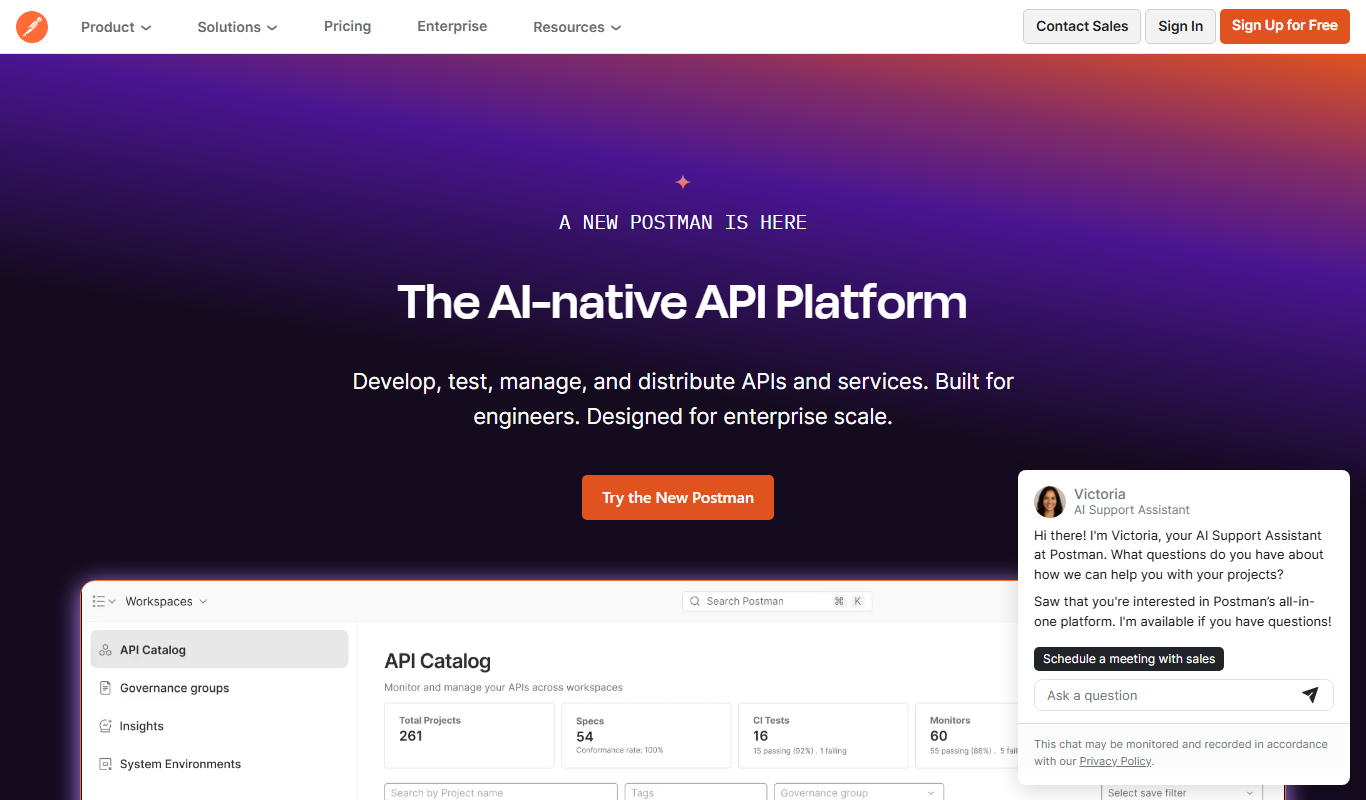
Postman
Postman is a comprehensive API platform that helps developers design, test, automate, document, and monitor APIs efficiently with collaboration tools.

Hoppscotch
Hoppscotch is a free, open-source API testing tool that supports REST, GraphQL, and WebSocket APIs, providing developers with a fast and intuitive interface for building, testing, and debugging APIs.
More AI API tools
Other tools in the same category, for when this one is not quite the fit.

ReceiptUp
ReceiptUp is a receipt and invoice OCR API that converts receipt and invoice images into structured data through a JSON REST API.

Myple
Myple is a developer platform to build, deploy and secure AI applications such as AI agents and RAG chatbots, with SDKs, a CLI and a free Hacker plan.

Image Pipeline
ImagePipeline is the image AI API for ecommerce and fashion teams: on-model imagery, virtual try-on, background and relight, and ad creative from one API key.

KawniX
Kawnix is a protocol for agent-to-agent commerce: discover verified agent endpoints, lock escrow and settle tasks with signed receipts.

SpamCheck.ai
SpamCheckAI is a spam detection API for free-form JSON and form submissions, with IP filtering, email validation and content analysis; it powers Basin.

FlexAI
FlexAI offers managed inference on 30+ open models behind one OpenAI-compatible API, with dedicated GPUs, fine-tuning and private cloud on one account.

Productify.ai
Productify.ai is an API-first platform for transforming unstructured product content into structured, compliant, reusable product data at eCommerce scale.

APIPark
APIPark is a one-stop AI model and API unified gateway with a single API key, access approval, quotas, billing and monitoring, available as open source and as a commercial edition.