

Use Case
Best AI Tools For Data Scientists in 2026 (Full Guide)
The landscape of ai tools for data scientists has shifted in 2026. Here are the top tools and how to use them effectively.
- Tools
- 9
- Free to start
- 7 of 9
At a glance
| Tool | Best for | Pricing | Profile |
|---|---|---|---|
 Hugging Face | Natural Language Processing |
| View |
 Cohere | Retrieval augmented generation |
| View |
| Anthropic Claude | Conversational AI |
| View |
| Replicate | Machine Learning Model Hosting |
| View |
| OpenRouter | Access Many AI Models Through One API |
| View |
| Mistral AI | AI Research and Development |
| View |
 Gemini & Gemini Advanced | Conversational AI Assistant |
| View |
| DeepSeek Online | Trying DeepSeek without an account |
| View |
 Tabnine | Code completion |
| View |
All 9 tools on this list
Number 1: Hugging Face
AI development platform Free Freemium

- Best for
- Natural Language Processing
Hugging Face is an AI platform providing a vast repository of pre-trained models, APIs, and tools for natural language processing and machine learning model deployment.
Key features of Hugging Face
-
Extensive Model Hub
Access thousands of pre-trained models for NLP, vision, and audio tasks.
-
Transformers Library
Open-source library providing state-of-the-art transformer models in Python.
-
Hosted API Endpoints
Easily deploy models with scalable, ready-to-use API endpoints.
-
Datasets and Metrics
Integrated datasets and evaluation metrics to streamline model training and benchmarking.
-
Community and Collaboration
Active community sharing models, datasets, and research to accelerate AI development.
Pros and cons of Hugging Face
Pros
- Extensive and diverse model repository
- Strong open-source community support
- Easy deployment with hosted APIs
- Supports multiple AI domains beyond NLP
Cons
- Advanced features require paid plans
- Steeper learning curve for beginners in ML
- Limited language support beyond English in some models
Best use cases for Hugging Face
-
Machine Learning Model Hosting
Host, share, and deploy machine learning models easily with Hugging Face’s infrastructure, enabling scalable API endpoints for production use.
-
Model Training and Fine-tuning
Users can fine-tune pre-trained transformer models on custom datasets to improve performance on specific tasks.
-
AI Research Collaboration
Researchers collaborate and share models and datasets openly, accelerating innovation in AI and machine learning.
Pricing
| Plan | Price |
|---|---|
| Free | $0/month |
| Pro | $9/month |
| Team | $20/user/month |

- Best for
- Retrieval augmented generation
Cohere is an enterprise AI company offering Command generative models, Embed and Rerank for search and retrieval, and the North agentic platform, via API or private deployment.
Key features of Cohere
-
Command generative models
Command A is Cohere's most performant model, built for enterprise tasks including tool use, retrieval augmented generation (RAG), agents and multilingual use cases.
-
Text Generation API
Generate coherent and contextually relevant text for chatbots, content creation, and more.
-
Embed and Rerank for search
Embed models and Rerank rerankers support semantic search and retrieval accuracy in enterprise search and agentic systems.
-
Enterprise model customization
Cohere's AI experts build models tailored to an enterprise's data, use cases and infrastructure, through custom pre-training or custom post-training.
-
Developer-Friendly API
Simple RESTful API with comprehensive documentation and SDKs for easy integration.
Pros and cons of Cohere
Pros
- Command A is trained to perform well in 23 languages
- Easy-to-use API with good documentation
- Bespoke model customization and private deployment for enterprises
- Free Trial API key for testing
Cons
- Trial keys are rate limited and not permitted for production or commercial use
- North and Compass require getting in touch for custom enterprise pricing
- No dedicated desktop or mobile apps
Best use cases for Cohere
-
Text Generation
Generate human-like text for chatbots, content creation, and automated writing assistance.
-
AI-Powered Search
Enhance search engines with semantic search capabilities to improve relevance and user experience.
-
Agentic coding
North Mini Code is Cohere's first agentic coding model, small, efficient and open-source.
Pricing
| Plan | Price |
|---|---|
| Trial API key | Free |
| Production API key | Pay-as-you-go; Command A $2.5 / 1M input tokens and $10 / 1M output tokens |
| Enterprise | Custom pricing |
Number 3: Anthropic Claude
AI Chat Generator Enterprise

- Best for
- Conversational AI
Anthropic Claude is an AI chatbot developed by Anthropic that provides safe, ethical, and context-aware conversational AI through API integration.
Key features of Anthropic Claude
-
Ethical AI Design
Built with safety and ethical considerations to reduce harmful or biased outputs.
-
Contextual Understanding
Maintains conversation context for coherent multi-turn dialogues.
-
API Accessibility
Easy integration with existing software via a robust API.
-
Scalable Infrastructure
Supports enterprise-level usage with reliable uptime and performance.
Pros and cons of Anthropic Claude
Pros
- Strong focus on AI safety and ethics
- Maintains context in conversations effectively
- Robust API for easy integration
- Scalable for enterprise use
Cons
- Limited language support (primarily English)
- Pricing details not publicly disclosed
- No standalone consumer app
Best use cases for Anthropic Claude
-
Customer Support Automation
Automate customer service interactions with reliable and context-aware AI chatbots.
-
Content Generation
Generate high-quality text content for various applications such as summaries, explanations, and creative writing.
-
Research and Development
Use Claude for experimentation in natural language understanding and ethical AI research.
Pricing
| Plan | Price |
|---|---|
| Enterprise | Custom pricing |

- Best for
- Machine Learning Model Hosting
Replicate is a cloud-based platform that allows developers to run, share, and integrate machine learning models instantly via API without managing infrastructure.
Key features of Replicate
-
Cloud Model Execution
Run machine learning models on scalable cloud infrastructure without managing servers.
-
Extensive Model Registry
Access thousands of pre-trained open source models across various AI domains.
-
Simple API Integration
Integrate AI models into apps with straightforward RESTful API endpoints.
-
Model Versioning and Sharing
Track versions of models and share them with the community or privately.
-
Usage-based Pricing
Pay only for what you use; most models are billed by the time they take to run.
Pros and cons of Replicate
Pros
- Easy deployment and execution of ML models without infrastructure management
- Large catalog of open source AI models ready to use
- Simple API for quick integration into applications
- Supports both public sharing and private hosting of models
Cons
- Pricing can become costly for heavy or large-scale usage
- Limited to models compatible with Replicate’s containerized environment
- Primarily targets developers; less suited for non-technical users
Best use cases for Replicate
-
Model Sharing and Collaboration
Share AI models publicly or privately with collaborators and the community.
-
API Access to AI Models
Integrate AI models into applications via simple API calls without deep ML expertise.
-
Experimentation with Open Source Models
Run and test thousands of open source machine learning models instantly.
Pricing
| Plan | Price |
|---|---|
| Free | $0/month |
| Pay-as-you-go | Per second of hardware time, or per input and output |
Number 5: OpenRouter
AI Api Tools Free Pay As You Go

- Best for
- Access Many AI Models Through One API
OpenRouter is a unified API for 500+ AI models from 80+ providers, billed with pay-as-you-go credits and no subscriptions.
Key features of OpenRouter
-
Unified API Access
Access 500+ models from 80+ providers through a single, OpenAI compatible API.
-
Higher Availability
Reliable AI models via distributed infrastructure, with fallback to other providers when one goes down.
-
Scalable Infrastructure
Handles hosting and scaling of models, removing the need for users to manage backend infrastructure.
-
Usage Analytics
Provides detailed insights into API usage and performance.
-
Pay-as-you-go Credits
No subscriptions: prepaid credits are used for inference at the providers' own pricing, with no markup on inference.
Pros and cons of OpenRouter
Pros
- Simplifies access to multiple open-source LLMs
- No infrastructure management required
- Flexible pricing including a free tier
- Supports experimentation and production use
Cons
- Limited information on tech stack and languages supported
- Currently focused on English language models
- Pricing details are minimal and may lack enterprise options
Best use cases for OpenRouter
-
Custom AI Application Development
Use OpenRouter to integrate open-source LLMs into chatbots, content generation tools, and other AI-powered applications.
-
Cost-Effective AI API Usage
Leverage open-source models to reduce dependency on proprietary APIs and lower operational costs.
-
Experimentation and Research
Researchers and developers can test and compare different open-source LLMs conveniently via OpenRouter’s platform.
Pricing
| Plan | Price |
|---|---|
| Free | Free |
| Standard | Pay-as-you-go, 5.5% platform fee |
| Business | Pay-as-you-go, 8% platform fee |
Number 6: Mistral AI
AI Code Assistant Freemium Subscription

- Best for
- AI Research and Development
Mistral AI offers an AI platform for enterprises to customize, fine-tune and deploy AI assistants, autonomous agents and multimodal AI with open models.
Key features of Mistral AI
-
Open models
Customize, fine-tune and deploy AI assistants, autonomous agents and multimodal AI with open models.
-
High Performance and Efficiency
Their models are designed to deliver competitive accuracy while being computationally efficient.
-
API Access
Developers can access models via API for easy integration into applications.
-
Custom Fine-Tuning Support
Models can be fine-tuned on specific datasets to tailor outputs to unique use cases.
Pros and cons of Mistral AI
Pros
- Fully open-source models promoting transparency
- High performance comparable to leading LLMs
- Efficient model architectures reducing compute costs
- API availability for easy integration
Cons
- Limited language support primarily English
- Relatively new company with evolving ecosystem
- Documentation and tooling still maturing
Best use cases for Mistral AI
-
Natural Language Processing Applications
Developers can leverage Mistral's models for tasks such as text generation, summarization, translation, and conversational AI.
-
Custom AI Model Fine-Tuning
Organizations can train, align and evaluate custom AI models with Forge.
-
Integration into AI Products
Mistral AI models can be integrated into software products via API to enhance features like chatbots, virtual assistants, and content generation.
Pricing
| Plan | Price |
|---|---|
| Free | $0 |
| Pro | $14.99/month |
| Team | $24.99/user/month |
Number 7: Gemini & Gemini Advanced
AI Assistant Freemium

- Best for
- Conversational AI Assistant
Gemini and Gemini Advanced are Google’s advanced AI language models designed for conversational AI, content generation, and coding assistance, supporting multiple languages and accessible via web and API.
Key features of Gemini & Gemini Advanced
-
Advanced Conversational Abilities
Engages in multi-turn conversations with context retention and natural responses.
-
High-Quality Content Generation
Produces coherent, relevant, and creative text for various content needs.
-
Multilingual Support
Supports multiple languages for diverse global applications.
-
Coding Assistance
Generates, explains, and debugs code snippets across popular programming languages.
-
Integration via API
Allows developers to embed Gemini capabilities into their own applications.
Pros and cons of Gemini & Gemini Advanced
Pros
- Strong conversational AI with context awareness
- High-quality, versatile content generation
- Multilingual support for global users
- Developer-friendly API integration
Cons
- Advanced features require contacting sales and may be costly
- Limited offline or desktop support
- Some outputs may require human review for accuracy
Best use cases for Gemini & Gemini Advanced
-
Content Generation
Generate high-quality written content including articles, marketing copy, and creative writing.
-
Code Assistance
Help developers with code generation, explanation, and debugging support.
-
Research and Summarization
Summarize complex documents and provide concise insights for business or academic research.
Pricing
| Plan | Price |
|---|---|
| Free | $0/month |
| Google AI Pro | $19.99/month |
| Google AI Ultra | $249.99/month |
Number 8: DeepSeek Online
AI Chat Generator Free
- Best for
- Trying DeepSeek without an account
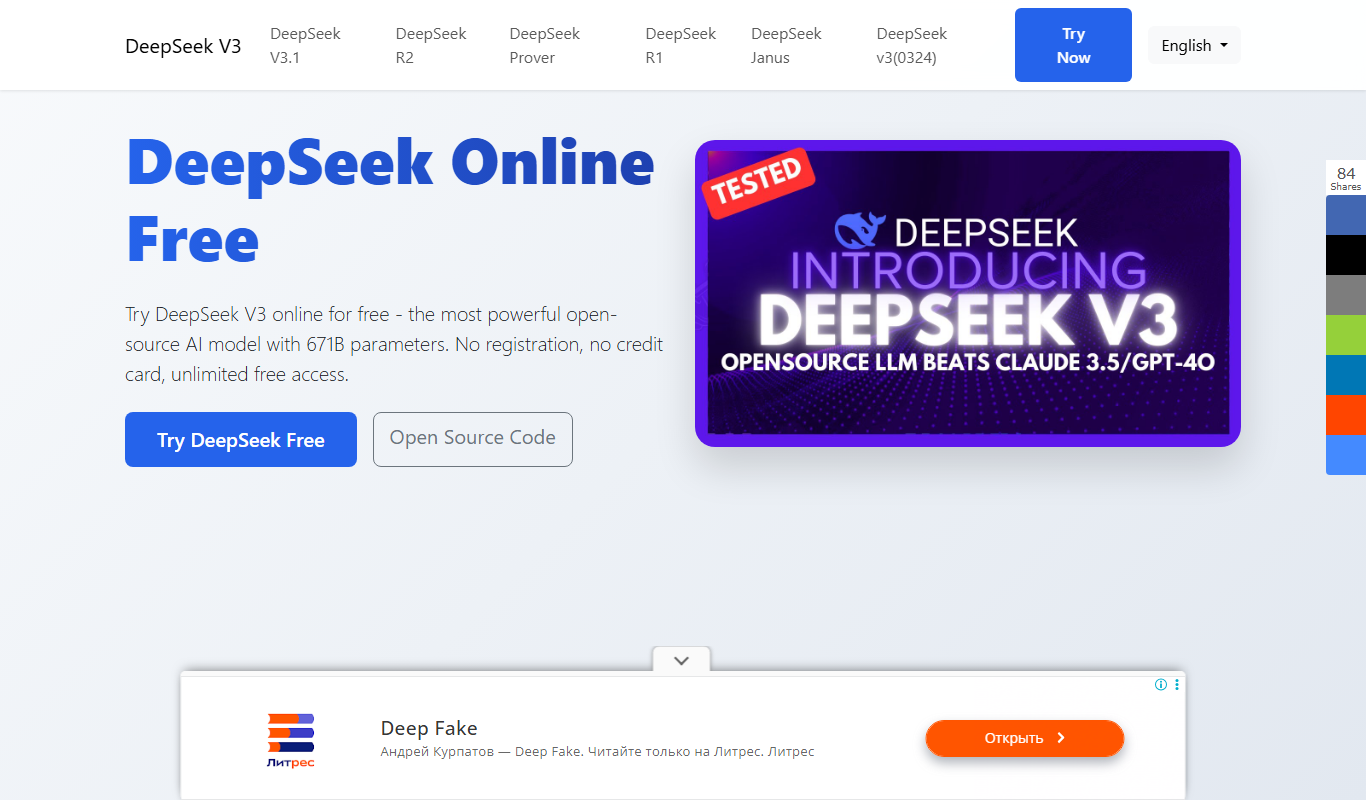
DeepSeek Online is an unofficial site for free browser chat with DeepSeek V3 and other DeepSeek models, with no registration.
Key features of DeepSeek Online
-
Free online chat
Real-time AI conversations with DeepSeek-V3 in the browser, with no registration needed.
-
Pages for other DeepSeek models
Separate pages for DeepSeek V4, V3.2, V3.1, R1, R2, OCR and Janus.
-
Model downloads
Links to download DeepSeek-V3-Base and DeepSeek-V3 (671B parameters, 128K context) to run locally.
-
Multilingual interface
The site interface can be switched to a range of other languages.
-
Search Analytics
Provides insights into search patterns and user behavior.
Pros and cons of DeepSeek Online
Pros
- Free chat with no registration and no credit card
- Interface available in many languages
- Links to the open DeepSeek-V3 model downloads
- Detailed analytics for optimizing search usage
Cons
- Not an official DeepSeek site
- Its terms of use name a different website, Hunyuan Video
- Local installation needs a GPU with sufficient VRAM and Python 3.8 or higher
Best use cases for DeepSeek Online
-
Comparing DeepSeek models
Read about and try different DeepSeek model versions such as V4, V3.2 and R1.
-
Finding the model downloads
Reach the DeepSeek-V3 and DeepSeek-V3-Base downloads for local installation.
-
Customer Support
Improves support workflows by enabling quick access to relevant documentation and past cases.
Pricing
| Plan | Price |
|---|---|
| Online chat | Free |
| Professional | $49/month |
| Enterprise | Custom pricing |
Number 9: Tabnine
Business Management Free Freemium

- Best for
- Code completion
Tabnine is a private, organization-aware AI coding agent that connects to your repositories to deliver secure code assistance, with Tabnine Agent, Tabnine Chat and code completions in your IDE or CLI.
Key features of Tabnine
-
Code completions
Completions adapt to your code as you type, from on-the-fly and full-function completions to code written from natural language comments.
-
Agent and Chat
Tabnine Agent performs coding tasks in the CLI or IDE, and Tabnine Chat answers questions about your codebase; users choose the chat model and can change it anytime.
-
IDE support
Fully supports VS Code, JetBrains IDEs, Eclipse, Visual Studio 2022 and Visual Studio 2026.
-
Private installation and customization
Enterprise customers with private installation can use an AI model fine-tuned on their private code, aimed at larger organizations with a bespoke codebase.
-
No-train-no-retain privacy
Tabnine never retains or shares your code with third parties, and the code context sent for an answer is deleted immediately after the server returns it.
Pros and cons of Tabnine
Pros
- Code completions save time when writing or revising code
- LLMs cover 600+ languages, libraries and frameworks
- Full support for VS Code, JetBrains IDEs, Eclipse and Visual Studio
- No-train-no-retain code privacy policy
Cons
- Advanced features require paid subscription
- Without personalization, recommendations often aren't tailored to an organization's developers
- Tabnine CLI is in maintenance mode and gets only critical updates through December 31, 2026
Best use cases for Tabnine
-
Codebase questions
Ask Tabnine Chat questions about your codebase.
-
Many languages and frameworks
The LLMs Tabnine uses cover 600+ languages, libraries and frameworks.
-
Agentic coding tasks
Use Tabnine Agent, in the CLI or IDE, to perform your coding tasks.
Pricing
| Plan | Price |
|---|---|
| Dev | $9/month |
| Business | $24/user/month |
| Enterprise | Custom pricing |
How we chose these tools
- Hand-picked, then orderedThe 9 tools on this page were selected by a TiorAI editor from the directory and placed in the positions you see them in. Nothing on this list is generated automatically or ordered by an algorithm.
- Facts come from each tool's profilePricing, categories, features and the pros and cons below are read from the tool's own TiorAI profile rather than retyped here, so one page is never out of step with the other. Follow any tool name to read the full profile.
- What we do not publishYou will not find star ratings or review scores on this page. TiorAI does not hold verified user reviews for these tools, and printing a number without them behind it would tell you nothing.
Related AI tool lists
Other round-ups that recommend some of the same tools, most overlapping first.
Best AI Pair Programming Tools for 2026 (Full Breakdown)
Compare the best AI Pair Programming Tools in 2026 — features, pricing, and which delivers the most value.
Tabnine, Hugging Face, Replicate and 4 moreThe Best AI Tools for Web Dev in 2026 (Reviewed)
We tested the top AI Tools for Web Dev and ranked them by quality, pricing, and workflow fit.
Tabnine, Hugging Face, Replicate and 4 moreBest AI IDE Plugins — Compared & Ranked
Explore the best AI IDE Plugins — ranked by performance, pricing, and features to help you choose right.
Tabnine, Hugging Face, Replicate and 4 moreBest Free AI Coding Tools: Expert Picks 2026
Not sure which Free AI Coding Tools to choose? Compare the top options by features, pricing, and real results.
Tabnine, Hugging Face, Replicate and 4 moreBest AI Tools for Developers — Free & Paid Options
Find the best AI Tools for Developers for 2026 — tested, compared, and ranked by features, pricing, and ease of use.
Tabnine, Hugging Face, Replicate and 4 moreBest AI Code Editors in 2026 — Top Picks
Looking for the best AI Code Editors? Compare top tools by features, pricing, and real-world performance.
Tabnine, Hugging Face, Replicate and 4 more
More tools in this area
Tools that share more than one category with the ones on this list, and are not already on it.
- Free
GPT4All
GPT4All is an open-source AI chat generator that allows users to run large language models locally on their devices, providing privacy and offline capabilities.
 Freemium
Zyte
Zyte is a web scraping platform that enables businesses and developers to extract structured data from websites using smart crawlers, proxy rotation, and API integration to automate data collection at scale.
- Free
UnoCSS
UnoCSS is an open-source, utility-first atomic CSS engine that generates CSS on-demand based on the classes used in your code, optimizing performance by minimizing CSS bundle size.
- Subscription
CockroachDB
CockroachDB is a distributed SQL database designed for cloud-native applications that require strong consistency, high availability, and horizontal scalability across multiple regions.
- Free
JSON Editor Online
JSON Editor Online is a free web tool that allows users to view, edit, format, validate, and compare JSON data easily without installation or signup.
- Free
Snipe-IT
Snipe-IT is an open source IT asset management tool that helps organizations track hardware assets, software licenses, and manage inventory through a web-based platform with self-hosted and cloud options.
- Free
RandomUser.me
RandomUser.me is a free API service that generates realistic fake user profiles including names, emails, addresses, and pictures for developers to use in testing and development.
- Cloud Subscription
Typesense
Typesense is an open source search engine designed for instant, typo-tolerant search results, suitable for websites, e-commerce, and applications with flexible deployment options.




Compare these tools head to head
Published pages that put tools from this list against one other tool, side by side on pricing, features and use cases.

Cohere vs Anthropic Claude: What’s the Real Difference?
Cohere vs Anthropic Claude — we break down the real differences in features, pricing, and which is worth switching to.
-
Cohere vs Hugging Face: Which Is Better for Your Workflow?
Not sure between Cohere and Hugging Face? Compare features, pricing, strengths, and best use cases in 2026.
-
Cohere vs Mistral AI: Features, Pricing & Performance
Cohere vs Mistral AI — compare features, pricing plans, and real-world performance to find the right AI tool.
-
Hugging Face vs Replicate: Full Side-by-Side Comparison
Side-by-side: Hugging Face vs Replicate. Compare features, pricing, strengths, and real use cases to choose right.
-
Civitai vs Hugging Face: Which AI Image Generator Wins in 2026?
We tested Civitai and Hugging Face on realism, artistic styles, speed, and pricing — here's which comes out on top.
-
Claude vs Mistral: Which Is Better for Coding and Writing?
Claude or Mistral for dev and content work? Compare task performance, pricing, context limits, and daily usability.
Codeium vs Tabnine: Which AI Coding Tool Saves More Dev Time?
We tested Codeium and Tabnine on real coding tasks — compare time saved, code quality, IDE integration, and pricing.
Cohere Free vs Paid: Free vs Paid Compared
Compare the free and paid tiers of Cohere Free and Paid — features, usage limits, and which plan is worth paying for.


Looking to switch?
Alternatives guides written about tools on this list, for readers already using one of them.
- Alternatives to Gemini & Gemini Advanced
10 Best Gemini & Gemini Advanced Alternatives in 2026 (Free & Paid)
Looking for the best Gemini & Gemini Advanced alternatives in 2026? We compared the top options to find the right ai assistant tool for your needs.
ChatGPT, Claude, Perplexity AI and 6 more - Alternatives to Hugging Face
10 Best Hugging Face Alternatives in 2026 (Free & Paid)
Looking for the best Hugging Face alternatives in 2026? We compared the top options to find the right ai developer platform tool for your needs.
GitHub Copilot, Replicate, Cohere and 2 more - Alternatives to Tabnine
Best Free & Paid Tabnine Alternatives (2026 Guide)
Compare the best free and paid Tabnine alternatives — features, pricing, and which coding practice tool delivers more value for your use case.
GitHub Copilot, Cursor AI - Alternatives to Cohere
Cohere Alternatives: Top Picks for 2026
Find the best Cohere alternatives in 2026 — we compared features, pricing, and real-world performance to help you choose the right tool.
ChatGPT, Claude, Gemini & Gemini Advanced and 7 more


