

Online Ping Website Tool
Ping a website to check if it is online and measure response time
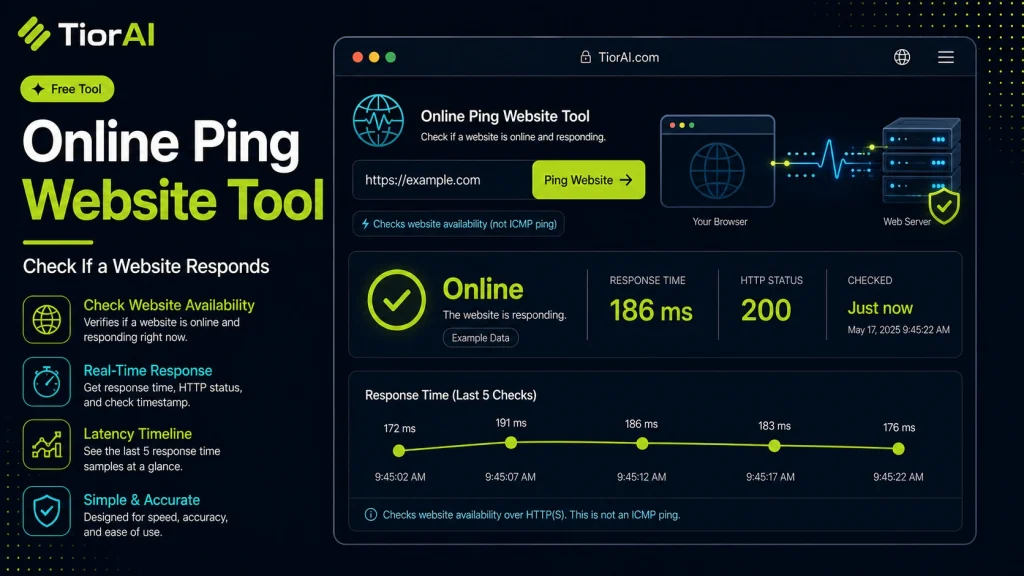
How to use it
- Enter Domain or IP Enter the domain name, IP address, or URL into the Online Ping Website Tool to start the lookup or analysis.
- Run the Check Click the check button to query the relevant databases. Results are retrieved and displayed in seconds.
- Analyze the Results Review the detailed results including status, records, and diagnostics to troubleshoot or verify your query.
Tip Bookmark the Online Ping Website Tool for your network troubleshooting toolkit — quick lookups save hours of debugging.
Understanding Network Ping
Ping is a fundamental network diagnostic tool used to test the reachability of a host on an Internet Protocol (IP) network. It works by sending Internet Control Message Protocol (ICMP) echo request packets to the target host and waiting for an echo reply. The time it takes for the round trip is measured and reported as the ping response time.
This process helps determine if a server or website is online and how quickly it responds. Ping is essential for troubleshooting network connectivity issues, measuring latency, and verifying that devices are communicating properly.
Why Use an Online Ping Tool?
- It allows users to perform ping tests without needing command-line access or specialized software.
- It can test connectivity from different geographic locations depending on the service provider.
- It is useful for quickly diagnosing network problems, such as packet loss or high latency.
Common situations where ping is used include checking if a website is down, measuring network delays affecting online gaming or video calls, and verifying the status of remote servers.
What is Ping and How Does It Work?
Ping is a network utility that tests the reachability of a device on a network by sending ICMP echo requests and measuring the time it takes to receive a response. This round-trip time, known as latency, helps determine how quickly data travels between your device and the target server.
Ping is widely used to diagnose network issues, check if a server is online, and measure delays that can affect applications like video calls or online gaming.
When to Use an Online Ping Tool
- To quickly check if a website or server is reachable without using command-line tools.
- To measure latency from different geographic locations if the online tool supports it.
- To detect packet loss or intermittent connectivity problems.
- To compare response times between multiple servers for performance analysis.
Common Mistakes to Avoid
- Confusing ping response time with internet speed; ping measures delay, not bandwidth.
- Assuming a failed ping means the server is down; some servers block ping requests for security.
Understanding these points helps you use ping tools effectively for network diagnostics and troubleshooting.
Frequently asked questions
Reviews and questions
Whether this tool gave people the answer they needed, and what they asked about it.
Sign in to review this tool.
Sign In to ReviewNo reviews yet
Be the first to say whether this tool gave you what you needed.
Ask how to read the result, or what the tool does with an edge case — or answer someone else.
Sign In to AskNo questions yet
Not sure how to read a result? Be the first to ask.
AI tools related to this topic
Tools from the TiorAI directory that work on the same kind of job.

4pm.app | Simple PRO website
4pm.app is a minimalist website builder that helps professionals and small businesses create simple, elegant websites quickly without coding.

Brizy AI Website Builder
Brizy AI Website Builder is a web-based platform that uses artificial intelligence to help users create professional, responsive websites quickly without coding skills. It offers AI-generated content, drag-and-drop design, and hosting services.