

How to use it
- Paste Your Input Paste your code or data into the Minify Html. The tool accepts standard input formats and validates your entry.
- Process and Transform Click the action button to process your input. Results are generated instantly with proper formatting.
- Export the Output Copy the processed output to your clipboard or download it for use in your development workflow.
Tip Use the Minify Html during code reviews to quickly reformat or transform snippets for clearer comparisons.
About Minify HTML
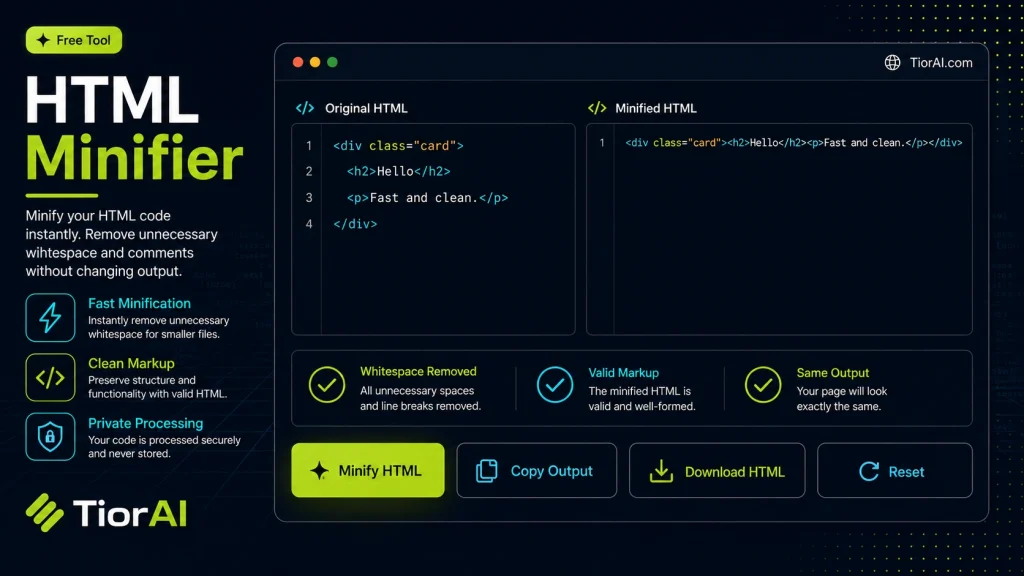
HTML minification is the process of removing all unnecessary characters from the HTML source code without changing its functionality. This includes eliminating whitespace, line breaks, comments, and sometimes shortening attribute names or removing optional tags. The goal is to reduce the file size, which helps web browsers load pages faster and reduces bandwidth usage.
Minifying HTML is important because web pages often contain extra spaces and comments that are useful for developers but unnecessary for browsers. By stripping these out, the browser can parse and render the page more quickly. This is especially valuable for websites with high traffic or those targeting users with slower internet connections.
Common situations for HTML minification include:
- Optimizing page load times to improve user experience and SEO rankings.
- Reducing bandwidth costs by serving smaller files.
- Preparing HTML files for production environments after development.
- Combining minified HTML with other optimizations like CSS and JavaScript minification for overall performance gains.
What is HTML Minification?
HTML minification is the process of removing unnecessary characters from HTML code without changing its behavior. This includes deleting spaces, line breaks, and comments that are useful during development but not needed for browsers to render the page. The result is a smaller file size that loads faster over the internet.
When to Use HTML Minification
- Before launching a website to improve page load speed.
- When optimizing for users on slow or limited internet connections.
- As part of a build or deployment process to prepare code for production.
- When combining multiple HTML files to reduce server requests.
Common Mistakes to Avoid
- Minifying without testing, which can cause display or functionality issues.
- Expecting minification to reduce image or media sizes—it only affects HTML code.
- Trying to minify code that is already minified, which can lead to errors.
Using HTML minification correctly helps improve website performance by reducing load times and bandwidth usage. It is a simple yet effective optimization step in modern web development workflows.
Frequently asked questions
Reviews and questions
Whether this tool gave people the answer they needed, and what they asked about it.
Sign in to review this tool.
Sign In to ReviewNo reviews yet
Be the first to say whether this tool gave you what you needed.
Ask how to read the result, or what the tool does with an edge case — or answer someone else.
Sign In to AskNo questions yet
Not sure how to read a result? Be the first to ask.
AI tools related to this topic
Tools from the TiorAI directory that work on the same kind of job.

Code to Flow: Visualize your code
Code to Flow is a web tool that automatically converts source code into flowcharts, helping developers visualize and understand code logic easily.