

HTML Tags Stripper
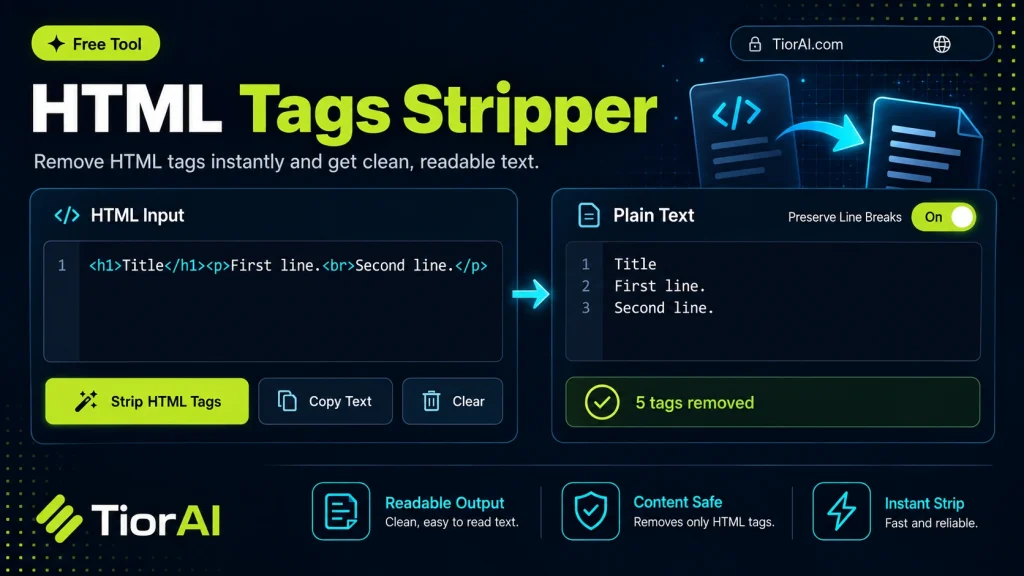
Strip HTML tags with options to keep certain tags, remove attributes only, or remove everything.
How to use it
- Paste Your Input Paste your code or data into the Html Tags Stripper. The tool accepts standard input formats and validates your entry.
- Process and Transform Click the action button to process your input. Results are generated instantly with proper formatting.
- Export the Output Copy the processed output to your clipboard or download it for use in your development workflow.
Tip Use the Html Tags Stripper during code reviews to quickly reformat or transform snippets for clearer comparisons.
Understanding HTML Tag Stripping
HTML tag stripping is the process of removing HTML tags from a string of text, leaving only the plain text content behind. HTML tags are the elements enclosed in angle brackets, such as <div>, <p>, or <a>, which define the structure and formatting of web content. Stripping these tags is useful when you want to extract readable text without any formatting or code.
This process is commonly needed when working with data scraped from websites, cleaning up user input, or preparing content for environments that do not support HTML, such as plain text emails or certain database fields. By removing tags, you ensure that only the meaningful content remains, which can then be processed, analyzed, or displayed in a simpler format.
HTML tag stripping is also essential in preventing security issues like cross-site scripting (XSS) when displaying user-generated content. It helps sanitize input by removing potentially harmful HTML and scripts.
- Why strip HTML tags? To extract clean text for processing or display.
- When is it used? In data cleaning, content migration, and security filtering.
- How does it work? The tool scans the input string and removes all sequences enclosed in
<>brackets.
What is HTML Tag Stripping?
HTML tag stripping is the process of removing all HTML tags from a block of text, leaving only the raw text content. HTML tags are the building blocks of web pages, used to format and structure content. However, there are many situations where you need just the plain text without any HTML markup.
When to Use an HTML Tag Stripper
- Extracting readable text from web pages or HTML documents for analysis or indexing.
- Cleaning user input in web forms to prevent injection of unwanted HTML or scripts.
- Preparing content for platforms that only support plain text, such as SMS or certain APIs.
- Removing formatting before importing content into databases or content management systems.
Common Mistakes to Avoid
- Assuming the tool removes all HTML content perfectly; some malformed tags or attributes may remain.
- Using the tool when some HTML formatting is necessary, which can result in loss of important structure or readability.
HTML tag stripping is a straightforward but powerful technique to convert complex HTML content into clean, plain text. It is widely used in web development, data processing, and security to ensure content is safe and easy to work with.
Frequently asked questions
<tag>. It leaves only the text content, effectively converting HTML to plain text.Reviews and questions
Whether this tool gave people the answer they needed, and what they asked about it.
Sign in to review this tool.
Sign In to ReviewNo reviews yet
Be the first to say whether this tool gave you what you needed.
Ask how to read the result, or what the tool does with an edge case — or answer someone else.
Sign In to AskNo questions yet
Not sure how to read a result? Be the first to ask.
AI tools related to this topic
Tools from the TiorAI directory that work on the same kind of job.

Code to Flow: Visualize your code
Code to Flow is a web tool that automatically converts source code into flowcharts, helping developers visualize and understand code logic easily.