

Domain Search
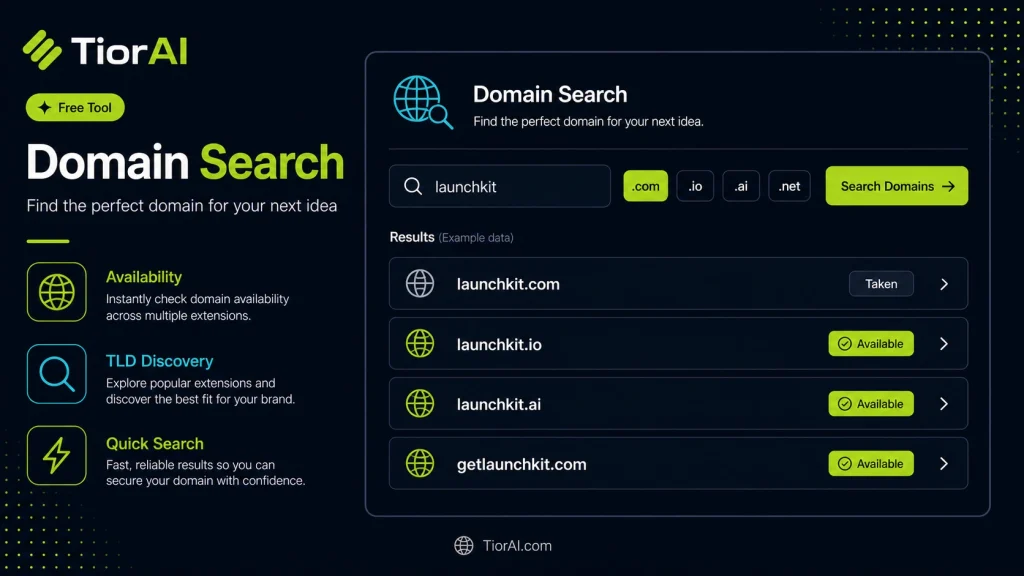
Search for available domain names based on keywords, with the free extensions listed first.
How These Results Are Checked
Every extension is queried against its own registry using RDAP, the protocol that replaced WHOIS. Free extensions are listed first; taken ones show the year they were registered, their expiry date, and the registrar holding them.
- Available
- The registry reported no record for this name. Confirm at a registrar before you plan around it — premium, reserved, and blocked names can still be unbuyable.
- Registered
- The registry holds a record for this name, shown with its registration year wherever the registry publishes one.
- Unknown
- The registry did not answer in time or publishes no public data. It is never a claim that the name is free.
Some registries — including .io, .co, .me, .de, and .us — run no public RDAP service, and others meter how many lookups one visitor may make. Those extensions are checked by looking for a nameserver delegation instead: the status is reliable, but no registration date is available for them.
How to use it
- Enter Domain or IP Enter the domain name, IP address, or URL into the Domain Search to start the lookup or analysis.
- Run the Check Click the check button to query the relevant databases. Results are retrieved and displayed in seconds.
- Analyze the Results Review the detailed results including status, records, and diagnostics to troubleshoot or verify your query.
Tip The Domain Search checks multiple databases simultaneously, saving you the time of querying each one individually.
Understanding Domain Search Tools
A domain search tool is a utility designed to help users find available domain names for websites. Domains are the unique addresses people type into browsers to visit websites, such as example.com. Since every domain must be unique, these tools check domain registries to see if a desired name is already taken or available for registration.
Domain search tools work by querying databases maintained by domain registrars and registries. They often support multiple domain extensions (TLDs) like .com, .net, .org, and country-specific ones like .uk or .ca. Users input a keyword or phrase, and the tool returns a list of available domain names, sometimes suggesting alternatives if the original is unavailable.
These tools are essential for anyone planning to create a website, whether for personal blogs, business sites, or e-commerce platforms. They help ensure the chosen domain is unique, memorable, and aligned with the brand or purpose of the site. Additionally, domain search tools can help users avoid legal issues by identifying domains that might infringe on trademarks.
Common use cases include entrepreneurs launching startups, marketers securing brand-related domains, and developers managing multiple client websites. By streamlining the domain selection process, these tools save time and reduce the risk of choosing an unsuitable or unavailable domain.
What is a Domain Search Tool?
A domain search tool is an online utility that helps you find available website addresses by checking domain registries. Since every domain name must be unique, these tools verify if your desired name is free to register or already taken. They often support multiple domain extensions like .com, .net, and others.
When to Use a Domain Search Tool
- When launching a new website and you need to find an available domain name.
- When rebranding your business and looking for a domain that matches your new identity.
- When purchasing domains for investment or resale.
- When verifying if a specific domain name is already registered.
Common Mistakes to Avoid
- Assuming a domain is available without checking multiple extensions or variations.
- Ignoring potential trademark or copyright conflicts when selecting a domain name.
Technical Context
Domain search tools query official domain registries in real-time to provide accurate availability information. They help streamline the process of choosing a domain by suggesting alternatives and checking multiple top-level domains simultaneously. Using these tools reduces the risk of selecting an unavailable or legally problematic domain, making them essential for anyone building an online presence.
Frequently asked questions
Reviews and questions
Whether this tool gave people the answer they needed, and what they asked about it.
Sign in to review this tool.
Sign In to ReviewNo reviews yet
Be the first to say whether this tool gave you what you needed.
Ask how to read the result, or what the tool does with an edge case — or answer someone else.
Sign In to AskNo questions yet
Not sure how to read a result? Be the first to ask.
AI tools related to this topic
Tools from the TiorAI directory that work on the same kind of job.
123RF AI Search Engine
123RF AI Search Engine is an AI-powered tool that enables users to find relevant stock photos by keyword or image upload, improving search accuracy and speed.

Adbot – Your Search Ads Specialist
Adbot is an AI-driven platform that automates search ad campaign management, optimizing bids, keywords, and budgets to improve PPC performance.

AI Image Generator/Search
AI Image Generator/Search is a web platform that allows users to generate images from text prompts and search a database of AI-created images for creative and commercial use.