

CSV to HTML Table
Turn delimited text into ready-to-paste HTML table markup, with a live preview of the result.
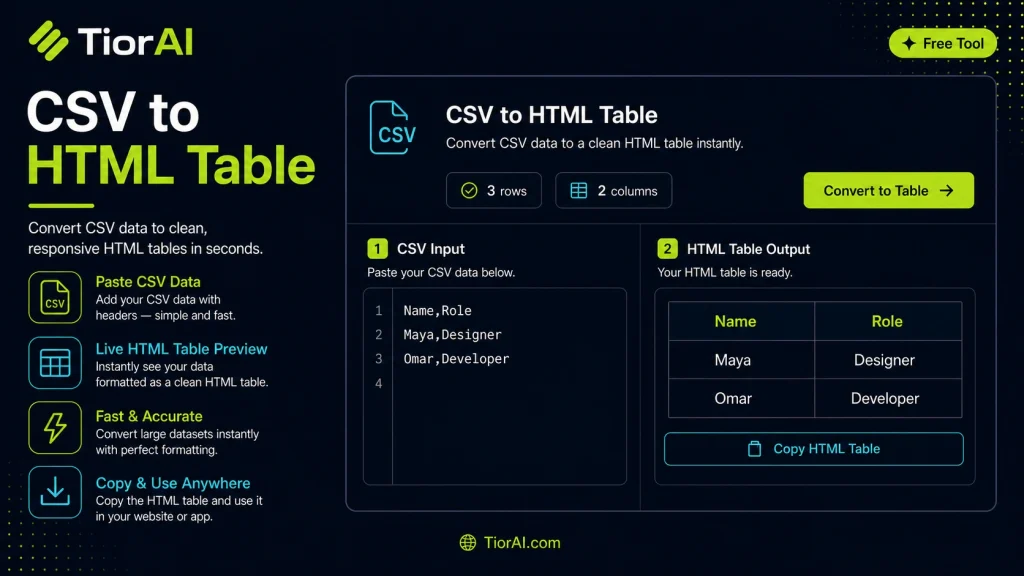
How to use it
- Paste or Enter Your Input Paste your code, text, or data into the input field. The tool supports large inputs without performance issues.
- Process and Analyze Click the action button or let the tool auto-process your input. Results appear in real time with highlighted details.
- Copy or Download the Output Review the results and copy the output to clipboard or download as a file for use in your project.
Tip Keyboard shortcut: Ctrl+V to paste input, then Ctrl+C to copy output - saves time in repetitive workflows.
About CSV to HTML Table
CSV (Comma-Separated Values) is a simple text format used to store tabular data, where each line represents a row and each value is separated by a comma or another delimiter. Converting CSV data into an HTML table means transforming this plain text into structured HTML code that browsers can render as a formatted table.
Why convert CSV to HTML tables? HTML tables are widely used to display data on web pages in a readable and organized way. While CSV files are easy to generate and exchange between programs like spreadsheets and databases, they are not directly viewable in a web browser as tables. Converting CSV to HTML allows developers and content creators to embed data within websites without manually coding the table structure.
Common use cases for CSV to HTML conversion:
- Publishing spreadsheet data on websites
- Displaying reports or datasets dynamically
- Embedding data tables in blogs or documentation
- Preparing data for web-based dashboards or applications
This conversion process involves parsing the CSV text, handling delimiters and special characters, and generating the appropriate <table>, <tr>, and <td> HTML tags. The result is a clean, semantic table that can be styled with CSS and integrated into any HTML page.
Understanding CSV to HTML Table Conversion
CSV files store tabular data in plain text, using commas or other delimiters to separate values. While CSV is excellent for data exchange and storage, it is not designed for direct display on web pages. Converting CSV data into an HTML table transforms this raw text into a structured format that browsers can render as a readable table.
This conversion involves parsing each line of the CSV, identifying columns, and wrapping the data in appropriate HTML tags such as <table>, <tr>, and <td>. The first row often becomes the table header, using <th> tags for better semantics and accessibility.
When to Use a CSV to HTML Table Converter
- When you need to display spreadsheet or database exports on a website without manual HTML coding.
- When preparing reports, documentation, or blog posts that require tabular data presentation.
- When integrating CSV data into web applications or dashboards that accept HTML input.
- When you want a quick and reliable way to generate clean HTML tables from raw CSV data.
Common Mistakes to Avoid
- Failing to handle special characters inside CSV fields, which can break the table structure.
- Assuming all CSV files use commas as delimiters, leading to incorrect parsing if tabs or semicolons are used.
- Overlooking the importance of converting header rows into
<th>elements for accessibility.
By understanding these technical details and common pitfalls, you can effectively convert CSV data into well-structured HTML tables suitable for any web project.
Frequently asked questions
Reviews and questions
Whether this tool gave people the answer they needed, and what they asked about it.
Sign in to review this tool.
Sign In to ReviewNo reviews yet
Be the first to say whether this tool gave you what you needed.
Ask how to read the result, or what the tool does with an edge case — or answer someone else.
Sign In to AskNo questions yet
Not sure how to read a result? Be the first to ask.
AI tools related to this topic
Tools from the TiorAI directory that work on the same kind of job.

ChatGPT
ChatGPT is an AI chatbot by OpenAI powered by GPT-4o. It handles writing, coding, research, data analysis, and natural conversation. Free tier available, Plus at $20/month.