

From my experience with OmmWriter, I found it excels at creating a calm, distraction-free environment that truly helps maintain focus during writing sessions. The combination of minimalist design and ambient soundscapes makes it particularly well-suited for creative writers and anyone who struggles with digital distractions. However, the app’s simplicity means it lacks advanced formatting and collaboration features, which might be a limitation for some professional users. Overall, if your priority is to write in peace without interruptions, OmmWriter delivers a thoughtfully designed, effective solution.
OmmWriter Minimalist Writing App for Focused Creative Writing
OmmWriter is a minimalist writing application that provides a distraction-free environment with ambient soundscapes and calming backgrounds to help writers focus and enhance creativity.
- Best for
- Focused Writing Sessions
- Key capability
- Distraction-Free Interface
Your actions
Save OmmWriter, follow its updates and vote on it — everything stays in your account.
Sign in or create a free account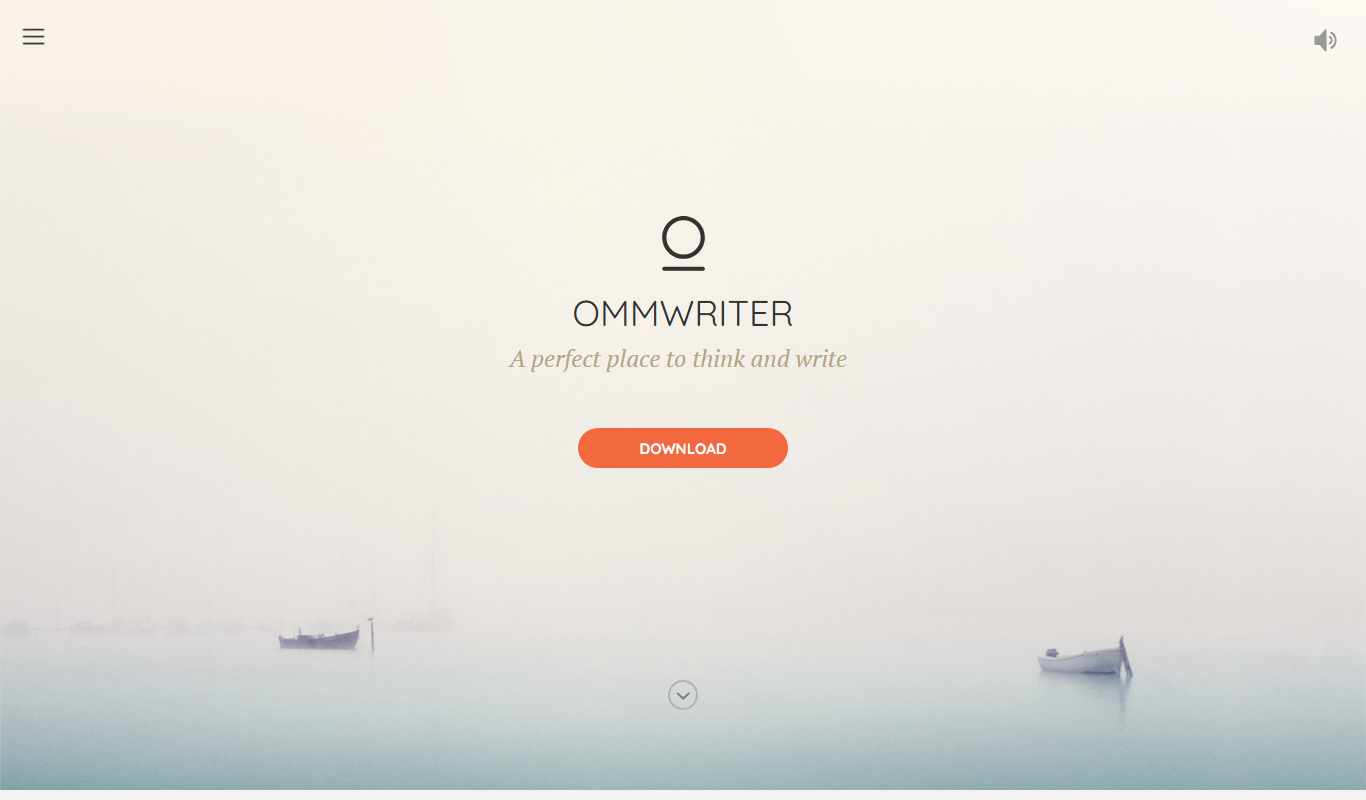
What is OmmWriter?
OmmWriter is a minimalist writing application designed to help writers focus by eliminating distractions. It offers a serene, simple interface combined with ambient soundtracks and background visuals to create a calming atmosphere conducive to deep concentration and creativity.
Key features of OmmWriter
OmmWriter’s main features include a distraction-free writing interface, customizable ambient soundscapes, soothing backgrounds, and simple text formatting options. It aims to enhance focus and creativity by providing a peaceful digital environment.
Distraction-Free Interface
A clean, minimal UI that removes all unnecessary elements to help maintain focus.
Ambient Soundscapes
Includes a selection of calming background sounds designed to enhance concentration.
Customizable Backgrounds
Offers serene visual backgrounds that reduce eye strain and promote relaxation.
Simple Text Formatting
Basic formatting tools to keep the writing process straightforward and uncluttered.
Cross-Platform Availability
Available on MacOS, Windows, and iOS for seamless writing across devices.
Pros and cons of OmmWriter
Pros
- Highly effective distraction-free environment
- Soothing ambient sounds improve focus
- Simple and elegant user interface
- One-time purchase without subscription
- Cross-platform support
Cons
- Limited text formatting options
- No cloud sync or collaboration features
- No free version available
Key use cases for OmmWriter
Focused Writing Sessions
Provides a distraction-free environment ideal for deep focus during writing tasks.
Creative Writing
Supports creative writers by combining minimal interface with ambient soundscapes to enhance inspiration.
Journaling and Note Taking
Offers a calming space for personal journaling or quick note-taking without interruptions.
Writing Practice and Exercises
Encourages daily writing practice by simplifying the interface and reducing cognitive load.
How OmmWriter works
- 1
Install the App
Download and install OmmWriter on your Mac, Windows, or iOS device.
- 2
Open a New Document
Launch the app and start a new writing session in the minimalist interface.
- 3
Customize Environment
Select your preferred background and ambient sound to create a calming atmosphere.
- 4
Write Without Distractions
Focus on your writing with minimal controls and no interruptions.
- 5
Save and Export
Save your work locally or export it for use in other applications.
Who is using OmmWriter
Creative writers
Students
Journalists
Content creators
Anyone seeking distraction-free writing
OmmWriter pricing
Standard
$9.99 one-time purchase
Full access to all features with no subscription required.
Plans and prices are as published by the vendor and can change. Check the official site before you buy. Open the pricing page (opens in a new tab)
Frequently asked questions about OmmWriter
Yes, OmmWriter is designed to help writers of all levels focus and improve productivity.
Yes, you can choose from several ambient soundscapes to suit your mood.
Yes, you can save and export your writing in common text formats.
OmmWriter is a paid app with a one-time purchase; there is no free tier.
This tool is designed to help users accomplish its core tasks more efficiently. It is typically used by individuals or teams looking to improve productivity and workflow.
Some tools offer a free plan or trial with limited features. Availability can vary, so confirm on the official website.
Yes, it can help with that use case depending on how you configure it and what features are available. You’ll get the best results with clear inputs and a defined goal.
It depends on your specific needs and how you plan to use the tool. The official website and documentation are the best sources for the latest details.
Sign in to review this tool.
Sign In to ReviewNo reviews yet
Be the first to share how this tool worked for you.
Ask about pricing, limits, or how it compares — or answer someone else.
Sign In to AskNo questions yet
Have a question about using or paying for this tool? Be the first to ask.
Featured on TiorAI



More AI Creative Writing tools
Other tools in the same category, for when this one is not quite the fit.

Free
写作猫AI
写作猫AI is a Chinese-language AI writing assistant that supports content generation, creative writing, and text refinement through a web platform.

Free
RoyalRoad
RoyalRoad is a free online platform where users can read and publish serialized web novels and stories, with community features like comments and ratings.

Free
Calmly Writer
Calmly Writer is a minimalist writing app designed to help users focus by providing a distraction-free interface, Markdown support, autosave, and export options. It is available as a free web app and a paid desktop app for offline use.

Free
Episode Interactive
Episode Interactive is a platform for creating, publishing, and sharing interactive visual stories with branching choices and character customization, accessible via web and mobile apps.

Free
Fighting Fantasy
Fighting Fantasy is a web-based interactive story platform that lets users play and create branching narrative gamebooks inspired by the classic Fighting Fantasy series, incorporating RPG elements like dice rolls and character stats.

Free
My Storybook
My Storybook is an AI-powered web platform that helps users create personalized children's storybooks by customizing characters and settings, generating narratives, and exporting printable books.
One-time purchase
Flowstate
Flowstate is a minimalist writing app designed to help writers maintain focus by deleting the entire document if text is deleted, encouraging continuous writing and flow state.

Free Trial
750 Words
750 Words is a web-based platform that encourages users to write 750 words daily to build a consistent writing habit, offering a distraction-free interface and progress tracking.