

From my experience with PromptSmart, its standout VoiceTrack technology truly enhances the teleprompter experience by allowing speakers to maintain a natural pace without worrying about fixed scrolling speeds. This makes it especially useful for public speakers and video creators who need flexibility during presentations. However, the voice recognition works best in quiet environments, which can be a limitation in noisy settings. Overall, if you want a teleprompter app that adapts to your speech and supports multiple platforms, PromptSmart delivers reliable and user-friendly performance.
PromptSmart Teleprompter App with Voice Recognition for Smooth Presentations
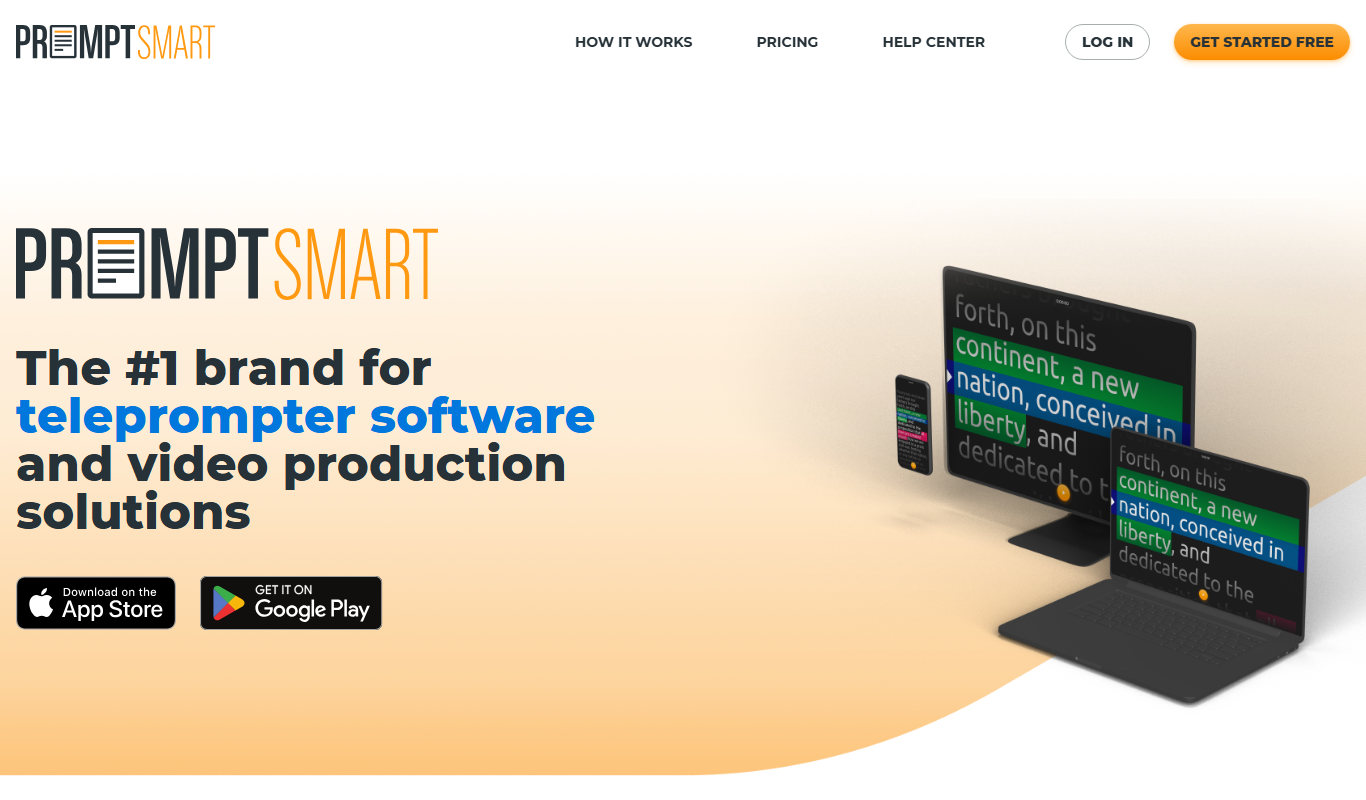
PromptSmart is a teleprompter app that uses voice recognition technology called VoiceTrack to scroll your script in real time as you speak, allowing for natural and flexible presentations.
- Best for
- Public Speaking
- Key capability
- VoiceTrack Technology
Do you recommend this tool?
What is PromptSmart?
PromptSmart is a smart teleprompter application that uses proprietary voice recognition technology to follow your speech in real time. Unlike traditional teleprompters that scroll text at a fixed speed, PromptSmart listens to your voice and scrolls the script accordingly, allowing for a natural and flexible delivery. It is designed for speakers, broadcasters, educators, and content creators who want to present confidently without losing their place.
Key features of PromptSmart
PromptSmart offers voice-activated scrolling, script import and editing, customizable display settings, and multi-device syncing. Its standout feature is VoiceTrack technology that listens to your speech and adjusts the teleprompter scroll speed dynamically, ensuring you never lose your place even if you pause or change pace.
VoiceTrack Technology
Proprietary voice recognition that scrolls the script in real time based on your speech.
Script Import & Editing
Supports importing scripts from various formats and editing them within the app.
Customizable Display
Adjust font size, colors, and background for optimal readability.
Multi-Device Sync
Sync scripts and settings across iOS, Android, and web platforms.
Remote Control
Control the teleprompter remotely via a companion app or Bluetooth device.
Pros and cons of PromptSmart
Pros
- Voice-activated scrolling improves natural delivery
- Supports multiple platforms including mobile and web
- Customizable display settings enhance readability
- Syncs scripts across devices for convenience
- Remote control options for flexible use
Cons
- VoiceTrack requires a quiet environment for best accuracy
- Free version has limited features and script length
- No desktop app for Windows or macOS currently
Key use cases for PromptSmart
Public Speaking
Helps speakers deliver speeches smoothly by following their voice in real time.
Video Production
Assists video creators and vloggers to read scripts naturally without losing pace.
Broadcasting
Used by broadcasters and news anchors for seamless script reading during live shows.
Education
Supports educators and trainers in delivering lectures or presentations confidently.
Corporate Presentations
Enables professionals to present reports and pitches without memorizing scripts.
How PromptSmart works
- 1
Import or Write Script
Upload your script or write it directly in the app.
- 2
Adjust Settings
Customize font size, colors, and scrolling preferences.
- 3
Start VoiceTrack
Activate voice recognition to let the app follow your speech.
- 4
Deliver Presentation
Speak naturally while the teleprompter scrolls in sync with your voice.
Who is using PromptSmart
Public speakers
Video content creators
News broadcasters
Educators and trainers
Corporate professionals
PromptSmart pricing
Free
$0/month
Basic teleprompter features with limited script length and no VoiceTrack.
Premium
$7.99/month
Full access to VoiceTrack, unlimited scripts, advanced customization, and multi-device sync.
Enterprise
Custom pricing
Tailored solutions for organizations with additional support and features.
Plans and prices are as published by the vendor and can change. Check the official site before you buy. Open the pricing page (opens in a new tab)
Frequently asked questions about PromptSmart
PromptSmart is available on iOS, Android, and through a web interface.
VoiceTrack uses voice recognition to listen to your speech and scroll the script in real time, matching your pace.
Yes, you can import scripts in various formats or write them directly in the app.
Yes, the free plan offers basic teleprompter features without VoiceTrack.
It depends on your specific needs and how you plan to use the tool. The official website and documentation are the best sources for the latest details.
Some tools offer a free plan or trial with limited features. Availability can vary, so confirm on the official website.
Yes, it can help with that use case depending on how you configure it and what features are available. You’ll get the best results with clear inputs and a defined goal.
It depends on your specific needs and how you plan to use the tool. The official website and documentation are the best sources for the latest details.
Sign in to review this tool.
Sign In to ReviewNo reviews yet
Be the first to share how this tool worked for you.
Ask about pricing, limits, or how it compares — or answer someone else.
Sign In to AskNo questions yet
Have a question about using or paying for this tool? Be the first to ask.
Featured on TiorAI



More AI Speech-to-Text tools
Other tools in the same category, for when this one is not quite the fit.

Free
Speechify
Speechify is an AI-powered text-to-speech tool that converts written text into natural audio, supporting multiple languages and platforms to enhance accessibility and productivity.
Free Trial
Deepgram
Deepgram is an AI-driven speech-to-text platform providing accurate, customizable, and scalable audio transcription services with real-time streaming and multi-language support.

Free
The TWIML AI Podcast
The TWIML AI Podcast is a free podcast platform offering expert interviews and discussions on artificial intelligence and machine learning topics.

Free
EnglishCentral
EnglishCentral is an online English learning platform that uses video lessons and AI-powered speech recognition to help users improve their English speaking and listening skills through interactive practice and instant feedback.

Free
Castbox Notes
Castbox Notes is a mobile app that uses AI to transcribe audio recordings into searchable text notes, ideal for podcasts, meetings, and lectures.

Custom Pricing
Veritone
Veritone is an AI-powered media intelligence platform that automates transcription, content analysis, and advertising verification for audio and video media.

Free
Musixmatch
Musixmatch is a music platform that identifies songs playing nearby and provides synchronized lyrics with multi-language translations, available on web and mobile.
Freemium
Verbling
Verbling is an online platform that connects language learners with native-speaking tutors for live video lessons, offering personalized and flexible language education.