

AI Git command generator from plain-English descriptions
GitFluence is an AI Git command generator: describe what you want to do with git and copy the suggested command into your terminal.
- Best for
- Finding a git command
- Key capability
- Git command generator
Save GitFluence, follow its updates and vote on it — everything stays in your account.
Sign in or create a free account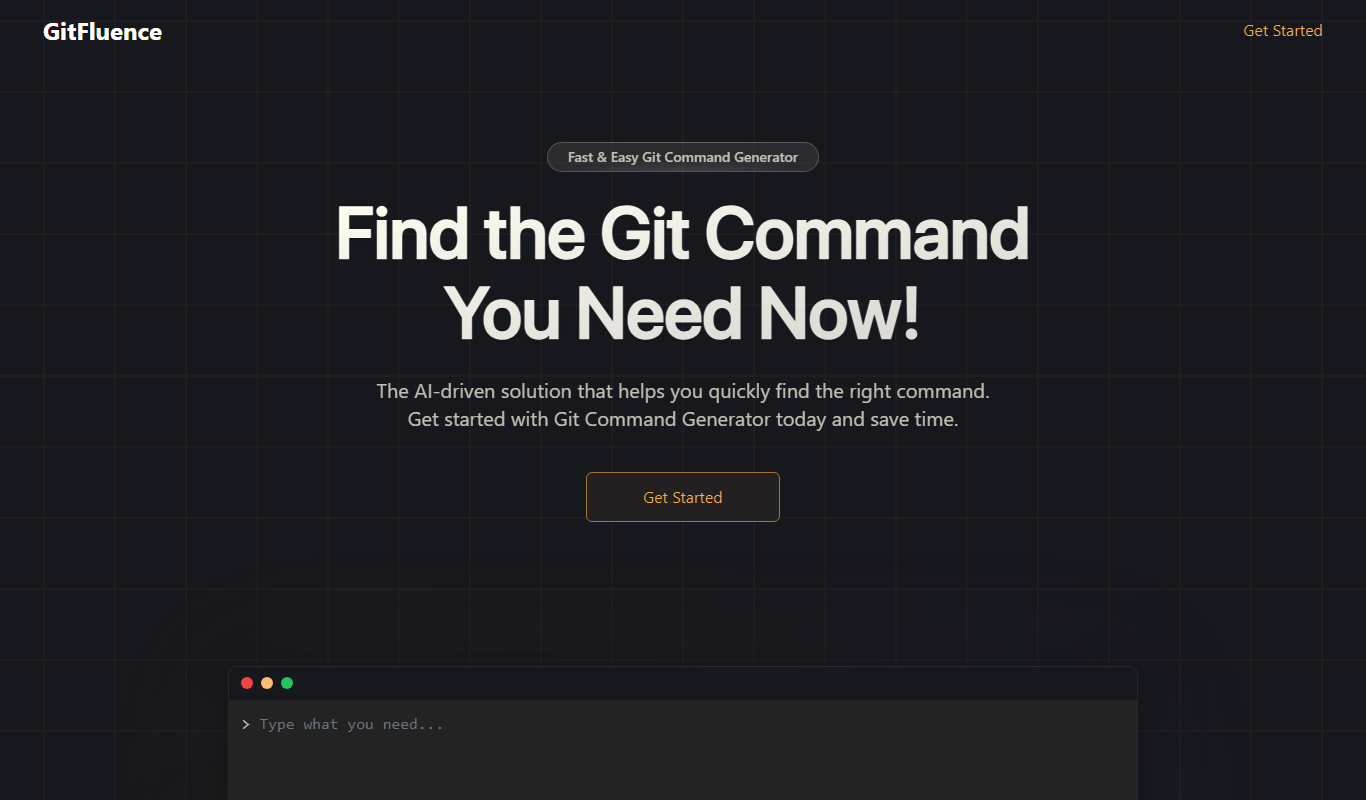
What is GitFluence?
GitFluence is an AI-driven Git command generator. You describe in plain English what you want to accomplish with git, GitFluence suggests the most relevant git commands, and you copy one into your terminal or command line. The site also publishes practical guides on Git commands and workflows.
Key features of GitFluence
GitFluence turns a plain-English description of a git task into suggested git commands you can copy into a terminal, and offers guides on Git commands, Git workflows and modern developer tooling.
Git command generator
Enter a description of what you want to accomplish with git and receive suggested commands.
Copy to terminal
Copy the suggested command and paste it into your terminal or command line interface.
Git guides
Practical guides on Git commands, Git workflows, AI-assisted workflows and developer tooling.
Customizable Reporting
Generate tailored reports to focus on specific metrics relevant to your team or project.
Collaboration Insights
Understand how developers interact and collaborate within repositories.
Pros and cons of GitFluence
Pros
- Describe the task in plain English instead of recalling git syntax
- Beginner glossary for terms such as Git stash, Git pull and Git LFS
- Customizable dashboards and reports
Cons
- Suggestions still need checking; the guides discuss limitations to understand before relying on AI for Git
- No mobile app available
- Feature set focused solely on GitHub, no support for other VCS platforms
Key use cases for GitFluence
Finding a git command
Quickly find the right git command for a task described in plain English.
Learning Git basics
Read plain-English explanations of Git terms and how they turn into commands.
Building a Git workflow
Guides explain day-to-day git workflows, branching models and practices that keep history clean.
Code Quality Metrics
Evaluate code quality indicators and identify areas for improvement in software projects.
Resource Allocation
Use analytics to optimize resource distribution and prioritize development efforts effectively.
How GitFluence works
- 1
Describe the command
Enter a description of what you want to accomplish with git into the input field.
- 2
Receive suggestions
The AI suggests the most relevant git commands for your description.
- 3
Copy the command
Copy the command and paste it into your terminal or command line interface.
- 4
Generate Reports
Create and export detailed reports to share with stakeholders or guide development strategies.
Who is using GitFluence
GitFluence pricing
Free
$0/month
Basic access with limited repositories and standard analytics features.
Pro
$15/month
Advanced analytics, unlimited repositories, and priority support.
Plans and prices are as published by the vendor and can change. Check the official site before you buy. Open the pricing page (opens in a new tab)
Frequently asked questions about GitFluence
An AI-driven Git command generator that helps you quickly find the right git command.
Enter a description of what you want to accomplish with git, receive suggested commands, then copy one into your terminal.
Copy it and paste it into your terminal or command line interface.
Yes. Its guides include a plain-English glossary of terms such as Git stash, Git pull and Git LFS.
This tool is designed to help users accomplish its core tasks more efficiently. It is typically used by individuals or teams looking to improve productivity and workflow.
Integration support depends on the tool and its available connectors or API. Check the official documentation or integrations page to confirm what is supported.
Some tools offer a free plan or trial with limited features. Availability can vary, so confirm on the official website.
Yes, it can help with that use case depending on how you configure it and what features are available. You’ll get the best results with clear inputs and a defined goal.
Conclusion
Instead of recalling git syntax, you describe in plain English what you want to accomplish with git, and its AI-driven solution suggests matching git commands. The chosen command is then copied and pasted into a terminal or command line interface.
Alongside the generator, the site keeps guides on Git commands, workflows and AI-assisted tooling, including a plain-English glossary of terms such as Git stash and Git pull for beginners. A guide on the site covers the limitations to understand before relying on AI for Git.
Sources
Sign in to review this tool.
Sign In to ReviewNo reviews yet
Be the first to share how this tool worked for you.
Ask about pricing, limits, or how it compares — or answer someone else.
Sign In to AskNo questions yet
Have a question about using or paying for this tool? Be the first to ask.
Featured on TiorAI



Alternative Tools
Explore similar AI tools that might fit your needs

Waydev
Waydev is an engineering analytics platform that analyzes git data to provide software development teams with insights on productivity, code quality, and agile process efficiency.
More AI Developer Tools tools
Other tools in the same category, for when this one is not quite the fit.

CrayEye
CrayEye is a free, open-source mobile app for crafting and sharing multimodal LLM vision prompts that use your camera plus sensor data such as location and weather.

TestLabs
TestLabs tests your app on 20 real devices for 14 days to meet the Google Play testing policy, with daily reports, device logs and screenshots.

Modly
Modly.ai trains, fine-tunes and hosts custom large language models on your business data, delivered as a managed service with API access.

modl.ai
modl.ai automates game testing and QA with AI agents that play your build and analysts that report bugs, glitches and performance issues, with no SDKs or code needed.

Mirascope
Mirascope is The LLM Anti-Framework: open-source Python and TypeScript SDKs with one API for OpenAI, Anthropic and Google, plus tools, tracing and versioning.

Myple
Myple is a developer platform to build, deploy and secure AI applications such as AI agents and RAG chatbots, with SDKs, a CLI and a free Hacker plan.

Momentic
Momentic is an AI testing platform where agents run and maintain plain-English end-to-end tests for web, iOS and Android apps, locally or in CI.

Intuition Machines
Intuition Machines builds privacy-preserving AI/ML platforms: the hCaptcha Security Suite against fraud and abuse, and the IM Perception Platform for training, deploying and improving ML models.