

YouMind AI Review: AI-Powered Brainstorming and Idea Generation Tool
YouMind is an AI studio for learning and creating: explore your sources with AI and turn ideas into your own articles, slides, images, videos and webpages.
- Best for
- Creative Brainstorming
- Key capability
- AI-Powered Idea Generation
Save YouMind AI, follow its updates and vote on it — everything stays in your account.
Sign in or create a free account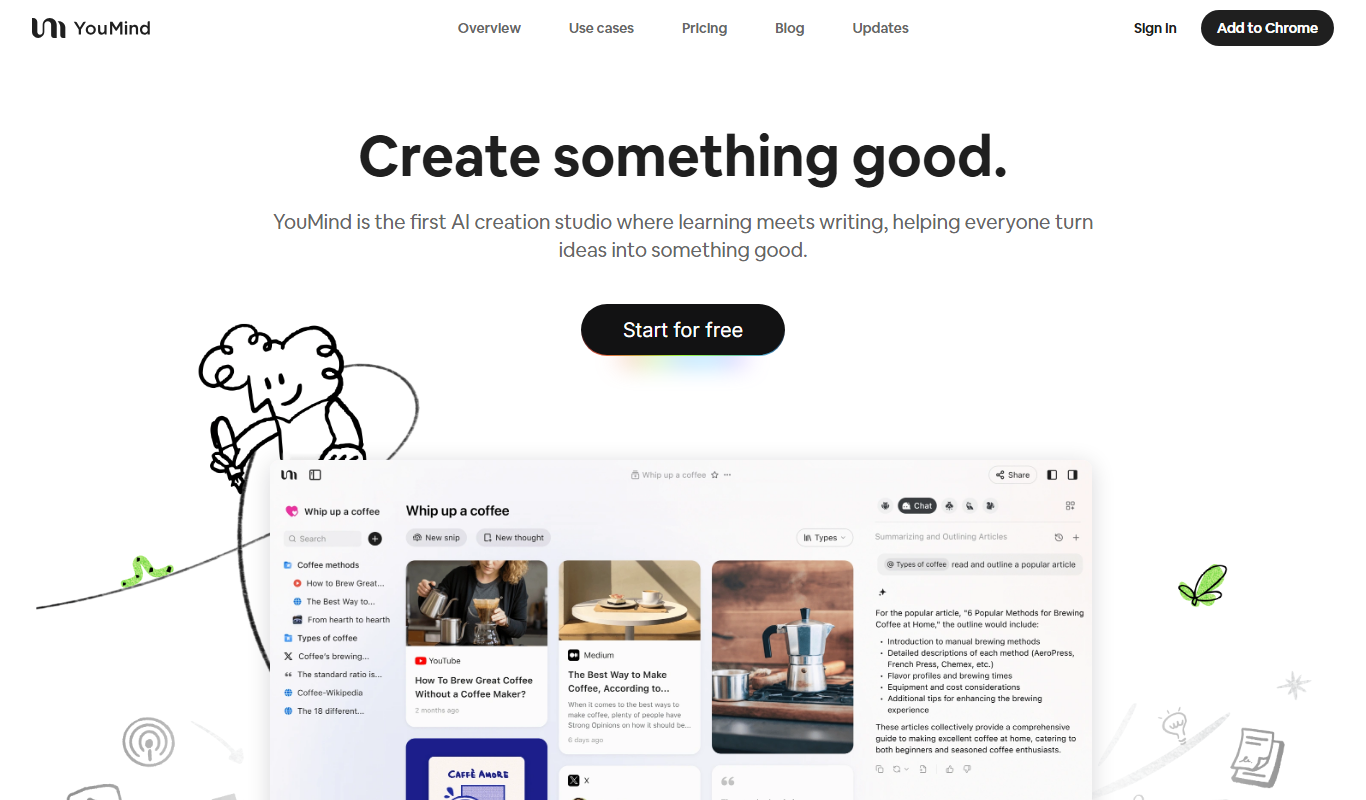
What is YouMind AI?
YouMind is an AI studio for learning and creating. Users save articles, videos, podcasts and notes in one place, ask questions, connect ideas and explore different perspectives with AI, then turn what they have learned into articles, slides, images, videos and webpages.
Key features of YouMind AI
YouMind saves articles, videos, podcasts and notes in one place, helps users explore them with AI, and turns ideas into articles, slides, images, videos and webpages.
AI-Powered Idea Generation
Leverages artificial intelligence to provide creative prompts and suggestions.
Collaborative Brainstorming Boards
Supports multiple users contributing ideas in real-time.
Intuitive Idea Organization
Allows users to cluster, categorize, and prioritize ideas easily.
Export and Sharing Options
Enables exporting brainstorming results in various formats for presentations or reports.
Pros and cons of YouMind AI
Pros
- Easy-to-use interface for brainstorming
- AI-generated idea prompts enhance creativity
- Supports real-time team collaboration
Cons
- Limited integrations with other productivity tools
Key use cases for YouMind AI
Creative Brainstorming
Generate fresh ideas and creative concepts for projects, marketing campaigns, or content creation.
Problem Solving
Use AI to explore different perspectives and solutions for complex challenges.
Content Planning
Organize and develop content ideas for blogs, videos, or social media posts.
Team Collaboration
Facilitate group brainstorming sessions and capture collective ideas efficiently.
How YouMind AI works
- 1
Create an Account
Sign up on the YouMind AI website to access the platform.
- 2
Bring your sources
Save articles, videos, podcasts and notes in one place, or start with a question.
- 3
Build your understanding
Ask questions, connect ideas and explore different perspectives with AI.
- 4
Make it your own
Turn what you have learned into articles, slides, images, videos and webpages, shaping each draft with AI.
- 5
Export Results
Download or share your brainstorming outcomes for further use.
Who is using YouMind AI
YouMind AI pricing
Starter
$20 per month ($10 first month, limited-time 50% off)
20,000 credits / month; standard AI models; save and understand any file, webpage, video or podcast; create articles, slides, images, webpages, audio and video; remove YouMind badge and watermark; on-demand credit top-ups; 5 concurrent tasks.
Pro
$40 per month ($20 first month, limited-time 50% off)
40,000 credits / month; all Starter features plus best-in-class AI models including Claude and GPT, a personal creative agent, AI that browses and completes complex tasks, Notion, Linear, GitHub and 100+ tools via MCPs, AI memory, skills marketplace, 20 concurrent tasks and email support.
Max
$200 per month (shown at $100 with a 50% discount)
200,000 credits / month; all Pro features plus the most capable frontier models, a desktop agent, 5x more credits and concurrent tasks than Pro, maximum context, priority queue and priority support.
Plans and prices are as published by the vendor and can change. Check the official site before you buy. Open the pricing page (opens in a new tab)
Frequently asked questions about YouMind AI
Yes, it supports collaborative brainstorming with multiple users contributing in real-time.
Yes, YouMind AI allows exporting your ideas in various formats for easy sharing.
Yes, there is a free plan with limited features and session counts.
Yes, it can help with that use case depending on how you configure it and what features are available. You’ll get the best results with clear inputs and a defined goal.
Some tools offer a free plan or trial with limited features. Availability can vary, so confirm on the official website.
Yes, it can help with that use case depending on how you configure it and what features are available. You’ll get the best results with clear inputs and a defined goal.
Conclusion
Articles, videos, podcasts and notes are saved in one place, and a question or something that catches the eye is enough to start. AI then helps ask questions, connect ideas and explore different perspectives beyond plain summaries. What has been learned can be turned into articles, slides and images as well as webpages, audio and video, each draft shaped through AI.
Apps are offered for iOS and Android, alongside a macOS beta and a browser extension. Higher tiers add a personal creative agent that browses and completes tasks, and on Pro it can connect Notion, Linear, GitHub and 100+ tools via MCPs. Usage is metered in monthly credits across the Starter, Pro and Max subscriptions, with on-demand credit top-ups.
Sources
Sign in to review this tool.
Sign In to ReviewNo reviews yet
Be the first to share how this tool worked for you.
Ask about pricing, limits, or how it compares — or answer someone else.
Sign In to AskNo questions yet
Have a question about using or paying for this tool? Be the first to ask.
Featured on TiorAI



Alternative Tools
Explore similar AI tools that might fit your needs

MindMeister
MindMeister is an online tool that enables users to create, collaborate on, and present mind maps for brainstorming, project planning, and knowledge management.
Stormboard
Stormboard is a cloud-based online whiteboard platform that enables teams to brainstorm, plan projects, and collaborate in real-time using sticky notes, drawings, and templates accessible via web and mobile apps.