

Trainual Employee Training Software for Business Process Documentation
Trainual is a cloud-based platform that helps businesses document processes and train employees efficiently through customizable manuals, checklists, and progress tracking.
- Best for
- Employee Onboarding
- Key capability
- Customizable Training Templates
Save Trainual, follow its updates and vote on it — everything stays in your account.
Sign in or create a free account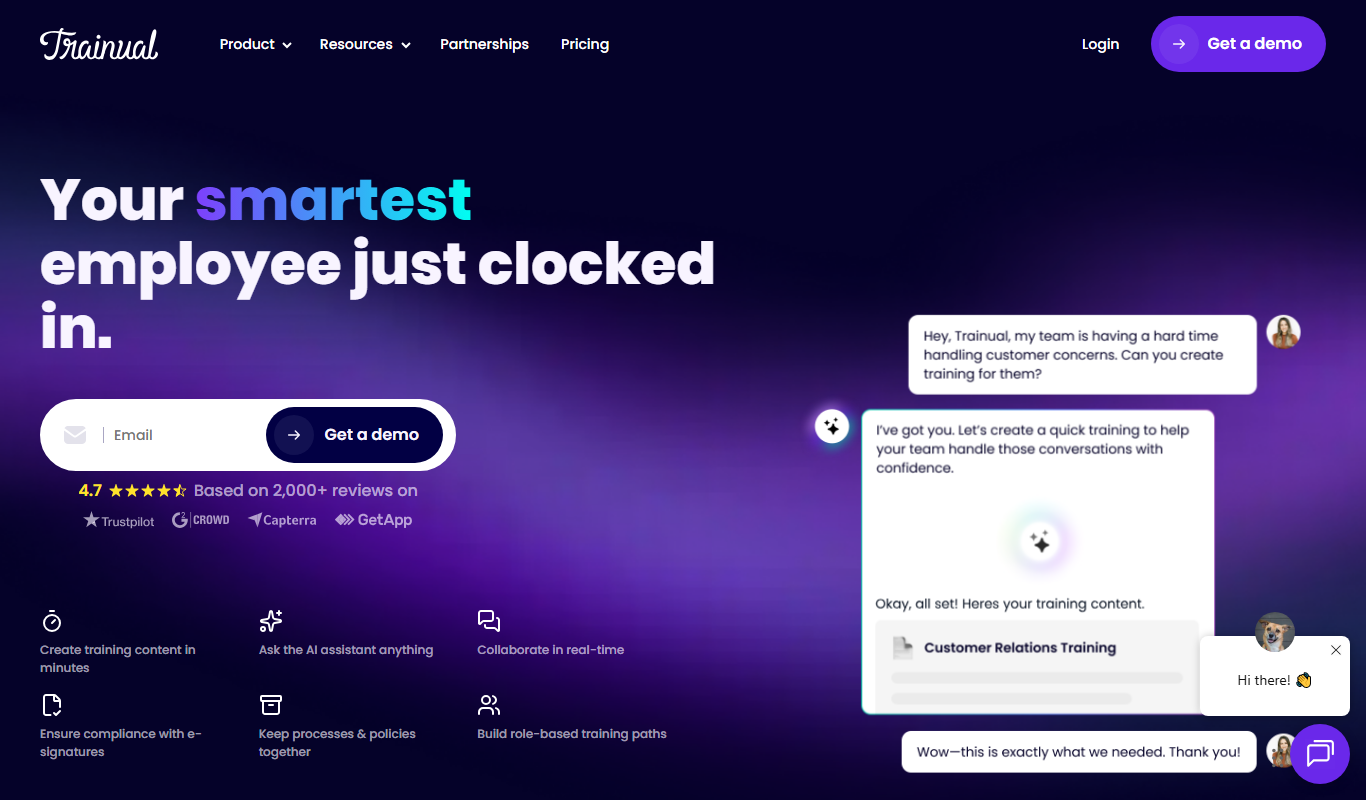
What is Trainual?
Trainual is a cloud-based employee training and process documentation software designed to help businesses systematize their operations. It enables companies to create, organize, and share training manuals, workflows, and policies in one centralized platform. This helps teams onboard new employees faster, maintain consistency, and scale operations efficiently.
Key features of Trainual
Trainual offers features such as customizable training templates, task checklists, progress tracking, quiz assessments, and integrations with popular business tools. Its intuitive interface allows non-technical users to build comprehensive training content without coding.
Customizable Training Templates
Pre-built templates to quickly create training manuals tailored to your business.
Task Checklists
Break down processes into actionable steps with checklists employees can follow.
Progress Tracking and Reporting
Real-time insights into who has completed training and quiz results.
Quiz and Assessment Tools
Test employee knowledge to ensure understanding and retention.
Integrations
Connect with tools like Slack, Zapier, and others to streamline workflows.
In-app translation
In-app language translation is included in every plan.
Pros and cons of Trainual
Pros
- Easy to use with intuitive interface
- Helps standardize company processes
- Effective onboarding and training tracking
- Customizable templates save time
- Good integration options
Cons
- Pricing may be high for very small teams
- No offline training access
Key use cases for Trainual
Employee Onboarding
Streamline and standardize the onboarding process for new hires with clear training manuals and checklists.
Process Documentation
Document company policies, procedures, and workflows in a centralized platform accessible to all employees.
Compliance Training
Ensure employees complete mandatory compliance and regulatory training with tracking and reporting features.
Knowledge Management
Create and maintain a living knowledge base that evolves with your business and team needs.
Performance Improvement
Identify skill gaps and provide targeted training to improve employee performance and productivity.
How Trainual works
- 1
Create an Account
Sign up on Trainual’s website to start building your training content.
- 2
Build Training Manuals
Use templates or create custom manuals to document your company processes and policies.
- 3
Assign Training
Assign training modules and checklists to employees or teams.
- 4
Track Progress
Monitor employee progress and completion rates with built-in reporting tools.
- 5
Update Content
Continuously update and improve training materials to keep information current.
Who is using Trainual
Trainual pricing
Core
Not published; available through a demo
Provides a centralized place for documentation and simplified training.
Pro
Not published; available through a demo
Includes everything in Core. Built for teams that value accountability, structure, and personalized training.
Premium
Not published; available through a demo
Additional customization, compliance and streamlined training at scale. Aimed at companies.
Enterprise
Not published; available through a demo
Premium support, security and complete scalability for organizations.
Plans and prices are as published by the vendor and can change. Check the official site before you buy. Open the pricing page (opens in a new tab)
Frequently asked questions about Trainual
Yes, Trainual allows full customization of training manuals and workflows to fit your business needs.
Yes, Trainual is accessible via web and mobile devices for training on the go.
Trainual offers a free trial period to test the platform before purchasing.
Yes, the platform provides detailed progress tracking and reporting features.
This tool is designed to help users accomplish its core tasks more efficiently. It is typically used by individuals or teams looking to improve productivity and workflow.
Pricing depends on the plan and included features. For the most accurate and up-to-date details, check the official pricing page.
Yes, it can help with that use case depending on how you configure it and what features are available. You’ll get the best results with clear inputs and a defined goal.
It depends on your specific needs and how you plan to use the tool. The official website and documentation are the best sources for the latest details.
Conclusion
Company processes and policies get written down as training manuals, built from templates or from scratch, and then assigned to employees or teams. Checklists break each process into actionable steps, and quizzes test whether the material was understood. Progress tracking shows who has completed training along with quiz results. Typical uses include onboarding new hires and mandatory compliance training with tracking and reporting.
Small to medium businesses, HR and training managers, operations teams and franchise owners are the groups it serves. In-app language translation is included in every plan. Prices are not published and are available through a demo.
Sources
Sign in to review this tool.
Sign In to ReviewNo reviews yet
Be the first to share how this tool worked for you.
Ask about pricing, limits, or how it compares — or answer someone else.
Sign In to AskNo questions yet
Have a question about using or paying for this tool? Be the first to ask.
Featured on TiorAI



Alternative Tools
Explore similar AI tools that might fit your needs
Process Street
Process Street is a cloud-based workflow automation and process management software that helps teams create, track, and automate recurring business processes using customizable checklists and integrations.

TalentLMS
TalentLMS is a cloud-based learning management system that helps businesses create, deliver, and track online training programs for employees, customers, and partners.
More AI Recruiting tools
Other tools in the same category, for when this one is not quite the fit.

Criteria Corp
Criteria Corp is a pre-employment testing platform that provides cognitive aptitude, personality, and skills assessments to help employers make data-driven hiring decisions and improve talent management.

Zippia
Zippia is a free AI-powered platform that helps job seekers find jobs, build resumes, and access detailed career insights including salary and employer data.

JobDiva
JobDiva is an AI-powered applicant tracking system and CRM platform designed to help staffing agencies manage candidate sourcing, job orders, and client relationships efficiently.

Bullhorn
Bullhorn is a cloud-based CRM and applicant tracking software designed to streamline recruiting and staffing workflows with automation and analytics.

Built In NYC
Built In NYC is a free online platform connecting tech professionals with startups and companies in New York City through job listings, company profiles, and local tech news.

GradLeaders
GradLeaders is a web-based career services platform that helps universities manage student job placement, employer recruiting, and campus events efficiently.

Symplicity
Symplicity is a career services and campus management software platform that helps higher education institutions manage student career development, employer recruiting, and alumni relations through an integrated web and mobile solution.
Fetcher
Fetcher is an AI-powered recruiting platform that automates candidate sourcing and personalized outreach to help recruiters find and engage qualified talent efficiently.