

TextIt SMS Automation Platform for Customer Engagement and Workflows
TextIt is a no-code SMS automation platform that enables organizations to create interactive messaging workflows, automate customer engagement, and collect data via SMS and messaging apps.
- Best for
- Customer Engagement
- Key capability
- No-Code Visual Flow Builder
Save textit.com, follow its updates and vote on it — everything stays in your account.
Sign in or create a free account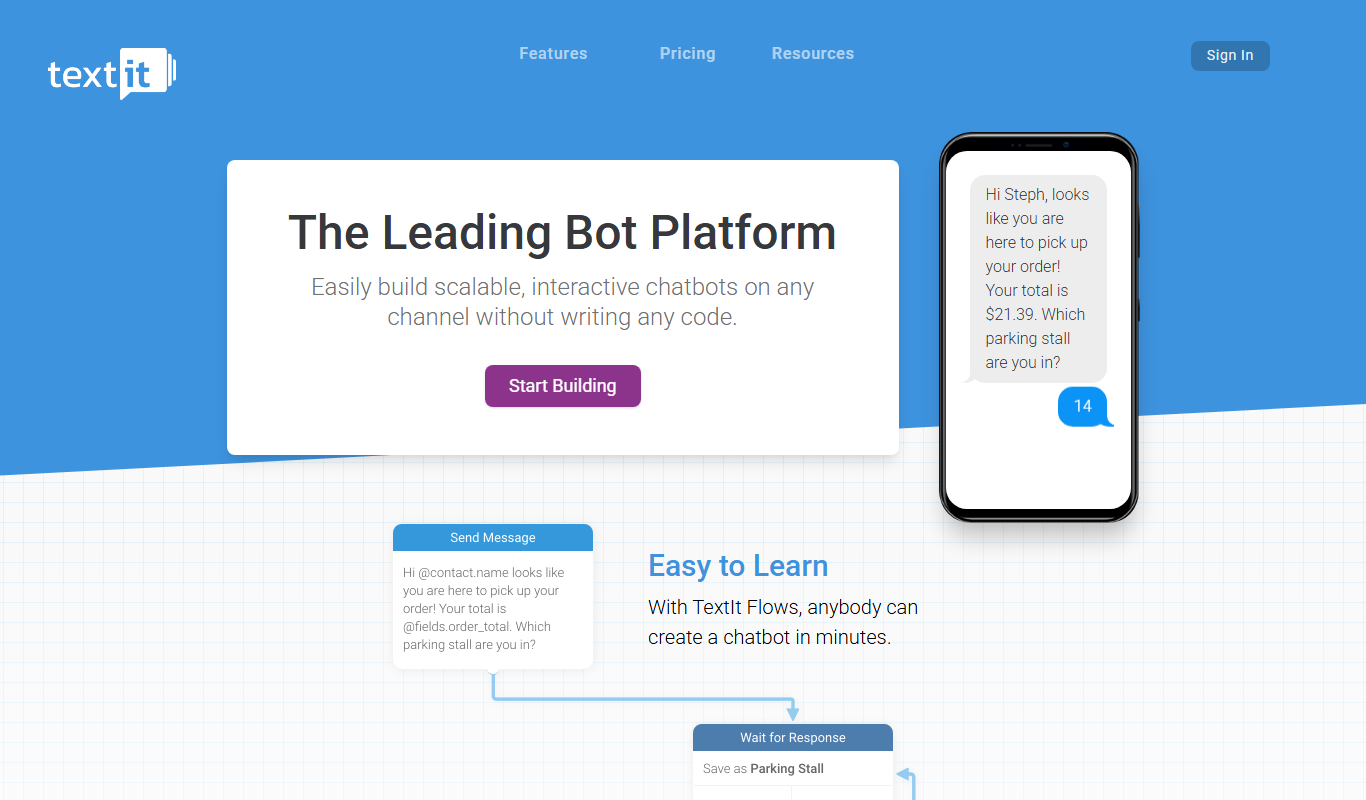
What is textit.com?
TextIt is a no-code SMS automation platform designed to help organizations build interactive messaging workflows. It enables users to create automated SMS campaigns, two-way conversations, and data collection surveys without programming skills. TextIt supports integration with multiple messaging channels and is widely used for customer engagement, outreach, and workflow automation.
Key features of textit.com
TextIt offers a visual flow builder for creating SMS and messaging workflows, supports two-way messaging, integrates with popular messaging platforms, and provides analytics to track campaign performance. It is designed for ease of use by non-technical users and supports multi-language communication.
No-Code Visual Flow Builder
Create complex messaging workflows using an intuitive drag-and-drop interface without coding.
Two-Way Messaging Support
Engage in interactive conversations with customers via SMS and messaging apps.
Multi-Channel Integration
Connect SMS, WhatsApp, and other messaging platforms for broad audience reach.
Data Collection and Surveys
Build SMS surveys and forms to gather user feedback and data efficiently.
Analytics and Reporting
Track message delivery, open rates, and user responses to optimize campaigns.
Pros and cons of textit.com
Pros
- User-friendly no-code interface
- Supports multi-channel messaging
- Robust two-way messaging capabilities
- Good for data collection via SMS
- Flexible workflow automation
Cons
- Cost grows with the number of messaged contacts beyond the 1,000 included
- Limited advanced analytics compared to some competitors
- No dedicated mobile app
Key use cases for textit.com
Customer Engagement
Use TextIt to send automated SMS campaigns and engage customers with personalized messaging.
Workflow Automation
Build no-code workflows that automate communication sequences and responses via SMS and messaging apps.
Two-Way Messaging
Enable interactive conversations with customers through two-way SMS and messaging app integration.
Surveys and Data Collection
Create SMS-based surveys and forms to collect data and feedback from users efficiently.
Appointment Reminders
Automate appointment reminders and confirmations to reduce no-shows and improve scheduling.
How textit.com works
- 1
Sign Up
Create an account on TextIt’s website to access the platform.
- 2
Build Workflows
Use the drag-and-drop flow builder to design SMS and messaging automation sequences.
- 3
Connect Channels
Integrate SMS numbers or messaging apps like WhatsApp to send and receive messages.
- 4
Launch Campaigns
Deploy your automated workflows to engage your audience and collect responses.
- 5
Analyze Results
Monitor message delivery, responses, and engagement metrics through the dashboard.
Who is using textit.com
textit.com pricing
Free Trial
Free, 100 contacts
Explore all of TextIt with 100 contacts without paying; switch to a paid account when you are ready to launch.
Paid account
$25 per month for 1,000 messaged contacts; additional messaged contacts $0.01/mo
1,000 messaged contacts, unlimited messages, 200 flows, 200 groups, 200 campaigns, 10 channels, 10 integrations and 10 user logins.
Need more
Contact us
For huge projects of 100,000+ messaged contacts or special requirements.
Plans and prices are as published by the vendor and can change. Check the official site before you buy. Open the pricing page (opens in a new tab)
Frequently asked questions about textit.com
Yes, TextIt is designed as a no-code platform with a visual flow builder for ease of use.
TextIt supports SMS, WhatsApp, and other messaging platforms via integrations.
Yes, a Free Trial account with 100 contacts lets you explore all of TextIt without paying; switch to a paid account when you are ready to launch.
Absolutely, TextIt allows you to create SMS-based surveys and forms.
This tool is designed to help users accomplish its core tasks more efficiently. It is typically used by individuals or teams looking to improve productivity and workflow.
Yes, it can help with that use case depending on how you configure it and what features are available. You’ll get the best results with clear inputs and a defined goal.
It depends on your specific needs and how you plan to use the tool. The official website and documentation are the best sources for the latest details.
Pricing depends on the plan and included features. For the most accurate and up-to-date details, check the official pricing page.
Conclusion
Chatbots are built without code in a drag-and-drop flow designer, and one flow can run over Facebook, WhatsApp, SMS, voice and more. On phone calls, flows can play recorded voice prompts and create custom phone tree menus. Around the flows sit a contact database with custom fields, campaigns that automate ongoing engagement and tickets that let a chatbot hand off to a human. Integrations include Zapier, Wit.ai and custom webhooks.
Nonprofits and NGOs are among the organizations it is designed for, and registered nonprofits can get discounts. Billing follows messaged contacts rather than message volume: any contact that sends or receives a message in a billing period counts, while other contacts on the account are not billed. Messaging itself is unlimited on the paid account, and a free trial account lets new users explore all of TextIt before switching to a paid account.
Sources
Sign in to review this tool.
Sign In to ReviewNo reviews yet
Be the first to share how this tool worked for you.
Ask about pricing, limits, or how it compares — or answer someone else.
Sign In to AskNo questions yet
Have a question about using or paying for this tool? Be the first to ask.
Featured on TiorAI



More AI Automation & Workflow Tools tools
Other tools in the same category, for when this one is not quite the fit.

AutoRFP.ai
AutoRFP.ai is an AI-powered platform that automates RFP response creation, enabling sales teams to quickly generate tailored proposals and manage content efficiently.

BulkGPT.ai
BulkGPT.ai is a no-code AI workflow platform for web scraping, search enrichment, SEO operations, research and batch content generation.

Upreach
Upreach is an AI-driven outreach platform that automates personalized cold email campaigns and follow-ups to help sales teams generate and qualify leads efficiently.
Moveworks
Moveworks is an AI-driven platform that automates IT support by understanding employee requests via chat and resolving issues instantly, reducing helpdesk tickets and improving efficiency.

cinnamon.ai
cinnamon.ai is an AI-driven automation platform specializing in enterprise document processing and workflow automation using OCR and NLP technologies.
Inflyx
Inflyx is an influencer marketing platform that enables brands to discover influencers, manage campaigns, track performance, and handle payments all in one place.

RADAAR
RADAAR is a social media management tool that helps businesses schedule posts, collaborate with teams, manage messages, and analyze social media performance from one platform.

Webs-Automation Job Application Bots
AI Jobs Automation is a web-based tool that automates filling and submitting job applications across multiple portals, helping job seekers save time and increase efficiency.