

Strides Habit Tracker App for Goal Setting and Productivity Improvement
Strides is a habit and goal tracking app that helps users build routines and achieve objectives through customizable trackers, reminders, and progress visualization.
- Best for
- Habit Tracking
- Key capability
- Multiple Tracker Types
Save Strides, follow its updates and vote on it — everything stays in your account.
Sign in or create a free account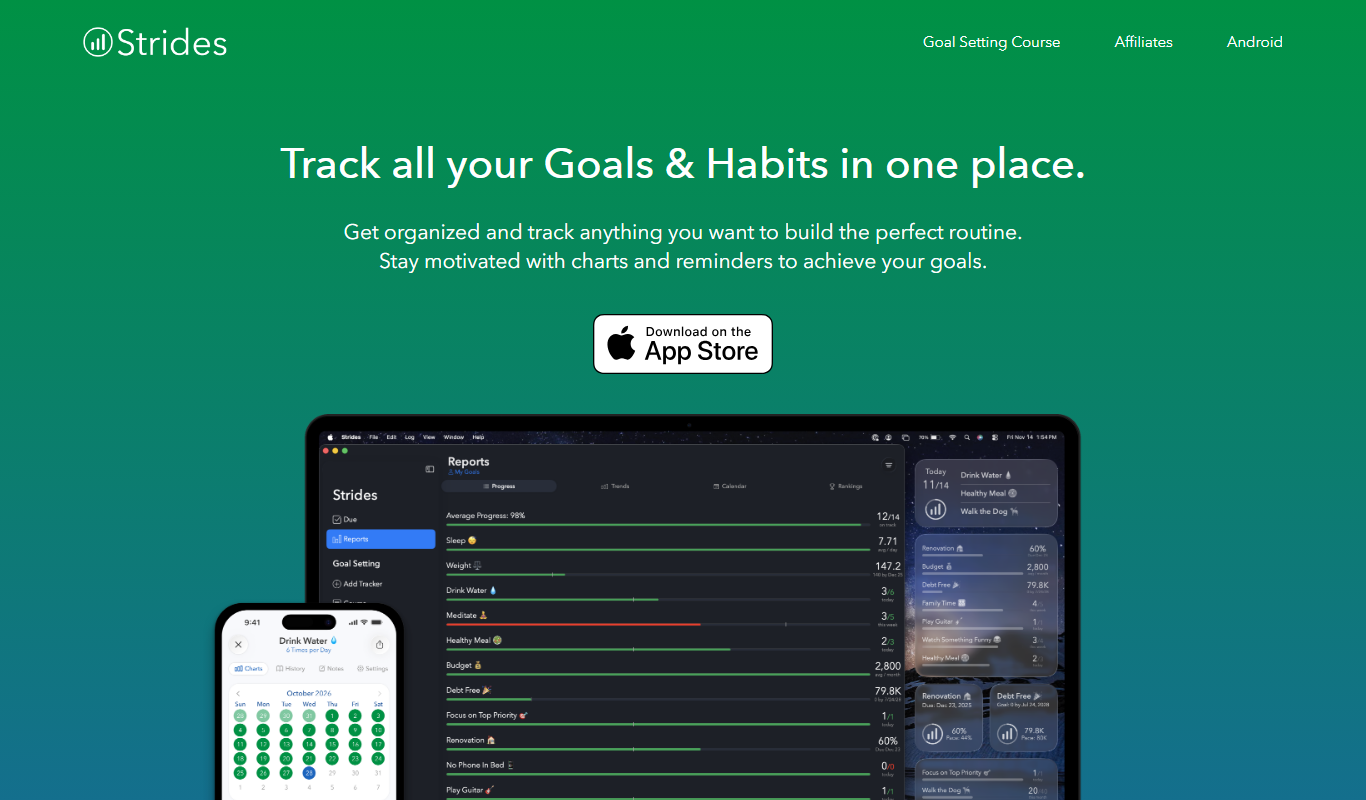
What is Strides?
Strides is a comprehensive habit and goal tracking app designed to help users build positive routines and achieve personal or professional objectives. It offers flexible tracking options including habits, targets, averages, and milestones, allowing users to customize how they monitor progress. With reminders and detailed charts, Strides supports sustained motivation and accountability.
Key features of Strides
Strides provides customizable trackers, progress visualization through charts, reminder notifications, and flexible goal types to suit various tracking needs. Its intuitive interface enables users to easily set up and monitor habits or goals, making it a versatile tool for productivity and self-improvement.
Multiple Tracker Types
Supports habits, targets, averages, and milestones to cover diverse goal tracking needs.
Progress Visualization
Interactive charts and graphs provide clear insights into your progress.
Custom Reminders
Flexible notification system to remind you to complete your habits or update progress.
Flexible Goal Setting
Set goals with customizable parameters such as frequency, target values, and deadlines.
Cross-Platform Sync
Sync your data between the web and iOS app for seamless access.
Pros and cons of Strides
Pros
- Highly customizable tracking options
- Clear and detailed progress charts
- Easy-to-use interface
- Effective reminder system
- Cross-platform access via web and iOS
Cons
- No Android app available
- Limited free plan features
- No native team collaboration tools
Key use cases for Strides
Habit Tracking
Users can track daily habits and routines to build consistency and improve lifestyle.
Goal Setting
Set and monitor progress on personal and professional goals with customizable trackers.
Productivity Improvement
Use reminders and progress charts to stay motivated and increase productivity.
Health and Wellness
Track health-related goals such as exercise, water intake, and sleep patterns.
Business and Project Management
Manage business objectives and project milestones by setting measurable targets.
How Strides works
- 1
Create an Account
Sign up on the Strides website or iOS app to start tracking your habits and goals.
- 2
Set Up Trackers
Choose the type of tracker (habit, target, average, milestone) and define your goal parameters.
- 3
Customize Reminders
Set reminders to receive notifications that keep you on track.
- 4
Monitor Progress
View detailed charts and statistics to analyze your progress over time.
- 5
Adjust Goals
Modify your goals or habits as needed to stay aligned with your objectives.
Who is using Strides
Strides pricing
Free
$0/month
Basic habit and goal tracking with limited trackers and reminders.
Premium
$4.99/month
Unlimited trackers, advanced reminders, and detailed progress reports.
Plans and prices are as published by the vendor and can change. Check the official site before you buy. Open the pricing page (opens in a new tab)
Frequently asked questions about Strides
Currently, Strides is available on iOS and web platforms only; there is no Android app.
Strides requires an internet connection to sync data, but some features may work offline temporarily.
Strides is primarily designed for individual use and does not have built-in team collaboration features.
Strides uses standard security measures to protect user data, but users should review the privacy policy for details.
Yes, it can help with that use case depending on how you configure it and what features are available. You’ll get the best results with clear inputs and a defined goal.
Some tools offer a free plan or trial with limited features. Availability can vary, so confirm on the official website.
Yes, it can help with that use case depending on how you configure it and what features are available. You’ll get the best results with clear inputs and a defined goal.
Yes, it can help with that use case depending on how you configure it and what features are available. You’ll get the best results with clear inputs and a defined goal.
Conclusion
Setting up Strides means choosing a tracker type (habit, target, average or milestone) and then defining the goal parameters. It is designed for individuals seeking habit formation, productivity enthusiasts and health and wellness users. Reminders notify users to complete habits or update progress, and charts and statistics show how that progress develops over time. The same trackers can follow health goals such as exercise and water intake or measurable targets for business objectives and project milestones.
Strides is primarily designed for individual use and has no built-in team collaboration features. Data syncs through an internet connection, although some features may work offline temporarily. A free plan covers basic tracking with limited trackers and reminders, while Premium adds unlimited trackers, advanced reminders and detailed progress reports.
Sources
Sign in to review this tool.
Sign In to ReviewNo reviews yet
Be the first to share how this tool worked for you.
Ask about pricing, limits, or how it compares — or answer someone else.
Sign In to AskNo questions yet
Have a question about using or paying for this tool? Be the first to ask.
Featured on TiorAI



Alternative Tools
Explore similar AI tools that might fit your needs

Habitica
Habitica is a gamified habit and task management app that motivates users by turning daily routines into role-playing game quests with rewards and social collaboration.
Coach.me
Coach.me is a habit tracking and personal coaching app that helps users build positive habits, set goals, and receive expert guidance through coaching and community support.
More AI Workflow tools
Other tools in the same category, for when this one is not quite the fit.

GoodTime
GoodTime is an AI-driven scheduling platform that automates interview coordination by integrating calendars and enabling candidates to self-schedule, streamlining recruiting workflows.

ZenRobotics
ZenRobotics provides AI-powered robotic systems that automate the sorting of waste materials in recycling facilities, enhancing efficiency and accuracy.

Perma.cc
Perma.cc is a web archiving tool that creates permanent, unalterable links to web pages, preserving content to prevent link rot and support reliable citations.

3DPrinterOS
3DPrinterOS is a cloud platform that enables remote management, workflow automation, and collaboration for 3D printing operations, supporting multiple printers and integration with CAD tools.
Safefood 360
Safefood 360 is a cloud-based software platform designed to help food businesses manage food safety compliance, quality assurance, audits, and risk assessments efficiently.

ChefTec
ChefTec is a foodservice software solution that helps restaurants and caterers manage inventory, recipes, menus, purchasing, and food costing to improve profitability and operational efficiency.

BlueCart
BlueCart is a cloud-based procurement and ordering platform designed to streamline wholesale ordering and inventory management for restaurants and suppliers, improving communication and operational efficiency.
ClassIn
ClassIn is a virtual classroom platform where exams run as a feature through In-Class Test and Test Bank.