

Scrabblecam - Real-Time Word Game Helper and Scrabble Assistant Online
Scrabblecam finds the best Scrabble move from a picture of the board, taken or uploaded as a file.
- Best for
- Scrabble Gameplay Assistance
- Key capability
- Board Picture or Upload
Save Scrabblecam, follow its updates and vote on it — everything stays in your account.
Sign in or create a free account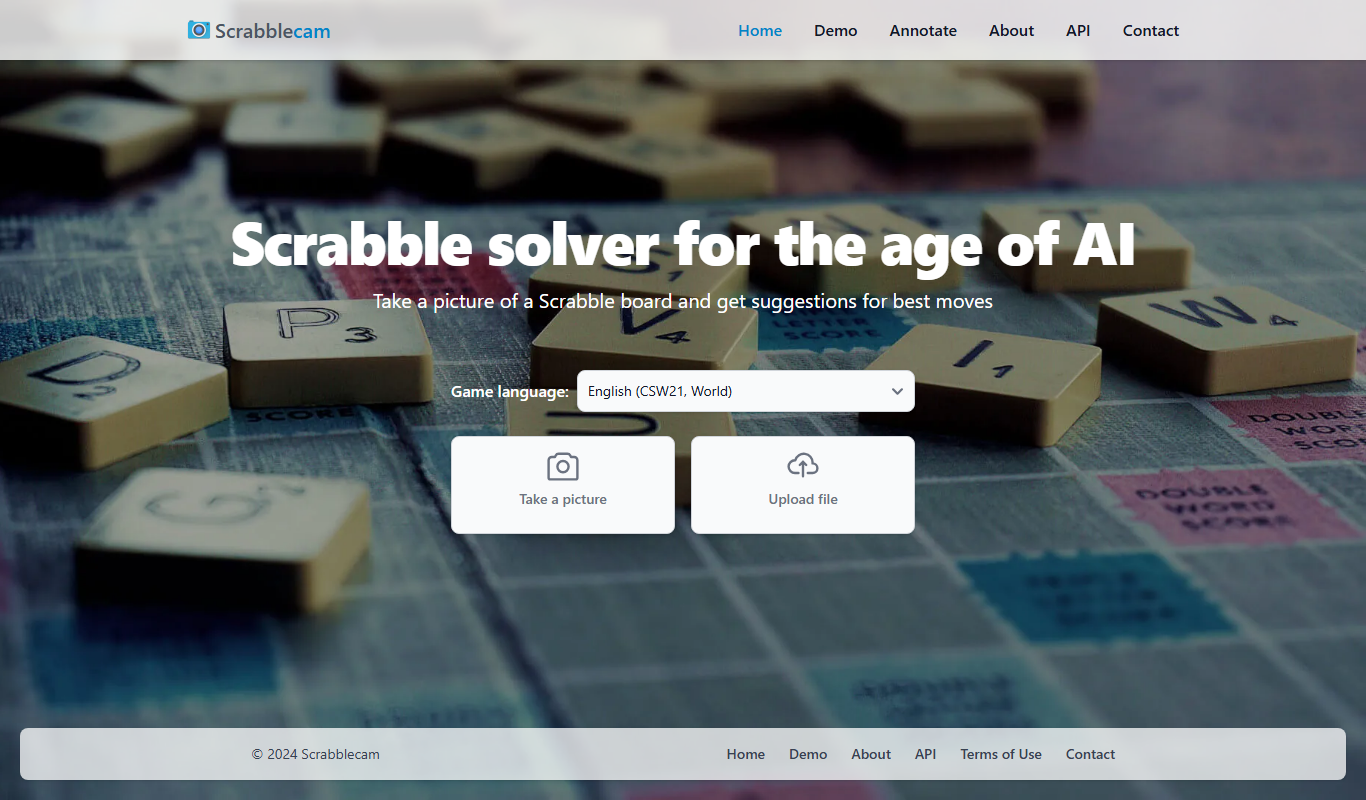

What is Scrabblecam?
Scrabblecam finds the best move from a picture of a Scrabble board: the player takes a picture or uploads a file. It supports English, French and Italian.
Key features of Scrabblecam
Scrabblecam works on a picture of the Scrabble board, taken or uploaded, and shows the best move.
Board Picture or Upload
Works from a picture of the Scrabble board: the player takes a picture or uploads a file.
Instant Word Suggestions
Generates valid word options based on detected letters and tile combinations.
No Installation Required
Fully web-based tool accessible from any modern browser.
Free to Use
Offers all features without any cost or subscription.
Game Language Options
Game language options include English (CSW21/NWL23), French (ODS9) and Italian.
Demo and API
The site offers a Demo and an API.
Pros and cons of Scrabblecam
Pros
- Easy to use with no installation
- Provides instant word suggestions
- Free and accessible online
Cons
- Requires good lighting and clear webcam view
- Not suitable for official competitive play
Key use cases for Scrabblecam
Scrabble Gameplay Assistance
Helps players find valid words from their letter tiles during Scrabble games.
Word Game Strategy Improvement
Assists users in improving their word game strategies by suggesting optimal word placements.
Real-Time Word Suggestions
Suggests a move from a picture of the game board.
Learning and Vocabulary Building
Enables users to discover new words and expand their vocabulary while playing.
How Scrabblecam works
- 1
Access the Website
Open Scrabblecam.com on a web browser with webcam access.
- 2
Allow Webcam Access
Take a picture of the board or upload a file.
- 3
Position the Camera
The user takes a picture of the Scrabble board with the device camera or uploads an image file of the board.
- 4
View Word Suggestions
Scrabblecam analyzes the image and displays possible valid words you can play.
Who is using Scrabblecam
Scrabblecam pricing
Free
$0
Full access to all features with no charges.
Plans and prices are as published by the vendor and can change. Check the official site before you buy. Open the pricing page (opens in a new tab)
Frequently asked questions about Scrabblecam
No, Scrabblecam is intended for casual play and learning; using it in official tournaments is against the rules.
Scrabblecam runs on its website: users take a picture of a Scrabble board or upload a file to get suggestions for the best moves.
It is primarily designed for Scrabble but may work with similar tile-based word games.
It depends on your specific needs and how you plan to use the tool. The official website and documentation are the best sources for the latest details.
Some tools offer a free plan or trial with limited features. Availability can vary, so confirm on the official website.
This tool is designed to help users accomplish its core tasks more efficiently. It is typically used by individuals or teams looking to improve productivity and workflow.
Conclusion
Instead of a live webcam feed, the input is a still picture of the board: the player takes a picture or uploads a file. Valid word options are then generated from the detected letters and tile combinations. Game language options include English (CSW21/NWL23), French (ODS9) and Italian.
The site also offers a Demo and an API. Casual Scrabble players, word game enthusiasts and families playing word games are who it serves. It is intended for casual play and learning, because using it in official tournaments is against the rules.
Sources
Sign in to review this tool.
Sign In to ReviewNo reviews yet
Be the first to share how this tool worked for you.
Ask about pricing, limits, or how it compares — or answer someone else.
Sign In to AskNo questions yet
Have a question about using or paying for this tool? Be the first to ask.
Featured on TiorAI


Alternative Tools
Explore similar AI tools that might fit your needs

WordFinder
WordFinder is an online tool that helps users find valid words from given letters for games like Scrabble and crossword puzzles, including anagram generation and word definitions.

Scrabble Word Finder
Scrabble Word Finder is a free online tool that helps players find valid words from their letter tiles, supporting wildcards and filters to improve gameplay and puzzle solving.
More AI Gaming Tools tools
Other tools in the same category, for when this one is not quite the fit.

v3RPG
v3RPG is an AI RPG game with interactive stories, an AI Dungeon Master, multiplayer battles and Web3 rewards.

UNTOLD
UNTOLD, now running as Play Untold, is an AI-powered interactive storytelling platform.

Steam Summarize
Steam Summarize is a free AI tool that generates concise summaries and review insights for Steam games, helping users quickly understand game features and community opinions.

MimicPC
MimicPC is a cloud PC platform that provides remote Windows desktops with customizable hardware configurations, enabling users to game, develop, and work remotely from any device.

Automated Combat
Automated Combat is an AI platform that automates gameplay in real-time strategy games by training customizable AI agents to simulate human strategies and optimize performance.

Helper Systems: kOS
kOS is a free, open-source mod for Kerbal Space Program that adds a programmable computer allowing players to write scripts to automate spacecraft control and complex maneuvers.

Kick
Kick is a live streaming platform designed for gamers and content creators, offering low latency streaming and competitive revenue sharing to help streamers monetize their content effectively.

Eklipse.GG
Eklipse.GG is a free game overlay software that allows gamers and streamers to customize in-game overlays with real-time stats and widgets to enhance gameplay and streaming experiences.