

From my experience with ScamAlert, I found it excels at providing timely and accurate scam detection through an intuitive web interface. After using the platform, it’s clear that ScamAlert is particularly well-suited for small businesses and individual users who need straightforward fraud prevention without complex setup. However, the tool currently supports only English and lacks a mobile app, which might limit accessibility for some users. Overall, if you want a reliable, real-time scam alert system with educational support, ScamAlert delivers solid results.
ScamAlert - Real-Time Scam Detection and Fraud Prevention Tool
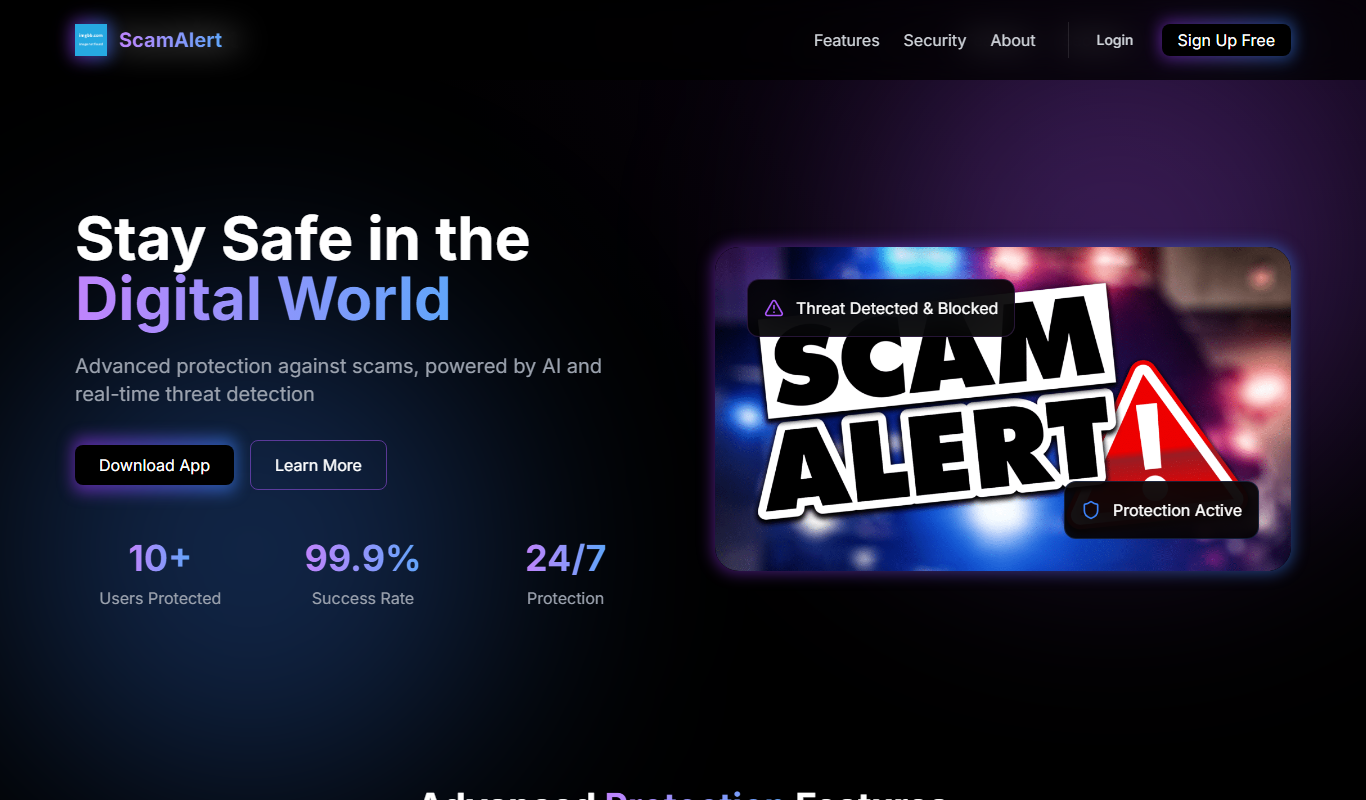
ScamAlert is a web-based tool that detects scams in real-time using AI algorithms, providing instant alerts and fraud prevention features for businesses and consumers.
- Best for
- Real-Time Scam Detection
- Key capability
- Real-Time Scam Detection
Do you recommend this tool?
What is ScamAlert?
ScamAlert is a web-based security tool designed to detect and prevent scams in real-time. It leverages advanced algorithms to analyze online communications and transactions, providing users and businesses with timely alerts about potential fraudulent activities. The platform aims to enhance online safety by identifying scam patterns and educating users on how to avoid falling victim to scams.
Key features of ScamAlert
ScamAlert offers real-time monitoring, instant scam detection alerts, fraud pattern analysis, and educational resources to help users stay protected. Its intuitive dashboard allows easy tracking of suspicious activities and quick response to threats.
Real-Time Scam Detection
Instantly identifies suspicious activities using pattern recognition and AI algorithms.
User-Friendly Dashboard
Provides clear visualization of alerts and scam trends for easy management.
Customizable Alerts
Allows users to tailor notification settings based on their risk tolerance and needs.
Educational Resources
Offers tips and guidelines to help users recognize and avoid scams.
Pros and cons of ScamAlert
Pros
- Real-time scam detection with instant alerts
- Easy-to-use interface and dashboard
- Customizable alert settings
- Educational content to improve user awareness
Cons
- Limited language support (English only)
- No mobile app currently available
Key use cases for ScamAlert
Real-Time Scam Detection
Monitor online communications and transactions to identify potential scams instantly.
Fraud Prevention for Businesses
Protect businesses from fraudulent activities by analyzing patterns and alerting suspicious behavior.
Consumer Protection
Help consumers verify the legitimacy of online offers and communications to avoid scams.
Online Safety Education
Provide users with insights and tips on recognizing and avoiding scams.
How ScamAlert works
- 1
Sign Up
Create a free account on the ScamAlert website to access basic features.
- 2
Configure Monitoring
Set up monitoring preferences for communications or transactions you want to protect.
- 3
Receive Alerts
Get real-time notifications when potential scams or fraudulent activities are detected.
- 4
Review and Act
Analyze alerts via the dashboard and take appropriate action to prevent fraud.
Who is using ScamAlert
Small and medium businesses
Individual consumers concerned about online scams
Customer support teams
Online marketplace operators
ScamAlert pricing
Free
$0/month
Basic scam detection with limited monitoring and alert features.
Premium
$19.99/month
Advanced monitoring, unlimited alerts, and priority support.
Plans and prices are as published by the vendor and can change. Check the official site before you buy. Open the pricing page (opens in a new tab)
Frequently asked questions about ScamAlert
ScamAlert uses AI-driven algorithms to analyze communication patterns and flag suspicious activities in real-time.
Yes, ScamAlert offers a free plan with basic features suitable for individual users.
Absolutely, ScamAlert provides features tailored for businesses to prevent fraud and protect customers.
It depends on your specific needs and how you plan to use the tool. The official website and documentation are the best sources for the latest details.
Some tools offer a free plan or trial with limited features. Availability can vary, so confirm on the official website.
Yes, it can help with that use case depending on how you configure it and what features are available. You’ll get the best results with clear inputs and a defined goal.
Sign in to review this tool.
Sign In to ReviewNo reviews yet
Be the first to share how this tool worked for you.
Ask about pricing, limits, or how it compares — or answer someone else.
Sign In to AskNo questions yet
Have a question about using or paying for this tool? Be the first to ask.
Featured on TiorAI



More AI Checker tools
Other tools in the same category, for when this one is not quite the fit.

Free
Fakespot
Fakespot is an AI-driven tool that analyzes online product reviews to detect fake or unreliable feedback, providing consumers with a reliability grade to help make informed purchasing decisions.

Free
Dictionary.com
Dictionary.com is a comprehensive online platform offering English word definitions, synonyms, antonyms, pronunciation guides, and grammar tips to help users improve their language skills.

Free
Merriam-Webster Dictionary
Merriam-Webster Dictionary is a trusted online English dictionary offering definitions, synonyms, audio pronunciations, and language learning resources.

Free
DetectGPT
DetectGPT is a free web tool that detects whether text was generated by AI language models such as GPT-3 or GPT-4 by analyzing linguistic patterns and providing a probability score.

Freemium
Unicheck
Unicheck is a plagiarism detection tool that scans documents against online and academic sources to identify copied content and ensure originality.

Free
Full Fact
Full Fact is an AI-assisted fact-checking platform that combines automated claim detection with expert human review to identify and correct misinformation in news and public statements.

Free
Scite
Scite is an AI-powered platform that analyzes scientific citations by classifying them as supporting, contrasting, or mentioning, providing researchers with deeper insights into how papers are referenced.

Free
Yuka
Yuka is a mobile and web app that scans food and cosmetic product barcodes to provide health impact scores and ingredient analysis, helping users make healthier choices.