

Retool Low-Code Platform for Building Internal Tools and Apps Fast
Retool is a low-code platform that helps developers and businesses quickly build internal tools by connecting to databases and APIs using a drag-and-drop interface combined with custom JavaScript.
- Best for
- Internal Tool Development
- Key capability
- Drag-and-Drop UI Builder
Save Retool, follow its updates and vote on it — everything stays in your account.
Sign in or create a free account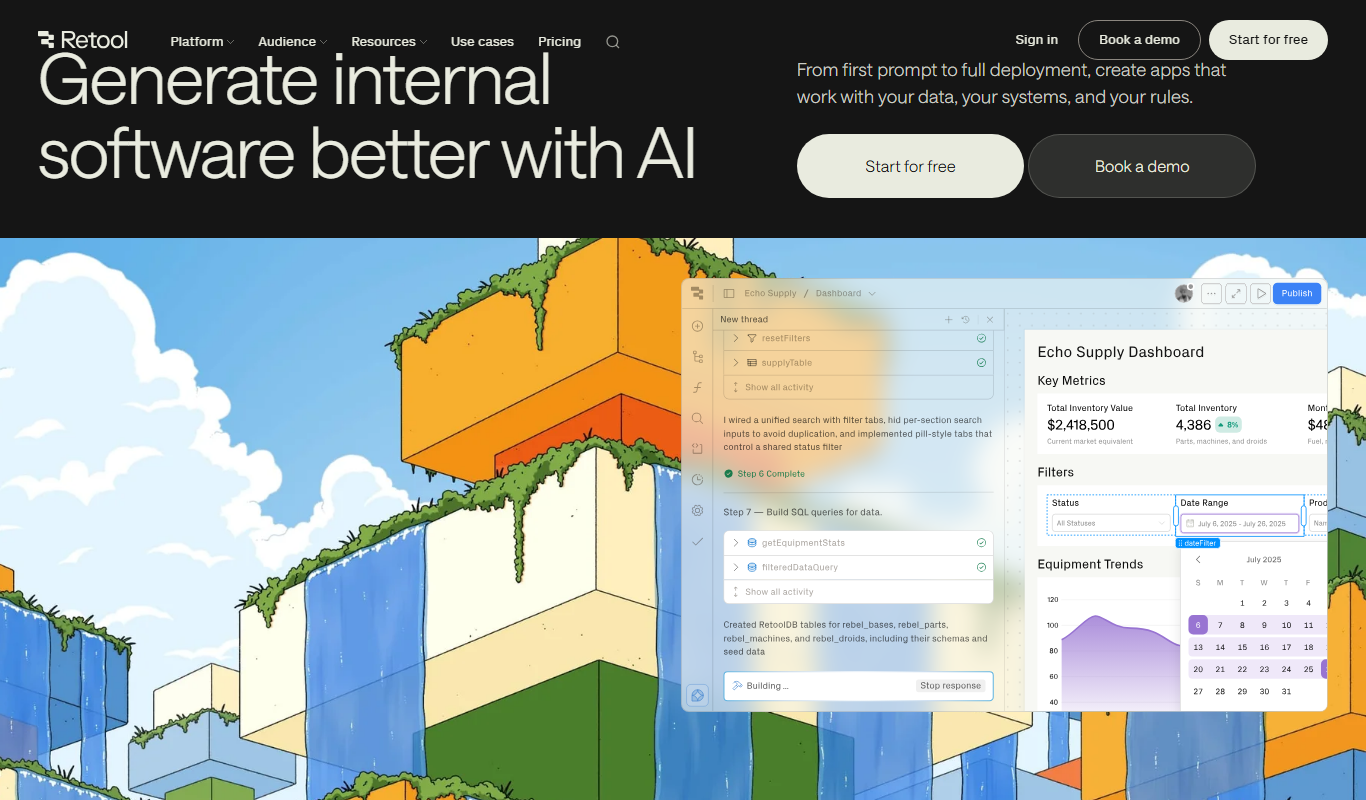
What is Retool?
Retool is a low-code platform designed to help developers and businesses build custom internal tools and applications rapidly. It provides a drag-and-drop interface combined with the ability to write JavaScript for customization, enabling users to connect to databases, APIs, and other services seamlessly. Retool is aimed at accelerating the development of operational software without sacrificing flexibility.
Key features of Retool
Retool offers a visual app builder with pre-built UI components, seamless integration with various data sources, real-time collaboration, and the ability to write custom code for advanced logic. It supports connecting to databases like PostgreSQL, MySQL, MongoDB, and APIs, enabling users to create complex workflows and dashboards efficiently.
Drag-and-Drop UI Builder
Easily assemble interfaces using pre-built components like tables, forms, charts, and buttons.
Data Source Integrations
Connect to a wide range of databases and APIs without complex setup.
Custom JavaScript Support
Enhance app functionality with custom scripts for advanced workflows.
Real-Time Collaboration
Work with team members simultaneously on app development.
Role-Based Access Control
Manage user permissions to secure sensitive data and features.
Pros and cons of Retool
Pros
- Speeds up internal app development significantly
- Supports wide variety of data sources and APIs
- Flexible with custom JavaScript for complex logic
- User-friendly drag-and-drop interface
- Strong collaboration and access control features
Cons
- Primarily focused on internal tools, not public-facing apps
- Pricing can be high for large teams
- Requires some coding knowledge for advanced use
Key use cases for Retool
Internal Tool Development
Build custom internal applications quickly to manage data, workflows, and operations without extensive coding.
Dashboard Creation
Create interactive dashboards that connect to multiple data sources for real-time business insights.
Workflow Automation
Automate repetitive tasks and integrate APIs to streamline business processes.
Data Management
Visualize, edit, and manipulate data from databases and APIs with an intuitive interface.
Rapid Prototyping
Quickly prototype and iterate on app ideas to validate concepts before full development.
How Retool works
- 1
Sign Up
Create an account on Retool’s website to access the platform.
- 2
Connect Data Sources
Link your databases, APIs, or third-party services to Retool.
- 3
Build Interface
Use drag-and-drop components to design your app’s UI.
- 4
Add Logic
Write JavaScript to customize behavior and handle data operations.
- 5
Deploy and Share
Deploy your app internally and share it with your team.
Who is using Retool
Retool pricing
Free
$0/month
Basic features with limited users and apps for small teams or evaluation.
Team
$10 per builder per month billed annually ($12 billed monthly), plus $5 per internal user
Team plan priced per builder, with internal users charged separately.
Enterprise
Custom pricing
Advanced security, compliance, and dedicated support for large organizations.
Plans and prices are as published by the vendor and can change. Check the official site before you buy. Open the pricing page (opens in a new tab)
Frequently asked questions about Retool
Yes, Retool supports connections to many databases like PostgreSQL, MySQL, MongoDB, and more.
Basic apps can be built with drag-and-drop, but JavaScript knowledge helps unlock advanced features.
Yes, Retool offers enterprise plans with enhanced security and compliance features.
Retool is primarily designed for internal tools, but apps can be shared within your organization.
This tool is designed to help users accomplish its core tasks more efficiently. It is typically used by individuals or teams looking to improve productivity and workflow.
It depends on your specific needs and how you plan to use the tool. The official website and documentation are the best sources for the latest details.
Data handling and security practices vary by provider. Review the official privacy policy to understand how your data is stored and used.
It depends on your specific needs and how you plan to use the tool. The official website and documentation are the best sources for the latest details.
Conclusion
Internal tools are the focus here: users link databases such as PostgreSQL, MySQL and MongoDB, or APIs, and design the app interface with drag-and-drop components. JavaScript adds custom behavior and data operations, so basic apps can be built without code while JavaScript knowledge helps with advanced features. Users then deploy the app internally and share it with their team.
It serves developers building internal business tools, product managers needing rapid prototypes and operations teams automating workflows. The platform is primarily designed for internal tools rather than public-facing apps, although apps can be shared within an organization. A Free plan covers small teams, the Team plan costs $10 per builder per month billed annually ($12 monthly) plus $5 per internal user, and a Business plan costs $50 per builder. Enterprise plans add advanced security, compliance and dedicated support.
Sources
Sign in to review this tool.
Sign In to ReviewNo reviews yet
Be the first to share how this tool worked for you.
Ask about pricing, limits, or how it compares — or answer someone else.
Sign In to AskNo questions yet
Have a question about using or paying for this tool? Be the first to ask.
Featured on TiorAI



Alternative Tools
Explore similar AI tools that might fit your needs

Appsmith
Appsmith is an open-source low-code platform that enables developers and businesses to build custom internal applications quickly using drag-and-drop UI components and integrations with databases and APIs.

Budibase
Budibase is an open-source low-code platform that enables rapid development of internal tools and web applications through a visual builder, database integrations, and automation workflows.
More Business Management tools
Other tools in the same category, for when this one is not quite the fit.

Vanna AI
Vanna is an open source SQL agent that answers natural language questions about your data with AI-powered SQL generation, self-hosted or in the cloud.

hiroscope.ai
Hiroscope.ai is an AI-powered platform that analyzes video interviews to provide behavioral and sentiment insights, helping recruiters make data-driven hiring decisions.

Cognitiev
Cognitiev offers Cognitiev Studio, which builds voice AI agents from your website and runs prospecting, calls and email outreach, and Cognitiev CRM, which keeps the pipeline up to date.

Adaapt
Adaapt.AI is an enterprise AI super assistant platform for workflow automation, voice AI, predictive analytics and enterprise integrations, available by demo.

NextBrain AI
NextBrain AI is a no-code machine learning and AI workflow automation platform with AutoML, a Knowledge Repository (RAG), Document Extraction and Document Comparison.

dbnix.ai
dbnix.ai is an AI-powered IT support automation platform that resolves L1 and L2 issues instantly, available 24/7.

Athenic AI
Athenic is an agentic AI data analyst: connect your business data, ask questions in plain English and build live dashboards and automated reports with no SQL required.

Wisent
Wisent uses representation engineering to give control over AI models, reducing hallucinations and malicious content, through an API with SDK.