

From my experience with Resolume Arena, I found it excels at delivering robust, real-time video mixing combined with powerful projection mapping capabilities. The software’s ability to handle multiple video layers and synchronize visuals with audio inputs makes it a top choice for live visual performers and event production professionals. However, the learning curve can be steep for newcomers, and the one-time purchase price is relatively high compared to simpler tools. Overall, if you need professional-grade VJ software for immersive live shows and projection mapping, Resolume Arena offers a comprehensive and stable solution.
Resolume Arena VJ Software for Live Video Mixing and Projection Mapping
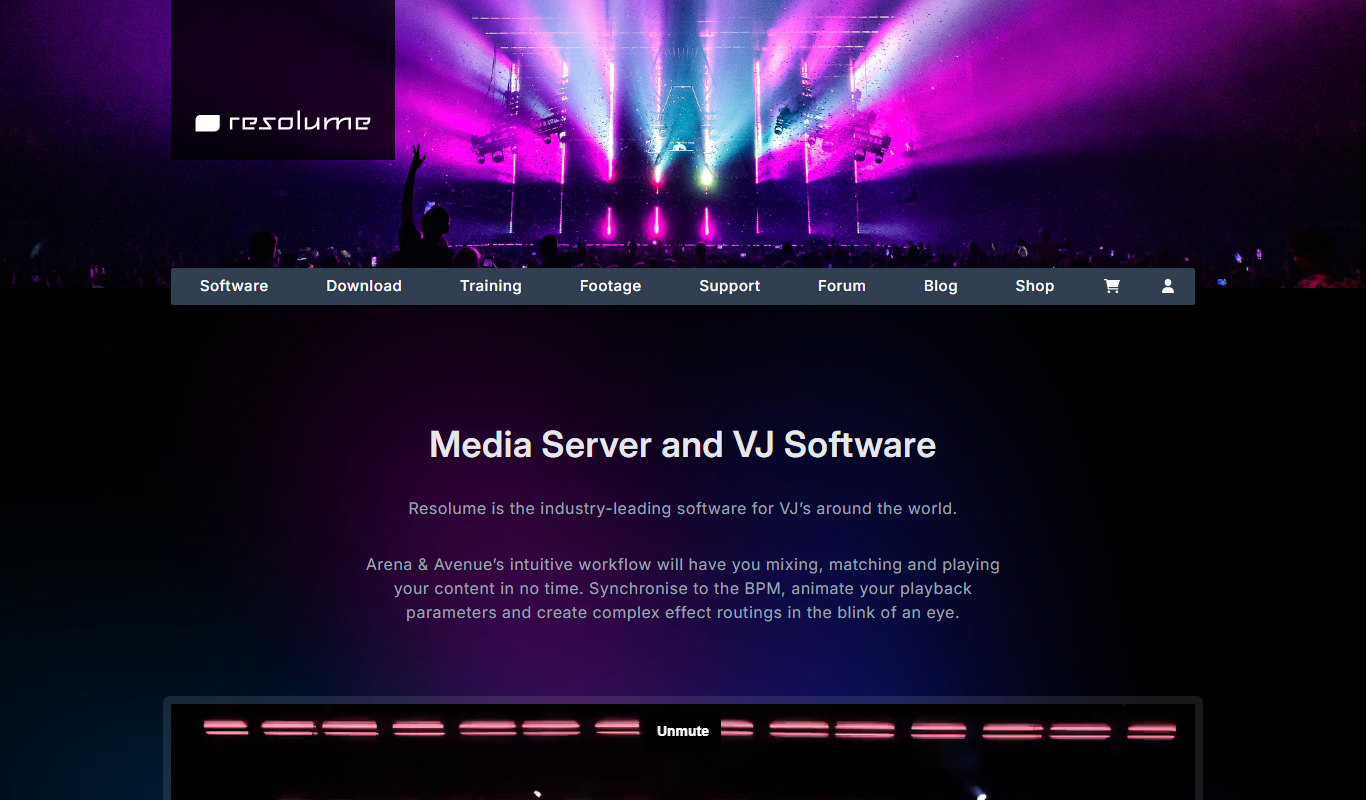
Resolume Arena is a professional VJ software designed for live video mixing and advanced projection mapping, enabling artists to create immersive audiovisual experiences in real time.
- Best for
- Live Visual Performances
- Key capability
- Multi-layer Video Mixing
Do you recommend this tool?
What is Resolume Arena?
Resolume Arena is a professional VJ software and media server designed for live video mixing, projection mapping, and real-time visual performances. It enables artists and technicians to blend multiple video layers, effects, and audio inputs to create immersive audiovisual experiences. The software supports high-resolution video output and advanced mapping tools to project visuals onto irregular surfaces.
Key features of Resolume Arena
Resolume Arena offers live video mixing with multiple layers, real-time effects, advanced projection mapping, DMX lighting integration, audio analysis, and support for various video and image formats. It is optimized for performance stability and flexibility in live event environments.
Multi-layer Video Mixing
Combine multiple video layers with blending modes and opacity controls.
Advanced Projection Mapping
Precisely map visuals onto complex 3D surfaces and architectural elements.
Real-time Effects and Transitions
Apply a wide range of video effects and smooth transitions during live performances.
Audio Analysis and Sync
Synchronize visuals with audio input using beat detection and frequency analysis.
DMX and MIDI Integration
Control lighting and visuals via DMX and MIDI hardware for synchronized shows.
Pros and cons of Resolume Arena
Pros
- Robust real-time video mixing with multiple layers
- Powerful projection mapping tools for complex surfaces
- Supports a wide range of media formats and inputs
- Integrates well with MIDI and DMX controllers
- Stable performance optimized for live events
Cons
- Relatively high one-time purchase price
- Steep learning curve for beginners
- No native support for Windows ARM or Linux
Key use cases for Resolume Arena
Live Visual Performances
Create and control live video mixes for concerts, festivals, and club events.
Projection Mapping
Map visuals onto complex surfaces and architectural structures for immersive experiences.
Theater and Stage Shows
Enhance theatrical productions with synchronized video and lighting effects.
Corporate Events and Presentations
Deliver dynamic visual content for conferences, product launches, and brand activations.
Art Installations
Design interactive and reactive video art installations using real-time video manipulation.
How Resolume Arena works
- 1
Import Media
Load videos, images, and audio files into Resolume Arena’s decks and layers.
- 2
Arrange and Mix
Organize media clips on multiple layers and apply real-time effects and transitions.
- 3
Setup Projection Mapping
Use built-in tools to map visuals onto physical surfaces and adjust geometry.
- 4
Control Live
Manipulate visuals live using MIDI controllers, OSC, or DMX devices.
- 5
Output
Send the final mixed video output to projectors, LED walls, or other display devices.
Who is using Resolume Arena
VJs and live visual performers
Event production companies
Theater and stage designers
Projection mapping artists
Corporate event organizers
Resolume Arena pricing
Resolume Arena
€799 one-time
Full-featured VJ software with projection mapping and media server capabilities.
Resolume Avenue
€299 one-time
Simplified version focused on live video mixing without advanced mapping.
Plans and prices are as published by the vendor and can change. Check the official site before you buy. Open the pricing page (opens in a new tab)
Frequently asked questions about Resolume Arena
Resolume Arena runs on Windows and MacOS platforms.
Yes, it includes advanced tools for mapping visuals onto complex surfaces.
Yes, it can analyze audio input to synchronize visuals with music.
Yes, Resolume offers a free trial version with limited features.
This tool is designed to help users accomplish its core tasks more efficiently. It is typically used by individuals or teams looking to improve productivity and workflow.
Yes, it can help with that use case depending on how you configure it and what features are available. You’ll get the best results with clear inputs and a defined goal.
Yes, it can help with that use case depending on how you configure it and what features are available. You’ll get the best results with clear inputs and a defined goal.
It depends on your specific needs and how you plan to use the tool. The official website and documentation are the best sources for the latest details.
Sign in to review this tool.
Sign In to ReviewNo reviews yet
Be the first to share how this tool worked for you.
Ask about pricing, limits, or how it compares — or answer someone else.
Sign In to AskNo questions yet
Have a question about using or paying for this tool? Be the first to ask.
Featured on TiorAI



Alternative Tools
Explore similar AI tools that might fit your needs

Free Trial
MadMapper
MadMapper is a desktop software for projection and LED mapping that allows artists and designers to map video content onto physical surfaces and control visuals in real-time using MIDI and DMX.
More Art & Creative Design tools
Other tools in the same category, for when this one is not quite the fit.

Free
Runway ML
Runway ML is a cloud platform offering AI-powered video and image editing tools, enabling creators to automate complex tasks like green screen removal and style transfer, with real-time collaboration and API integration.

Free
Daz 3D
Daz 3D is a free-to-use 3D modeling and animation software that provides a vast library of customizable digital characters and assets, enabling artists and developers to create photorealistic renders and animations.

Free
Prompt Hero
Prompt Hero is a web platform that provides a marketplace and community for discovering, sharing, and selling AI prompts used in text-to-image generation with popular AI art models.

Free
Gencraft
Gencraft is an AI-powered tool that generates digital artwork from text prompts, enabling users to create unique images quickly and easily.

Freemium
Asana AI
Asana AI is an AI-powered extension of the Asana platform that automates task creation, workflow management, and provides predictive analytics to improve project efficiency.

Free Trial
Monday.com AI
monday.com AI is a work operating system that uses AI to automate workflows, enhance project management, and improve team collaboration across platforms.

Freemium
ClickUp AI
ClickUp AI is an AI assistant integrated into the ClickUp platform that automates project management tasks, generates content, and optimizes workflows to enhance team productivity.

Free
Brandmark
Brandmark is an AI-driven logo maker and brand design tool that generates unique logos and brand kits to help businesses establish a professional visual identity quickly and easily.