

Picsi.Ai - face swap for photos, videos and GIFs by InsightFace
Picsi.Ai, powered by InsightFace, swaps faces in photos, videos and GIFs and creates identity-consistent scenes with PersonaMagic Canvas. Free to start.
- Best for
- Photo face swaps
- Key capability
- Face Swap Studio
Save Picsi.Ai – Powered by InsightFace, follow its updates and vote on it — everything stays in your account.
Sign in or create a free account

What is Picsi.Ai – Powered by InsightFace?
Picsi.Ai, powered by InsightFace, swaps faces in photos, videos and GIFs. Users upload a clear photo of their face, choose the photos, videos or GIFs to change and download the result, and PersonaMagic Canvas creates new identity-consistent scenes.
Key features of Picsi.Ai – Powered by InsightFace
Picsi.Ai swaps faces in photos, videos and GIFs with InsightFace technology and adds PersonaMagic Canvas for new identity-consistent scenes.
Face Swap Studio
Image, video and GIF face swap, single or multi-face, with batch processing.
Up to 4 faces at once
Swap up to 4 faces in one photo or video and pick which ones.
PersonaMagic Canvas
Generates new high-fidelity scenes from prompts while keeping your identity consistent.
Live face swap apps
Real-time face swaps with Live Camera, Screen Capture and LiveCam in the Mac and iPhone apps.
Photoshop, Chrome and Discord
Use it on Discord, the web, iPhone, Mac, Photoshop and Chrome.
Pros and cons of Picsi.Ai – Powered by InsightFace
Pros
- Built by the creators of INSwapper
- Works on the web, Mac, iPhone, Photoshop, Chrome and Discord
- 10 free credits every day
- Commercial use included in paid plans
- Free tier for testing
Cons
- Free plan covers only image swaps on the largest face
- Daily credits reset at 0:00 UTC and do not roll over
- NSFW or sexually suggestive content is prohibited
Key use cases for Picsi.Ai – Powered by InsightFace
Photo face swaps
Swap your face into a photo, including group photos with up to 4 faces.
Video and GIF face swaps
Swap faces in video clips and GIFs, one face or many.
New scenes of yourself
Generate new scenes from prompts with PersonaMagic Canvas.
Editing in Photoshop
Swap faces without leaving Photoshop with the plugin.
Attendance Tracking
Automate attendance systems in workplaces or educational institutions by recognizing faces.
How Picsi.Ai – Powered by InsightFace works
- 1
Upload your face
A clear, front-facing photo works best.
- 2
Pick a photo, video or GIF
Choose the target scene.
- 3
Download your result
The result is ready in seconds, in high quality.
- 4
Use Results
Incorporate the returned data into your application for verification, tagging, or analytics.
Who is using Picsi.Ai – Powered by InsightFace
Picsi.Ai – Powered by InsightFace pricing
Free
$0/month
10 credits every day, image face swaps on the largest face, no credit card needed.
Basic
$9.99/month, billed monthly
200 credits every day, video and GIF face swaps, up to 4 faces, commercial use.
Pro
$19.99/month, billed monthly
400 credits every day, everything in Basic, longer videos.
Ultra
$34.99/month, billed monthly
800 credits every day, everything in Pro, the longest videos.
Plans and prices are as published by the vendor and can change. Check the official site before you buy. Open the pricing page (opens in a new tab)
Frequently asked questions about Picsi.Ai – Powered by InsightFace
Yes. Every account gets 10 free credits a day for image face swaps on the largest face; video, GIF, multi-face swaps and the pro tools need a paid plan.
A premium AI engine that generates new high-fidelity scenes from your prompts while keeping your identity consistent; it uses Tokens instead of daily credits.
No. Credits reset every day at 0:00 UTC, and unused credits do not roll over.
Paid plans allow commercial use of your results, with attribution to Picsi.Ai as set out in the Terms of Use.
No. NSFW or sexually suggestive content is absolutely prohibited.
Yes, it can help with that use case depending on how you configure it and what features are available. You’ll get the best results with clear inputs and a defined goal.
Yes, it can help with that use case depending on how you configure it and what features are available. You’ll get the best results with clear inputs and a defined goal.
Some tools offer a free plan or trial with limited features. Availability can vary, so confirm on the official website.
Conclusion
The workflow takes three steps: upload a clear, front-facing photo of your face, pick a target photo, video or GIF, and download the swapped result in seconds. Face Swap Studio on the web handles single or multi-face swaps with batch processing, and paid plans can replace up to 4 faces in one scene. PersonaMagic Canvas goes further and generates entirely new scenes from prompts while keeping the user’s identity consistent, paid with separate Tokens.
The team behind it created INSwapper, and one membership covers Discord, Face Swap Studio, the iPhone and Mac apps, Photoshop and Chrome. NSFW or sexually suggestive content is prohibited. The free tier gives 10 daily credits for image swaps on the largest face only, while video, GIF and multi-face swaps and commercial use start with the Basic plan, and credits reset daily without rolling over.
Sources
Sign in to review this tool.
Sign In to ReviewNo reviews yet
Be the first to share how this tool worked for you.
Ask about pricing, limits, or how it compares — or answer someone else.
Sign In to AskNo questions yet
Have a question about using or paying for this tool? Be the first to ask.
Featured on TiorAI



Alternative Tools
Explore similar AI tools that might fit your needs
Face++
Face++ is an AI platform by Megvii providing facial recognition, face detection, and image analysis APIs and SDKs for secure authentication, marketing insights, and more.
More AI Face Recognition Tools tools
Other tools in the same category, for when this one is not quite the fit.

Faceplugin
FacePlugin offers on-premises biometric SDKs for face recognition, liveness detection, deepfake detection, ID document recognition and eKYC, deployed on your own servers or devices.
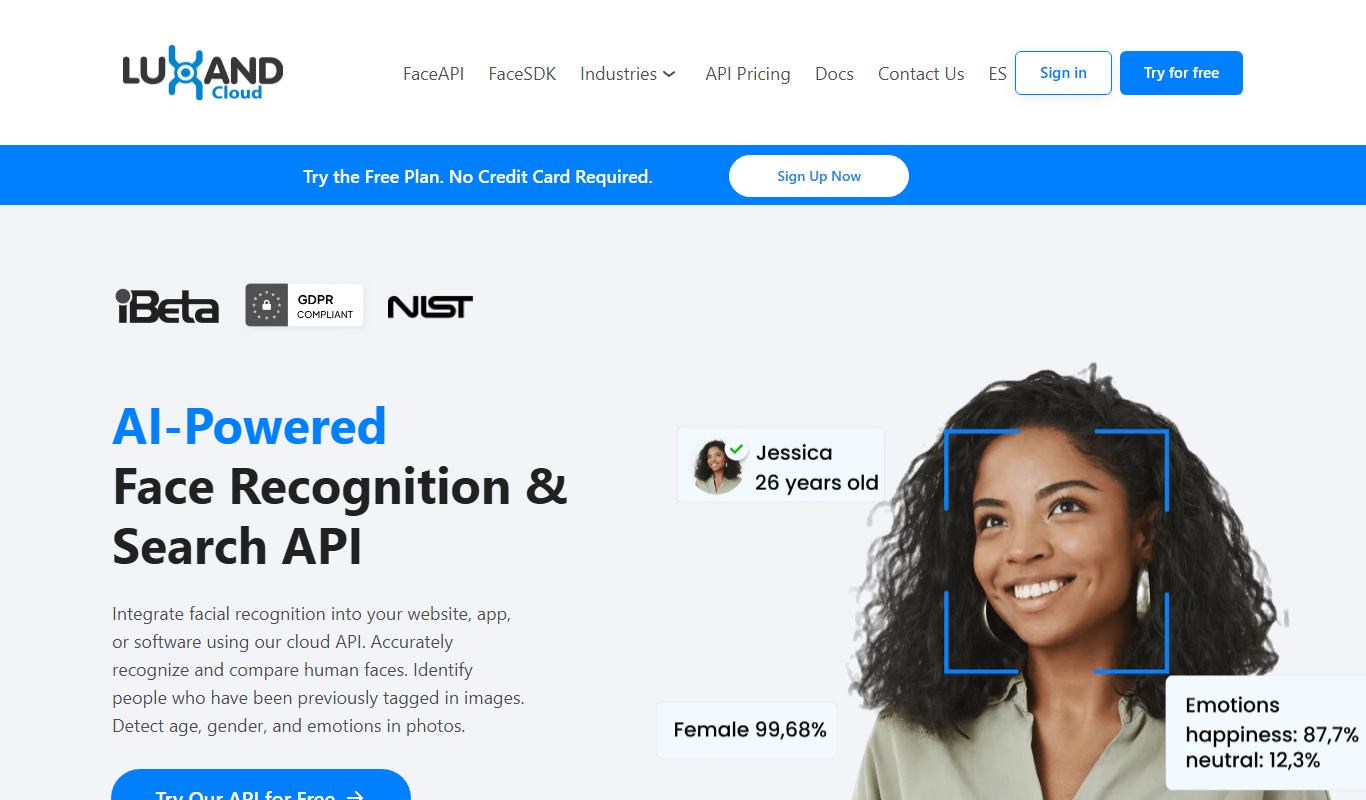
Luxand.cloud
Luxand.cloud is a cloud face recognition API for web and mobile apps with face search, matching, age, gender and emotion detection and liveness detection.