

Online Photo Enlarger Tool for High-Quality Image Upscaling
photoenlarger.com is a free web-based tool that allows users to enlarge photos online by selecting different scaling factors, improving image resolution without installing software.
- Best for
- Image Upscaling
- Key capability
- Multiple Enlargement Options
Save photoenlarger.com, follow its updates and vote on it — everything stays in your account.
Sign in or create a free account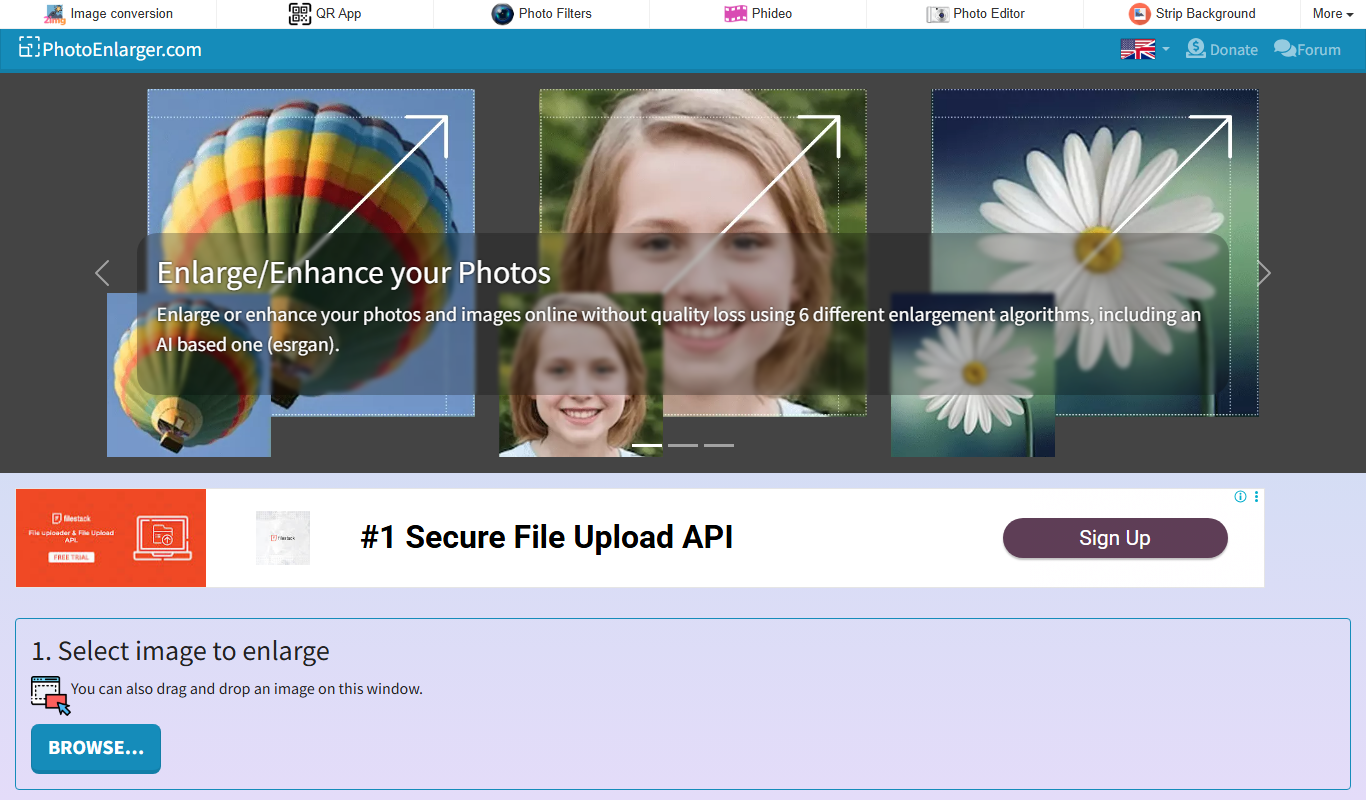

What is photoenlarger.com?
photoenlarger.com is a free online tool designed to enlarge photos and images while preserving quality. It allows users to upload images and increase their size by various scales, making it useful for improving image resolution for printing, digital display, or restoration purposes. The tool operates entirely in the browser, requiring no software installation.
Key features of photoenlarger.com
The tool offers simple image upload and enlargement options with multiple scaling factors. It supports common image formats and provides a straightforward interface for quick photo upscaling without complex settings.
Multiple Enlargement Options
Users can choose from several scaling factors to enlarge images according to their needs.
No Software Installation
Fully web-based tool accessible from any modern browser without downloads.
Supports Common Image Formats
Accepts JPEG, PNG, and other popular image file types.
Simple User Interface
Minimalistic design focused on ease of use for quick photo enlargement.
Pros and cons of photoenlarger.com
Pros
- Completely free to use
- No registration or software installation required
- Simple and intuitive interface
- Quick processing for image enlargement
Cons
- Limited advanced editing features
- No batch processing support
- Quality depends on original image resolution
Key use cases for photoenlarger.com
Image Upscaling
Increase the resolution of photos without losing quality for printing or digital use.
Photo Restoration
Enhance old or low-resolution images by enlarging them for better clarity.
Social Media Content
Prepare higher resolution images for social media posts or profile pictures.
Graphic Design
Upscale images to fit larger design formats without pixelation.
How photoenlarger.com works
- 1
Upload Image
Select and upload the photo you want to enlarge from your device.
- 2
Choose Enlargement Scale
Pick the desired enlargement factor (e.g., 2x, 4x) to increase the image size.
- 3
Process Image
The tool processes the image to upscale it while attempting to maintain quality.
- 4
Download Enlarged Photo
Save the enlarged image back to your device for use.
Who is using photoenlarger.com
photoenlarger.com pricing
Free
$0
Unlimited access to photo enlargement features without cost.
Plans and prices are as published by the vendor and can change. Check the official site before you buy. Open the pricing page (opens in a new tab)
Frequently asked questions about photoenlarger.com
The tool supports common formats such as JPEG and PNG.
There is no clearly stated limit, but very large files may affect processing speed.
No, the service is free and does not require creating an account.
Yes, the website is accessible via mobile browsers.
It depends on your specific needs and how you plan to use the tool. The official website and documentation are the best sources for the latest details.
Some tools offer a free plan or trial with limited features. Availability can vary, so confirm on the official website.
Yes, it can help with that use case depending on how you configure it and what features are available. You’ll get the best results with clear inputs and a defined goal.
Conclusion
The user selects and uploads a photo from the device, picks an enlargement factor such as 2x or 4x, and saves the enlarged image back. Everything runs in the browser with no software installation, and the service is free to use without creating an account. The site also offers the AI-based ESRGAN enlargement algorithm, plus a Photo Editor, a Resizer and Filters.
It is aimed at casual users who need a quick enlargement, as well as photographers and graphic designers preparing images for print. Typical uses include enlarging old or low-resolution images for more clarity and preparing higher resolution images for social media or profile pictures. Output quality depends on the resolution of the original image.
Sources
Sign in to review this tool.
Sign In to ReviewNo reviews yet
Be the first to share how this tool worked for you.
Ask about pricing, limits, or how it compares — or answer someone else.
Sign In to AskNo questions yet
Have a question about using or paying for this tool? Be the first to ask.
Featured on TiorAI



Alternative Tools
Explore similar AI tools that might fit your needs

Waifu2x
Waifu2x is a web-based tool that upscales anime-style images by 1.6x or 2x, with 4x in the unlimited version, and reduces noise.

Bigjpg
Bigjpg is an AI-based image enlarger that uses deep learning to upscale photos and artwork up to 16 times their original size while preserving detail and reducing noise.
More AI Image & Visual Tools tools
Other tools in the same category, for when this one is not quite the fit.

Business Portrait AI
Business Portrait AI is an online tool that uses artificial intelligence to create professional business portraits and corporate headshots quickly and affordably without traditional photoshoots.

KiraHeadshots
KiraHeadshots is an AI-based web tool that generates professional-quality headshots from user photos, ideal for resumes and social media profiles.

Headshot Photo
Headshot Photo is an AI-based web tool that generates professional-quality headshots from your photos, offering style customization and high-resolution downloads.

AiPassportPhotos
AiPassportPhotos is an AI-powered online tool that helps users create compliant passport, visa, and ID photos by automatically removing backgrounds and resizing images according to country-specific standards.

FilterPixel
FilterPixel is an AI-powered photo culling tool that automates the selection of the best photos by analyzing technical quality and facial expressions, saving photographers time and effort.

A1 Art
A1 Art is a web-based AI image generator that creates digital artwork from text prompts, offering free and subscription plans for users.

Getty Images
Getty Images is a leading stock photography platform offering millions of high-quality images, videos, and music with flexible licensing for commercial and editorial use.

Spectre Camera
Spectre Camera is an iOS app that uses AI to create long exposure photos by stabilizing shots and combining multiple frames, enabling effects like light trails and motion blur without professional equipment.