

From my experience with Photo Eraser, I found it excels at quickly removing unwanted objects and watermarks with minimal effort. The straightforward interface makes it accessible even for users without advanced photo editing skills. It’s particularly well-suited for photographers and social media creators who need fast, clean edits without diving into complex software. However, the free version’s watermark can be a limitation if you want fully clean outputs without purchasing the full license. Overall, if you need a simple, effective tool for object removal on desktop, Photo Eraser delivers reliable results.
Photo Eraser App for Removing Unwanted Objects from Photos Easily
Photo Eraser is a desktop photo editing tool that removes unwanted objects, watermarks, and blemishes from images using intelligent algorithms, available for Windows and Mac.
- Best for
- Remove Unwanted Objects
- Key capability
- One-Click Object Removal
Your actions
Save Photo Eraser, follow its updates and vote on it — everything stays in your account.
Sign in or create a free account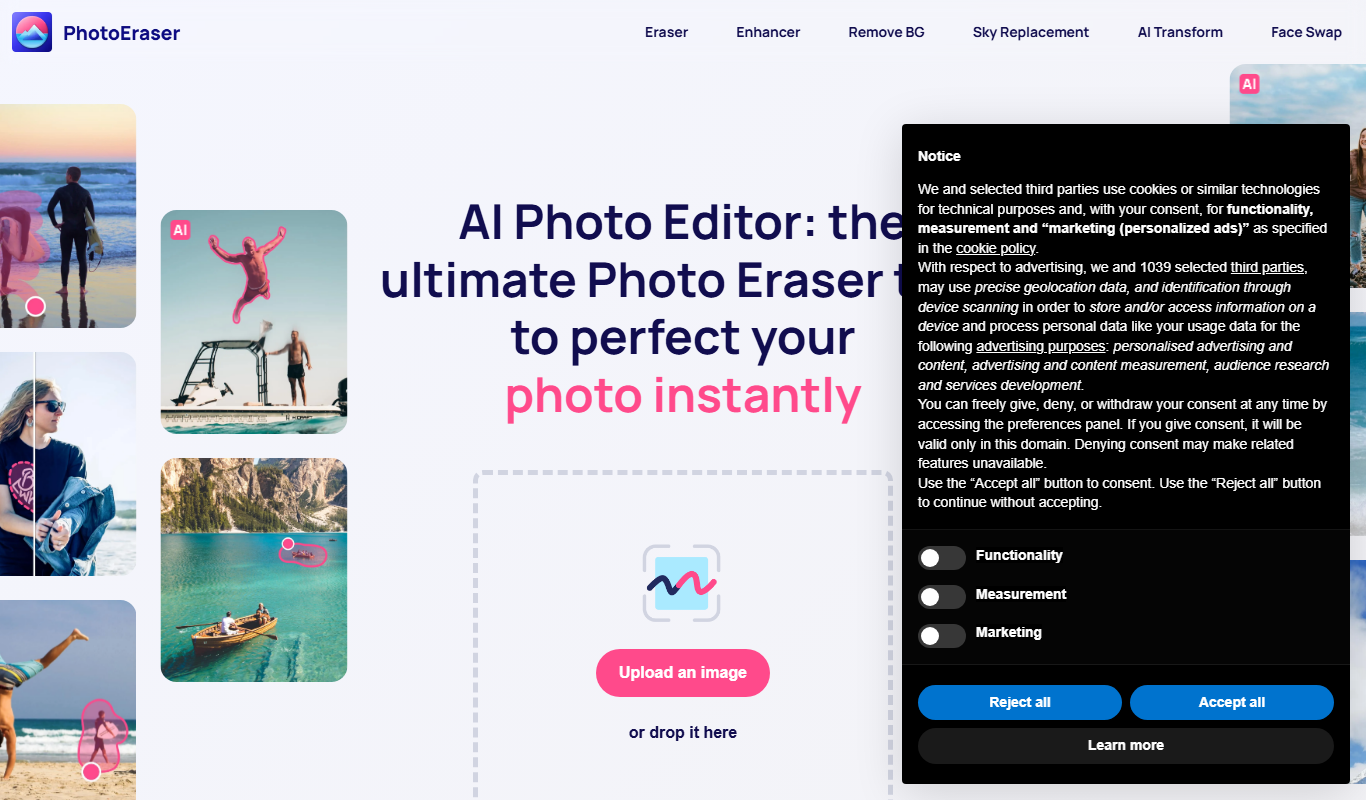

What is Photo Eraser?
Photo Eraser is a desktop application designed to help users remove unwanted objects, watermarks, and blemishes from photos with ease. It uses intelligent algorithms to fill in the erased areas naturally, making the edits look seamless and professional.
Key features of Photo Eraser
The app offers simple tools for object removal, scratch and spot removal, and background cleanup. It supports batch processing and provides an intuitive interface suitable for both beginners and advanced users.
One-Click Object Removal
Remove unwanted elements from photos quickly with a single click.
Scratch and Spot Removal
Restore old photos by removing scratches and spots.
Batch Processing
Edit multiple photos at once to save time.
User-Friendly Interface
Simple and intuitive design suitable for all skill levels.
Pros and cons of Photo Eraser
Pros
- Easy to use with minimal learning curve
- Effective at removing various unwanted objects
- Supports batch processing for efficiency
Cons
- Free version adds watermark to edited photos
- Limited advanced editing features compared to professional software
Key use cases for Photo Eraser
Remove Unwanted Objects
Easily erase people, watermarks, logos, or other unwanted objects from photos.
Restore Old Photos
Clean up scratches, spots, and blemishes on old or damaged photographs.
Enhance Social Media Images
Quickly remove distractions to create cleaner images for social media posts.
Background Cleanup
Remove unwanted background elements to improve photo composition.
How Photo Eraser works
- 1
Import Photo
Open the photo you want to edit within the app.
- 2
Select Object
Use the selection tool to mark the unwanted object or area.
- 3
Erase and Process
Click the erase button to remove the object; the app automatically fills the area.
- 4
Save Edited Photo
Review the result and save the cleaned photo to your device.
Who is using Photo Eraser
Photographers
Social media content creators
Graphic designers
Casual users wanting quick photo fixes
Restoration enthusiasts
Photo Eraser pricing
Free Trial
$0
Limited features with watermark on output images.
Full Version
$19.99 one-time
Unlock all features with no watermarks and lifetime updates.
Plans and prices are as published by the vendor and can change. Check the official site before you buy. Open the pricing page (opens in a new tab)
Frequently asked questions about Photo Eraser
Yes, Photo Eraser can effectively remove watermarks from your photos.
There is a free trial version with limited features and watermarked output.
Photo Eraser is available for Windows and Mac operating systems.
It depends on your specific needs and how you plan to use the tool. The official website and documentation are the best sources for the latest details.
Some tools offer a free plan or trial with limited features. Availability can vary, so confirm on the official website.
Yes, it can help with that use case depending on how you configure it and what features are available. You’ll get the best results with clear inputs and a defined goal.
Sign in to review this tool.
Sign In to ReviewNo reviews yet
Be the first to share how this tool worked for you.
Ask about pricing, limits, or how it compares — or answer someone else.
Sign In to AskNo questions yet
Have a question about using or paying for this tool? Be the first to ask.
Featured on TiorAI



Alternative Tools
Explore similar AI tools that might fit your needs

Free Trial
Inpaint
Inpaint is a photo editing software that removes unwanted objects and restores images by intelligently filling selected areas with matching backgrounds.
More AI Background Remover tools
Other tools in the same category, for when this one is not quite the fit.

One-time purchase
ProCam 8
ProCam 8 is a professional iOS camera app that provides manual controls, RAW photo capture, AI-powered portrait and night modes, and in-app editing for high-quality mobile photography.

Free
Postimages
Postimages is a free online image hosting service that allows users to upload images quickly without registration, providing multiple link formats for sharing and embedding images on forums, websites, and social media.

Freemium
LetsEnhance
LetsEnhance is an AI-powered web platform that upscales images, removes backgrounds, restores photos, and enhances colors to improve photo quality efficiently.

Freemium
Clipping Magic
Clipping Magic is an AI-based online tool that automatically removes backgrounds from images with options for manual refinement, ideal for e-commerce, design, and social media content creation.

Paid
Camera+ 2
Camera+ 2 is an iOS photography app that combines manual camera controls with AI-powered editing features like background removal and portrait enhancements, designed for professional and enthusiast iPhone photographers.

Free Trial
PhotoWorks
PhotoWorks is an AI-driven photo editing software for Windows that automates background removal, portrait retouching, and photo restoration to help users enhance images quickly and easily.

Custom Pricing
FittingBox
FittingBox is an augmented reality platform that enables virtual try-on of eyewear using 3D modeling and face detection technology, enhancing online and in-store shopping experiences.

Free
MakePassportPhoto.com
MakePassportPhoto.com is an online tool that helps users create official passport and ID photos by uploading a photo, automatically removing the background, resizing, and formatting it to meet country-specific requirements.