

PhonicMind AI Vocal Remover and Music Stem Creator for Audio Editing
PhonicMind is an AI-powered web tool that separates music tracks into vocals, drums, bass, and other stems, enabling vocal removal and remixing.
- Best for
- Vocal Removal
- Key capability
- AI-Powered Stem Separation
Save PhonicMind, follow its updates and vote on it — everything stays in your account.
Sign in or create a free account
What is PhonicMind?
PhonicMind is an AI-powered online tool designed to separate music tracks into individual stems such as vocals, drums, bass, and other instruments. It uses advanced deep learning algorithms to isolate audio components, enabling users to create karaoke tracks, remixes, or perform detailed audio editing without needing complex software.
Key features of PhonicMind
PhonicMind offers automatic vocal removal, multi-track stem separation, high-quality audio output, and a simple web-based interface that requires no installation. It supports various audio formats and provides fast processing times for quick results.
AI-Powered Stem Separation
Uses deep learning to accurately isolate vocals, drums, bass, and other instruments.
High-Quality Audio Output
Maintains audio fidelity in separated stems suitable for professional use.
User-Friendly Web Interface
No software installation required; accessible from any modern web browser.
Supports Multiple Audio Formats
Accepts common audio file types including MP3, WAV, and others.
Fast Processing Times
Delivers results quickly, enabling efficient workflow for users.
Pros and cons of PhonicMind
Pros
- Accurate AI-based stem separation
- Easy-to-use web interface
- Supports multiple audio formats
- Fast processing and download
- Flexible pricing options
Cons
- Processing quality may vary with complex audio
- No offline or desktop application
- Subscription may be costly for casual users
Key use cases for PhonicMind
Vocal Removal
Remove vocals from songs to create karaoke tracks or instrumentals.
Music Stem Separation
Separate audio tracks into individual stems such as vocals, drums, bass, and other instruments.
Music Remixing
Use separated stems to remix songs or create new music compositions.
Audio Editing
Edit individual stems for professional audio production or hobbyist projects.
Karaoke Creation
Generate karaoke versions of songs by isolating or removing vocals.
How PhonicMind works
- 1
Upload Audio File
Users upload their music file in supported formats such as MP3 or WAV.
- 2
AI Processing
PhonicMind’s AI analyzes the audio and separates it into distinct stems.
- 3
Preview and Adjust
Users can preview the separated stems and adjust volume levels if needed.
- 4
Download Stems
Download individual stems or the vocal-removed track for further use.
Who is using PhonicMind
PhonicMind pricing
Single Studio Conversion
$6.99 one time payment
One song only with full Studio-grade output, 320 kbps player quality and lossless export, without a subscription.
Sing
$9.99 per month or $99.90 per year
Lead vocals, back vocals when present and instrumental inside the V2 player with synced lyrics; 192 kbps MP3 playback in player, songs up to 5 min, no downloads.
Play
$18.99 per month or $189.90 per year
Up to 8 recognized stems out of 16 stem classes, metronome and chords, 256 kbps MP3 playback, MP3 downloads of any custom mix or soloed stem, songs up to 10 min.
Studio
$29.99 per month or $299.90 per year
Everything in Play plus 320 kbps MP3 playback, Mix.flac and Stems.flac.zip downloads, fastest queue priority and songs up to 20 min.
Plans and prices are as published by the vendor and can change. Check the official site before you buy. Open the pricing page (opens in a new tab)
Frequently asked questions about PhonicMind
PhonicMind supports common audio formats including MP3, WAV, and others.
Yes, PhonicMind can remove vocals to create karaoke versions of songs.
Maximum song length depends on the plan: up to 5 min on Sing, up to 10 min on Play and up to 20 min on Studio.
No, PhonicMind is fully web-based and works in modern browsers without installation.
It depends on your specific needs and how you plan to use the tool. The official website and documentation are the best sources for the latest details.
Yes, it can help with that use case depending on how you configure it and what features are available. You’ll get the best results with clear inputs and a defined goal.
Some tools offer a free plan or trial with limited features. Availability can vary, so confirm on the official website.
Yes, it can help with that use case depending on how you configure it and what features are available. You’ll get the best results with clear inputs and a defined goal.
Conclusion
No installation is needed: a song is uploaded, previewed, mixed and downloaded in the browser. Version 2.0 first analyzes the full track and detects the vocal layers and instrument groups present, then separates it in one pass into up to 8 usable stems from 16 stem classes. Results open in an interactive player with synchronized lyrics, chords, tempo and a metronome alongside the stems.
The separation is built for creators, musicians, DJs and producers, and its uses range from karaoke versions to remixing songs. A preview comes first, so the separation can be heard before committing to a full conversion. Sing, Play and Studio subscriptions differ in stem depth, playback quality and export options, and the entry Sing tier has no downloads. A single one-time Studio conversion covers one song without a subscription.
Sources
Sign in to review this tool.
Sign In to ReviewNo reviews yet
Be the first to share how this tool worked for you.
Ask about pricing, limits, or how it compares — or answer someone else.
Sign In to AskNo questions yet
Have a question about using or paying for this tool? Be the first to ask.
Featured on TiorAI



Alternative Tools
Explore similar AI tools that might fit your needs

Moises.ai
Moises.ai is an AI-based music tool that separates audio tracks into individual stems like vocals and instruments, allowing users to edit, remix, and create karaoke tracks easily.
More AI Audio Editing tools
Other tools in the same category, for when this one is not quite the fit.

GarageBand
GarageBand is a free digital audio workstation by Apple that enables users to create, record, and edit music and podcasts on Mac and iOS devices using virtual instruments, loops, and multi-track recording.

CloudConvert
CloudConvert is an online file conversion platform supporting over 200 formats, offering batch processing, customizable settings, and API integration for developers.
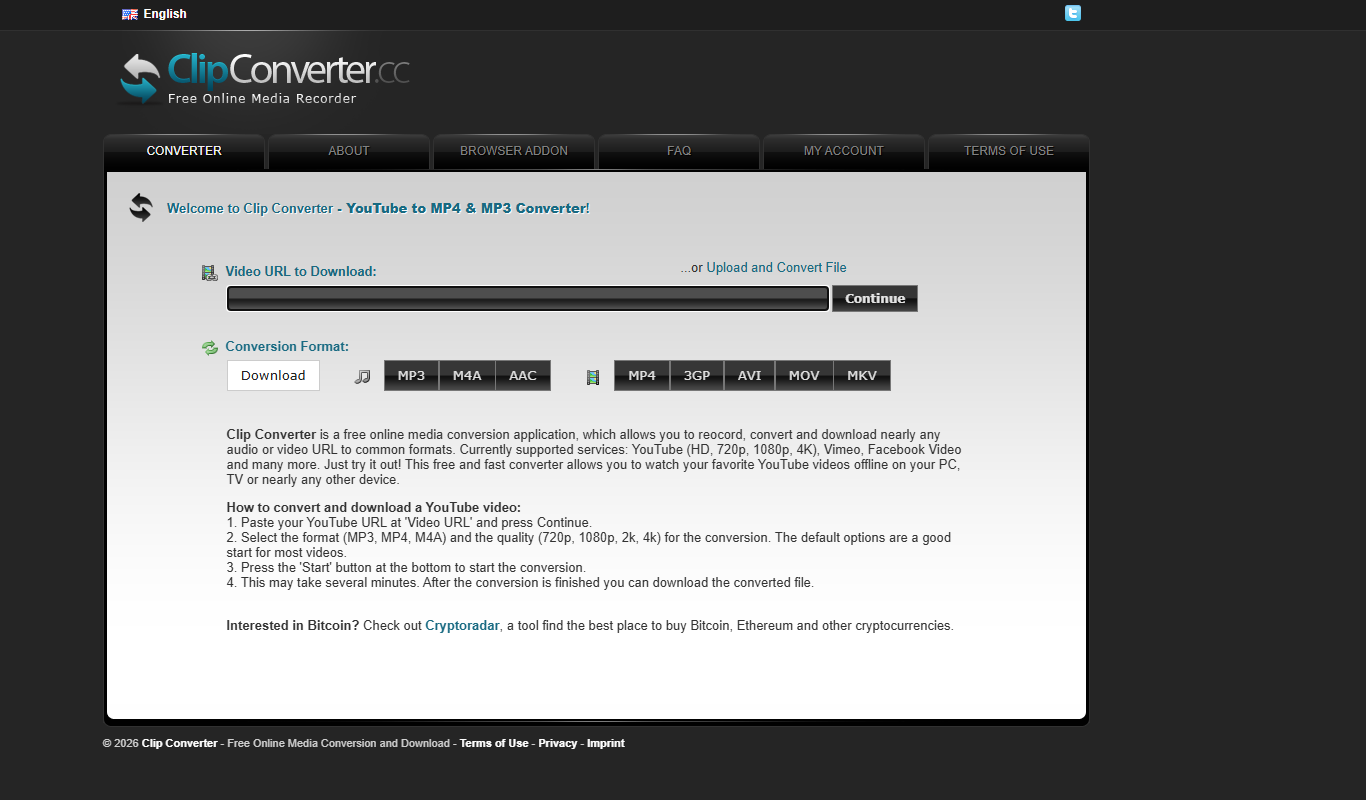
ClipConverter
ClipConverter is a free online tool that lets you download and convert videos from popular streaming sites into various video and audio formats without software installation.

DaVinci Resolve
DaVinci Resolve is a professional video editing software combining editing, color grading, visual effects, and audio post-production in one platform, available in free and paid Studio versions.

Bandicam
Bandicam is a screen recording software for Windows and Mac that captures high-quality video from your screen, games, and external devices with features like real-time drawing and webcam overlay.

Any Video Converter
Any Video Converter is a multimedia software that converts video files between numerous formats, downloads online videos, and offers basic editing and DVD burning features.

Libsyn
Libsyn is a podcast hosting platform that enables podcasters to upload, distribute, monetize, and analyze their audio content across major podcast directories.

Cleanfeed
Cleanfeed is a browser-based platform that enables high-quality remote audio recording and live broadcasting, widely used by podcasters and broadcasters to connect with guests and collaborators anywhere without software installation.