

NetBrain Network Automation Software for IT Infrastructure Management
NetBrain is a network automation platform that helps IT teams visualize, troubleshoot, and manage complex networks using dynamic mapping and automated runbooks.
- Best for
- Network Automation
- Key capability
- Dynamic Network Mapping
Save NetBrain, follow its updates and vote on it — everything stays in your account.
Sign in or create a free account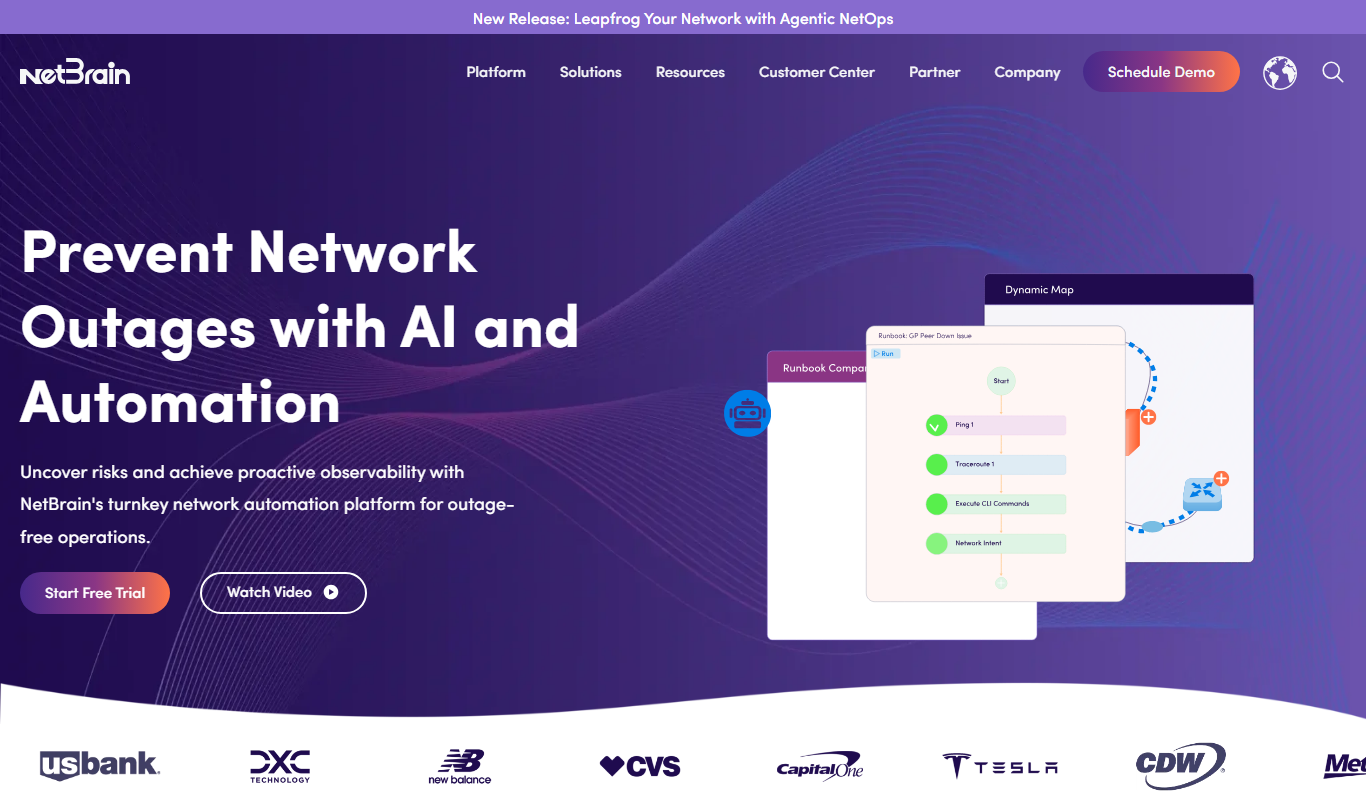
What is NetBrain?
NetBrain is an enterprise-grade network automation platform designed to help IT teams visualize, troubleshoot, and manage complex network infrastructures. It leverages dynamic mapping and automation to reduce manual network operations, enabling faster problem resolution and improved operational efficiency.
Key features of NetBrain
NetBrain offers dynamic network mapping, automated runbook execution, real-time network data visualization, and integration with existing IT tools to streamline network operations and troubleshooting.
Dynamic Network Mapping
Automatically generate up-to-date network topology maps that reflect real-time changes.
Automated Runbooks
Predefined and customizable automation scripts to troubleshoot and remediate network problems.
Real-Time Data Integration
Integrate live network data to monitor performance and detect anomalies.
Change Impact Analysis
Assess potential effects of network changes before implementation.
Integration with IT Tools
Seamlessly connect with existing IT management and monitoring systems.
Pros and cons of NetBrain
Pros
- Automates complex network operations effectively
- Provides real-time dynamic network visualization
- Reduces troubleshooting time with automated runbooks
- Supports multi-vendor network environments
Cons
- Pricing is customized and may be expensive for smaller organizations
- Steep learning curve for new users unfamiliar with network automation
Key use cases for NetBrain
Network Automation
Automate complex network operations to reduce manual tasks and improve efficiency.
Network Troubleshooting
Quickly diagnose and resolve network issues using dynamic network maps and runbooks.
IT Infrastructure Management
Visualize and manage network infrastructure with real-time data and topology mapping.
Change Management
Plan and execute network changes safely with impact analysis and automated documentation.
Compliance and Audit
Maintain compliance by automating network documentation and audit trails.
How NetBrain works
- 1
Discover Network
NetBrain automatically discovers your network devices and topology to create dynamic maps.
- 2
Visualize Network
View real-time network status and topology through interactive maps.
- 3
Automate Runbooks
Create and execute automated runbooks to diagnose and resolve network issues.
- 4
Analyze Changes
Plan network changes with impact analysis and automated documentation.
Who is using NetBrain
NetBrain pricing
Enterprise Licensing
Custom Pricing
Tailored pricing based on network size and feature requirements.
Plans and prices are as published by the vendor and can change. Check the official site before you buy. Open the pricing page (opens in a new tab)
Frequently asked questions about NetBrain
NetBrain supports a wide range of network devices and vendors, including Cisco, Juniper, Arista, and more.
NetBrain is primarily designed for medium to large enterprises with complex network infrastructures.
Yes, it integrates with various ITSM, monitoring, and security tools to enhance workflows.
NetBrain is available as a web-based platform and desktop application.
This tool is designed to help users accomplish its core tasks more efficiently. It is typically used by individuals or teams looking to improve productivity and workflow.
It depends on your specific needs and how you plan to use the tool. The official website and documentation are the best sources for the latest details.
Yes, it can help with that use case depending on how you configure it and what features are available. You’ll get the best results with clear inputs and a defined goal.
Conclusion
Network discovery comes first: NetBrain finds devices and topology automatically and builds dynamic maps that reflect real-time changes. Engineers then run predefined or customizable runbooks to diagnose and resolve network problems. Planned changes can be assessed for their impact before implementation, with documentation generated automatically.
Multi-vendor support covers devices from Cisco, Juniper, Arista and others. The platform is designed mainly for medium to large enterprises with complex networks, where network engineers, IT operations teams and network architects run it. It is now marketed as Agentic NetOps, and the company site has moved from netbraintech.com to netbrain.com. Licensing is priced to network size and feature requirements.
Sources
Sign in to review this tool.
Sign In to ReviewNo reviews yet
Be the first to share how this tool worked for you.
Ask about pricing, limits, or how it compares — or answer someone else.
Sign In to AskNo questions yet
Have a question about using or paying for this tool? Be the first to ask.
Featured on TiorAI



More AI DevOps Assistant tools
Other tools in the same category, for when this one is not quite the fit.

LinearB
LinearB is a software engineering analytics platform that helps DevOps and agile teams monitor and optimize their software delivery processes through real-time metrics and workflow insights.

Serilog
Serilog is an open-source structured logging framework for .NET applications that enables developers to capture rich, queryable log data with support for multiple output sinks and contextual enrichers.
Vultr
Vultr is a cloud infrastructure provider offering scalable virtual servers, bare metal, and block storage with global data centers and a robust API for developers.

Linode
Linode is a cloud hosting provider offering virtual private servers, managed Kubernetes, and scalable infrastructure primarily for Linux-based applications, targeting developers and businesses needing reliable and affordable cloud compute resources.

DigitalOcean
DigitalOcean is a cloud infrastructure provider offering scalable virtual servers, managed Kubernetes, and databases designed for developers to deploy and manage applications efficiently.

Tailscale
Tailscale is a VPN service that creates a secure, private mesh network using WireGuard, enabling easy and encrypted remote access for teams and developers.

OpenDaylight
OpenDaylight is an open source software-defined networking platform that provides a modular controller framework to enable network automation, programmability, and support for multiple protocols like OpenFlow and NETCONF.

ONAP
ONAP is an open-source platform that automates the orchestration and lifecycle management of telecom networks, supporting 5G, SDN, and NFV technologies.