

Net Nanny Parental Control Software for Internet Safety and Monitoring
Net Nanny is a parental control software that provides real-time internet filtering, screen time management, social media monitoring, and location tracking to help parents protect their children online.
- Best for
- Internet Content Filtering
- Key capability
- Dynamic Internet Filter
Save Net Nanny, follow its updates and vote on it — everything stays in your account.
Sign in or create a free account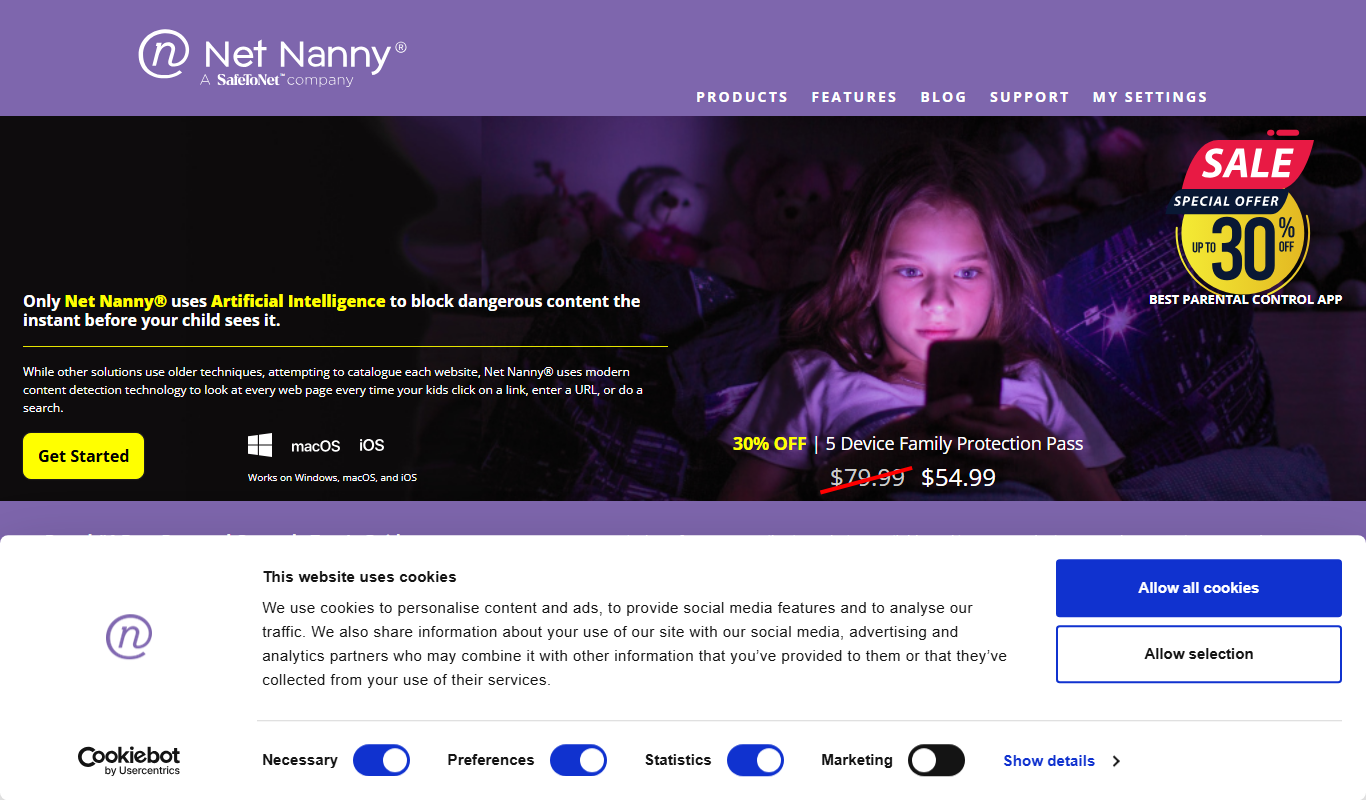
What is Net Nanny?
Net Nanny is a comprehensive parental control software designed to help families protect children from harmful online content and manage their digital activities. It offers real-time internet filtering, screen time controls, app monitoring, and location tracking across multiple devices and platforms.
Key features of Net Nanny
Net Nanny’s main features include dynamic content filtering, customizable screen time schedules, social media monitoring, location tracking, and detailed activity reports, all accessible through an intuitive parental dashboard.
Dynamic Internet Filter
Uses real-time analysis to block inappropriate websites and content categories.
Screen Time Controls
Enables scheduling and time limits on device usage to promote balanced digital habits.
Social Media and App Monitoring
Tracks usage and flags risky behavior on popular social platforms and apps.
Location Tracking
Offers GPS tracking and geofencing to keep tabs on children’s whereabouts.
Activity Reporting
Provides detailed insights into internet and app usage for informed parental decisions.
Pros and cons of Net Nanny
Pros
- Comprehensive multi-device support
- Real-time dynamic content filtering
- User-friendly parental dashboard
- Detailed activity and usage reports
- Effective screen time management
Cons
- Subscription pricing may be high for some families
- Some advanced features require premium plan
- Occasional false positives in content filtering
Key use cases for Net Nanny
Internet Content Filtering
Blocks inappropriate websites and content categories to protect children online.
Screen Time Management
Allows parents to set schedules and limits on device usage to encourage healthy habits.
App and Social Media Monitoring
Monitors app usage and social media activity to alert parents of potential risks.
Location Tracking and Alerts
Provides real-time GPS location tracking and geofencing alerts for child safety.
Family Internet Usage Reports
Generates detailed reports on internet activity to help parents understand usage patterns.
How Net Nanny works
- 1
Install on Devices
Download and install Net Nanny on your child’s devices including computers, smartphones, and tablets.
- 2
Configure Settings
Set up content filters, screen time limits, and monitoring preferences via the parent dashboard.
- 3
Monitor and Manage
Receive alerts, review activity reports, and adjust controls remotely to ensure safe internet use.
Who is using Net Nanny
Net Nanny pricing
Family Protection Plan
$54.99/year
Protects up to 5 devices with full parental control features.
Premium Plan
$89.99/year
Covers up to 20 devices with advanced monitoring and priority support.
Plans and prices are as published by the vendor and can change. Check the official site before you buy. Open the pricing page (opens in a new tab)
Frequently asked questions about Net Nanny
Yes, Net Nanny monitors popular social media platforms and alerts parents to potential risks.
Net Nanny supports Windows, macOS, iOS, Android, and offers a Chrome extension for browsers.
Yes, you can customize settings and filters individually for each child’s device.
Yes, it provides GPS tracking and geofencing alerts to monitor your child’s location.
It depends on your specific needs and how you plan to use the tool. The official website and documentation are the best sources for the latest details.
Yes, it can help with that use case depending on how you configure it and what features are available. You’ll get the best results with clear inputs and a defined goal.
It depends on your specific needs and how you plan to use the tool. The official website and documentation are the best sources for the latest details.
Conclusion
Net Nanny is installed on each child’s computers, smartphones and tablets, while parents manage it from a dashboard where they set content filters, screen time limits and monitoring preferences. Filtering uses real-time analysis to block inappropriate websites and content categories, and settings can be customized for each child’s device. Parents receive alerts, review activity reports and adjust controls remotely. Screen time controls use schedules and time limits on device usage to promote balanced digital habits.
Beyond filtering, it monitors popular social media platforms for potential risks and offers GPS tracking with geofencing alerts. Reports give detailed insights into internet and app usage to help parents understand usage patterns. Apps cover Windows, macOS, iOS and Android, and a Chrome extension is available for browsers. Beyond parents and guardians, it is aimed at educational institutions and childcare providers.
Protection is sold as an annual subscription: the Family Protection Plan covers up to 5 devices for $54.99/year, and the Premium Plan covers up to 20 devices with advanced monitoring and priority support for $89.99/year. Occasional false positives in content filtering are among the listed cons.
Sources
Sign in to review this tool.
Sign In to ReviewNo reviews yet
Be the first to share how this tool worked for you.
Ask about pricing, limits, or how it compares — or answer someone else.
Sign In to AskNo questions yet
Have a question about using or paying for this tool? Be the first to ask.
Featured on TiorAI



Alternative Tools
Explore similar AI tools that might fit your needs

Qustodio
Qustodio is a parental control software that helps parents manage screen time, filter internet content, block apps, and track their children's location across multiple devices.
More AI Customer Service tools
Other tools in the same category, for when this one is not quite the fit.
Ed Discussion
Ed Discussion is an online platform that facilitates structured academic discussions, enhancing student engagement and collaboration in educational settings.
ExamSoft
ExamSoft is a secure exam software platform offering lockdown browsers, AI remote proctoring, offline exam capabilities, and detailed analytics to ensure exam integrity for educational and professional assessments.
Re:amaze
Re:amaze is a cloud-based customer support and helpdesk platform that unifies messaging channels and uses AI chatbots to automate customer service for businesses, especially in e-commerce.

ReputationStacker
ReputationStacker is an AI-powered platform that automates sending review requests via SMS and email, monitors reviews across platforms, and helps businesses improve their online reputation and local SEO.

Allego
Allego is a sales learning platform that provides video coaching, content management, and mobile learning tools to help sales teams improve skills and accelerate onboarding.

Bazaarvoice
Bazaarvoice is a platform that helps brands collect, manage, and display customer reviews, ratings, photos, videos, and Q&A content to enhance ecommerce performance and consumer trust.

Replicant
Replicant is an AI-powered platform that automates voice-based customer service calls, improving call center efficiency by handling routine interactions with natural language understanding.

Suki AI
Suki is an ambient clinical documentation product for healthcare providers that supports sessions in 80+ languages and produces notes in English.