

From my experience with MyCase, I found it excels at consolidating all essential law firm operations into a single, easy-to-use platform. The secure client portal and integrated billing system significantly improve communication and financial management. After spending time with the platform, I can say it’s particularly well-suited for small to mid-sized law firms and solo practitioners who want cloud-based accessibility and streamlined workflows. However, the subscription pricing may be a consideration for very small firms or solo attorneys on a tight budget. Overall, if you need comprehensive legal practice management with mobile support, MyCase delivers solid results.
MyCase Legal Practice Management Software for Law Firms and Attorneys
MyCase is a cloud-based legal practice management software that helps law firms manage cases, client communication, billing, and documents in one platform accessible via web and mobile apps.
- Best for
- Case Management
- Key capability
- Centralized Case Management
Your actions
Save MyCase, follow its updates and vote on it — everything stays in your account.
Sign in or create a free account
What is MyCase?
MyCase is a cloud-based legal practice management software designed to help law firms and solo attorneys streamline their operations. It centralizes case management, client communication, billing, and document storage into a single platform accessible via web and mobile apps.
Key features of MyCase
MyCase offers comprehensive tools including case tracking, secure client messaging, integrated billing and invoicing, document management, and calendaring to improve law firm productivity and client service.
Centralized Case Management
Track all case-related information including contacts, notes, and deadlines in one place.
Secure Client Portal
Clients can view case updates, documents, and communicate securely through the portal.
Integrated Billing System
Create invoices, track time, manage payments, and handle trust accounting seamlessly.
Document Storage and Sharing
Upload, organize, and share legal documents with clients and team members securely.
Mobile Access
Access your cases and communicate with clients on the go via iOS and Android apps.
Pros and cons of MyCase
Pros
- Comprehensive all-in-one legal practice management
- User-friendly interface with mobile app support
- Secure client portal enhances communication
- Integrated billing and payment processing
- Good customer support and onboarding resources
Cons
- Pricing can be high for small solo practitioners
- Limited customization options compared to some competitors
- No free forever plan, only trial available
Key use cases for MyCase
Case Management
Organize and track all case details, deadlines, and documents in one centralized platform.
Client Communication
Manage client messaging, emails, and updates securely within the software to improve responsiveness.
Billing and Invoicing
Generate invoices, track payments, and manage trust accounting to streamline financial operations.
Document Management
Store, share, and collaborate on legal documents securely with version control and easy access.
Calendar and Task Management
Schedule appointments, court dates, and set task reminders to ensure deadlines are met.
How MyCase works
- 1
Sign Up
Create an account on MyCase’s website to start your free trial or subscribe.
- 2
Set Up Your Firm
Add your firm’s details, users, and customize settings to fit your practice.
- 3
Import Cases and Contacts
Upload existing client and case information to centralize your data.
- 4
Manage Cases and Clients
Use the dashboard to track case progress, communicate with clients, and schedule tasks.
- 5
Handle Billing and Payments
Generate invoices, accept payments online, and monitor financials within the platform.
Who is using MyCase
Small to mid-sized law firms
Solo attorneys
Legal professionals seeking cloud-based practice management
Law firm administrators
Legal billing specialists
MyCase pricing
Standard
$59/user/month
Full access to case management, billing, and client communication features.
Plans and prices are as published by the vendor and can change. Check the official site before you buy. Open the pricing page (opens in a new tab)
Frequently asked questions about MyCase
Yes, MyCase offers a free trial period for new users to explore the platform.
Yes, MyCase has dedicated iOS and Android apps for managing your practice on the go.
MyCase uses industry-standard security measures including encryption to protect client information.
Yes, MyCase includes features to manage trust accounts in compliance with legal regulations.
It depends on your specific needs and how you plan to use the tool. The official website and documentation are the best sources for the latest details.
It depends on your specific needs and how you plan to use the tool. The official website and documentation are the best sources for the latest details.
Data handling and security practices vary by provider. Review the official privacy policy to understand how your data is stored and used.
Integration support depends on the tool and its available connectors or API. Check the official documentation or integrations page to confirm what is supported.
Sign in to review this tool.
Sign In to ReviewNo reviews yet
Be the first to share how this tool worked for you.
Ask about pricing, limits, or how it compares — or answer someone else.
Sign In to AskNo questions yet
Have a question about using or paying for this tool? Be the first to ask.
Featured on TiorAI



Alternative Tools
Explore similar AI tools that might fit your needs

Free Trial
PracticePanther
PracticePanther is a cloud-based legal case management software designed to help law firms manage cases, track time, automate billing, and communicate with clients efficiently.
More AI Workflow tools
Other tools in the same category, for when this one is not quite the fit.

Free Trial
Drip
Drip is an email marketing automation platform focused on e-commerce businesses, offering tools for personalized campaigns, customer segmentation, and analytics.
Free
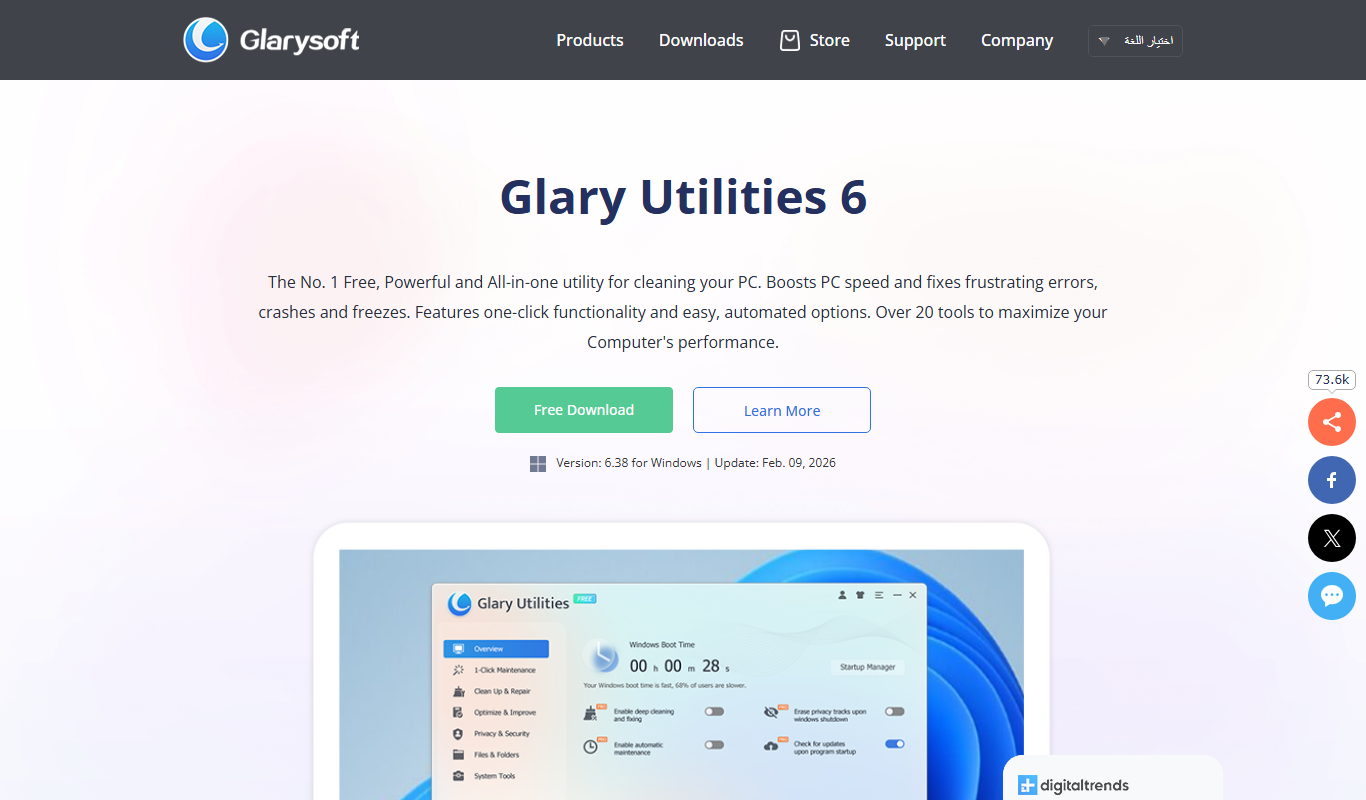
Glary Utilities
Glary Utilities is a Windows-based PC optimization tool that cleans junk files, repairs registry errors, manages startup programs, and protects user privacy to improve system performance.
Free
Advanced SystemCare
Advanced SystemCare is a Windows-based PC optimization software by IObit that cleans junk files, optimizes system performance, protects privacy, and removes malware to keep your computer running smoothly.

Custom Pricing
Locus Robotics
Locus Robotics provides autonomous mobile robots that collaborate with human workers to automate warehouse picking and fulfillment, improving efficiency and accuracy in logistics operations.

Custom Pricing
RightHand Robotics
RightHand Robotics provides AI-powered robotic arms that automate picking and sorting in warehouses, improving efficiency and reducing labor costs.

Custom Pricing
Mitchell International
Mitchell International provides AI-driven claims management and workflow automation software primarily for insurance and automotive repair sectors, enhancing accuracy and efficiency in claims processing.

Free
3Commas
3Commas is a cryptocurrency trading platform that automates trading strategies through bots, offers portfolio management, and integrates social trading and external signals to optimize crypto investments.

Paid
NetBalancer
NetBalancer is a Windows-based software that allows users to monitor and control network traffic by setting bandwidth limits and priorities for applications, helping optimize internet usage and troubleshoot network issues.