

Advanced SystemCare PC Optimization Software for Windows Performance Boost
Advanced SystemCare is a Windows-based PC optimization software by IObit that cleans junk files, optimizes system performance, protects privacy, and removes malware to keep your computer running smoothly.
- Best for
- System Cleanup
- Key capability
- One-Click PC Care
Save Advanced SystemCare, follow its updates and vote on it — everything stays in your account.
Sign in or create a free accountWhat is Advanced SystemCare?
Advanced SystemCare is a comprehensive PC optimization software developed by IObit designed to clean, optimize, speed up, and protect Windows computers. It combines multiple system utilities into one suite to improve system performance, enhance security, and maintain system health with minimal user effort.
Key features of Advanced SystemCare
The tool offers features such as junk file cleanup, registry repair, internet speed acceleration, privacy protection, malware removal, startup optimization, and real-time system monitoring to keep your PC running smoothly and securely.
One-Click PC Care
Simplifies system maintenance by allowing users to clean, optimize, and protect their PC with a single click.
Deep Registry Cleaning
Removes invalid or obsolete registry entries to improve system stability.
Internet Booster
Optimizes network settings to increase internet speed and reduce latency.
Startup Manager
Manages startup programs to reduce boot time and improve system responsiveness.
Privacy Sweep
Erases browsing history, cookies, and other traces to protect user privacy.
Malware Removal
Detects and removes spyware, adware, and other malicious threats.
Pros and cons of Advanced SystemCare
Pros
- User-friendly interface with one-click optimization
- Comprehensive system cleaning and privacy protection
- Includes malware removal and internet speed boost
- Affordable pricing for Pro version
- Regular updates and active support
Cons
- Windows only, no Mac or Linux support
- Some advanced features require Pro subscription
- May prompt for upgrades frequently
Key use cases for Advanced SystemCare
System Cleanup
Remove junk files, temporary files, and unnecessary system clutter to free up disk space and improve PC speed.
Performance Optimization
Boost system startup speed, optimize RAM usage, and enhance overall Windows performance.
Privacy Protection
Clean browsing traces and protect personal data from unauthorized access.
Malware Removal
Detect and remove spyware, adware, and other malicious software to keep the system secure.
Driver and Software Updates
Keep device drivers and essential software up to date for better stability and compatibility.
How Advanced SystemCare works
- 1
Download and Install
Download Advanced SystemCare from the official website and install it on your Windows PC.
- 2
Run System Scan
Launch the software and perform a full system scan to detect junk files, privacy risks, and performance issues.
- 3
Review and Clean
Review the scan results and choose to clean, optimize, or fix detected issues with one click.
- 4
Enable Real-Time Protection
Activate real-time monitoring features to automatically protect your system from threats and performance degradation.
Who is using Advanced SystemCare
Advanced SystemCare pricing
Free
$0/month
Basic PC cleaning and optimization features with limited automation.
Pro
$29.99/year for 1 PC
Full feature set including real-time protection, automatic updates, and premium support.
Plans and prices are as published by the vendor and can change. Check the official site before you buy. Open the pricing page (opens in a new tab)
Frequently asked questions about Advanced SystemCare
Yes, Advanced SystemCare is developed by IObit and is safe to use when downloaded from the official website.
Yes, it optimizes system resources, cleans junk files, and manages startup programs to boost PC performance.
It includes malware removal features that can detect and remove spyware and adware but is not a full antivirus solution.
Yes, there is a free version with basic features available for download.
This tool is designed to help users accomplish its core tasks more efficiently. It is typically used by individuals or teams looking to improve productivity and workflow.
Some tools offer a free plan or trial with limited features. Availability can vary, so confirm on the official website.
It depends on your specific needs and how you plan to use the tool. The official website and documentation are the best sources for the latest details.
It depends on your specific needs and how you plan to use the tool. The official website and documentation are the best sources for the latest details.
Conclusion
Built by IObit for Windows computers, the suite combines several system utilities into one program meant to clean, optimize and protect a PC with minimal user effort. A full system scan comes first and flags junk files, privacy risks and performance issues, which can then be cleaned, optimized or fixed with one click. Beyond cleanup, it removes invalid registry entries, manages startup programs to reduce boot time and erases browsing history and cookies.
Its malware removal detects spyware and adware, but it is not a full antivirus solution. A free version with basic features is available, while Pro adds real-time protection, automatic updates and premium support. Pro costs $29.99/year for 1 PC, and IObit also sells an Ultimate edition. The listed drawbacks include frequent prompts to upgrade.
Sources
Sign in to review this tool.
Sign In to ReviewNo reviews yet
Be the first to share how this tool worked for you.
Ask about pricing, limits, or how it compares — or answer someone else.
Sign In to AskNo questions yet
Have a question about using or paying for this tool? Be the first to ask.
Featured on TiorAI



Alternative Tools
Explore similar AI tools that might fit your needs
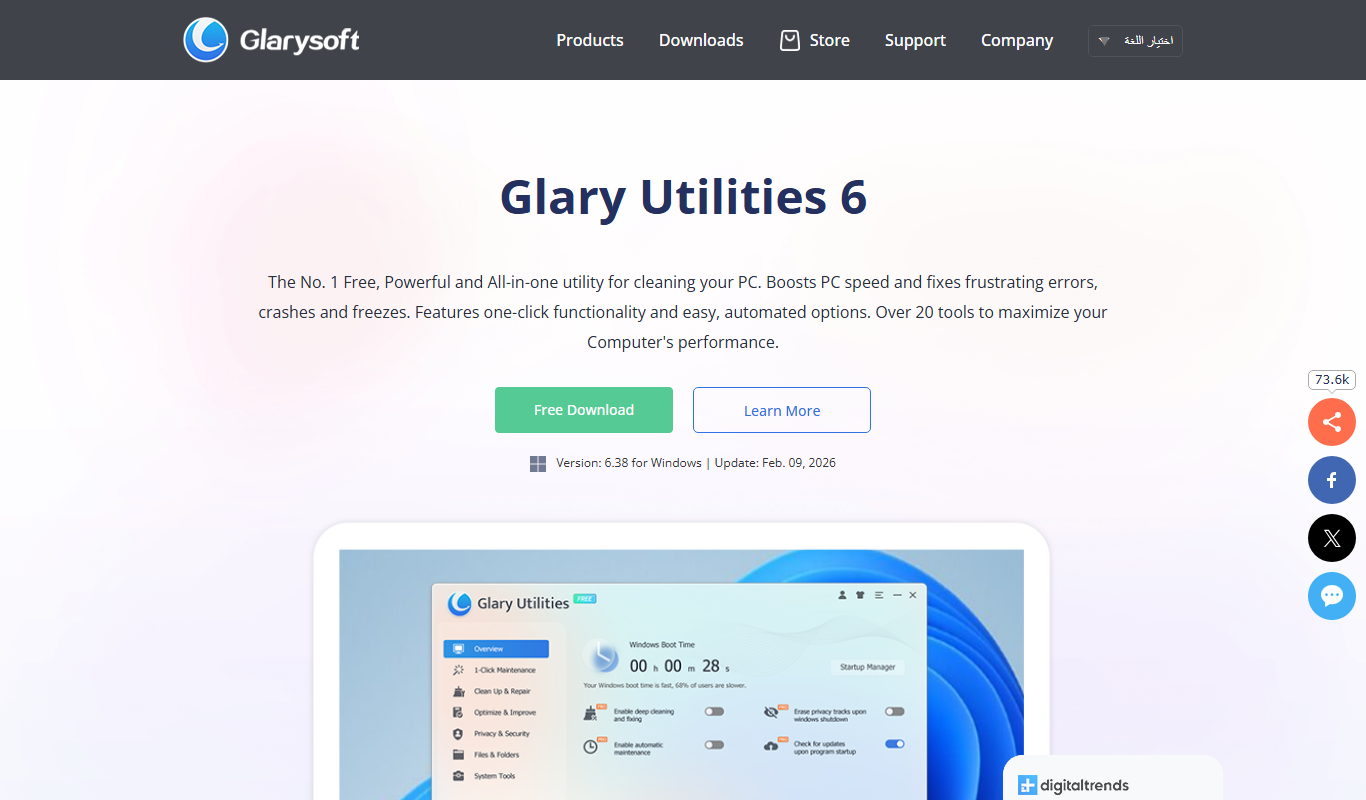
Glary Utilities
Glary Utilities is a Windows-based PC optimization tool that cleans junk files, repairs registry errors, manages startup programs, and protects user privacy to improve system performance.
More AI Workflow tools
Other tools in the same category, for when this one is not quite the fit.

Rentec Direct
Rentec Direct is a cloud-based property management software that helps landlords and property managers handle tenant screening, rent collection, maintenance requests, and financial reporting efficiently.
OfficeSpace Software
OfficeSpace Software is a workspace management platform that helps businesses plan office layouts, manage desk and room bookings, track maintenance, and analyze space utilization to support efficient and flexible workplace operations.

Anomali
Anomali is a cybersecurity threat intelligence platform that aggregates and analyzes threat data to help organizations detect and respond to cyber threats efficiently.
Zuora
Zuora is a cloud-based subscription management platform that automates billing, revenue recognition, and subscription analytics for businesses with recurring revenue models.

Workflowy
Workflowy is a web-based outliner tool that helps users organize tasks, notes, and projects using infinite nested lists, tagging, and real-time collaboration.

Kerlink Wanesy Management Center
Kerlink Wanesy Management Center is a centralized platform designed to manage IoT networks and devices, primarily supporting LoRaWAN technology, offering real-time monitoring, device provisioning, and analytics.

Lightspeed POS
Lightspeed POS is a cloud-based point of sale system designed for retail and restaurant businesses, offering inventory management, ecommerce integration, and customer relationship tools.

AutoDS
AutoDS is a dropshipping automation tool that streamlines product imports, price and stock monitoring, and order fulfillment for eCommerce sellers.