

From my experience with MenuGuide, it stands out as a practical solution for restaurants aiming to modernize their menu presentation and ordering process. The platform’s ease of use and real-time menu updates make it especially valuable for busy hospitality businesses. I found the multilingual support useful for serving diverse customers, and the contactless ordering feature enhances safety and convenience. However, reliance on internet connectivity can be a limitation in some settings, and advanced features require a paid subscription. Overall, MenuGuide is a solid choice for restaurants seeking to improve customer experience with digital menus and streamlined ordering.
MenuGuide App for Interactive Digital Menus and Contactless Ordering
MenuGuide is a digital menu and contactless ordering platform that allows restaurants to offer interactive menus accessible via QR codes, enabling customers to browse and order safely from their smartphones.
- Best for
- Contactless Menu Browsing
- Key capability
- Interactive Digital Menus
Your actions
Save MenuGuide, follow its updates and vote on it — everything stays in your account.
Sign in or create a free account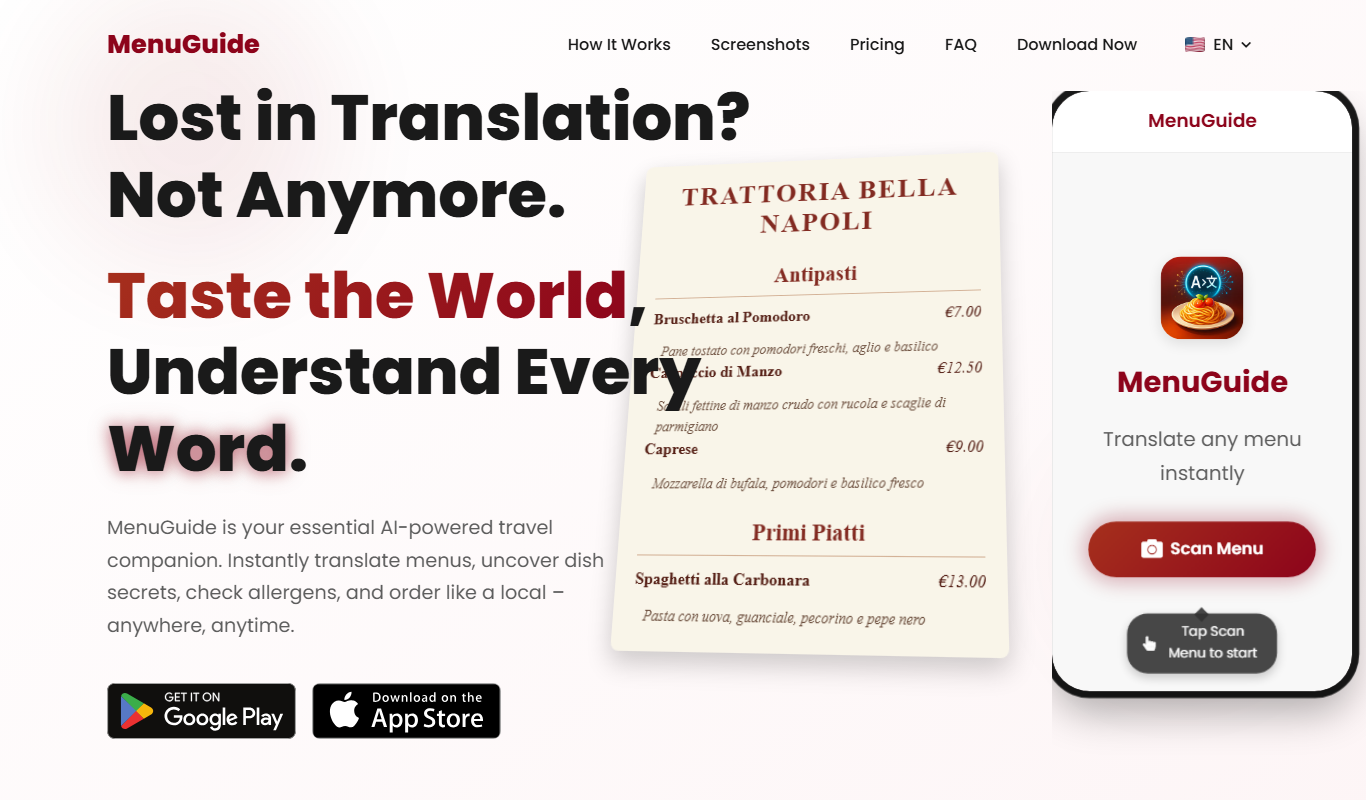

What is MenuGuide?
MenuGuide is a digital menu and contactless ordering platform designed for restaurants and hospitality businesses. It replaces traditional paper menus with interactive, mobile-friendly digital menus accessible via QR codes. The tool enhances customer experience by enabling easy browsing, ordering, and payment directly from their smartphones, promoting safety and efficiency.
Key features of MenuGuide
MenuGuide offers interactive digital menus, real-time menu updates, multilingual support, contactless ordering, and analytics to help restaurants improve service and operational efficiency.
Interactive Digital Menus
Engaging menus that customers can navigate easily on their devices.
Real-Time Menu Updates
Instantly update menu items, prices, and availability without reprinting.
Multilingual Support
Menus available in multiple languages to serve diverse customers.
Contactless Ordering
Customers can place orders directly from their phones, reducing physical contact.
Analytics Dashboard
Insights into customer behavior and menu performance to inform business decisions.
Pros and cons of MenuGuide
Pros
- Easy to set up and use with no technical skills required
- Enhances customer safety with contactless ordering
- Supports multiple languages for wider accessibility
- Real-time menu updates save printing costs
- Provides useful analytics for business insights
Cons
- Limited offline functionality since it requires internet access
- Advanced features only available on paid plans
Key use cases for MenuGuide
Contactless Menu Browsing
Allows restaurant patrons to browse menus on their smartphones without physical menus, enhancing hygiene and convenience.
Order Placement
Enables customers to place orders directly from their devices, streamlining the ordering process and reducing wait times.
Menu Management
Provides restaurant owners with tools to easily update menu items, prices, and descriptions in real-time.
Multilingual Menu Support
Supports multiple languages to cater to diverse customer bases and improve accessibility.
Analytics and Insights
Offers data on customer preferences and ordering patterns to help optimize menu offerings and marketing strategies.
How MenuGuide works
- 1
Create Account
Sign up on the MenuGuide platform to start setting up your digital menu.
- 2
Upload Menu
Add your menu items, descriptions, prices, and images through an easy-to-use interface.
- 3
Generate QR Codes
Create QR codes linked to your digital menu to place on tables or promotional materials.
- 4
Customers Scan and Order
Patrons scan the QR code with their smartphones to browse the menu and place orders contactlessly.
- 5
Manage Orders and Analytics
Track orders and access customer data insights to optimize your menu and service.
Who is using MenuGuide
Restaurants and cafes
Bars and lounges
Hotels and resorts
Event venues
Catering services
MenuGuide pricing
Free
$0/month
Basic digital menu with limited features and branding.
Pro
$29/month
Full access to all features including analytics, unlimited menu updates, and custom branding.
Plans and prices are as published by the vendor and can change. Check the official site before you buy. Open the pricing page (opens in a new tab)
Frequently asked questions about MenuGuide
Yes, MenuGuide works on any smartphone with a web browser and QR code scanner.
Absolutely, MenuGuide allows real-time menu updates without additional costs.
Yes, you can offer your menu in several languages to accommodate international guests.
No, you can add as many menu items as needed, depending on your subscription plan.
It depends on your specific needs and how you plan to use the tool. The official website and documentation are the best sources for the latest details.
Some tools offer a free plan or trial with limited features. Availability can vary, so confirm on the official website.
Yes, it can help with that use case depending on how you configure it and what features are available. You’ll get the best results with clear inputs and a defined goal.
It depends on your specific needs and how you plan to use the tool. The official website and documentation are the best sources for the latest details.
Sign in to review this tool.
Sign In to ReviewNo reviews yet
Be the first to share how this tool worked for you.
Ask about pricing, limits, or how it compares — or answer someone else.
Sign In to AskNo questions yet
Have a question about using or paying for this tool? Be the first to ask.
Featured on TiorAI



Alternative Tools
Explore similar AI tools that might fit your needs

Subscription
UpMenu
UpMenu is an online ordering and restaurant management platform that enables restaurants to create branded websites and apps for direct customer orders, manage digital menus, run loyalty programs, and automate marketing communications.
More Health & Wellness tools
Other tools in the same category, for when this one is not quite the fit.
Freemium
WAIT – AI-Powered Intermittent Fasting
WAIT is an AI-driven intermittent fasting app that creates personalized fasting schedules, tracks progress, and provides health insights to help users optimize their fasting routines.
Subscription
january.ai
january.ai is an AI-driven health platform that helps individuals with diabetes manage their condition through personalized insights, continuous glucose monitoring integration, and predictive analytics.

Custom Pricing
Crosby Health
Crosby Health is a healthcare technology platform that enhances patient engagement through automated messaging, appointment reminders, telehealth support, and secure communication, helping providers improve patient experience and reduce no-shows.

Contact for pricing
Apollo Health MD
Apollo Health MD is an AI platform that analyzes medical images to assist radiologists and clinicians in diagnosing diseases more accurately and efficiently.

Custom Pricing
ZaraGuest
ZaraGuest is a Brazilian hotel management software designed to streamline reservations, guest check-ins, billing, and housekeeping for small to medium-sized hotels.
Subscription
amara
Amara Care is a cloud-based home health software that helps agencies manage caregiver scheduling, patient care, billing, payroll, and compliance efficiently.

Free
AI Meal Planner
AI Meal Planner is a web-based tool that uses artificial intelligence to generate personalized weekly meal plans and grocery lists based on your dietary preferences, restrictions, and nutritional goals.

Free
Mealmind
Mealmind is an AI-driven meal planning tool that generates personalized meal plans and recipes based on your dietary preferences, restrictions, and health goals, helping you maintain balanced nutrition efficiently.