

From my experience with Mailbird, it stands out as a highly efficient email client for Windows users who manage multiple email accounts daily. Its unified inbox and seamless app integrations significantly streamline communication and productivity. I found the customizable interface and speed reading features particularly helpful for handling large volumes of email without feeling overwhelmed. However, the lack of Mac or mobile versions limits its use for cross-platform users. Overall, if you primarily use Windows and want a centralized, productivity-focused email client, Mailbird is a solid choice.
Mailbird Email Client for Windows with Unified Inbox and Productivity Tools
Mailbird is a Windows-based email client that consolidates multiple email accounts into a unified inbox and offers productivity-enhancing features like app integrations, customizable layouts, and speed reading.
- Best for
- Email Management
- Key capability
- Unified Inbox
Your actions
Save Mailbird, follow its updates and vote on it — everything stays in your account.
Sign in or create a free account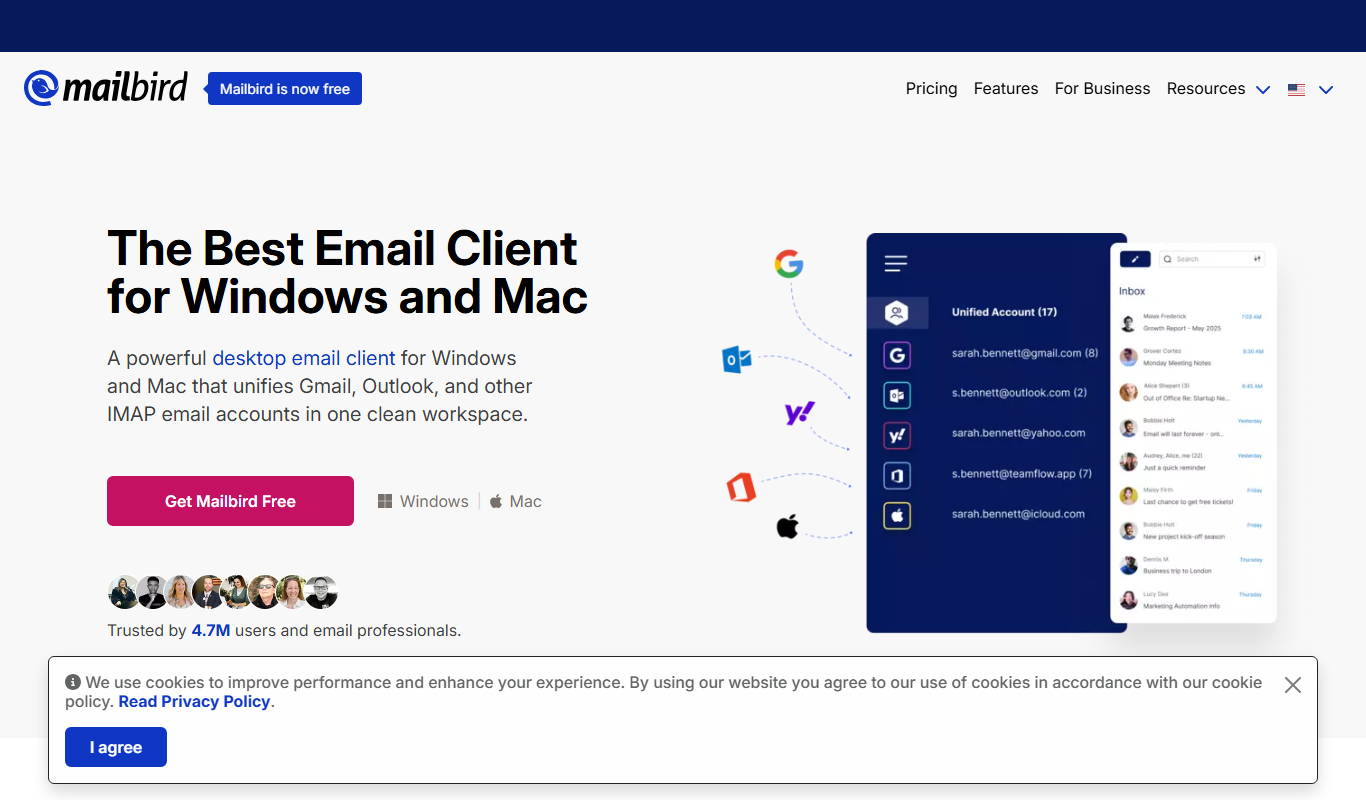
What is Mailbird?
Mailbird is a Windows-based email client designed to consolidate multiple email accounts into a single, easy-to-use interface. It offers a unified inbox, customizable layouts, and integrates with popular productivity and communication apps to enhance email management and workflow efficiency.
Key features of Mailbird
Mailbird’s main features include a unified inbox for multiple accounts, app integrations (such as WhatsApp, Google Calendar, and Slack), customizable layouts, speed reading, email snoozing, and advanced search capabilities.
Unified Inbox
View and manage emails from multiple accounts in one consolidated inbox.
App Integrations
Integrate with apps like WhatsApp, Google Calendar, Facebook, and Slack for seamless communication.
Customizable Layouts
Personalize the interface with themes, layout options, and quick preview panes.
Speed Reader
Read emails faster with the built-in speed reading feature.
Email Snoozing
Temporarily hide emails and get reminded later to improve inbox management.
Pros and cons of Mailbird
Pros
- Clean and intuitive user interface
- Supports multiple email accounts with unified inbox
- Wide range of app integrations
- Customizable layouts and themes
- Speed reading and email snoozing features
Cons
- Available only on Windows platform
- Some advanced features require paid subscription
- No mobile app version
Key use cases for Mailbird
Email Management
Manage multiple email accounts in one unified inbox with easy navigation and organization.
Productivity Enhancement
Use integrated productivity tools like calendar, task manager, and app integrations to streamline workflow.
Communication for Businesses
Facilitate professional communication with customizable email templates and quick reply features.
Social Media Integration
Connect social media accounts and messaging apps to centralize communication channels.
How Mailbird works
- 1
Download and Install
Download Mailbird from the official website and install it on your Windows PC.
- 2
Add Email Accounts
Connect your email accounts (Gmail, Outlook, Yahoo, etc.) to Mailbird for unified access.
- 3
Customize Interface
Adjust layout, themes, and app integrations to fit your workflow preferences.
- 4
Manage Emails
Use the unified inbox and productivity tools to read, organize, and respond to emails efficiently.
Who is using Mailbird
Small business owners
Freelancers and remote workers
Marketing and sales professionals
Productivity enthusiasts
Email power users
Mailbird pricing
Free
$0/month
Basic email client features with limited customization and app integrations.
Personal
$2.99/month
Full access to all features including unlimited app integrations and priority support.
Pro
$4.99/month
Advanced features for professionals including VIP support and additional customization.
Plans and prices are as published by the vendor and can change. Check the official site before you buy. Open the pricing page (opens in a new tab)
Frequently asked questions about Mailbird
Mailbird supports all major email services including Gmail, Outlook, Yahoo, iCloud, and any IMAP or POP3 accounts.
Currently, Mailbird is only available for Windows. There is no Mac or Linux version.
Yes, Mailbird supports integrations with apps like WhatsApp, Google Calendar, Facebook, Slack, and more.
Yes, Mailbird offers a free version with basic features and a trial period for premium plans.
Some tools offer a free plan or trial with limited features. Availability can vary, so confirm on the official website.
Yes, it can help with that use case depending on how you configure it and what features are available. You’ll get the best results with clear inputs and a defined goal.
Integration support depends on the tool and its available connectors or API. Check the official documentation or integrations page to confirm what is supported.
It depends on your specific needs and how you plan to use the tool. The official website and documentation are the best sources for the latest details.
Sign in to review this tool.
Sign In to ReviewNo reviews yet
Be the first to share how this tool worked for you.
Ask about pricing, limits, or how it compares — or answer someone else.
Sign In to AskNo questions yet
Have a question about using or paying for this tool? Be the first to ask.
Featured on TiorAI



More Business Management tools
Other tools in the same category, for when this one is not quite the fit.

Free Trial
Boxsy
Boxsy is an AI COO for early-stage founders: fundraising pipeline, investor database, data room, investor updates and runway tracking in one platform.

Free
MinutesLink
MinutesLink records meetings with a bot or an extension, produces speaker-labeled transcripts and writes AI summaries of key topics, decisions and action items.

Contact for pricing
Fynite.AI
Fynite is an enterprise OS for agentic AI that unifies petabyte-scale data, trains domain-specific models and deploys AI agents that execute outcomes autonomously.

Free
ChartPixel
ChartPixel is a web-based platform that turns messy data into interactive charts, written insights and forecasts with AI assisted analysis, and lets users chat with their data.

Contact for pricing
Chatterlytics
Chatterlytics is an AI data analytics and BI copilot that connects to your databases and answers business questions in plain English with charts, dashboards and explainable reports.

Custom Pricing
Formisoft AI
Formisoft helps independent practices get patient paperwork completed before the appointment, with intake forms, signatures, booking, payments and follow-up in one place.

Free
Jobotrak
Jobotrak is a job application tracker for applications, interviews and contacts, with AI resume tailoring and interview prep and a free plan for up to 20 job applications.

Free Trial
Influs
Influs is a talent operations workspace where creator agencies run their roster, campaigns, deliverables, approvals, payments and margin.