

From my experience with Humata AI, it stands out for its intuitive conversational interface that makes interacting with complex documents straightforward and efficient. I found it particularly useful for research and business professionals who need to extract insights quickly without reading entire documents. The web-based platform is easy to use, though it currently supports only English and lacks a mobile app, which might limit accessibility for some users. Overall, if you require fast document summarization and Q&A capabilities, Humata AI offers a practical and effective solution.
Humata AI Document Assistant for Smart Data Analysis and Q&A
Humata AI is an AI-powered tool that allows users to upload documents and interact with them through natural language questions, providing summaries and extracting key data.
- Best for
- Document Understanding
- Key capability
- Conversational Document Q&A
Your actions
Save Humata AI, follow its updates and vote on it — everything stays in your account.
Sign in or create a free account

What is Humata AI?
Humata AI is an AI-powered document assistant designed to help users interact with their documents in a conversational manner. By uploading files such as PDFs, users can ask questions, get summaries, and extract data without manually reading through the entire content. It leverages advanced natural language processing to understand and respond to queries based on the document’s content.
Key features of Humata AI
Humata AI offers interactive Q&A on uploaded documents, automatic summarization, data extraction, and supports multiple document formats. It is accessible via a web platform and designed to streamline document comprehension and research workflows.
Conversational Document Q&A
Interact with your documents by asking natural language questions and getting precise answers.
Automatic Summarization
Generate concise summaries of lengthy documents to quickly grasp key information.
Multi-format Support
Supports uploading PDFs and other common document formats for analysis.
Data Extraction
Extract specific data points or insights from complex documents efficiently.
User-friendly Web Interface
Access the tool easily through a clean and intuitive web platform.
Pros and cons of Humata AI
Pros
- Intuitive conversational interface for document interaction
- Saves time by summarizing and extracting key information
- Supports multiple document formats
- Accessible via web without installation
- Flexible pricing plans including a free tier
Cons
- Limited language support focused on English
- No dedicated mobile app currently
- Advanced features require paid subscription
Key use cases for Humata AI
Document Understanding
Humata AI helps users quickly understand the content of complex documents by answering questions and summarizing key points.
Research Assistance
Researchers can upload papers or reports and interactively query the document to extract relevant information without manual reading.
Business Data Extraction
Businesses can use Humata AI to analyze contracts, reports, and other documents to extract actionable insights and data points.
Learning and Education
Students and educators can use Humata AI to digest textbooks or lecture notes by asking questions and receiving concise explanations.
Content Summarization
The tool can generate summaries of lengthy documents, helping users save time and focus on essential information.
How Humata AI works
- 1
Upload Document
Users upload their document files (e.g., PDFs) to the Humata AI platform.
- 2
Process and Analyze
The AI processes the document, indexing its content for quick retrieval.
- 3
Ask Questions
Users type questions related to the document content and receive AI-generated answers.
- 4
Get Summaries and Insights
Users can request summaries or specific data points extracted from the document.
Who is using Humata AI
Researchers and academics
Business professionals handling contracts and reports
Students and educators
Content creators and analysts
Knowledge workers needing quick document insights
Humata AI pricing
Free
$0/month
Basic access with limited document uploads and queries.
Pro
$15/month
Increased upload limits, faster processing, and priority support.
Business
Custom pricing
Tailored solutions with advanced features and team collaboration.
Plans and prices are as published by the vendor and can change. Check the official site before you buy. Open the pricing page (opens in a new tab)
Frequently asked questions about Humata AI
Humata AI primarily supports PDFs but may accept other common document formats.
Yes, Humata AI implements security measures to protect your uploaded documents and data privacy.
Yes, there is a free plan with limited features and usage.
Currently, Humata AI primarily supports English documents and queries.
It depends on your specific needs and how you plan to use the tool. The official website and documentation are the best sources for the latest details.
Yes, it can help with that use case depending on how you configure it and what features are available. You’ll get the best results with clear inputs and a defined goal.
Some tools offer a free plan or trial with limited features. Availability can vary, so confirm on the official website.
Yes, it can help with that use case depending on how you configure it and what features are available. You’ll get the best results with clear inputs and a defined goal.
Sign in to review this tool.
Sign In to ReviewNo reviews yet
Be the first to share how this tool worked for you.
Ask about pricing, limits, or how it compares — or answer someone else.
Sign In to AskNo questions yet
Have a question about using or paying for this tool? Be the first to ask.
Featured on TiorAI



More AI Book Summarizer tools
Other tools in the same category, for when this one is not quite the fit.

Freemium
BookRead
BookRead is an AI-powered reading assistant that summarizes texts and provides explanations to enhance reading comprehension and efficiency.
Freemium
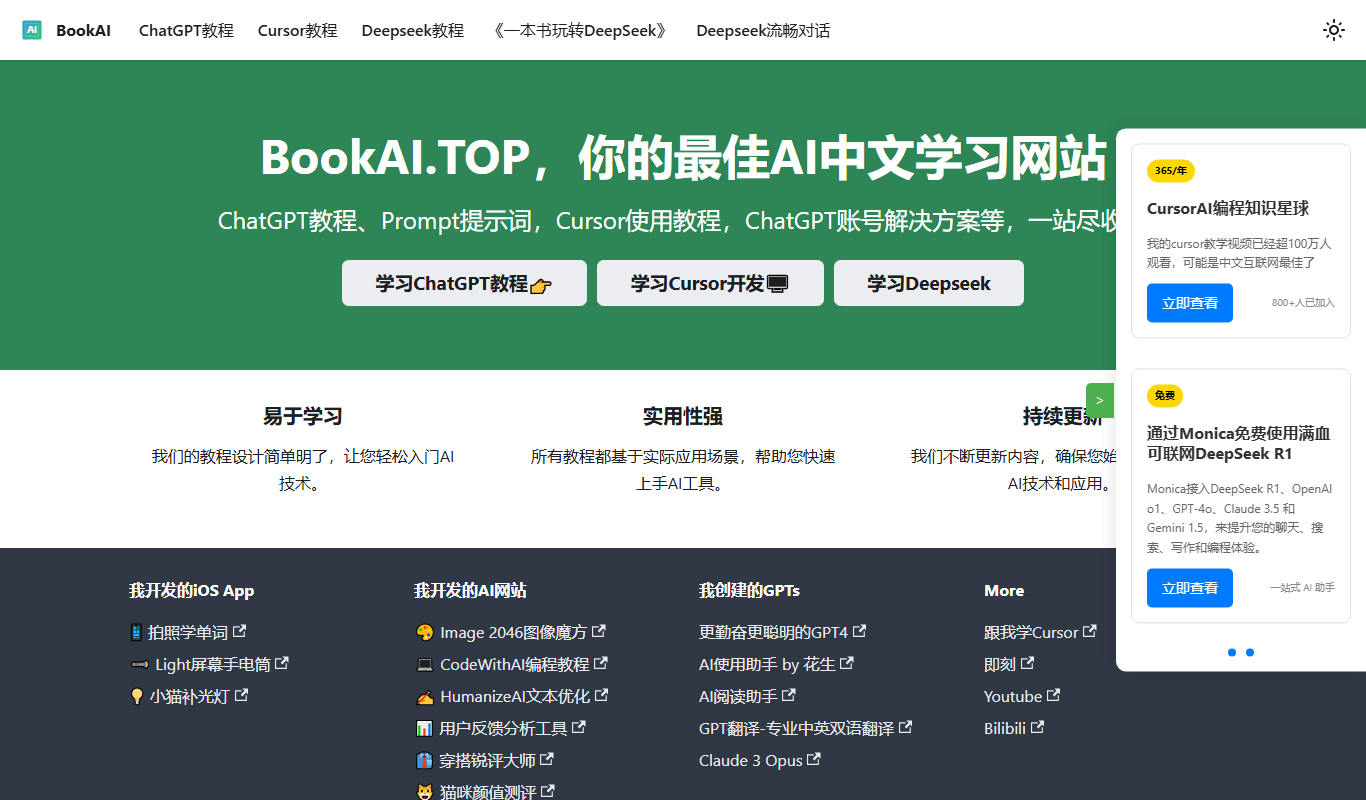
BookAI.Top
BookAI.Top is an AI-powered web platform that assists authors in generating, structuring, and editing book content to streamline the writing process.

Custom Pricing
Velaris
Velaris is an AI-driven platform that automates and manages data annotation tasks for machine learning, supporting multiple data types with customizable workflows and quality assurance.

Freemium
BookNote.AI
BookNote.AI is a web-based AI tool that creates concise book summaries and helps users organize notes for efficient reading and learning.

Freemium
Categoraize.io
Categoraize.io is an AI-driven platform that automatically categorizes and tags text data using natural language processing, helping businesses organize and analyze content efficiently.

Freemium
Honeybear.ai
Honeybear.ai is an AI meeting assistant that automatically transcribes and summarizes meetings, helping teams save time and improve collaboration.

Freemium
BLUF
BLUF is an AI-powered writing assistant that helps users communicate clearly and concisely by applying the Bottom Line Up Front style, ideal for business emails and documents.

Free
BookAI.chat
BookAI.chat is an AI chatbot that provides interactive book summaries, answers questions about book content, and offers personalized reading assistance through a conversational interface.