

From my experience with BLUF, I found it excels at transforming verbose business communication into clear, concise messages that save time and reduce misunderstandings. The Chrome extension integration makes it seamless to use within email clients, which is a big productivity boost. However, its focus on English and business contexts means it might not suit all writing needs, and some advanced features require a subscription. Overall, if you want to improve clarity and efficiency in professional writing, BLUF delivers practical, easy-to-use assistance.
BLUF AI Writing Assistant for Clear and Concise Business Communication
BLUF is an AI-powered writing assistant that helps users communicate clearly and concisely by applying the Bottom Line Up Front style, ideal for business emails and documents.
- Best for
- Business Email Writing
- Key capability
- Bottom Line Up Front Style
Your actions
Save BLUF, follow its updates and vote on it — everything stays in your account.
Sign in or create a free account
What is BLUF?
BLUF is an AI-powered writing assistant designed to help professionals communicate more effectively by generating clear and concise business writing. Its name stands for “Bottom Line Up Front,” a communication style that prioritizes the main point at the beginning of the message. The tool leverages artificial intelligence to rewrite or summarize text, ensuring messages are direct and easy to understand.
Key features of BLUF
BLUF offers features such as AI-driven text summarization, rewriting for clarity and brevity, integration via a Chrome extension for seamless workflow, and templates tailored for business communication. It focuses on enhancing productivity by reducing the time spent drafting and editing emails, reports, and other professional documents.
Bottom Line Up Front Style
Automatically restructures messages to present the main point at the beginning for immediate clarity.
Chrome Extension
Enables users to access BLUF's features directly within popular email clients and web apps.
AI-Powered Summarization
Condenses lengthy text into concise summaries without losing essential information.
Customizable Tone and Style
Allows users to adjust the formality and tone to suit different business contexts.
Pros and cons of BLUF
Pros
- Improves clarity and brevity in business writing
- Easy integration with email clients via Chrome extension
- Saves time drafting and editing messages
Cons
- Limited to English language support
- Some advanced features require paid subscription
- May occasionally oversimplify complex messages
Key use cases for BLUF
Business Email Writing
Helps users craft clear, concise, and professional emails quickly, improving communication efficiency.
Report Summarization
Assists in summarizing lengthy reports or documents into brief, actionable insights.
Meeting Notes Clarification
Transforms verbose meeting notes into clear, digestible summaries for easy sharing.
Internal Communication
Enhances clarity and brevity in internal memos and messages to reduce misunderstandings.
How BLUF works
- 1
Input Text
Users paste or type their draft message or document into the BLUF interface or use the Chrome extension within their email client.
- 2
AI Processing
BLUF’s AI analyzes the content to identify key points and rewrites the text to be concise and clear.
- 3
Review and Edit
Users review the AI-generated output and make any necessary adjustments to fit their tone or style.
- 4
Export or Send
The refined message can be copied, exported, or sent directly through integrated platforms.
Who is using BLUF
Business professionals
Marketing teams
Customer support agents
Small and medium enterprises
Remote teams
BLUF pricing
Free
$0/month
Basic access with limited monthly usage and core features.
Pro
$15/month
Unlimited usage, advanced features, and priority support.
Plans and prices are as published by the vendor and can change. Check the official site before you buy. Open the pricing page (opens in a new tab)
Frequently asked questions about BLUF
BLUF stands for “Bottom Line Up Front,” a communication style that puts the main point at the beginning.
Yes, BLUF can help with any business writing including reports, meeting notes, and internal communications.
Yes, BLUF offers a free plan with limited usage and features.
Currently, BLUF supports English only.
This tool is designed to help users accomplish its core tasks more efficiently. It is typically used by individuals or teams looking to improve productivity and workflow.
It depends on your specific needs and how you plan to use the tool. The official website and documentation are the best sources for the latest details.
Some tools offer a free plan or trial with limited features. Availability can vary, so confirm on the official website.
Sign in to review this tool.
Sign In to ReviewNo reviews yet
Be the first to share how this tool worked for you.
Ask about pricing, limits, or how it compares — or answer someone else.
Sign In to AskNo questions yet
Have a question about using or paying for this tool? Be the first to ask.
Featured on TiorAI



More AI Book Summarizer tools
Other tools in the same category, for when this one is not quite the fit.

Freemium
BookRead
BookRead is an AI-powered reading assistant that summarizes texts and provides explanations to enhance reading comprehension and efficiency.
Freemium
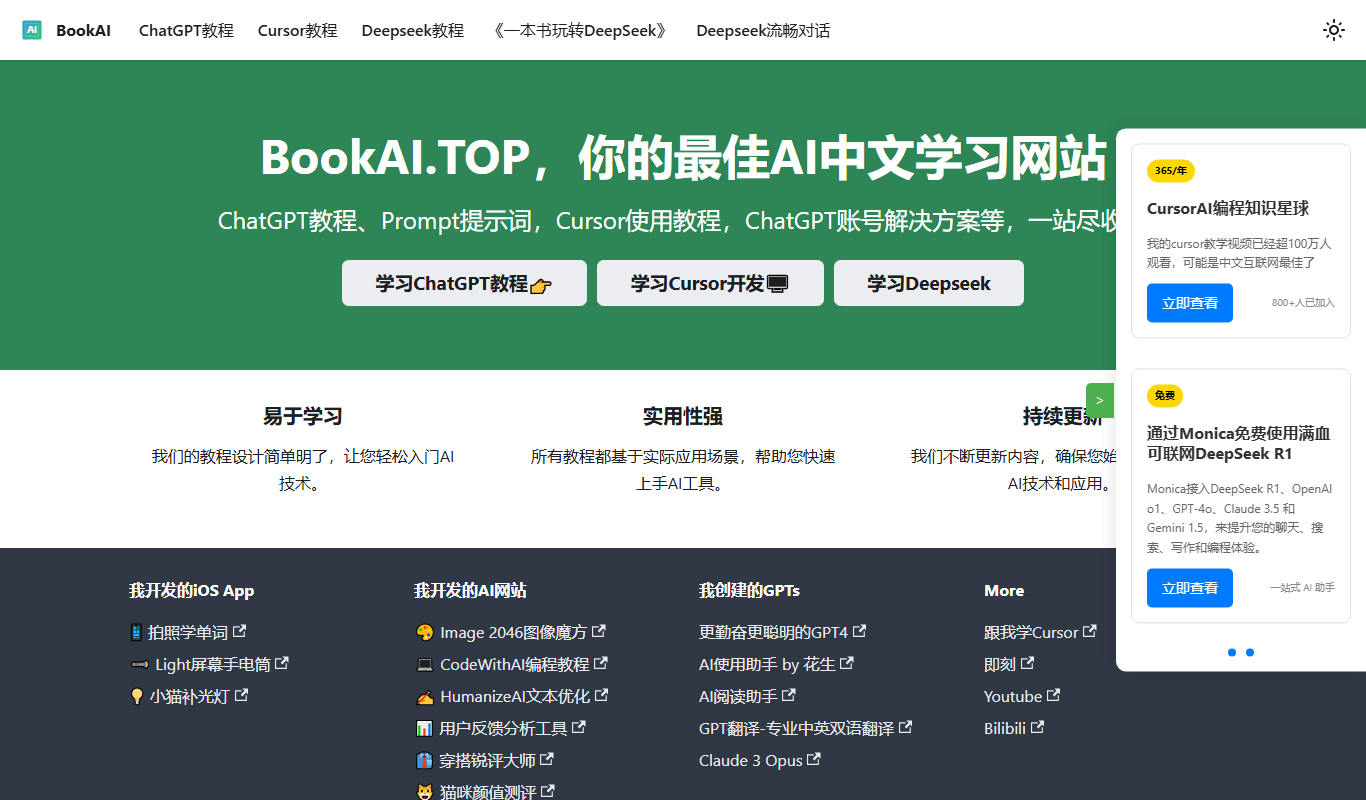
BookAI.Top
BookAI.Top is an AI-powered web platform that assists authors in generating, structuring, and editing book content to streamline the writing process.

Custom Pricing
Velaris
Velaris is an AI-driven platform that automates and manages data annotation tasks for machine learning, supporting multiple data types with customizable workflows and quality assurance.

Freemium
BookNote.AI
BookNote.AI is a web-based AI tool that creates concise book summaries and helps users organize notes for efficient reading and learning.

Freemium
Categoraize.io
Categoraize.io is an AI-driven platform that automatically categorizes and tags text data using natural language processing, helping businesses organize and analyze content efficiently.

Freemium
Honeybear.ai
Honeybear.ai is an AI meeting assistant that automatically transcribes and summarizes meetings, helping teams save time and improve collaboration.

Free
BookAI.chat
BookAI.chat is an AI chatbot that provides interactive book summaries, answers questions about book content, and offers personalized reading assistance through a conversational interface.
Freemium
Calorio
Calorio is an AI-driven nutrition tracking tool that helps users monitor calorie intake and receive personalized diet recommendations to support health and weight management goals.