

Humanizador de IA - AI Text Humanizer Tool for Natural Language Output
Humanizador de IA rewrites AI-generated text into human-like text, with a focus on Spanish, support for other languages and a free 250-word limit.
- Best for
- Content Humanization
- Key capability
- AI Text Humanization
Save Humanizador de IA, follow its updates and vote on it — everything stays in your account.
Sign in or create a free account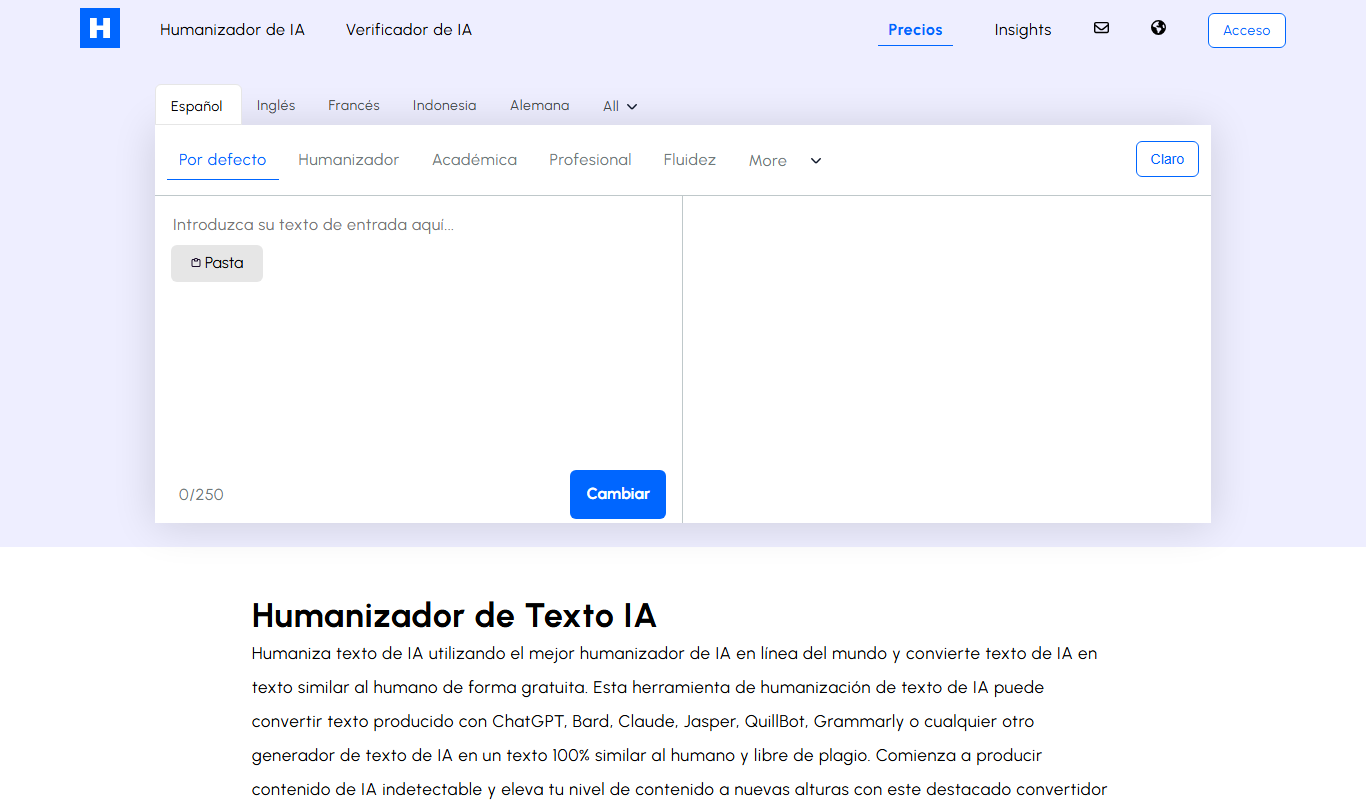
What is Humanizador de IA?
Humanizador de IA is a web tool that rewrites AI-generated text so it reads like human writing. It is trained specifically for Spanish, offers a language selector that also covers other languages, and has several humanizing modes; a free version is limited to 250 words per text.
Key features of Humanizador de IA
The tool offers automatic text humanization by rewriting input text to sound more natural and less robotic. It supports Spanish language content and is accessible via a simple web interface without requiring registration or payment.
AI Text Humanization
Breaks long paragraphs into short, meaningful sentences, removes jargon and unnecessary words, and corrects spelling and grammar while humanizing the text.
Spanish Language Focus
Specialized in enhancing Spanish text for cultural and linguistic accuracy.
Free version
A free version humanizes up to 250 words per text, with paid plans for more.
Simple Web Interface
Easy-to-use online platform with straightforward input and output.
Pros and cons of Humanizador de IA
Pros
- Free and easy to use
- Improves naturalness of Spanish text
- No registration or installation needed
Cons
- Limited to text humanization without advanced editing features
Key use cases for Humanizador de IA
Content Humanization
Transforms AI-generated or robotic text into more natural, human-like language to improve readability and engagement.
Text Rewriting
Rewrites existing text to sound less artificial and more conversational, ideal for marketing, blogs, and social media.
Language Localization
Adjusts text tone and style to better fit Spanish-speaking audiences, enhancing cultural relevance.
Content Polishing
Refines text by improving flow and clarity without changing the original meaning.
How Humanizador de IA works
- 1
Enter Text
Paste or type the AI-generated or robotic text into the input box on the website.
- 2
Process Text
Select the humanizing mode, such as academic, professional, formal, informal or casual, optionally select the language, and click the humanize button.
- 3
Copy Output
Review the humanized text and copy it for use in your content projects.
Who is using Humanizador de IA
Humanizador de IA pricing
Free
Gratis
Free humanizing up to 250 words per text; premium is needed for more words.
Semanal
$2.95 billed every 7 days
No ads or captchas, 3 times faster, more than 29 languages, more than 11 writing modes and styles, humanize up to 1500 words.
Mensual
$3.97 billed every 30 days (regular $12.64)
No ads or captchas, 3 times faster, more than 29 languages, more than 11 writing modes and styles, humanize up to 1500 words.
Anual
$39.99 billed every year (regular $153.82)
No ads or captchas, 3 times faster, more than 29 languages, more than 11 writing modes and styles, humanize up to 1500 words.
Plans and prices are as published by the vendor and can change. Check the official site before you buy. Open the pricing page (opens in a new tab)
Frequently asked questions about Humanizador de IA
Yes, there is a free version limited to 250 words per text; premium plans remove ads and captchas and allow longer texts.
It is trained specifically for Spanish, and the language selector also covers other languages; premium plans list more than 29 languages.
Yes, you can use the humanized text for commercial purposes.
No, it is a web-based tool accessible through any modern browser.
It depends on your specific needs and how you plan to use the tool. The official website and documentation are the best sources for the latest details.
Yes, it can help with that use case depending on how you configure it and what features are available. You’ll get the best results with clear inputs and a defined goal.
Conclusion
Pasted text gets a humanizing mode such as academic, professional or casual before the humanize button is clicked, and choosing the language is optional. The rewrite breaks long paragraphs into short, meaningful sentences, removes jargon and unnecessary words, and corrects spelling and grammar while humanizing the text. It is trained specifically for Spanish, while the language selector also covers other languages.
Spanish content creators, bloggers and writers are the core audience, with marketing professionals close behind. The free version stops at 250 words per text. Weekly, monthly and annual premium plans remove ads and captchas and add more languages and writing modes.
Sources
Sign in to review this tool.
Sign In to ReviewNo reviews yet
Be the first to share how this tool worked for you.
Ask about pricing, limits, or how it compares — or answer someone else.
Sign In to AskNo questions yet
Have a question about using or paying for this tool? Be the first to ask.
Featured on TiorAI



More AI Content Creation Tools tools
Other tools in the same category, for when this one is not quite the fit.

SermonAI
SermonAI is an AI-driven platform that assists pastors in generating sermon outlines, full sermons, and devotional content based on scripture and topics, streamlining sermon preparation.
Pastors.ai
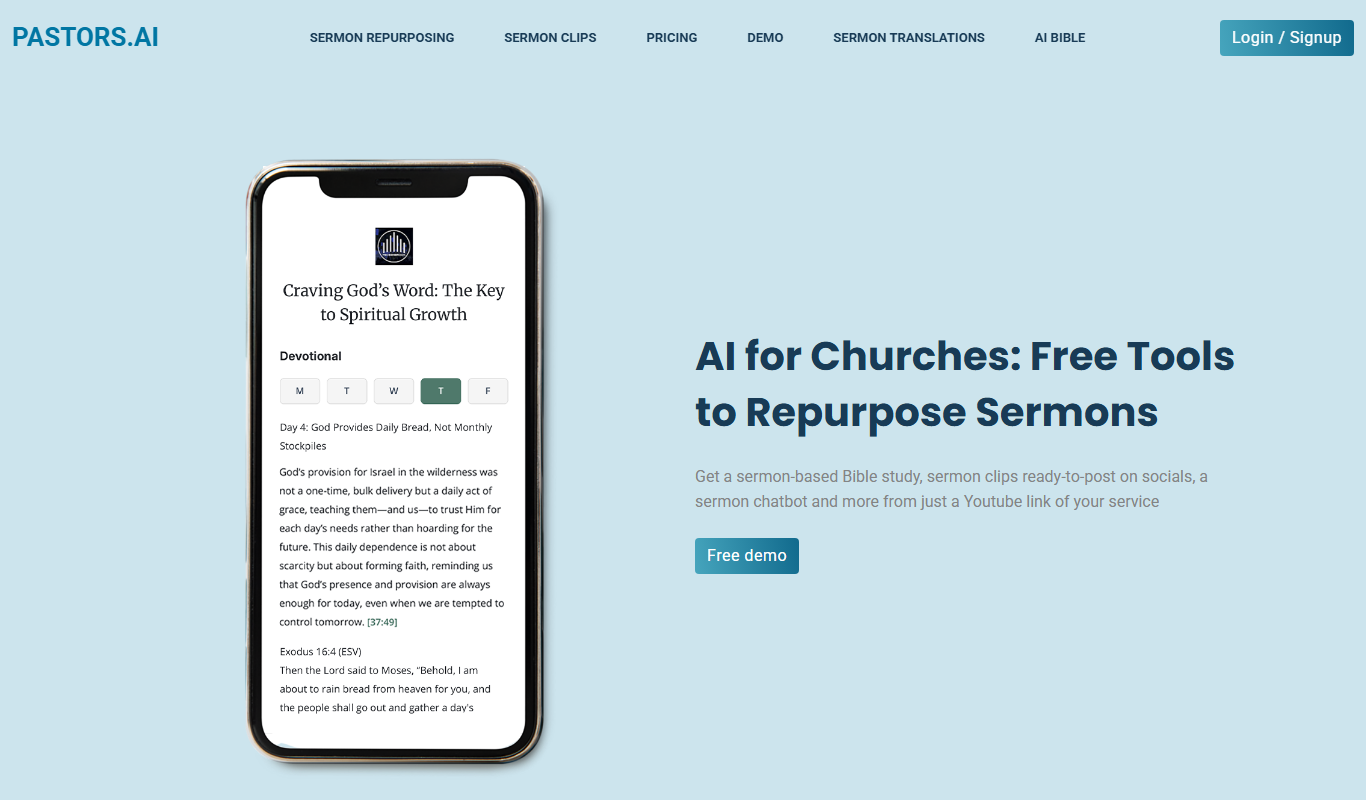
Pastors.ai turns a YouTube sermon link into sermon clips, devotionals, Bible studies and a custom church chatbot, emailed in about 30 minutes.

Jugemu.app with OpenAI o1 Support
Jugemu.app brings together more than 17 large language models, including ChatGPT, Claude and Gemini, and compares them.

clickworker
Clickworker is a crowdsourcing platform that connects businesses with a global network of freelancers to complete microtasks such as data annotation, content creation, and surveys, enabling scalable and flexible project execution.

Txt Muse
Txt Muse is an AI-powered writing assistant designed to help marketers and content creators generate marketing copy, social media posts, emails, and creative writing content efficiently using GPT-3 technology.

Transmonkey
Transmonkey is an AI-driven translation platform that enables fast, accurate multilingual content creation for businesses and marketers.

Elai.io
Elai.io is an AI-powered platform that converts text scripts into professional videos using realistic AI avatars, supporting multiple languages and scalable personalized video creation.

Dreamshorts
DreamShorts is an AI-powered platform that generates video scripts, visuals and professional-quality short-form videos for social media platforms, plus articles and trend tracking.