

Duino Code Generator - Arduino Code Automation Tool for Developers
Duino Code Generator is a free online tool that helps users automatically generate Arduino code for various sensors and actuators, simplifying microcontroller programming and speeding up IoT project development.
- Best for
- Arduino Project Development
- Key capability
- Code generation from a text prompt
Save Duino Code Generator, follow its updates and vote on it — everything stays in your account.
Sign in or create a free account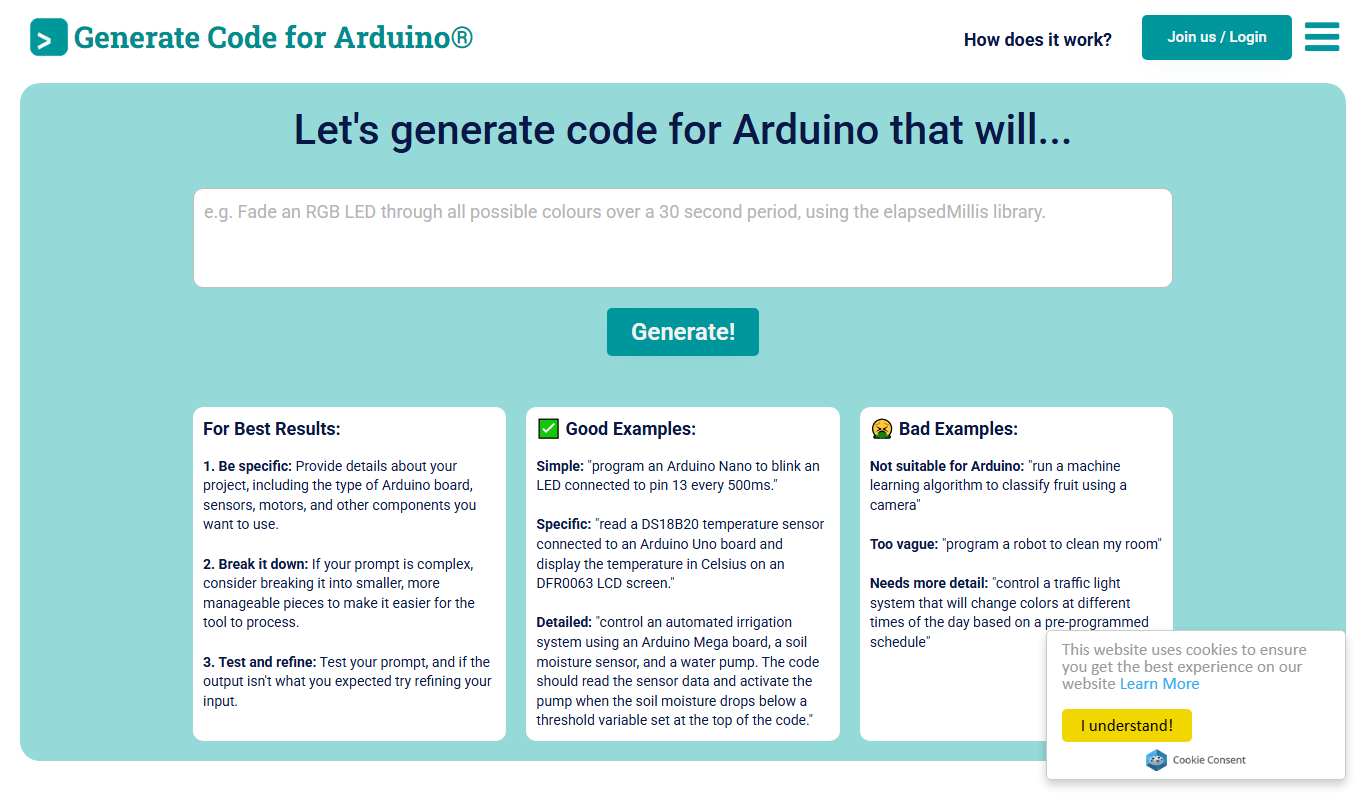
What is Duino Code Generator?
Duino Code Generator is an AI tool that generates Arduino code from a natural language prompt, rather than from a selection of ready-made components.
Key features of Duino Code Generator
Duino Code Generator produces Arduino code from a natural language prompt.
Code generation from a text prompt
Generates Arduino code from a text prompt using GPT instead of selecting components from a list.
User-Friendly Interface
Simplifies code creation with easy-to-navigate options and clear configuration steps.
Free to Use
No cost access to the full functionality of the code generator.
Supports Multiple Arduino Boards
Compatible with various Arduino models for broad hardware support.
Pros and cons of Duino Code Generator
Pros
- Simplifies Arduino code creation for beginners
- Free and accessible via web browser
- Speeds up prototyping for IoT projects
Cons
- Limited to supported components and configurations
- No offline or desktop version available
Key use cases for Duino Code Generator
Arduino Project Development
Automatically generate Arduino code snippets to accelerate microcontroller programming.
IoT Prototyping
Quickly create code for IoT devices to prototype sensor and actuator interactions.
Learning and Education
Assist beginners in understanding Arduino code structure by generating ready-to-use examples.
How Duino Code Generator works
- 1
Describe the code
Describe the Arduino code you need in a text prompt.
- 2
Configure Parameters
Set parameters such as pin numbers, sensor thresholds, and communication protocols.
- 3
Generate Code
The tool automatically creates Arduino code based on your selections and configurations.
- 4
Download and Deploy
Download the generated sketch and upload it to your Arduino board using the Arduino IDE.
Who is using Duino Code Generator
Duino Code Generator pricing
Free
$0
Full access to code generation features without any charges.
Plans and prices are as published by the vendor and can change. Check the official site before you buy. Open the pricing page (opens in a new tab)
Frequently asked questions about Duino Code Generator
Pricing is not confirmed on the official site: the pricing page returns 404, and outside sources mention a limited free plan with paid credits.
The tool supports multiple popular Arduino boards, but check the website for specific compatibility.
No, the interface is designed for beginners and experts alike to easily generate code.
It depends on your specific needs and how you plan to use the tool. The official website and documentation are the best sources for the latest details.
It depends on your specific needs and how you plan to use the tool. The official website and documentation are the best sources for the latest details.
Yes, it can help with that use case depending on how you configure it and what features are available. You’ll get the best results with clear inputs and a defined goal.
Conclusion
Input comes as a natural language prompt describing the Arduino code you need, rather than a selection of ready-made components. Code is generated from that text prompt using GPT. The finished sketch is downloaded and uploaded to the board using the Arduino IDE. Various Arduino models are supported, and the website gives specific board compatibility.
The page presents it as a way to prototype sensor and actuator interactions for IoT devices and to help beginners understand Arduino code structure. It is aimed at Arduino hobbyists, STEM educators and electronics students. Pricing is not confirmed on the official site, where the pricing page returns 404, and outside sources mention a limited free plan with paid credits.
Sources
Sign in to review this tool.
Sign In to ReviewNo reviews yet
Be the first to share how this tool worked for you.
Ask about pricing, limits, or how it compares — or answer someone else.
Sign In to AskNo questions yet
Have a question about using or paying for this tool? Be the first to ask.
Featured on TiorAI



Alternative Tools
Explore similar AI tools that might fit your needs

Arduino IDE
Arduino IDE is a free, open-source integrated development environment used to write, compile, and upload code to Arduino microcontroller boards, supporting embedded systems development and prototyping.

PlatformIO
PlatformIO is an open-source embedded development platform that supports multiple microcontroller boards and frameworks, providing tools for building, debugging, and managing firmware projects efficiently.

More AI Developer & Coding Tools tools
Other tools in the same category, for when this one is not quite the fit.

Low-Code Development and AI
Amoga's Low-Code Development and AI platform enables rapid application building with drag-and-drop tools and AI automation, suitable for users with minimal coding skills.

Blokay
Blokay is an AI builder that turns a prompt into production-ready web components to create dashboards and backoffices.

Locofy.ai
Locofy.ai converts Figma and Penpot designs into frontend code for React, React Native, HTML-CSS, Flutter, Vue, Angular and Next.js.

Webo.AI
Webo.AI is an AI-powered no-code website builder that automates website design and content creation, enabling users to launch responsive websites quickly without coding skills.

BuilderKit
BuilderKit is an AI-driven no-code website builder that enables users to quickly create professional and responsive websites without any coding skills.
Codeless ONE
Codeless ONE is a no-code platform that allows users to build custom applications and automate workflows using a visual drag-and-drop interface without requiring programming skills.

Arcade
Arcade.dev is a no-code platform that allows users to visually build, deploy, and host web applications without writing code, featuring drag-and-drop design, API integrations, and cloud hosting.

DrogoAI
DrogoAI is an AI platform that generates and automates code creation from natural language prompts, helping developers speed up software development.