

From my experience with ContribHub, it stands out as a practical platform that genuinely simplifies the process of contributing to open source projects. The ability to discover projects tailored to your skills and track contributions across multiple repositories in one dashboard is particularly useful for developers juggling several projects. It also supports team collaboration, which is a plus for organizations managing open source efforts. However, the platform currently only supports web access, which might limit on-the-go contributions. Overall, if you want to streamline your open source involvement and collaborate efficiently, ContribHub is a solid choice.
ContribHub Open Source Contribution Platform for Developers and Teams
ContribHub is a web platform that connects developers with open source projects, offering tools for project discovery, contribution tracking, and team collaboration.
- Best for
- Discover Open Source Projects
- Key capability
- Project Discovery
Your actions
Save ContribHub, follow its updates and vote on it — everything stays in your account.
Sign in or create a free account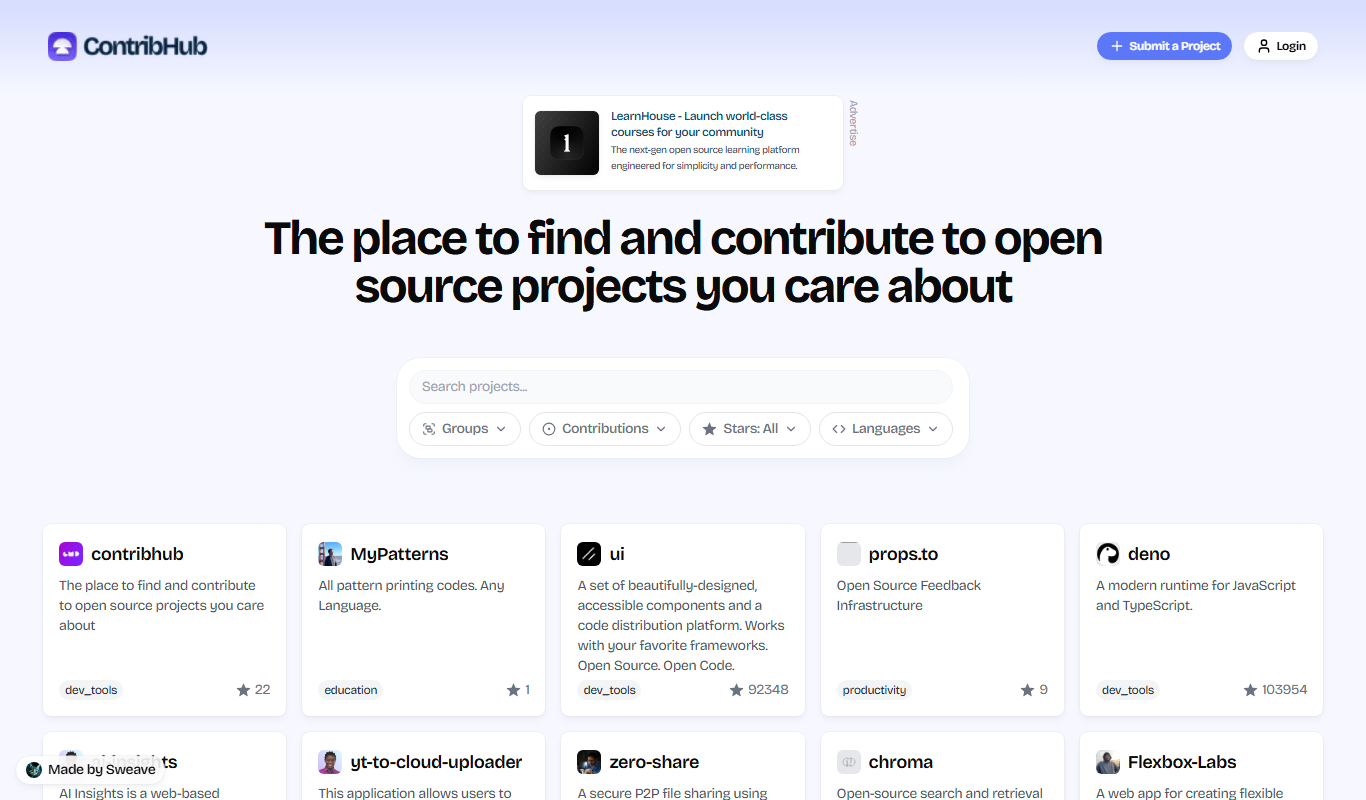

What is ContribHub?
ContribHub is a web-based platform designed to streamline and enhance the experience of contributing to open source projects. It connects developers with projects seeking contributions, facilitates tracking of contributions, and supports collaboration among individuals and teams. The platform aims to simplify the open source contribution process by providing tools to discover projects, manage tasks, and engage with communities effectively.
Key features of ContribHub
ContribHub offers features such as project discovery tailored to developer skills, contribution tracking dashboards, team collaboration tools, and community engagement functionalities. It supports both individual contributors and teams, helping users to organize their open source work efficiently.
Project Discovery
Advanced search and filtering to find open source projects suited to your skills and interests.
Contribution Tracking
Centralized dashboard to monitor all your open source contributions in one place.
Team Collaboration Tools
Features to manage teams, assign tasks, and communicate within your contributor group.
Community Interaction
Built-in messaging and discussion boards to facilitate engagement with project communities.
Skill Matching
Recommendations based on your skill set to help you find relevant contribution opportunities.
Pros and cons of ContribHub
Pros
- Simplifies finding and managing open source contributions
- Supports both individual and team collaboration
- User-friendly interface with contribution tracking
- Encourages community engagement and networking
Cons
- Limited mobile platform support (web only)
- Advanced features require paid subscription
Key use cases for ContribHub
Discover Open Source Projects
Find and explore open source projects that match your skills and interests to contribute to.
Manage Contributions
Track and manage your open source contributions across multiple projects in one place.
Team Collaboration
Coordinate with team members on open source initiatives and share progress transparently.
Skill Development
Improve coding skills and gain real-world experience by contributing to active open source projects.
Community Engagement
Engage with open source communities, receive feedback, and build a professional network.
How ContribHub works
- 1
Create an Account
Sign up on ContribHub to start exploring open source projects and managing your contributions.
- 2
Discover Projects
Browse or search for open source projects that align with your interests and expertise.
- 3
Join or Create Teams
Collaborate with other contributors by joining existing teams or creating your own.
- 4
Track Contributions
Use the dashboard to monitor your contributions, pull requests, and issues across projects.
- 5
Engage with Communities
Communicate with project maintainers and other contributors to coordinate work and share feedback.
Who is using ContribHub
Open source developers
Software development teams
Tech community managers
Coding bootcamp students
Freelance developers
ContribHub pricing
Free
$0/month
Access to basic project discovery and contribution tracking features.
Pro
$15/month
Includes advanced collaboration tools, team management, and priority support.
Plans and prices are as published by the vendor and can change. Check the official site before you buy. Open the pricing page (opens in a new tab)
Frequently asked questions about ContribHub
Yes, ContribHub offers a free plan with basic features for individual contributors.
Yes, ContribHub provides team collaboration features in its Pro subscription.
ContribHub supports projects in all programming languages as it focuses on open source contributions broadly.
The platform uses your profile and skill set to suggest relevant open source projects for contribution.
It depends on your specific needs and how you plan to use the tool. The official website and documentation are the best sources for the latest details.
Yes, it can help with that use case depending on how you configure it and what features are available. You’ll get the best results with clear inputs and a defined goal.
It depends on your specific needs and how you plan to use the tool. The official website and documentation are the best sources for the latest details.
Sign in to review this tool.
Sign In to ReviewNo reviews yet
Be the first to share how this tool worked for you.
Ask about pricing, limits, or how it compares — or answer someone else.
Sign In to AskNo questions yet
Have a question about using or paying for this tool? Be the first to ask.
Featured on TiorAI



Alternative Tools
Explore similar AI tools that might fit your needs

Free
GitLab
GitLab is an all-in-one DevOps platform that provides source code management, continuous integration and delivery, project planning, and security tools to streamline software development workflows.
More AI Collaboration & Team Tools tools
Other tools in the same category, for when this one is not quite the fit.

Free
edraw ai
Edraw AI is an AI-powered diagramming tool by EdrawSoft that helps users create flowcharts, mind maps, and business diagrams efficiently with AI-assisted features and real-time collaboration.

Custom Pricing
FikraHub
FikraHub is a cloud-based innovation management platform that enables organizations to crowdsource ideas, run innovation challenges, and collaborate effectively to foster innovation.

Free
Alian hub – Project Management System
AlianHub is an open-source, self-hosted project management platform with boards, sprints, time tracking, chat and AI, free with unlimited users or hosted in the Cloud.

Free
Walling AI
Walling AI is a visual project management and idea organization platform that uses AI to help users organize tasks, notes, and files on flexible boards, supporting collaboration across web and mobile devices.

Freemium
MeetingCulture.ai from Decisions
MeetingCulture.ai by Decisions is an AI-powered platform that enhances meeting productivity by providing analytics, automated summaries, decision tracking, and integrations with Microsoft Teams, Outlook, and Slack.

Free
Miro
Miro is a cloud-based collaborative whiteboard platform that enables teams to brainstorm, plan, and collaborate visually in real time with an infinite canvas, templates, and integrations.

Free Trial
shufflrr.com
Shufflrr is a presentation management tool that centralizes PowerPoint slides, enabling teams to organize, collaborate, and deliver presentations efficiently with version control and analytics.

Free
Swift Board
Swift Board is a free, anonymous whiteboard for sprint retrospectives and team brainstorming that needs no sign-up and adds an instant AI-generated summary.