

Canto Digital Asset Management Software for Marketing & Creative Teams
Canto is a digital asset management platform designed to help marketing and creative teams organize, manage, and share digital content securely and efficiently.
- Best for
- Centralized Media Library
- Key capability
- Smart Tagging and Metadata
Save Canto, follow its updates and vote on it — everything stays in your account.
Sign in or create a free account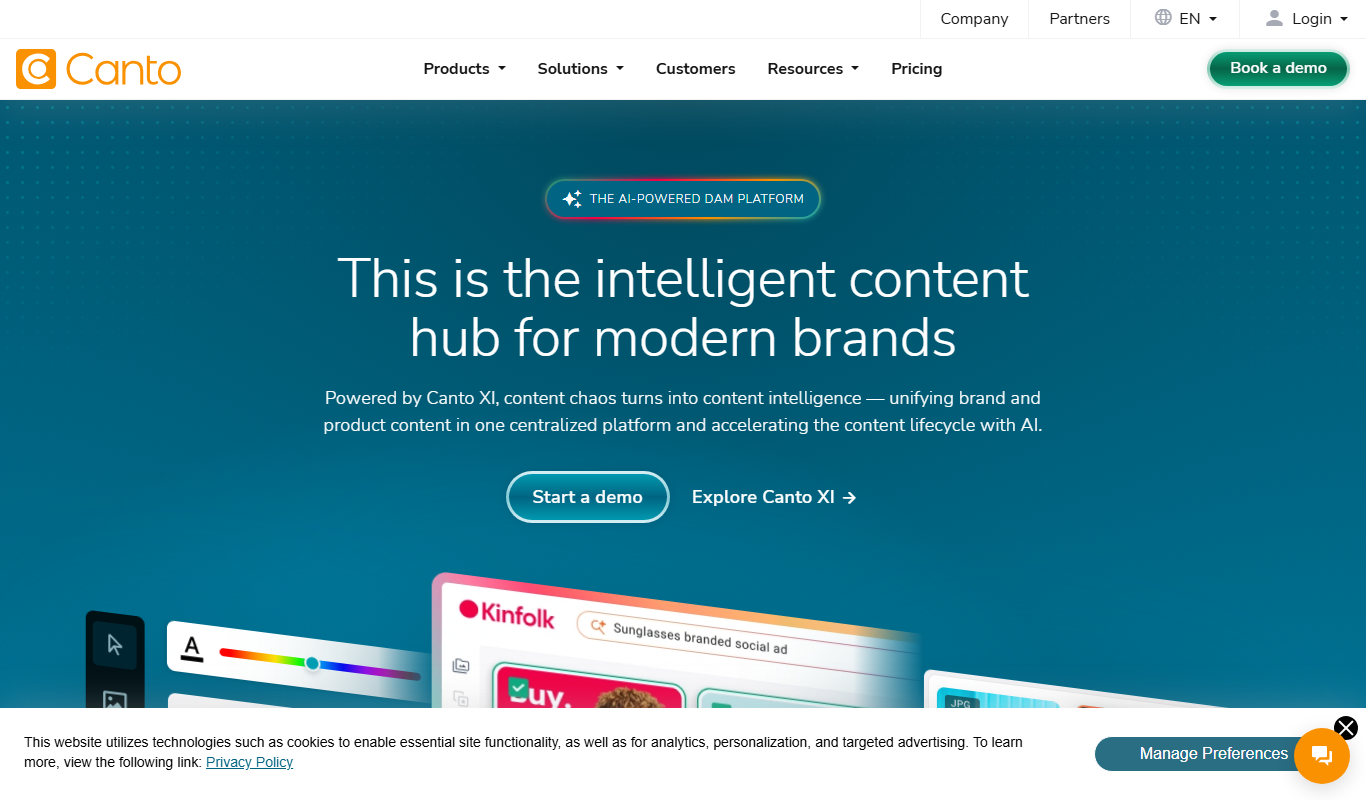
What is Canto?
Canto is a digital asset management (DAM) platform designed to help marketing and creative teams organize, store, and share digital content efficiently. It centralizes all media assets in a secure, searchable library, enabling teams to maintain brand consistency and streamline workflows.
Key features of Canto
Canto offers features such as smart tagging, metadata management, customizable galleries, user permissions, version control, and integrations with popular creative software. These tools empower teams to collaborate effectively and manage digital assets throughout their lifecycle.
Smart Tagging and Metadata
Automatically tag assets with AI-powered metadata to improve searchability.
Customizable Galleries
Create branded galleries for sharing specific collections with internal or external stakeholders.
Version Control
Track changes and maintain previous versions of assets to ensure content accuracy.
User Permissions and Security
Granular control over who can view, edit, or download assets to protect brand integrity.
Integrations
Connect with tools like Adobe Creative Cloud, Slack, Microsoft Teams, and others for seamless workflows.
Pros and cons of Canto
Pros
- User-friendly interface with intuitive asset organization
- Strong collaboration and sharing features
- Robust security and permission controls
- Good integration options with creative and productivity tools
Cons
- Pricing is custom and may be expensive for small businesses
- No dedicated mobile app, only mobile web access
- Limited AI features compared to specialized AI tools
Key use cases for Canto
Centralized Media Library
Store, organize, and manage all digital assets such as images, videos, and documents in one secure location accessible to teams.
Brand Consistency Management
Ensure consistent use of brand assets across marketing campaigns by controlling access and usage rights.
Collaboration and Workflow
Facilitate team collaboration with shared asset libraries, version control, and approval workflows.
Marketing Campaign Support
Quickly find and distribute approved marketing materials to internal teams and external partners.
Integration with Creative Tools
Seamlessly connect with popular creative and productivity tools to streamline asset usage.
How Canto works
- 1
Upload Assets
Users upload images, videos, documents, and other media files into the Canto library.
- 2
Organize and Tag
Assets are organized into folders and tagged with metadata for easy searching and filtering.
- 3
Set Permissions
Administrators assign user roles and permissions to control access and editing rights.
- 4
Collaborate and Share
Teams collaborate by sharing galleries, providing feedback, and managing asset versions.
- 5
Integrate and Distribute
Assets can be integrated with other tools or distributed to external partners directly from the platform.
Who is using Canto
Canto pricing
DAM
Get pricing
Core Essentials plan for teams that need a foundation in digital asset management, keeping content organized, accessible and secure.
DAM PLUS
Get pricing
Enhanced Collaboration plan for established organizations that streamlines workflows and team collaboration.
DAM PRO
Get pricing
Advanced plan for large-scale organizations with complex needs, with customization, robust security and dedicated support.
Plans and prices are as published by the vendor and can change. Check the official site before you buy. Open the pricing page (opens in a new tab)
Frequently asked questions about Canto
Canto supports a wide range of file types including images, videos, audio files, documents, and design files.
Yes, Canto offers the Canto DAM app on iOS in addition to web access.
Yes, Canto allows you to set granular user permissions to control viewing, editing, and downloading rights.
Canto integrates with popular tools like Adobe Creative Cloud, Slack, and Microsoft Teams to streamline workflows.
This tool is designed to help users accomplish its core tasks more efficiently. It is typically used by individuals or teams looking to improve productivity and workflow.
Yes, it can help with that use case depending on how you configure it and what features are available. You’ll get the best results with clear inputs and a defined goal.
Integration support depends on the tool and its available connectors or API. Check the official documentation or integrations page to confirm what is supported.
Conclusion
Images, videos, documents and other media are uploaded into the Canto library, where they are organized into folders and tagged with metadata for searching and filtering. Smart tagging adds AI-powered metadata automatically, and version control maintains previous versions of assets. Administrators assign user roles and permissions to control access and editing rights.
For sharing, branded galleries collect specific collections for internal or external stakeholders, and integrations connect with Adobe Creative Cloud, Slack and Microsoft Teams. The platform is aimed at creative teams and brand managers who need consistent use of brand assets across marketing campaigns. In addition to web access, the Canto DAM app is offered on iOS. The plans are DAM, DAM PLUS, DAM for Products and DAM PRO, all priced on request.
Sources
Sign in to review this tool.
Sign In to ReviewNo reviews yet
Be the first to share how this tool worked for you.
Ask about pricing, limits, or how it compares — or answer someone else.
Sign In to AskNo questions yet
Have a question about using or paying for this tool? Be the first to ask.
Featured on TiorAI



Alternative Tools
Explore similar AI tools that might fit your needs

Brandfolder
Brandfolder is a cloud-based digital asset management platform that centralizes brand assets, controls permissions, and facilitates collaboration for marketing and creative teams.
More Business Management tools
Other tools in the same category, for when this one is not quite the fit.
CropX
CropX is an agtech platform combining wireless soil sensors with AI analytics to help farmers optimize irrigation and crop management for better yields and sustainability.
iObeya
iObeya is a digital visual management software that enables agile and lean teams to collaborate remotely using customizable digital boards and real-time interaction.

KaiNexus
KaiNexus is a cloud-based continuous improvement platform that helps organizations capture ideas, automate workflows, and track improvement projects to enhance operational efficiency.

Tata Consultancy Services
Tata Consultancy Services (TCS) is a global IT services and consulting company offering digital transformation, AI automation, cloud migration, and enterprise software solutions tailored for large businesses.

Opstra
Opstra is a web-based options trading analytics platform that helps traders build, analyze, and backtest options strategies using real-time Indian market data.

PayPal API
PayPal API is a developer toolkit that enables secure online payment processing, subscription management, and invoicing through RESTful APIs and SDKs.

Highspot
Highspot is a sales enablement platform that centralizes sales content, provides training tools, and offers analytics to improve sales effectiveness.

Seismic
Seismic is a sales enablement platform that centralizes sales content, personalizes buyer experiences, integrates with CRM systems like Salesforce, and provides analytics to improve sales effectiveness.