

From my experience with Boords, I found it excels at simplifying the storyboarding process with an intuitive drag-and-drop interface and strong collaboration features. After spending time with the platform, I can say it’s particularly well-suited for video producers and animation teams who need to visualize and communicate ideas clearly before production. However, there’s a trade-off: Boords is web-only and currently supports only English, which may limit offline use or non-English teams. Overall, if you need a reliable, collaborative storyboarding tool that integrates scripts and exports animatics, Boords delivers solid results.
Boords Storyboarding Software for Video Production and Animation Teams
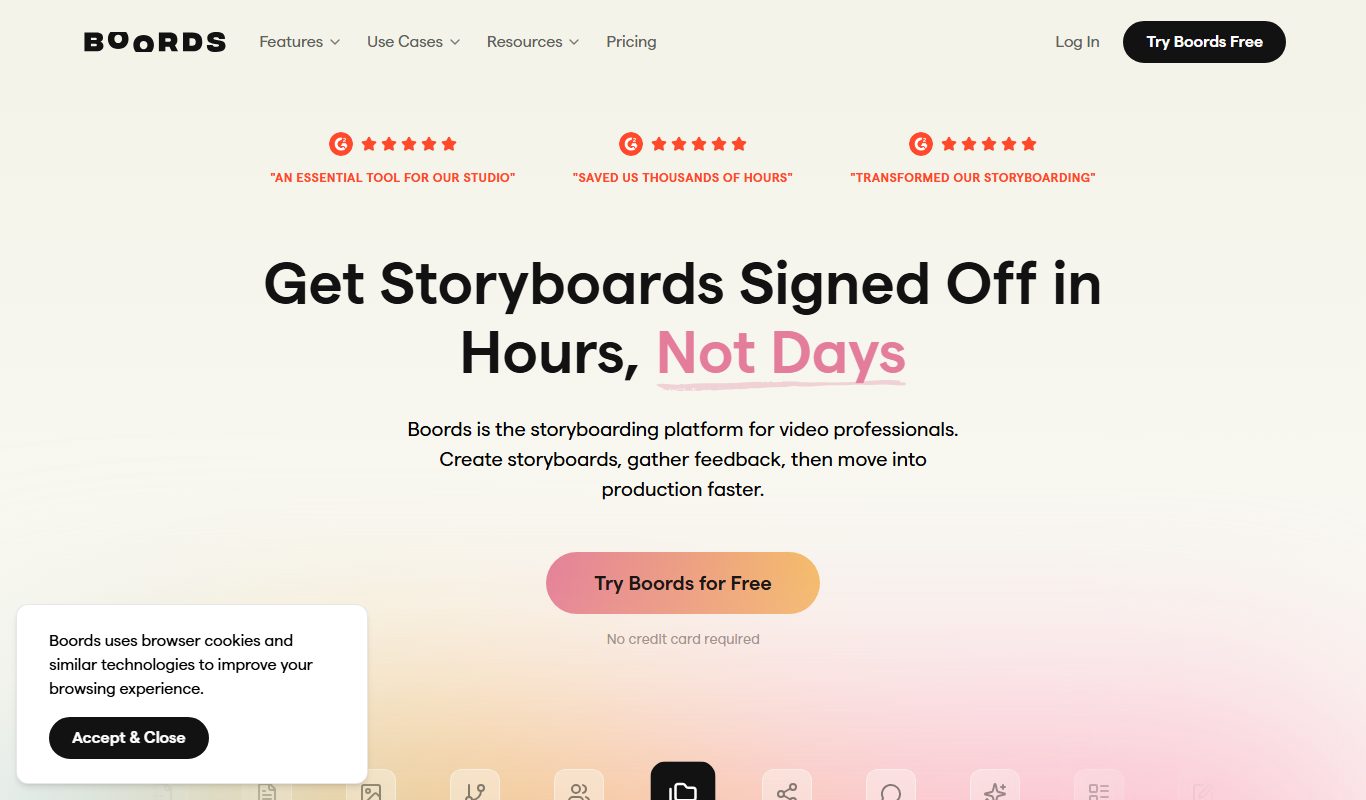
Boords is an online storyboarding software that helps video and animation teams create, collaborate on, and export detailed storyboards to streamline pre-production workflows.
- Best for
- Video Pre-Production Planning
- Key capability
- Drag-and-Drop Storyboard Editor
Do you recommend this tool?
What is Boords?
Boords is an intuitive web-based storyboarding software designed to streamline the pre-production process for video and animation projects. It enables creators to quickly build, edit, and share storyboards with teams and clients, improving communication and project planning.
Key features of Boords
Boords offers drag-and-drop storyboard creation, script integration, version control, real-time collaboration, and export options including PDF and animatics, making it a comprehensive tool for visual storytelling.
Drag-and-Drop Storyboard Editor
Easily create and rearrange storyboard frames with a user-friendly interface.
Script and Dialogue Integration
Attach scripts and dialogue to frames to keep narrative and visuals aligned.
Real-Time Collaboration
Multiple users can comment and edit storyboards simultaneously.
Version Control
Track changes and revert to previous storyboard versions as needed.
Export Options
Export storyboards as PDFs, images, or animatics for easy sharing and presentation.
Pros and cons of Boords
Pros
- User-friendly drag-and-drop interface
- Strong collaboration and commenting features
- Flexible export options including animatics
- Script integration keeps story aligned
- Version control for easy revisions
Cons
- No offline or desktop app available
- Limited language support (English only)
- Pricing can be high for small teams
Key use cases for Boords
Video Pre-Production Planning
Create detailed storyboards to visualize scenes and sequences before filming or animation.
Animation Storyboarding
Design frame-by-frame storyboards to plan animation flow and timing.
Team Collaboration
Collaborate with team members and clients by sharing storyboards and receiving feedback in real time.
Script Integration
Combine scripts with storyboards to maintain alignment between narrative and visuals.
Client Presentation
Use clean, professional storyboard presentations to communicate ideas clearly to clients and stakeholders.
How Boords works
- 1
Sign Up
Create an account on Boords’ website to access the storyboard editor.
- 2
Create a New Project
Start a new storyboard project and add frames using drag-and-drop tools.
- 3
Add Visuals and Notes
Upload images or sketches, add descriptions, dialogue, and timing notes to each frame.
- 4
Collaborate and Share
Invite team members or clients to view and comment on the storyboard in real time.
- 5
Export and Present
Export storyboards as PDFs, images, or animatics for presentations or production use.
Who is using Boords
Video producers
Animators and animation studios
Advertising agencies
Film directors and editors
Content creators and marketers
Boords pricing
Free Trial
$0 for 14 days
Full access to features for two weeks to evaluate the platform.
Solo
$15/month
For individual creators with unlimited storyboards and frames.
Team
$30/month per user
Includes collaboration features and team management tools.
Plans and prices are as published by the vendor and can change. Check the official site before you buy. Open the pricing page (opens in a new tab)
Frequently asked questions about Boords
Yes, Boords offers a 14-day free trial with full access to all features.
Absolutely, Boords is designed to support both video and animation storyboarding workflows.
Yes, Boords supports real-time collaboration and commenting for teams.
You can export storyboards as PDFs, image files, or animatics.
This tool is designed to help users accomplish its core tasks more efficiently. It is typically used by individuals or teams looking to improve productivity and workflow.
Yes, it can help with that use case depending on how you configure it and what features are available. You’ll get the best results with clear inputs and a defined goal.
Yes, it can help with that use case depending on how you configure it and what features are available. You’ll get the best results with clear inputs and a defined goal.
Some tools offer a free plan or trial with limited features. Availability can vary, so confirm on the official website.
Sign in to review this tool.
Sign In to ReviewNo reviews yet
Be the first to share how this tool worked for you.
Ask about pricing, limits, or how it compares — or answer someone else.
Sign In to AskNo questions yet
Have a question about using or paying for this tool? Be the first to ask.
Featured on TiorAI



Alternative Tools
Explore similar AI tools that might fit your needs

Freemium
Storyboard That
Storyboard That is a web-based tool that allows users to create storyboards, comics, and graphic organizers using a drag-and-drop interface with customizable characters and scenes, primarily used in education and business.

One-time purchase
FrameForge
FrameForge is a professional 3D storyboarding software used by filmmakers and video producers to visualize scenes, plan camera shots, and streamline pre-production workflows.
More AI Animation & Motion Tools tools
Other tools in the same category, for when this one is not quite the fit.

Free Trial
Gliytch
Gliytch is an AI-powered platform that enables users to create custom animated videos quickly and easily using text prompts and customizable templates.

Free Trial
Drawings Alive
Drawings Alive is an interactive animation software that allows users to animate drawings and images with interactive hotspots and synchronized audio, ideal for educational and marketing content creation.

Free
LivePortrait
LivePortrait is an AI-driven web tool that animates static portrait photos into realistic videos by applying facial movements and expressions using deep learning.

Free
Plask
Plask is a web-based AI-powered motion capture platform that uses a standard webcam to record, edit, and export 3D motion data for animation and game development.

Free
Animatable
Animatable AI is a web platform that uses artificial intelligence to help users create smooth character animations quickly and easily without prior animation experience.

Free Trial
MotionMate
MotionMate is an AI-driven video editing platform that automates the creation of motion graphics and animations, enabling users to produce professional videos quickly without advanced skills.

Freemium
Virbo AI Talking Photo
Virbo AI Talking Photo is an app that uses AI to animate static photos by syncing facial movements with voice recordings or text-to-speech audio, enabling users to create talking pictures and videos easily on web and mobile platforms.

Free
Storyboarder.ai
Storyboarder.ai is a free, open-source desktop application that uses AI to help filmmakers and animators create and organize storyboards quickly and efficiently.