

Bench Online Bookkeeping & Accounting Services for Small Businesses
Bench is an online bookkeeping service that combines software automation with professional bookkeepers to manage small business finances, provide monthly reports, and prepare tax-ready data.
- Best for
- Small Business Bookkeeping
- Key capability
- Professional Bookkeeping Team
Save Bench, follow its updates and vote on it — everything stays in your account.
Sign in or create a free account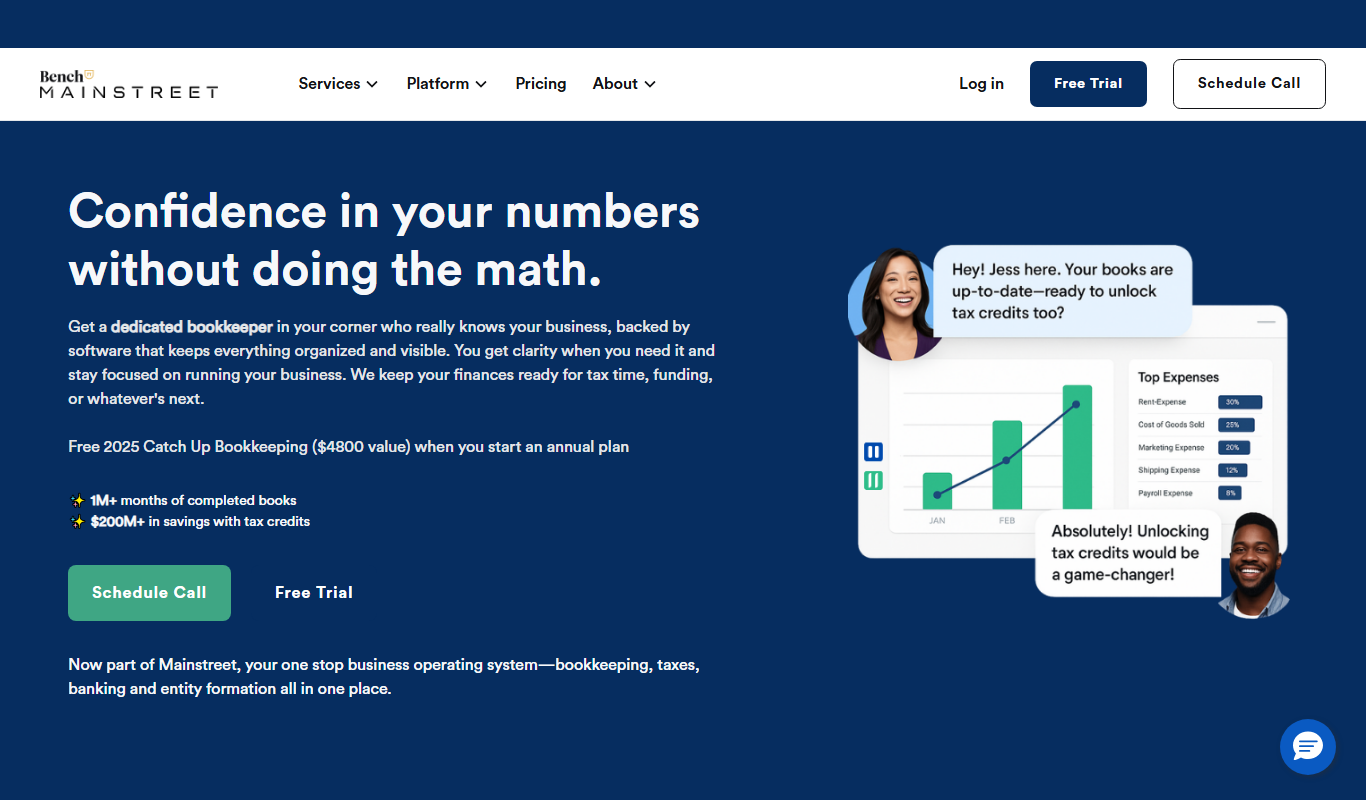
What is Bench?
Bench is an online bookkeeping service designed specifically for small businesses. It combines software automation with a team of professional bookkeepers who manage your financial records, prepare monthly reports, and help with tax preparation. The service aims to simplify accounting tasks so business owners can focus on growth without worrying about bookkeeping complexities.
Key features of Bench
Bench offers automated transaction importing, professional bookkeeping by real experts, monthly financial statements, expense categorization, and tax-ready financial data. The platform provides a user-friendly web interface to review reports and communicate with bookkeepers.
Professional Bookkeeping Team
Real bookkeepers handle your financial data, ensuring accuracy and compliance.
Automated Bank and Credit Card Sync
Securely connects to your financial accounts to import transactions automatically.
Monthly Financial Reports
Provides clear income statements, balance sheets, and cash flow reports.
Expense Categorization
Automatically categorizes expenses to simplify bookkeeping and tax preparation.
Tax-Ready Financial Data
Organizes your books to make tax filing easier and more accurate.
Pros and cons of Bench
Pros
- Dedicated professional bookkeepers ensure accuracy
- Automated transaction syncing reduces manual work
- Clear monthly financial reports simplify business finances
- Good customer support and communication
- Tax-ready data eases tax season preparation
Cons
- Pricing may be high for very small businesses
- No mobile app, only web platform
Key use cases for Bench
Small Business Bookkeeping
Bench provides professional bookkeeping services tailored for small businesses, helping them maintain accurate financial records.
Financial Reporting
Users receive monthly financial statements and reports that simplify understanding business finances and support decision-making.
Tax Preparation Support
Bench organizes financial data and collaborates with tax professionals to streamline tax filing for small businesses.
Expense Tracking
The platform helps track and categorize expenses automatically, reducing manual data entry and errors.
Cash Flow Management
Bench offers insights into cash flow trends to help businesses manage their finances proactively.
How Bench works
- 1
Sign Up and Connect Accounts
Create an account and securely link your bank and credit card accounts to Bench.
- 2
Bookkeepers Review Transactions
A dedicated team reviews and categorizes your transactions every month.
- 3
Receive Monthly Financial Statements
Bench delivers clear, easy-to-understand financial reports each month.
- 4
Collaborate for Tax Preparation
Bench organizes your financial data to assist with tax filing and works with your accountant if needed.
Who is using Bench
Bench pricing
Bookkeeping Light
$199/month
Bookkeeping for micro businesses doing $250K a year or less in revenue.
Bookkeeping
$399/month
Bookkeeping for growing businesses with year-end tax-ready financials and unlimited access to a bookkeeper by phone, message and video call.
Bookkeeping + Tax
$649/month
Includes tax filing and advisory.
Plans and prices are as published by the vendor and can change. Check the official site before you buy. Open the pricing page (opens in a new tab)
Frequently asked questions about Bench
Bench primarily serves small businesses and startups but may not be ideal for complex enterprises requiring specialized accounting.
Bench uses bank-level security protocols, including encryption and secure data storage, to protect your information.
Yes, Bench provides a platform to message and collaborate with your dedicated bookkeeping team.
The Bookkeeping + Tax plan includes tax filing and advisory.
It depends on your specific needs and how you plan to use the tool. The official website and documentation are the best sources for the latest details.
It depends on your specific needs and how you plan to use the tool. The official website and documentation are the best sources for the latest details.
Pricing depends on the plan and included features. For the most accurate and up-to-date details, check the official pricing page.
Yes, it can help with that use case depending on how you configure it and what features are available. You’ll get the best results with clear inputs and a defined goal.
Conclusion
Bank and credit card accounts are linked at sign-up, and transactions are then imported automatically. A dedicated team of real bookkeepers reviews and categorizes those transactions every month and provides income statements, balance sheets and cash flow reports. Clients can message and collaborate with their bookkeeping team through the platform.
It is designed specifically for small businesses, and startups, freelancers and consultants also use it. Plans are Bookkeeping Light at $199 per month and Bookkeeping at $399 per month, while Bookkeeping + Tax at $649 per month adds tax filing and advisory.
Sources
Sign in to review this tool.
Sign In to ReviewNo reviews yet
Be the first to share how this tool worked for you.
Ask about pricing, limits, or how it compares — or answer someone else.
Sign In to AskNo questions yet
Have a question about using or paying for this tool? Be the first to ask.
Featured on TiorAI



More AI Workflow tools
Other tools in the same category, for when this one is not quite the fit.

Lens Protocol
Lens Protocol is a blockchain stack built for SocialFi, made up of Lens Chain, the Social Protocol and Storage Nodes, where one Lens account works across many apps.

Botkeeper
Botkeeper is an AI accounting solution purpose-built for accounting firms that automates the most manual and time-consuming bookkeeping work.

Furkot
Furkot is a web-based trip planner that helps users create multi-stop routes, optimize travel paths, schedule accommodations and activities, and share itineraries for efficient road trip planning.

Trials.ai
Trials.ai is an AI-driven platform that helps medical researchers design optimized clinical trial protocols, improve patient recruitment, and ensure regulatory compliance to accelerate trial success.

ZipBooks
ZipBooks is a cloud-based accounting software designed for small businesses and freelancers to manage invoicing, expenses, payments, and financial reporting with ease.

Lookeen
Lookeen is a Windows desktop search software that enables fast and comprehensive searching of emails, files, and documents, integrating deeply with Microsoft Outlook and supporting network drives.
Ataccama
Ataccama is an AI-driven data management platform that integrates data governance, master data management, and data quality automation to help enterprises manage and improve their data assets efficiently.

FloQast
FloQast is a cloud software designed to streamline and automate the accounting month-end close process, improving accuracy and collaboration for finance teams.