

From my experience with AudioBriefs, I found it excels at enabling quick and easy creation of short audio summaries, making it ideal for users who want to capture ideas or share voice notes without fuss. The app’s clean interface and cross-platform availability simplify both recording and sharing audio content. However, the editing tools are fairly basic, and the free plan limits storage, which might be a constraint for heavy users. Overall, if you need a straightforward way to create and distribute audio briefs for personal or professional use, AudioBriefs delivers a practical and user-friendly solution.
AudioBriefs App for Creating and Sharing Audio Summaries Easily
AudioBriefs is an app that lets users quickly record, edit, and share short audio summaries or briefs across multiple platforms.
- Best for
- Creating Audio Summaries
- Key capability
- Quick Audio Recording
Do you recommend this tool?
What is AudioBriefs?
AudioBriefs is a mobile and web application designed to help users create, share, and listen to short audio summaries or briefs. It enables quick voice recording and easy distribution of audio content, making communication and content consumption more efficient.
Key features of AudioBriefs
The app offers simple audio recording, editing, and sharing capabilities, along with a user-friendly interface optimized for quick content creation and distribution across multiple platforms.
Quick Audio Recording
Capture ideas or summaries instantly with a streamlined recording interface.
Editing Tools
Basic editing features allow trimming and refining audio briefs before sharing.
Cross-Platform Sharing
Share audio briefs easily across social media, messaging platforms, or within the app.
User Profiles and Community
Create a profile to follow others and discover new audio content.
Pros and cons of AudioBriefs
Pros
- Simple and intuitive audio recording interface
- Cross-platform availability including mobile and web
- Easy sharing options for social and professional use
Cons
- Limited advanced audio editing features
- Free plan has storage and feature restrictions
Key use cases for AudioBriefs
Creating Audio Summaries
Users can quickly record and create short audio summaries or briefs to capture ideas or key points.
Sharing Voice Notes
Easily share audio briefs with friends, colleagues, or social media followers for quick communication.
Content Consumption
Listen to concise audio summaries to save time on reading long articles or documents.
Collaboration
Teams can use AudioBriefs to exchange quick audio updates and feedback asynchronously.
How AudioBriefs works
- 1
Download and Sign Up
Install the AudioBriefs app on your device and create an account to get started.
- 2
Record Audio Brief
Use the app to record a short audio summary or message.
- 3
Edit and Save
Trim or edit your recording as needed, then save it within the app.
- 4
Share Your Brief
Share your audio brief via social media, messaging apps, or within the AudioBriefs community.
Who is using AudioBriefs
Content creators
Professionals needing quick voice notes
Social media users
Teams collaborating remotely
Podcasters and audio enthusiasts
AudioBriefs pricing
Free
$0/month
Access to basic recording and sharing features with limited storage.
Pro
$4.99/month
Enhanced storage, advanced editing tools, and priority support.
Plans and prices are as published by the vendor and can change. Check the official site before you buy. Open the pricing page (opens in a new tab)
Frequently asked questions about AudioBriefs
Yes, AudioBriefs offers a free plan with basic features and limited storage.
Yes, you can share your audio briefs via social media, messaging apps, or direct links.
AudioBriefs is available on iOS, Android, and as a web application.
It depends on your specific needs and how you plan to use the tool. The official website and documentation are the best sources for the latest details.
Yes, it can help with that use case depending on how you configure it and what features are available. You’ll get the best results with clear inputs and a defined goal.
Sign in to review this tool.
Sign In to ReviewNo reviews yet
Be the first to share how this tool worked for you.
Ask about pricing, limits, or how it compares — or answer someone else.
Sign In to AskNo questions yet
Have a question about using or paying for this tool? Be the first to ask.
Featured on TiorAI



Alternative Tools
Explore similar AI tools that might fit your needs

Free
Anchor.fm
Anchor.fm is a free podcast hosting and creation platform owned by Spotify that enables users to record, edit, distribute, and monetize podcasts easily.

Free
SpeakPipe
SpeakPipe is a web-based voice messaging tool that allows websites to collect voice messages from visitors via an embeddable recorder widget or direct links, facilitating customer feedback and audio communication.
More AI Audio Content Tools tools
Other tools in the same category, for when this one is not quite the fit.

Free
notevibes.com
Notevibes is an online text to speech platform offering over 200 natural AI voices across 25+ languages, customizable speech parameters, and high-quality audio downloads for content creation, education, and accessibility.
Free
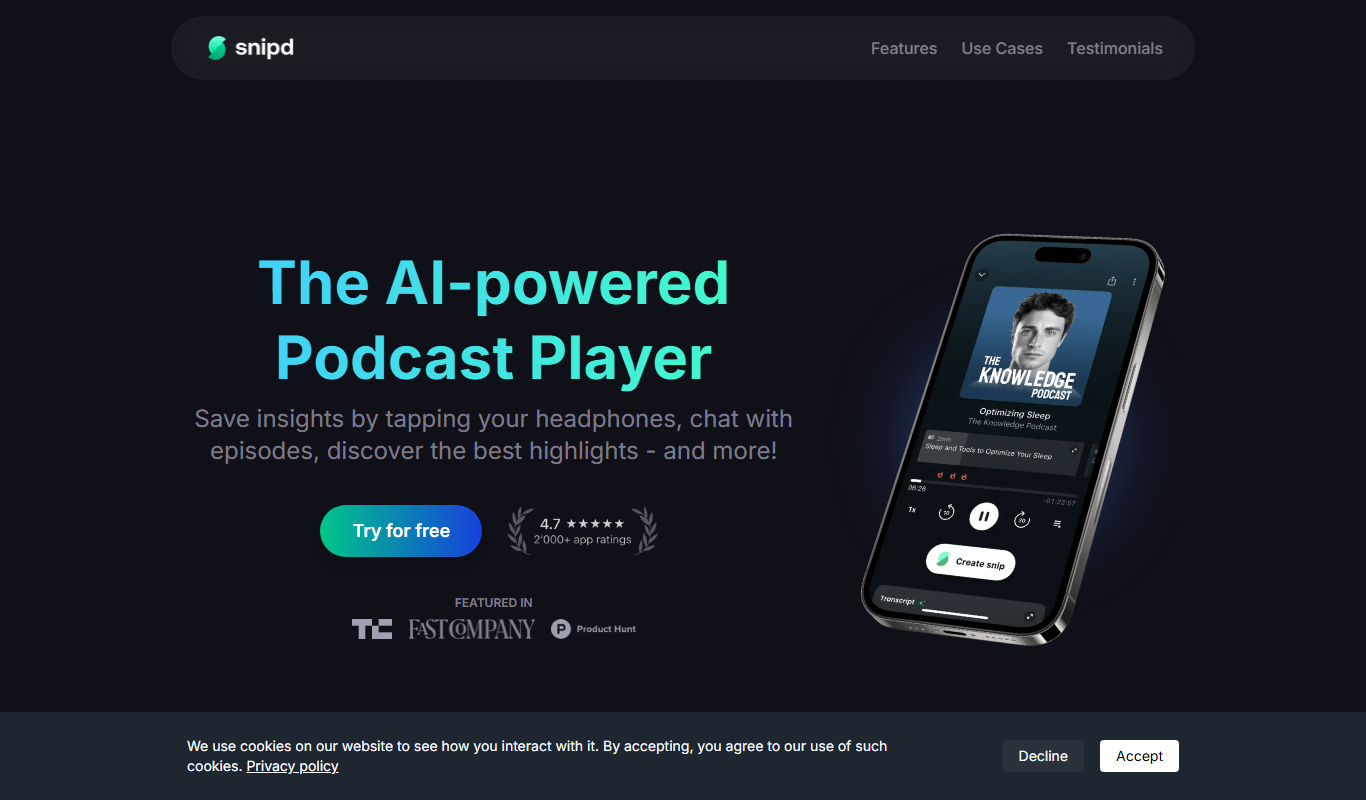
Snipd
Snipd is an AI-powered podcast player that generates transcripts and smart audio highlights to help users navigate, discover, and share podcast content efficiently.
Free
Snipd
Snipd is an AI-driven podcast player that provides automatic transcripts, smart highlights, and note-taking features to improve podcast listening and content discovery.
Free
Snipd
Snipd is an AI-powered podcast player that provides automatic transcripts, smart highlights, and clip creation to help users quickly find and share important podcast moments.

Freemium
sounder.ai
Sounder.ai is a podcast hosting platform that offers AI-powered automatic transcription, SEO tools, and analytics to help podcasters distribute and optimize their audio content.

Free
Listnr
Listnr is an AI-powered text-to-speech platform that converts text into natural-sounding audio using multiple voices and languages, ideal for podcasts, audiobooks, and marketing content.

Free Trial
Blakify
Blakify is an AI-powered text to speech platform that converts written text into natural-sounding audio with multiple voice and language options, ideal for content narration, audiobooks, and accessibility.

Freemium
GoodListen
GoodListen is an AI tool that transcribes and summarizes podcast episodes to help users quickly understand key points without listening to the full audio.