

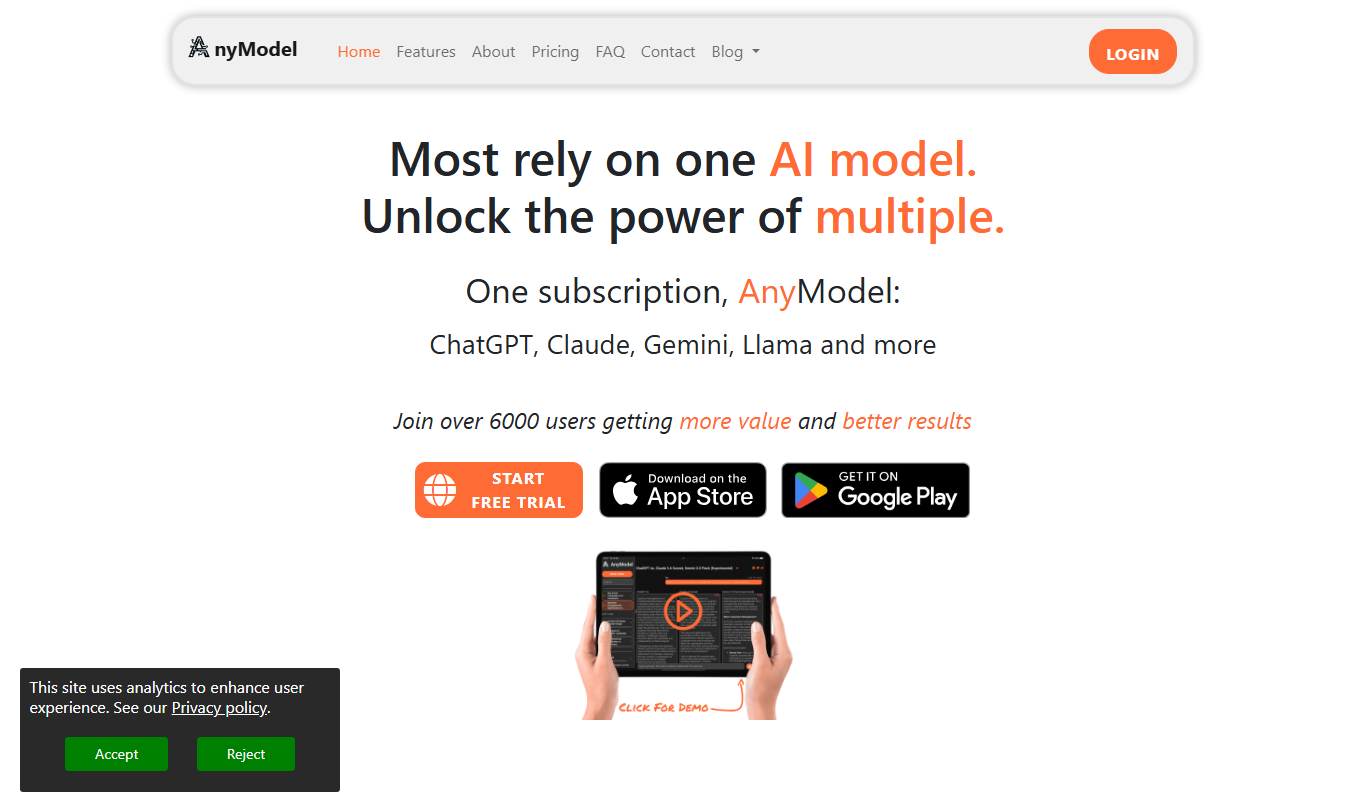
From my experience with AnyModel, I found it excels at making machine learning accessible to users without programming backgrounds. The platform’s no-code interface and automated data processing simplify complex AI workflows, which is especially helpful for small businesses and beginners wanting to prototype AI solutions quickly. However, the platform is currently limited to web use and may feel restrictive for advanced users seeking deeper customization. Overall, if you need to build and deploy custom AI models without coding, AnyModel offers a practical and user-friendly solution.
AnyModel AI Platform for Custom Machine Learning Model Creation and Deployment
AnyModel is a no-code AI platform that allows users to create, train, and deploy custom machine learning models through an intuitive web interface without programming skills.
- Best for
- Custom AI Model Creation
- Key capability
- No-Code Model Builder
Your actions

Do you recommend this tool?
What is AnyModel?
AnyModel is a no-code AI platform designed to empower users to create, train, and deploy custom machine learning models without requiring programming skills. It simplifies the complex process of AI model development by providing an accessible interface and automated workflows, enabling businesses and individuals to harness AI capabilities efficiently.
Key features of AnyModel
AnyModel offers an intuitive drag-and-drop interface for building AI models, automated data preprocessing, model training with various algorithms, and seamless deployment options. It supports integration with external data sources and provides performance monitoring tools to optimize model accuracy.
No-Code Model Builder
Create machine learning models through an intuitive visual interface without writing code.
Automated Data Processing
Automatically clean and preprocess data to prepare it for training.
Multiple Algorithm Support
Access a variety of machine learning algorithms to suit different problem types.
Model Deployment and Export
Deploy models directly or export them for use in external systems.
Performance Monitoring
Track model accuracy and other metrics to ensure optimal results.
Pros and cons of AnyModel
Pros
- User-friendly no-code interface
- Supports multiple machine learning algorithms
- Automated data preprocessing
- Easy model deployment options
- Free trial available
Cons
- Limited to web platform only
- No mobile app available
- Pricing may be high for small projects
Key use cases for AnyModel
Custom AI Model Creation
Build tailored machine learning models without coding expertise using AnyModel’s intuitive interface.
Data Analysis and Prediction
Leverage AI models to analyze datasets and generate predictions for business insights.
Model Deployment
Deploy trained models directly from the platform for integration into applications or workflows.
Rapid Prototyping
Quickly prototype AI solutions to validate ideas and accelerate development cycles.
How AnyModel works
- 1
Sign Up
Create an account on AnyModel’s web platform to access the AI model builder.
- 2
Upload Data
Import your dataset into the platform using supported formats.
- 3
Build Model
Use the no-code interface to select features, choose algorithms, and configure model parameters.
- 4
Train and Evaluate
Train the model on your data and evaluate its performance with built-in metrics.
- 5
Deploy Model
Deploy the trained model for use in applications or export it for integration.
Who is using AnyModel
Small and medium businesses
Data analysts without coding skills
Product managers
AI enthusiasts and beginners
Startups looking for rapid AI prototyping
AnyModel pricing
Free Trial
$0 for 14 days
Access core features with limited usage to evaluate the platform.
Pro
$49/month
Full access to all features, higher usage limits, and priority support.
Plans and prices are as published by the vendor and can change. Check the official site before you buy. Open the pricing page (opens in a new tab)
Frequently asked questions about AnyModel
No, AnyModel is designed as a no-code platform, so you can build AI models without any coding experience.
You can upload structured datasets in common formats such as CSV and Excel for model training.
Yes, the platform allows you to deploy models directly or export them for integration.
Yes, AnyModel offers a 14-day free trial to test the platform’s features.
It depends on your specific needs and how you plan to use the tool. The official website and documentation are the best sources for the latest details.
It depends on your specific needs and how you plan to use the tool. The official website and documentation are the best sources for the latest details.
Pricing depends on the plan and included features. For the most accurate and up-to-date details, check the official pricing page.
Sign in to review this tool.
Sign In to ReviewNo reviews yet
Be the first to share how this tool worked for you.
Ask about pricing, limits, or how it compares — or answer someone else.
Sign In to AskNo questions yet
Have a question about using or paying for this tool? Be the first to ask.
Featured on TiorAI



Alternative Tools
Explore similar AI tools that might fit your needs

Free
Runway ML
Runway ML is a cloud platform offering AI-powered video and image editing tools, enabling creators to automate complex tasks like green screen removal and style transfer, with real-time collaboration and API integration.
More AI Developer & Coding Tools tools
Other tools in the same category, for when this one is not quite the fit.

Free
CraftUI
CraftUI Studio is a no-code UI design tool that lets you visually create responsive web and mobile app interfaces with drag-and-drop components and export clean code for development.
Free Trial
Inductor
Inductor AI is an AI-powered software development assistant that automates code generation, refactoring, and bug fixing to enhance developer productivity.

Free
Webo.AI
Webo.AI is an AI-powered no-code website builder that automates website design and content creation, enabling users to launch responsive websites quickly without coding skills.

Free
Bloks
Bloks is a no-code platform that allows users to build custom web applications with drag-and-drop tools, data integration, and workflow automation, enabling businesses to create tailored digital solutions without programming.

Free
Autodevs by Create
Autodevs by Create is an AI-driven platform that automates code generation and software development tasks, helping developers build applications faster with less manual coding.

Free
BuilderKit
BuilderKit is an AI-driven no-code website builder that enables users to quickly create professional and responsive websites without any coding skills.

Freemium
pineapplebuilder.com
Pineapple Builder is a WordPress plugin that enables users to build websites visually using drag-and-drop tools, with responsive design and WooCommerce integration.
Free Trial
Webscape
Webscape is an AI-powered no-code website builder that enables users to create fast, responsive websites easily without programming skills.