
From my experience with Webscape, I found it excels at simplifying website creation through AI-powered automation and a no-code interface. The platform is particularly well-suited for small business owners and creatives who need to launch professional-looking websites quickly without technical skills. However, the trade-off is that it currently lacks advanced e-commerce features and deep customization options found in more mature builders. Overall, if you want a fast, easy way to build responsive websites with AI assistance, Webscape delivers solid results.

Webscape AI Website Builder for Fast, No-Code Website Creation
Webscape is an AI-powered no-code website builder that enables users to create fast, responsive websites easily without programming skills.
What is Webscape?
Webscape is an AI-powered no-code website builder designed to help users create fast, responsive, and professional websites without any coding skills. It leverages artificial intelligence to automate design and content generation, enabling users to launch websites quickly and efficiently.
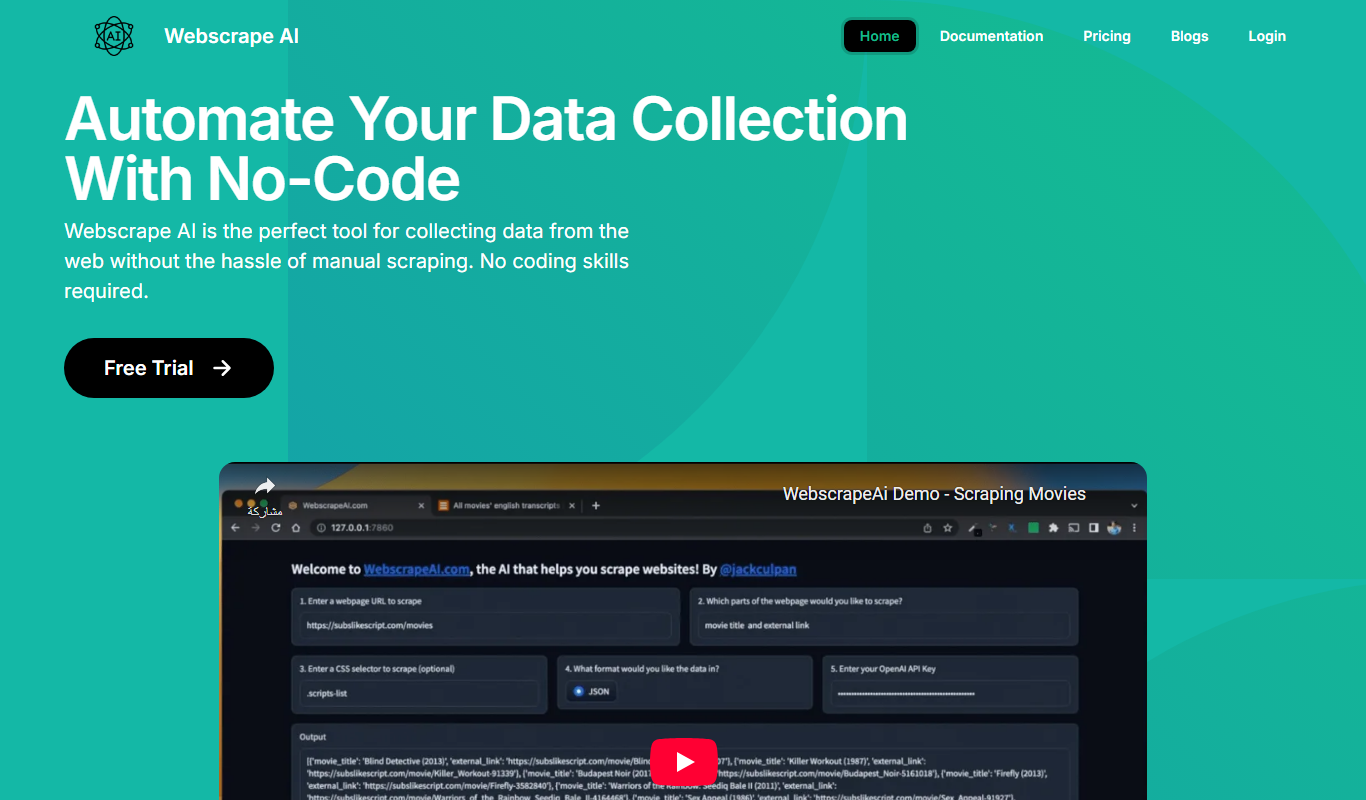
Key Features of Webscape
AI-Powered Design
Automatically generate website layouts and content suggestions using AI.
No-Code Editor
Drag-and-drop interface that requires no programming knowledge.
Responsive Templates
Templates optimized for desktop, tablet, and mobile devices.
SEO Optimization Tools
Built-in features to improve search engine visibility.
Fast Website Loading
Websites built with performance in mind for quick load times.
Pros and Cons of Webscape
Pros
- Easy to use with no coding required
- AI-assisted design speeds up website creation
- Responsive templates ensure mobile compatibility
- Affordable pricing with a free trial option
Cons
- Limited e-commerce functionality
- Fewer advanced customization options compared to traditional builders
Key Use Cases for Webscape
Small Business Website Creation
Create professional websites quickly without coding knowledge, ideal for small business owners.
Landing Page Development
Build effective landing pages for marketing campaigns with AI-assisted design and content.
Portfolio Websites
Design personal or professional portfolios showcasing work with minimal effort.
Event Websites
Generate event-specific websites fast to share details and collect RSVPs.
Rapid Prototyping
Use AI to quickly prototype website ideas before full development.
How Webscape Works
-
1
Sign Up
Create an account on the Webscape platform to access the website builder.
-
2
Choose a Template or Start from Scratch
Select from AI-generated templates or begin with a blank canvas.
-
3
Customize Your Website
Use the intuitive editor to modify text, images, and layout with AI assistance.
-
4
Optimize and Preview
Apply SEO settings and preview your website on different devices.
-
5
Publish Your Website
Launch your website live on the web with a custom domain or Webscape subdomain.
Who's Using Webscape
Small business owners
Freelancers and creatives
Marketing professionals
Event organizers
Individuals needing quick web presence
Webscape Pricing
Free Trial
$0 for 7 days
Access to core features with limited publishing options.
Pro
$19/month
Full access to all features, custom domains, and priority support.
Frequently Asked Questions About Webscape
No, Webscape is designed as a no-code platform that anyone can use to build websites.
Yes, the Pro plan allows you to connect custom domains to your website.
Currently, Webscape focuses on informational and portfolio websites; e-commerce features are limited.
Yes, it includes basic SEO optimization features to help improve your website’s search rankings.
Some tools offer a free plan or trial with limited features. Availability can vary, so confirm on the official website.
Yes, it can help with that use case depending on how you configure it and what features are available. You’ll get the best results with clear inputs and a defined goal.
Yes, it can help with that use case depending on how you configure it and what features are available. You’ll get the best results with clear inputs and a defined goal.
Share your review
Reviews are limited to one per logged-in user and are published after moderation.
You need an account to review this tool.
0.0
★
★
★
★
★
0 reviews
5 star
0
4 star
0
3 star
0
2 star
0
1 star
0
No reviews yet
Be the first to share how this tool worked for you.
Questions from the community
Read questions and answers about this tool, or ask your own.
No questions yet
Start the conversation by asking the first question about this tool.
Is this tool helpful?

Freemium
Openfabric AI
Openfabric AI is a modular platform that enables users to deploy, integrate, and automate AI models and workflows through a visual interface and API, supporting both pre-built and custom AI models.

Free
Vectorizer AI
Vectorizer AI is an online tool that uses artificial intelligence to convert raster images into scalable vector graphics (SVG), enabling easy resizing and editing for design projects.

Free
PDNob Image Translator
PDNob Image Translator is a free online tool that uses AI and OCR technology to extract and translate text from images into over 100 languages without requiring installation or payment.

Free
chatGPT notification
ChatGPT Notification is a free Chrome extension that sends desktop alerts when ChatGPT completes a response, helping users stay updated without switching tabs.

Freemium
ShowStop
ShowStop is an AI-powered video creation platform that helps users generate marketing and social media videos quickly using customizable templates and automated editing.

Freemium
TranslateTracks
TranslateTracks is an AI-powered translation management platform that combines machine translation with human editing to streamline multilingual content localization for websites and marketing materials.

Freemium
Legal Robot
Legal Robot is an AI-driven platform that automates contract review by analyzing legal documents for risks, inconsistencies, and compliance issues, providing plain English explanations to assist users.

Freemium
YouMusic.AI
YouMusic.AI is an AI-driven online platform that generates original, royalty-free music tracks based on user-selected parameters like genre, mood, and length, ideal for content creators and marketers.