
From my experience with Anvil, I found it excels at simplifying full-stack web app development by allowing you to write both client and server code in Python within a visual drag-and-drop environment. This makes it especially valuable for Python developers who want to build web apps quickly without juggling multiple languages or deployment complexities. However, the trade-off is that it offers less customization flexibility compared to traditional coding and can become costly for larger teams. Overall, if you need to rapidly prototype or build internal tools with minimal setup, Anvil delivers a streamlined and practical solution.
Anvil Low-Code Platform for Building Web Apps Without Coding Skills
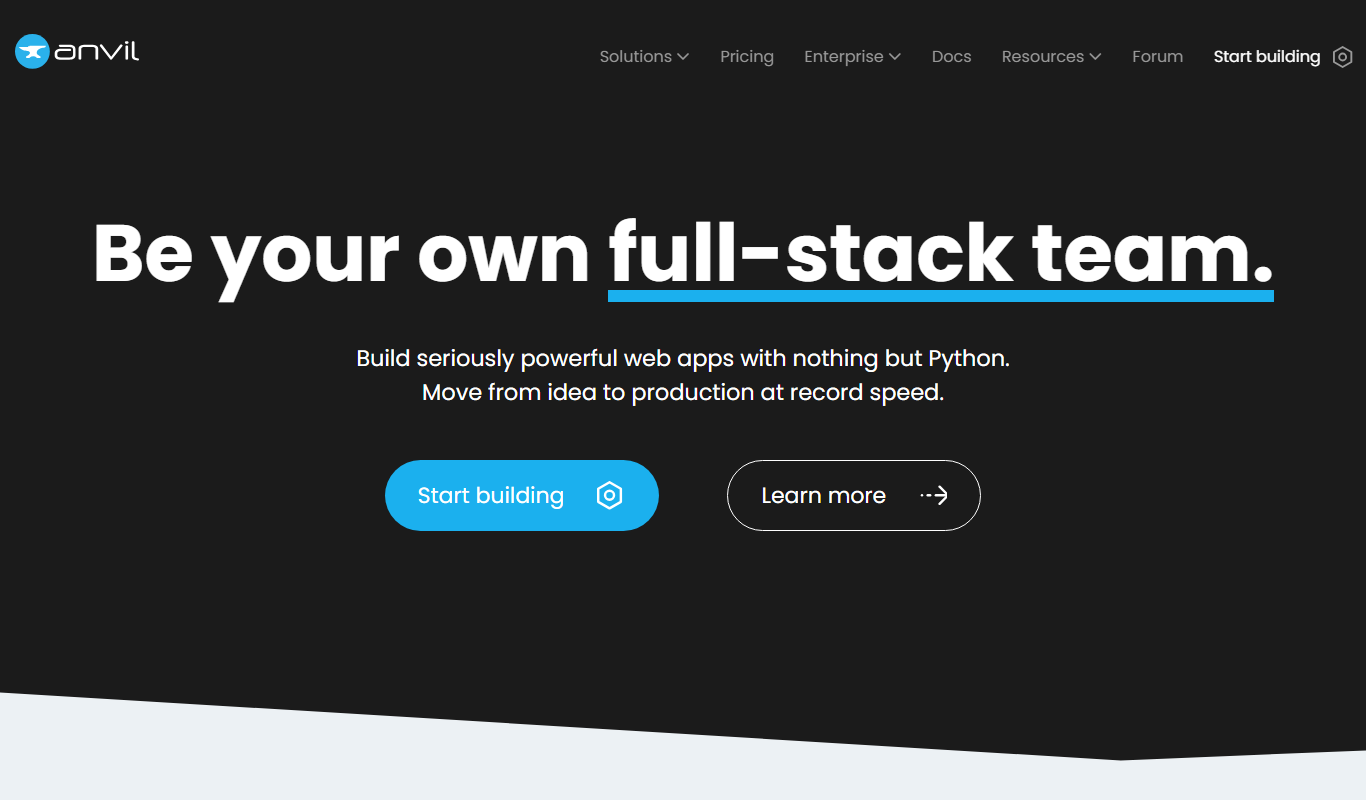
Anvil is a low-code platform that enables users to build full-stack web applications using Python with a drag-and-drop interface, eliminating the need for JavaScript or HTML knowledge.
Tech Stack:
CSS
HTML
JavaScript
Python
What is Anvil?
Anvil is a low-code platform that enables users to build full-stack web applications entirely in Python with a drag-and-drop interface. It abstracts away the complexities of front-end and back-end development by providing a visual UI builder combined with server-side Python code execution. This allows developers and non-developers alike to create interactive web apps quickly without needing to manage infrastructure or write JavaScript or HTML manually.
Key Features of Anvil
Drag-and-Drop UI Builder
Create responsive web interfaces visually without writing HTML or CSS.
Full-Stack Python Development
Write both client and server code in Python, simplifying development workflows.
Built-in Database
Store and query data directly within Anvil without external database setup.
User Authentication
Add user login, registration, and role-based access controls easily.
API Integration
Connect to external APIs or expose your app's functionality via REST APIs.
Instant Deployment
Deploy apps to the web with a single click, hosted on Anvil's infrastructure.
Pros and Cons of Anvil
Pros
- Simplifies full-stack web app development with Python
- No need to manage infrastructure or deployment
- Visual drag-and-drop interface accelerates UI design
- Built-in database and authentication features
- Good for both beginners and experienced developers
Cons
- Limited customization compared to traditional coding
- Pricing can be high for larger teams or enterprise use
- Primarily web-based, no native mobile app builder
Key Use Cases for Anvil
Rapid Web App Development
Build fully functional web applications quickly using drag-and-drop components and Python code without needing traditional front-end or back-end development skills.
Internal Business Tools
Create custom internal tools such as dashboards, CRMs, and data entry forms tailored to specific business workflows without extensive coding.
Prototyping and MVPs
Develop prototypes and minimum viable products rapidly to validate ideas and gather user feedback before full-scale development.
Educational Projects
Use Anvil as a teaching tool to introduce programming concepts and web development to beginners through a simplified Python environment.
API Integration
Integrate third-party APIs and services easily within apps to extend functionality without complex backend setup.
How Anvil Works
-
1
Design UI
Use Anvil’s drag-and-drop editor to create your app’s user interface visually.
-
2
Write Python Code
Add Python code to handle client-side interactions and server-side logic within the same environment.
-
3
Connect Data
Use Anvil’s built-in database or connect external data sources to manage your app’s data.
-
4
Test and Deploy
Preview your app in real-time and deploy it instantly to Anvil’s cloud hosting platform.
Who's Using Anvil
Python developers seeking rapid web app development
Startups building MVPs and prototypes
Small businesses needing custom internal tools
Educators teaching programming and web development
Non-developers interested in building apps without coding
Anvil Pricing
Free
$0/month
Basic features with limited app size, users, and Anvil branding.
Individual
$15/month
Increased limits, custom domains, and removal of Anvil branding.
Professional
$49/month
Advanced features including more users, data storage, and priority support.
Business
Custom pricing
Enterprise-grade features, dedicated support, and SLAs.
Frequently Asked Questions About Anvil
No, Anvil allows you to build web apps entirely using Python with a visual UI builder, so knowledge of JavaScript or HTML is not required.
Anvil primarily offers cloud hosting, but they also provide options for self-hosting for enterprise customers.
Yes, Anvil offers a free plan with basic features and limited usage suitable for learning and small projects.
Yes, Anvil supports integration with external APIs to extend your app’s functionality.
It depends on your specific needs and how you plan to use the tool. The official website and documentation are the best sources for the latest details.
Yes, it can help with that use case depending on how you configure it and what features are available. You’ll get the best results with clear inputs and a defined goal.
It depends on your specific needs and how you plan to use the tool. The official website and documentation are the best sources for the latest details.
It depends on your specific needs and how you plan to use the tool. The official website and documentation are the best sources for the latest details.
Share your review
Reviews are limited to one per logged-in user and are published after moderation.
You need an account to review this tool.
0.0
★
★
★
★
★
0 reviews
5 star
0
4 star
0
3 star
0
2 star
0
1 star
0
No reviews yet
Be the first to share how this tool worked for you.
Questions from the community
Read questions and answers about this tool, or ask your own.
No questions yet
Start the conversation by asking the first question about this tool.
Is this tool helpful?
Alternative Tools
Explore similar AI tools that might fit your needs

Free
Bubble
Bubble is a no-code platform that enables users to create complex web applications visually without writing code, using drag-and-drop design, workflows, and database management.

Free Trial
OutSystems
OutSystems is a low-code platform that accelerates enterprise application development through visual tools, AI assistance, and seamless integration, enabling rapid deployment across web and mobile.
Free
YAML Validator
YAML Validator is a free online tool that checks YAML code for syntax errors and formats it for readability, helping developers ensure their YAML files are correct.

Free
PostGraphile
PostGraphile is an open-source tool that instantly generates a secure and extensible GraphQL API from a PostgreSQL database schema, enabling rapid backend development with real-time subscriptions and role-based access control.

Free
Percy
Percy is a visual testing platform that automates UI regression testing by capturing and comparing screenshots to detect visual changes, integrating with CI/CD pipelines for continuous quality assurance.
Free
OpenVAS
OpenVAS is an open-source vulnerability scanner that detects security weaknesses in networked systems by running automated tests and generating detailed reports to help organizations manage risk.
Subscription
STACK Takeoff
STACK Takeoff is a cloud-based construction estimating software that enables contractors to perform digital quantity takeoffs, generate accurate bids, and collaborate efficiently on construction projects.

Enterprise License
NiceLabel
NiceLabel is an enterprise label design and management software that enables businesses to create, manage, and automate barcode and RFID label printing with compliance and integration capabilities.

Free
Doppler
Doppler is a secrets management platform that centralizes and secures environment variables, API keys, and credentials, integrating with DevOps workflows to automate secret handling and access control.

Enterprise
Databricks
Databricks is a cloud-based unified data analytics platform that enables scalable big data processing, machine learning, and collaborative data science using Apache Spark technology.