

AI Singing Platform for Realistic Vocal Synthesis and Music Creation
AI Singing is an AI singer and singing voice generator that creates AI singing voices and music from text or lyrics.
- Best for
- Music Production
- Key capability
- Realistic Vocal Synthesis
Save AI Singing, follow its updates and vote on it — everything stays in your account.
Sign in or create a free account

What is AI Singing?
AI Singing is an AI music creation service for generating songs from text or lyrics, creating lyrics and styles, and separating vocals from audio.
Key features of AI Singing
AI Singing provides features such as melody and lyric input, voice style selection, real-time vocal synthesis, and export options. Users can customize vocal tone, pitch, and expression to create personalized singing performances. The platform is designed for ease of use, allowing creators to produce high-quality vocals quickly.
Realistic Vocal Synthesis
Produces natural-sounding singing voices that mimic human expression.
Multi-language Support
Supports singing in multiple languages including English and Chinese.
Customizable Vocal Styles
Offers various voice timbres and styles to suit different musical genres.
User-friendly Web Interface
Easy-to-use platform accessible via browser without installation.
Export Options
Allows exporting vocal tracks in common audio formats for further production.
Pros and cons of AI Singing
Pros
- Generates realistic singing voices quickly
- Supports multiple vocal styles and languages
- No need for human singers or recording equipment
Cons
- Limited language options currently
- No refunds are offered for subscriptions or Flex credits
- Customization options may be limited for advanced users
Key use cases for AI Singing
Music Production
Create realistic AI-generated vocals for songs without needing a human singer.
Voice Prototyping
Prototype vocal melodies and harmonies quickly using AI-generated singing voices.
Content Creation
Produce unique vocal tracks for videos, games, and multimedia projects.
Language Learning
Use AI singing voices to practice pronunciation and intonation in different languages.
How AI Singing works
- 1
Input Melody and Lyrics
Users upload or compose a melody and enter lyrics to be sung.
- 2
Select Voice Style
Choose from various AI-generated vocal styles and languages.
- 3
Generate Singing Voice
The AI synthesizes the singing voice based on inputs and selected style.
- 4
Adjust and Customize
Modify vocal parameters like pitch, tone, and expression to refine the output.
- 5
Export Audio
Download the generated vocal track for use in music or multimedia projects.
Who is using AI Singing
AI Singing pricing
Free
Free
For personal evaluation only; commercial usage rights require a paid plan or Flex credits.
Hobby
$19.9/month monthly, or $15.9/month billed yearly ($190.8 /year)
50 credits reset monthly, 2 running jobs at once, 30 day history, commercial usage, private generation, download generated music.
Basic
$29.9/month monthly, or $23.9/month billed yearly ($286.8 /year)
200 credits reset monthly, 3 running jobs at once, 100 day history, commercial usage.
Plus
$89.9/month monthly, or $71.9/month billed yearly ($862.8 /year)
600 credits reset monthly, 5 running jobs at once, 100 day history, commercial usage.
Pro
$140/month monthly, or $112/month billed yearly ($1,344 /year)
1,000 credits reset monthly, 5 running jobs at once, 100 day history, commercial usage.
Flex one-time credits
From $49.9 for 300 credits, one-time payment
Permanent credits with no subscription and no auto-renewal; commercial usage included and credits never expire.
Plans and prices are as published by the vendor and can change. Check the official site before you buy. Open the pricing page (opens in a new tab)
Frequently asked questions about AI Singing
Yes, paid plans and Flex credits include commercial usage rights for generated music; the Free plan is for personal evaluation only.
Currently, AI Singing supports English and Chinese vocals.
Basic understanding of melody and lyrics input is helpful, but the platform is designed to be user-friendly.
It depends on your specific needs and how you plan to use the tool. The official website and documentation are the best sources for the latest details.
Yes, it can help with that use case depending on how you configure it and what features are available. You’ll get the best results with clear inputs and a defined goal.
Yes, it can help with that use case depending on how you configure it and what features are available. You’ll get the best results with clear inputs and a defined goal.
Conclusion
Songs can start from a text description of the music or from the user’s own lyrics, in genres from pop and rock to lo-fi and electronic. Tracks come out instrumental or with vocals, and several AI voice styles let the vocal character match a song’s mood. Separate tools write lyrics, build song style arrangements with tempo, mood and instrumentation settings, and separate vocals from audio.
Music producers, indie musicians and game developers are among the intended users, for example when prototyping vocal melodies or producing tracks for videos and games. The Free plan is for personal evaluation only, while commercial usage rights come with the paid subscriptions, starting at Hobby, or with one-time Flex credits. Subscription credits reset monthly and Flex credits never expire, but refunds are not offered for either.
Sources
Sign in to review this tool.
Sign In to ReviewNo reviews yet
Be the first to share how this tool worked for you.
Ask about pricing, limits, or how it compares — or answer someone else.
Sign In to AskNo questions yet
Have a question about using or paying for this tool? Be the first to ask.
Featured on TiorAI



Alternative Tools
Explore similar AI tools that might fit your needs

Vocaloid
Vocaloid is a singing voice synthesizer software by Yamaha that enables users to create realistic singing vocals by inputting melodies and lyrics, widely used in music production and virtual idol creation.

Emvoice One
Emvoice One is an AI voice generator that converts text into natural, expressive speech with customizable voices, ideal for podcasts, videos, and accessibility.
More AI Artificial Intelligence Tools tools
Other tools in the same category, for when this one is not quite the fit.

Consensus
Consensus is an AI research tool that delivers evidence-based answers by synthesizing scientific literature, helping users quickly find verified information with citations.

Let’s Trip AI
Let's Trip AI is an AI-driven travel planning tool that generates personalized itineraries based on your travel preferences, dates, and interests, helping you organize your trip efficiently.
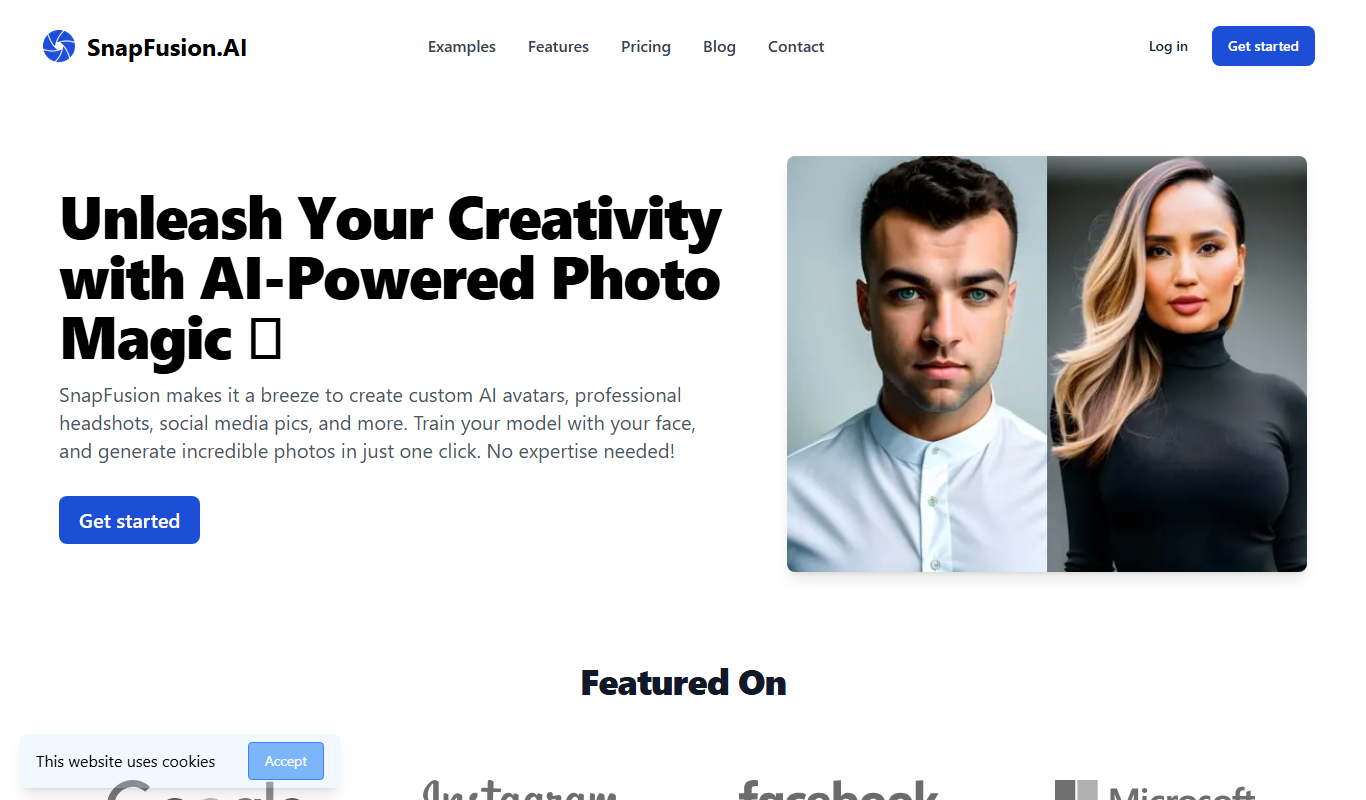
SnapFusion.AI
SnapFusion.AI is a web-based AI image editing tool that automates background removal, image upscaling, and photo enhancement to help users create professional-quality images quickly and easily.

rekor.ai
Rekor.ai is an AI-driven video analytics platform specializing in automated license plate recognition and vehicle identification, used for real-time traffic monitoring, law enforcement, and smart city applications.

iAsk Ai Generative Ai Search Engine
iAsk AI is a generative AI-powered search engine that provides conversational, context-aware answers by synthesizing information from multiple sources, enhancing traditional search experiences.

Census GPT
Census GPT lets users search census and crime data for the USA with natural language questions.

FilterPixel
FilterPixel is an AI-powered photo culling tool that automates the selection of the best photos by analyzing technical quality and facial expressions, saving photographers time and effort.

Planck Data
Planck Data is an AI platform focused on commercial insurance underwriting.