

From my experience with AI Localizer, I found it excels at automating the complex and time-consuming process of software localization. The AI-driven translation combined with quality assurance tools helps maintain accuracy while speeding up workflows. It’s particularly well-suited for developers and localization teams who need to manage multiple languages and file formats efficiently. However, the lack of publicly detailed pricing for enterprise plans and limited tech stack transparency might require direct vendor engagement for larger organizations. Overall, if you need a streamlined, AI-powered localization solution, AI Localizer delivers practical and effective results.
AI Localizer - AI-Powered Software Localization and Translation Tool
AI Localizer is an AI-powered tool that automates software and website localization by translating content into multiple languages with quality assurance and collaboration features.
- Best for
- Software Localization
- Key capability
- AI-Driven Translation Automation
Your actions
Save AI Localizer, follow its updates and vote on it — everything stays in your account.
Sign in or create a free account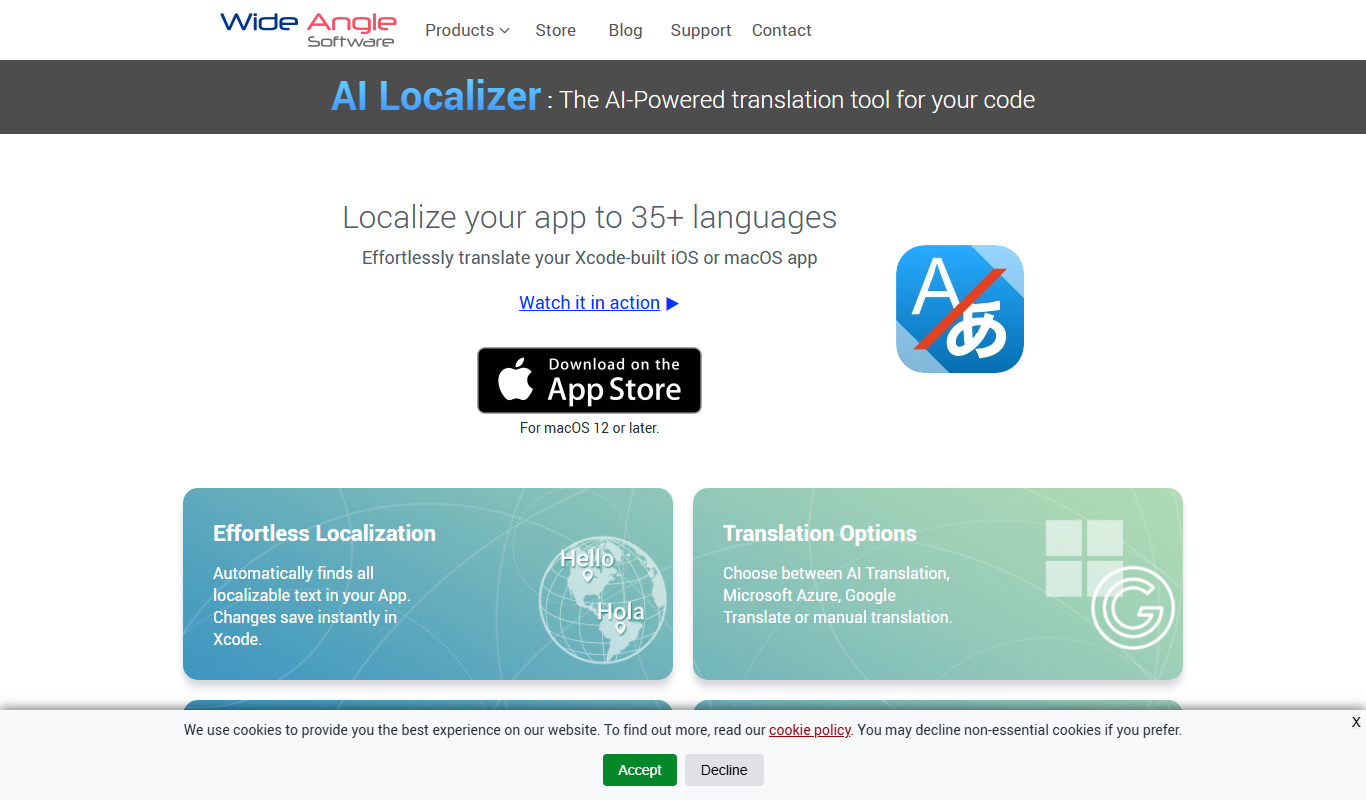
What is AI Localizer?
AI Localizer is an AI-powered software localization tool developed by Wide Angle Software that streamlines the process of translating and adapting software, websites, and apps for global markets. It leverages machine learning and AI to automate translation workflows, reduce manual effort, and improve localization accuracy.
Key features of AI Localizer
The tool offers automated translation, integration with popular development environments, support for multiple languages, and quality assurance features to ensure translations are contextually accurate and culturally appropriate.
AI-Driven Translation Automation
Automates translation tasks to speed up localization while maintaining quality.
Multi-Format Support
Supports various file formats common in software and web localization.
Quality Assurance Tools
Includes spell check, consistency checks, and context validation.
Collaboration Features
Enables teams to work together on translations with role-based access.
Integration Capabilities
Integrates with development tools and version control systems for seamless workflows.
Pros and cons of AI Localizer
Pros
- Automates complex localization workflows effectively
- Supports a wide range of file formats
- Includes quality assurance tools to improve translation accuracy
- Facilitates team collaboration
- Offers integration with development environments
Cons
- Pricing details for enterprise plans are not publicly disclosed
- Limited information on supported AI models and tech stack
Key use cases for AI Localizer
Software Localization
Automate the translation and adaptation of software user interfaces and content to multiple languages.
Website Translation
Translate website content efficiently to reach global audiences with AI-assisted accuracy.
Mobile App Localization
Localize mobile applications to support multiple languages and regional preferences.
Content Translation
Translate marketing materials, documentation, and other content with AI-enhanced workflows.
How AI Localizer works
- 1
Upload Source Files
Import your software resource files or website content into AI Localizer.
- 2
Select Target Languages
Choose the languages you want to localize your content into.
- 3
AI-Powered Translation
The tool automatically translates content using AI and machine learning models.
- 4
Review and Edit
Use built-in editors and quality checks to review and refine translations.
- 5
Export Localized Files
Download the translated files ready for integration into your software or website.
Who is using AI Localizer
Software developers
Localization teams
Marketing agencies
Mobile app developers
Content managers
AI Localizer pricing
Free Trial
$0 for 14 days
Full access to features for a limited trial period.
Professional
$49/month
Access for individual professionals with standard features and language limits.
Enterprise
Custom pricing
Tailored solutions for large teams with advanced features and support.
Plans and prices are as published by the vendor and can change. Check the official site before you buy. Open the pricing page (opens in a new tab)
Frequently asked questions about AI Localizer
AI Localizer supports common localization file formats such as .po, .xliff, .json, .xml, and resource files.
Yes, AI Localizer offers integration options with popular development tools and version control systems.
Yes, it includes collaboration features that allow multiple users to work on translations simultaneously.
Yes, AI Localizer offers a 14-day free trial with full feature access.
It depends on your specific needs and how you plan to use the tool. The official website and documentation are the best sources for the latest details.
Yes, it can help with that use case depending on how you configure it and what features are available. You’ll get the best results with clear inputs and a defined goal.
Integration support depends on the tool and its available connectors or API. Check the official documentation or integrations page to confirm what is supported.
Sign in to review this tool.
Sign In to ReviewNo reviews yet
Be the first to share how this tool worked for you.
Ask about pricing, limits, or how it compares — or answer someone else.
Sign In to AskNo questions yet
Have a question about using or paying for this tool? Be the first to ask.
Featured on TiorAI



Alternative Tools
Explore similar AI tools that might fit your needs

Enterprise
Smartling
Smartling is a cloud-based translation management platform that helps businesses automate and manage the localization of digital content across websites, apps, and marketing materials with features like translation memory, machine translation integration, and quality assurance.

Free Trial
Phrase
Phrase is a cloud-based localization platform that helps teams manage and automate translations for software, websites, and marketing content with collaboration and API integration.

Free Trial
Lokalise
Lokalise is a cloud-based translation management platform designed to help software teams automate and streamline localization workflows through API integrations, mobile SDKs, and collaborative tools.
More AI Ai Tools tools
Other tools in the same category, for when this one is not quite the fit.

Subscription
Free AI QR Code Generator by MyQRCode
MyQRCode is a web-based QR code generator for restaurants, vCards, events and businesses, with custom designs, editable links, logos and colors.

Free
AIQRHub
AIQRHub is an online tool that uses AI to turn the QR code for a URL into an artistic QR code in a preset style.

Free
AI QR Codes
AI QR Codes is a web platform that uses artificial intelligence to generate customizable and visually appealing QR codes suitable for marketing and branding.

Subscription
AutoRFP.ai
AutoRFP.ai is an AI-powered platform that automates RFP response creation, enabling sales teams to quickly generate tailored proposals and manage content efficiently.

Free
PromptPoint
PromptPoint is a web platform that helps users create, manage, and optimize AI prompts to improve the quality and relevance of AI-generated content, with features for collaboration and analytics.

Subscription
ChefGPT
ChefGPT is an AI recipe and calorie tracking app that generates recipes from pantry ingredients, builds meal plans and logs calories from meal photos.

Free
Quizbot.ai
Quizbot.ai is an AI-driven platform that helps users create interactive quizzes by generating questions from input content, enabling quick and engaging assessments.

Freemium
Questgen.ai
Questgen.ai is an AI-based platform that automatically generates multiple-choice, true/false, and short answer questions from text to assist educators and content creators in building assessments quickly.