

From my experience with AI FFmpeg Online, I found it excels at providing a straightforward, no-cost solution for quick video and audio conversions without the hassle of installing software. Its web-based interface is clean and easy to navigate, making it ideal for casual users and small projects. However, the tool lacks advanced editing features and does not clearly communicate data privacy policies, which may be a concern for sensitive content. Overall, if you need a simple, free online converter for common media formats, AI FFmpeg Online delivers reliable results efficiently.
AI FFmpeg Online - Free Web-Based Video and Audio Conversion Tool
AI FFmpeg Online is a free web-based tool that allows users to convert, edit, and compress video and audio files online using FFmpeg technology without installing software.
- Best for
- Video Format Conversion
- Key capability
- Wide Format Support

Do you recommend this tool?
What is AI FFmpeg Online?
AI FFmpeg Online is a free web-based tool that leverages the powerful FFmpeg multimedia framework to allow users to convert, edit, and process video and audio files directly in their browser without installing software.
Key features of AI FFmpeg Online
The tool offers a simple interface for converting media files between formats, extracting audio, trimming videos, and compressing files, all powered by FFmpeg technology running server-side.
Wide Format Support
Supports a broad range of video and audio formats including MP4, AVI, MKV, MP3, WAV, and more.
No Installation Required
Completely web-based, requiring no software installation or plugins.
Fast Processing
Utilizes server-side FFmpeg for efficient media processing.
User-Friendly Interface
Simple and clean UI designed for quick conversions and edits.
Pros and cons of AI FFmpeg Online
Pros
- Completely free with no registration
- Supports many popular media formats
- No software installation needed
- Simple and intuitive user interface
Cons
- Limited advanced editing features
- No clear privacy or data retention policy
- Dependent on internet connection speed
Key use cases for AI FFmpeg Online
Video Format Conversion
Convert videos between various formats such as MP4, AVI, MOV, and more directly in the browser.
Audio Extraction and Conversion
Extract audio tracks from video files and convert audio files to different formats.
Basic Video Editing
Perform simple video editing tasks like trimming, resizing, and adjusting video parameters online.
Media Compression
Reduce file sizes of videos and audio files for easier sharing and storage.
How AI FFmpeg Online works
- 1
Upload Media File
Users upload their video or audio file to the website through a straightforward interface.
- 2
Select Conversion or Editing Options
Choose the desired output format or editing parameters such as trimming or resizing.
- 3
Process File
The server processes the file using FFmpeg commands based on user selections.
- 4
Download Result
Once processing is complete, users download the converted or edited media file.
Who is using AI FFmpeg Online
Casual users needing quick media conversions
Content creators requiring simple edits
Students and educators working with multimedia
Small businesses needing free media tools
AI FFmpeg Online pricing
Free
$0
Unlimited access to all features without any cost.
Plans and prices are as published by the vendor and can change. Check the official site before you buy. Open the pricing page (opens in a new tab)
Frequently asked questions about AI FFmpeg Online
Yes, the tool is completely free with no hidden charges.
No installation is required; it works entirely within your web browser.
It supports most common video and audio formats including MP4, AVI, MOV, MP3, WAV, and others.
The website does not provide detailed information on data security, so users should avoid uploading sensitive content.
Some tools offer a free plan or trial with limited features. Availability can vary, so confirm on the official website.
Yes, it can help with that use case depending on how you configure it and what features are available. You’ll get the best results with clear inputs and a defined goal.
It depends on your specific needs and how you plan to use the tool. The official website and documentation are the best sources for the latest details.
Yes, it can help with that use case depending on how you configure it and what features are available. You’ll get the best results with clear inputs and a defined goal.
Sign in to review this tool.
Sign In to ReviewNo reviews yet
Be the first to share how this tool worked for you.
Ask about pricing, limits, or how it compares — or answer someone else.
Sign In to AskNo questions yet
Have a question about using or paying for this tool? Be the first to ask.
Featured on TiorAI



Alternative Tools
Explore similar AI tools that might fit your needs

Free
CloudConvert
CloudConvert is an online file conversion platform supporting over 200 formats, offering batch processing, customizable settings, and API integration for developers.

Free
HandBrake
HandBrake is a free, open-source video transcoder that converts and compresses videos into modern formats with customizable encoding options.
More AI Video Creation Tools tools
Other tools in the same category, for when this one is not quite the fit.

Freemium
AIreelity
AIreelity is an AI-driven video creation platform that transforms text scripts into engaging marketing videos with customizable templates and AI voiceovers.

Free Trial
AI VYX
AI VYX is an AI-driven video creation platform that automates script generation and video assembly to help marketers and content creators produce professional videos quickly and easily.

Freemium
Fliki
Fliki is an AI-based platform that converts text into videos with natural-sounding voiceovers in multiple languages, ideal for marketers, educators, and content creators.

Freemium
aicut 2.0
AI Cut 2.0 is an AI-powered web tool that automatically removes video backgrounds and isolates subjects without green screens, enabling fast and precise video editing.

Freemium
WOXO: AI Video Generator for Social Content
WOXO is an AI-powered video creation platform that transforms text, URLs, or images into social media-ready videos using customizable templates and automated voiceovers.

Freemium
Oclipia AI
Oclipia AI is a web-based platform that uses artificial intelligence to automate video editing, enabling users to create social media-optimized videos quickly by clipping highlights, adding captions, and applying templates.
Free
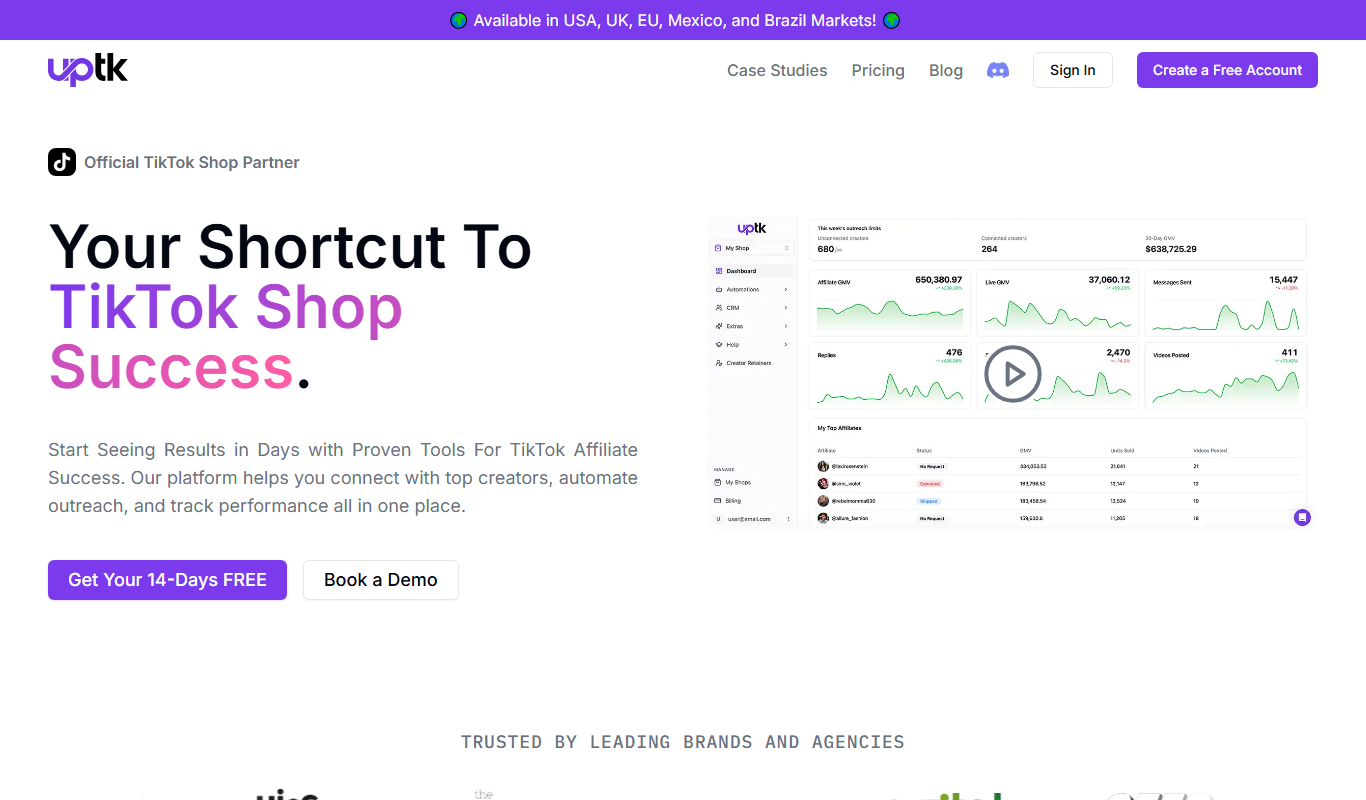
Uptik
Uptik is an AI-driven web-based video editor that automates the editing process, enabling users to create professional videos quickly with customizable templates and social media optimized exports.

Freemium
AICO
AICO is an AI-driven video editing platform that automates the editing process by analyzing raw footage and producing polished videos optimized for social media and marketing use.