

VTT to SRT Converter
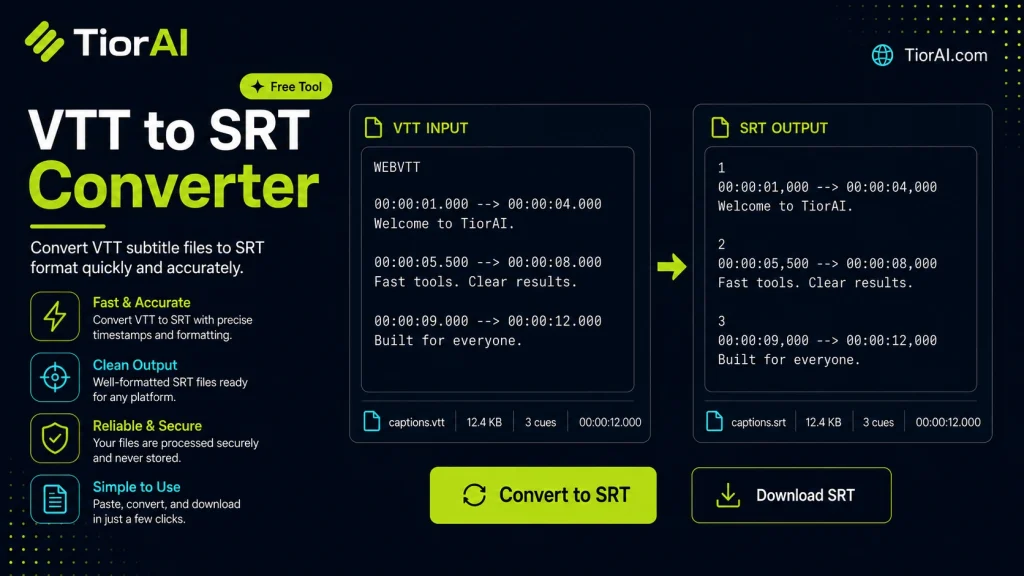
Subtitles enhance video accessibility by displaying text synchronized with audio. Two popular subtitle formats are VTT (WebVTT) and SRT (SubRip Subtitle). While both contain timing and text, VTT supports extra features like styling and is designed for web video, whereas SRT is simpler and more…
| # | Time | Text |
|---|
How to use it
- Enter Your Input Value Type or paste the value you want to convert into the input field. The tool accepts any numeric value.
- Select Units and Convert Choose your source and target units from the dropdown menus. The converted result appears instantly.
- Copy or Use the Result Click copy to grab the converted value for use in your project, document, or calculation.
Tip Bookmark this converter - it handles edge cases like zero values and very large numbers accurately.
Understanding VTT and SRT Subtitle Formats
Subtitles are essential for making video content accessible and understandable to a wider audience. Two common subtitle file formats are VTT (WebVTT) and SRT (SubRip Subtitle). Both contain text and timing information that synchronize subtitles with video playback, but they differ in structure and compatibility.
VTT is a modern format designed primarily for HTML5 video players and supports additional features like styling and positioning. SRT is a simpler, widely supported format used by many media players and video editing software.
Converting from VTT to SRT involves extracting the subtitle text and timing cues while removing VTT-specific metadata. This conversion is necessary because some video players or platforms only support SRT files, or users may prefer the simplicity of SRT for editing or compatibility reasons.
Common Use Cases
- Uploading subtitles to platforms that require SRT format, such as YouTube or VLC media player.
- Editing subtitles in software that only accepts SRT files.
- Ensuring compatibility with older devices or media players that do not support VTT.
Overall, converting VTT to SRT helps maintain subtitle accessibility across different environments and devices.
What is VTT to SRT Conversion?
Subtitles enhance video accessibility by displaying text synchronized with audio. Two popular subtitle formats are VTT (WebVTT) and SRT (SubRip Subtitle). While both contain timing and text, VTT supports extra features like styling and is designed for web video, whereas SRT is simpler and more widely supported by various media players.
Converting VTT files to SRT involves reformatting the subtitle data to match the SRT structure, removing any VTT-specific metadata. This process ensures compatibility with players or platforms that only accept SRT files.
When to Use a VTT to SRT Converter
- If your video platform requires SRT subtitles instead of VTT.
- When editing subtitles in software that only supports SRT format.
- To ensure subtitles work on older devices or media players without VTT support.
- When you want to simplify subtitle files by removing VTT styling or metadata.
Common Mistakes to Avoid
- Uploading VTT files to platforms that do not support them, causing subtitles not to display.
- Assuming VTT and SRT files are interchangeable without conversion, which can lead to errors.
- Using converters that do not preserve subtitle timing, resulting in out-of-sync subtitles.
Understanding the differences between subtitle formats and when to convert ensures your subtitles display correctly across all devices and platforms.
Frequently asked questions
Reviews and questions
Whether this tool gave people the answer they needed, and what they asked about it.
Sign in to review this tool.
Sign In to ReviewNo reviews yet
Be the first to say whether this tool gave you what you needed.
Ask how to read the result, or what the tool does with an edge case — or answer someone else.
Sign In to AskNo questions yet
Not sure how to read a result? Be the first to ask.
AI tools related to this topic
Tools from the TiorAI directory that work on the same kind of job.

Wolfram Alpha
Wolfram Alpha is a computational knowledge engine that answers factual queries by performing computations on curated data, offering detailed solutions, visualizations, and an API for developers.

ChatGPT
ChatGPT is an AI chatbot by OpenAI powered by GPT-4o. It handles writing, coding, research, data analysis, and natural conversation. Free tier available, Plus at $20/month.