

Digital Converter
Convert whole numbers between the decimal, binary, octal, and hexadecimal number systems.
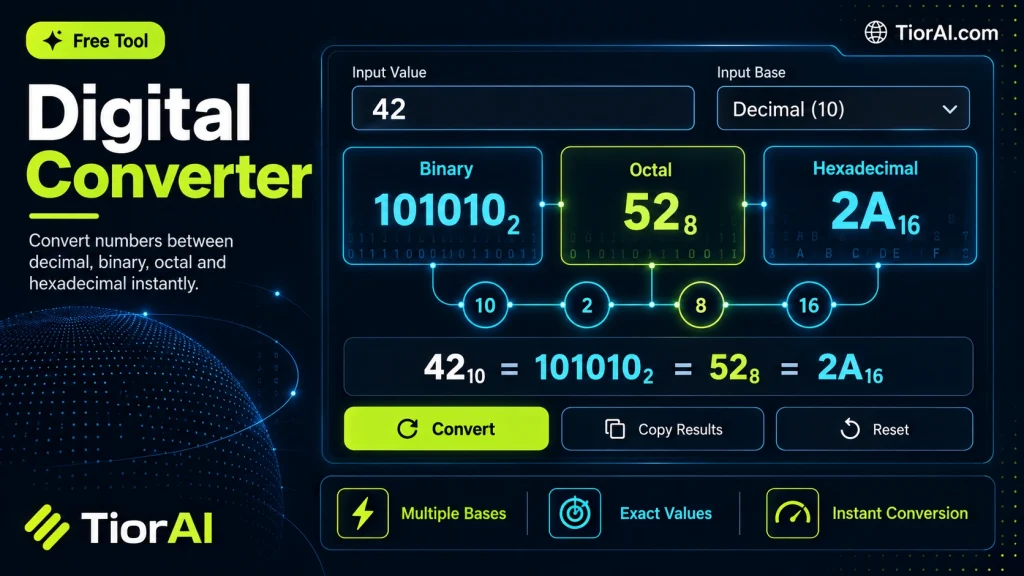
Whole numbers only. A leading minus sign is allowed; digits must be valid for the source base.
Which Digits Each Base Accepts
- Binary (base 2)
0 1- Octal (base 8)
0 1 2 3 4 5 6 7- Decimal (base 10)
0 1 2 3 4 5 6 7 8 9- Hexadecimal (base 16)
0-9 A B C D E F
Decimal 255 is 11111111 in binary, 377 in octal, and FF in hexadecimal — one byte with every bit set. Prefixes such as 0x, 0b or 0o are not part of the number, so leave them out.
How to use it
- Enter Source Value Type or paste the value you want to convert into the Digital Converter. The tool accepts a wide range of input formats.
- Select Target Format Choose your desired output format or unit from the available options. The conversion starts automatically.
- Copy the Result Review the converted output and click copy to use it in your project, document, or workflow.
Tip Paste large blocks of content into the Digital Converter — there's no size limit on input for most conversions.
Understanding Digital Conversion
A digital converter is a device or software tool that transforms data from one digital format to another. This process is essential because digital information can exist in various forms, such as numbers, text, images, audio, or video, each with specific encoding standards. Conversion ensures compatibility between different systems, devices, or applications.
Digital converters operate by interpreting the input data’s format and encoding, then re-encoding it into the desired output format. This is crucial in many fields, including computing, telecommunications, multimedia production, and data analysis.
Common scenarios for digital conversion include:
- Changing file formats (e.g., converting WAV audio files to MP3)
- Encoding data for transmission or storage (e.g., converting analog signals to digital)
- Adapting data for different software or hardware requirements
There are various types of digital converters, such as Analog-to-Digital Converters (ADC), Digital-to-Analog Converters (DAC), and format converters that handle file or data transformations. Each serves a specific role in processing digital information.
What Is a Digital Converter?
A digital converter transforms data from one digital format to another. This process is essential because digital information exists in many formats, and converting between them ensures compatibility across devices and software. For example, converting an audio file from WAV to MP3 allows it to be played on more devices with smaller file sizes.
When to Use a Digital Converter
- Changing file formats to match software requirements.
- Preparing data for transmission over networks with specific encoding needs.
- Reducing file size or adjusting quality in multimedia files.
- Integrating data from different digital systems.
Common Mistakes to Avoid
- Mixing up analog-to-digital conversion with digital format conversion, which can lead to using the wrong tool.
- Failing to verify that the output format is compatible with the intended device or software, resulting in unusable files.
Digital converters play a vital role in managing and adapting digital data for various practical uses. Understanding the type of conversion required and the formats involved helps ensure successful results without data loss or compatibility issues.
Frequently asked questions
Reviews and questions
Whether this tool gave people the answer they needed, and what they asked about it.
Sign in to review this tool.
Sign In to ReviewNo reviews yet
Be the first to say whether this tool gave you what you needed.
Ask how to read the result, or what the tool does with an edge case — or answer someone else.
Sign In to AskNo questions yet
Not sure how to read a result? Be the first to ask.
AI tools related to this topic
Tools from the TiorAI directory that work on the same kind of job.

Acon Digital DeNoise
Acon Digital DeNoise is a professional audio noise reduction tool that removes unwanted background noise from recordings using adaptive algorithms, available as standalone software and plugins for Windows and macOS.

AdSync: AI Digital Marketing Solutions
AdSync is an AI-driven digital marketing platform that automates campaign management, optimizes ad spend, and provides real-time analytics to improve advertising performance.