

URL Rewriting Tool
Check network details quickly with the url rewriting tool. This free tool queries multiple databases simultaneously and returns comprehensive results in seconds.
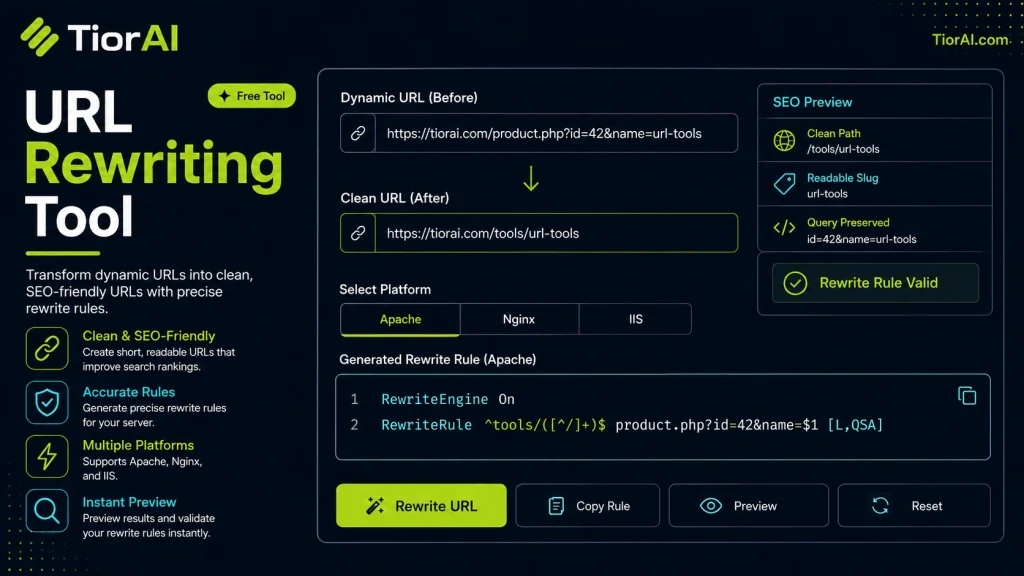
How to use it
- Enter Domain or IP Enter the domain name, IP address, or URL into the Url Rewriting Tool to start the lookup or analysis.
- Run the Check Click the check button to query the relevant databases. Results are retrieved and displayed in seconds.
- Analyze the Results Review the detailed results including status, records, and diagnostics to troubleshoot or verify your query.
Tip Compare results from the Url Rewriting Tool with your hosting provider's dashboard to spot discrepancies early.
Understanding URL Rewriting
URL rewriting is the process of modifying the appearance of URLs to make them more readable, user-friendly, and sometimes more secure. Instead of showing complex query strings or server-side script references, URLs are transformed into cleaner, descriptive paths that are easier to interpret by both users and search engines.
This technique is commonly used in web development to improve navigation, enhance SEO, and maintain backward compatibility when site structures change. For example, a URL like example.com/product?id=123 can be rewritten to example.com/product/123 or example.com/products/widget, which is easier to remember and share.
URL rewriting works by intercepting incoming URL requests and translating them internally to the actual resource location on the server. This is often handled by web server modules (like Apache’s mod_rewrite or IIS URL Rewrite) or application-level routing systems.
Common situations where URL rewriting is used include:
- Creating SEO-friendly URLs that improve search engine rankings.
- Hiding implementation details such as query parameters or file extensions.
- Redirecting old URLs to new ones after site restructuring.
- Improving user experience by providing clean and meaningful links.
What is URL Rewriting?
URL rewriting changes the structure of URLs to make them cleaner and more user-friendly. Instead of showing complex query strings, rewritten URLs present simple, readable paths that are easier to remember and share. This is useful for improving SEO and user experience.
When to Use URL Rewriting
- To create SEO-friendly URLs that include keywords and meaningful paths.
- To redirect old or changed URLs to new locations without breaking links.
- To hide query parameters or file extensions for security or aesthetic reasons.
- To maintain consistent URL patterns across a website or application.
Common Mistakes to Avoid
- Not thoroughly testing rewritten URLs, which can cause broken links or errors.
- Creating overly complex rewrite rules that impact server performance.
- Failing to update internal links after rewriting URLs, leading to navigation issues.
- Ignoring SEO best practices such as using proper redirects.
URL rewriting is a powerful technique that, when used correctly, enhances both the usability and search engine visibility of websites. It is supported by most web servers and frameworks, making it a versatile tool for web developers and site administrators.
Frequently asked questions
Reviews and questions
Whether this tool gave people the answer they needed, and what they asked about it.
Sign in to review this tool.
Sign In to ReviewNo reviews yet
Be the first to say whether this tool gave you what you needed.
Ask how to read the result, or what the tool does with an edge case — or answer someone else.
Sign In to AskNo questions yet
Not sure how to read a result? Be the first to ask.
AI tools related to this topic
Tools from the TiorAI directory that work on the same kind of job.

Code to Flow: Visualize your code
Code to Flow is a web tool that automatically converts source code into flowcharts, helping developers visualize and understand code logic easily.